
- Version
- 10.14.6 (18G103)
- Developer
- Apple
- Languages
- Russian, English, German, Arabic, Hungarian, Vietnamese, Greek, Danish, Hebrew, Indonesian, Spanish, Italian, Catalan, Chinese (Traditional), Chinese (Simplified), Korean, Malay, Dutch, Norwegian, Polish, Portuguese, Romanian, Slovak, Thai, Turkish, Ukrainian, Finnish, French, Hindi, Croatian, Czech, Swedish, Japanese
- License type
- DRM-free
| Chip | Intel 64-bit |
|---|---|
| Download | 5.6 GB |
Screenshots
Scroll the row, it snaps to each screenshot. Click one to see it wider.
You manage a small office full of older MacBooks. You need a stable OS that still runs modern apps without forcing a hardware upgrade. That's where macOS Mojave 10.14.6 (18G103) fits.
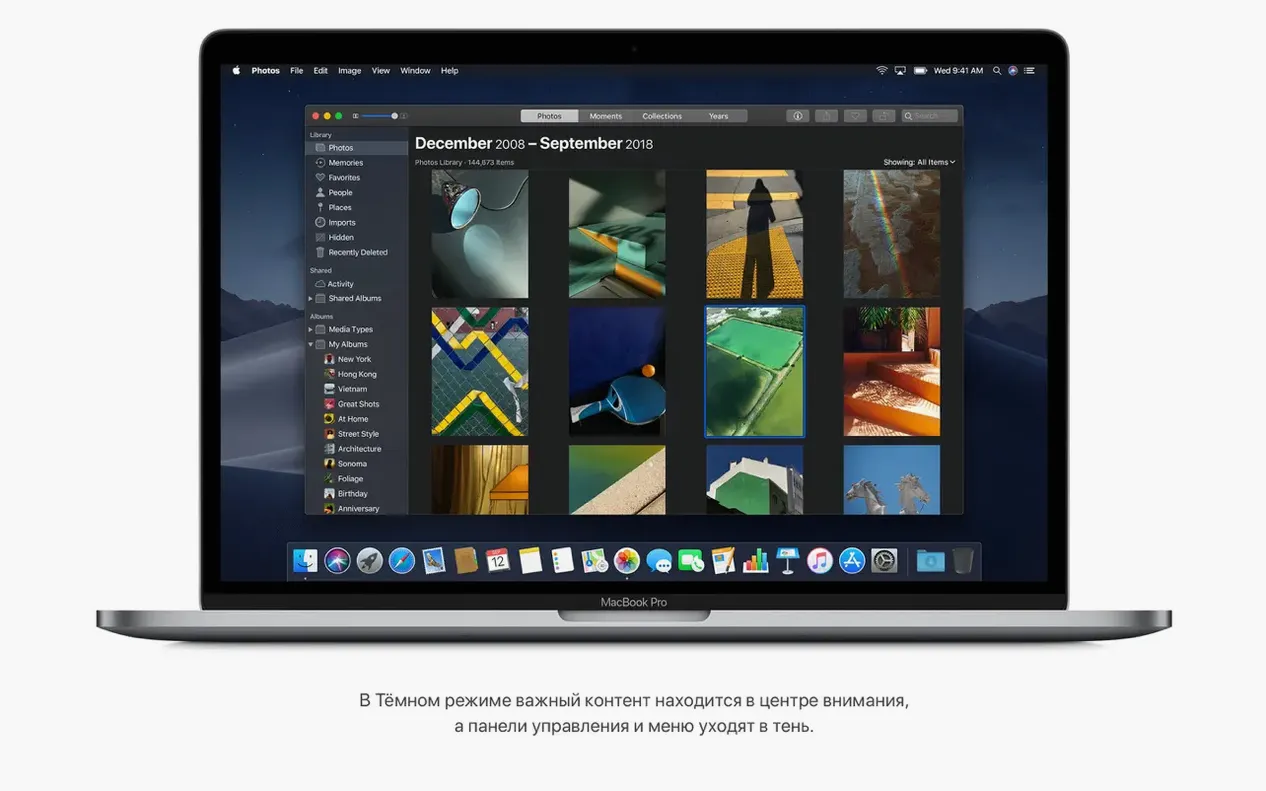
Dark Mode and Stacks simplify your desktop
Mojave brings Dark Mode, which is easier on the eyes in low-light rooms. Stacks automatically groups desktop files by type, so your screen stays tidy without manual sorting.
Which apps are included?
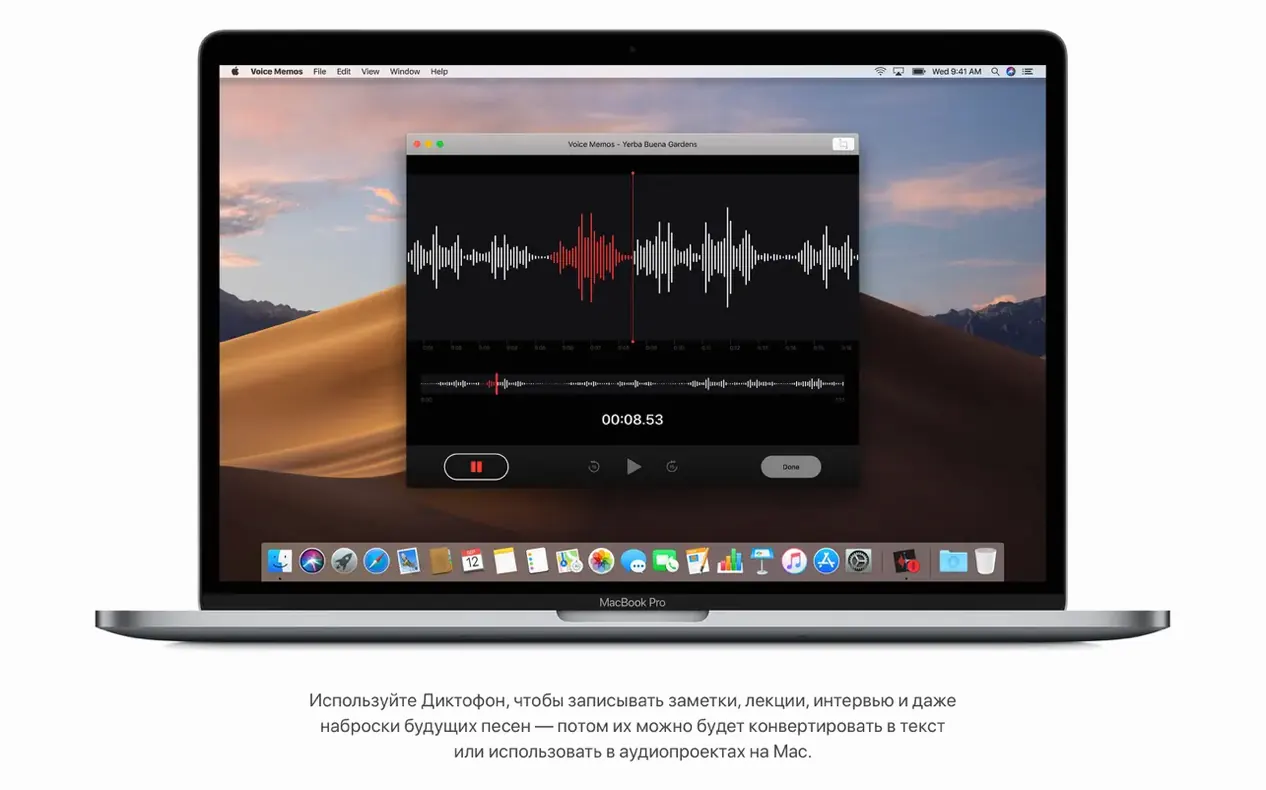
You get the standard Finder, plus News and Voice Memos. Nothing flashy, but the basics are covered.
What are the hardware requirements?
You'll need a 64-bit Intel Mac from the supported list, at least 2 GB of RAM, and 12.5 GB of free storage. Most models from 2012 or later work, though some Mac Pro units need a Metal-capable GPU.
Check your Mac model and storage before installing
macOS Mojave is a 64-bit Intel build. It runs on a list of specific hardware, so you need to check your model year before you start. The OS itself asks for 2 GB of memory and 12.5 GB of free disk space. That is not a lot by today's standards, but it means Mojave fits comfortably on older machines that struggle with the latest releases.
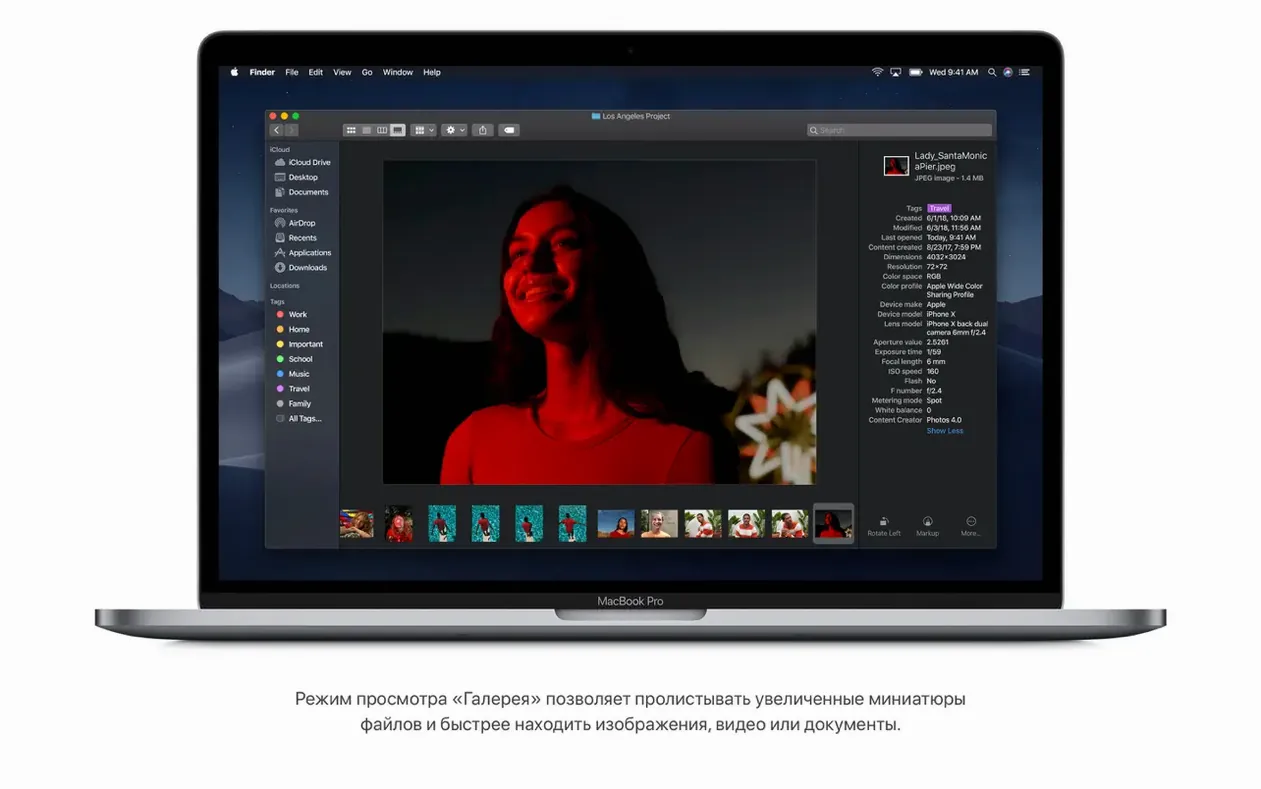
You get the Mojave interface, which includes Dark Mode, Stacks, and the updated Finder with Gallery View. It also includes the standard Apple apps: Books, Calendar, Contacts, FaceTime, iTunes, Mail, Maps, Messages, Photos, and more. The installer is a single disk image. You open it, extract the installer app to the Applications folder, and run it.
Language support is broad: English, Spanish, French, German, Chinese, Japanese, Korean, Arabic, Hebrew, Russian, and many others. You can switch the interface language during or after install.
A solid upgrade for fleets of 2012–2013 MacBook Pros
Mojave suits three kinds of users most of the time.
First, the administrator managing a fleet of older Macs. If your office has a dozen MacBook Pros from 2012 or 2013 that still work fine, Mojave gives them a modern OS without requiring new hardware.
Second, the user who wants a specific workflow that newer macOS versions break. Some professional audio plugins, legacy drivers, or 32-bit apps stopped working after Mojave. If you rely on older software, Mojave keeps the system patched and stable without forcing you into a newer, incompatible environment.
Third, the home user with a single older Mac. You use Safari, email, and basic office apps. You do not need the latest macOS features, but you want security updates and a clean, fast interface. Mojave delivers that with minimal bloat.
Real-world scenario: clinic admin Macs
I work with a dental clinic that runs patient scheduling, X-ray viewing software, and QuickBooks on a set of 2013 iMacs. The machines are fine for that workload, but the office manager wanted to clean them up and standardize the OS. We looked at the hardware: late 2012 iMacs, 4 GB RAM each, spinning hard drives. The newest macOS version would run, but slowly. Mojave fit the requirements exactly.
We installed 10.14.6 (18G103) on each iMac. The install took the disk image, the usual extraction step, and the setup. After that, they had the same Dark Mode they saw on newer iMacs at home. Stacks kept the desktop clear. The included News and Stocks apps were not relevant, but the built-in Mail and Calendar handled their practice email and appointments. No hardware upgrades, no compatibility issues with the old X-ray software. The clinic is still running those iMacs today, patched and stable.
That is the Mojave use case: get a current OS on older hardware without the performance hit or the compatibility break. It is a practical middle ground.
This update focuses on stability and reliability, not new features. If you're already on Mojave, it's a safe upgrade.
- Improves stability and reliability of the Mac.
- macOS 10.8 or later
- Intel architecture
- 2 GB of memory
- 12.5 GB of available storage
- Supported Mac model: MacBook Early 2015 or newer, MacBook Air Mid 2012 or newer, MacBook Pro Mid 2012 or newer, Mac mini Late 2012 or newer, iMac Late 2012 or newer, iMac Pro 2017, Mac Pro Late 2013 or mid 2010/mid 2012 with recommended Metal-capable graphics cards
Questions I get about this line
Yes, MacBook Pro models from mid 2012 or later are supported, provided they have at least 2 GB of memory and 12.5 GB of storage.
The install order
- Open the downloaded disk image.
- Extract the installer app to the Applications folder.