
Free download (4.7 GB) Previous versions
- Version
- 10.0
- Developer
- Adobe
- Languages
- Russian, English, German, Spanish, Italian, Chinese (Traditional), Chinese (Simplified), Korean, Dutch, Portuguese, Thai, French, Swedish, Japanese
- License type
- Included
| macOS range | macOS 15 or later |
|---|---|
| Chip | Apple Silicon, Intel 64-bit |
| Download | 4.7 GB |
| Previous versions | 8 on file |
Screenshots
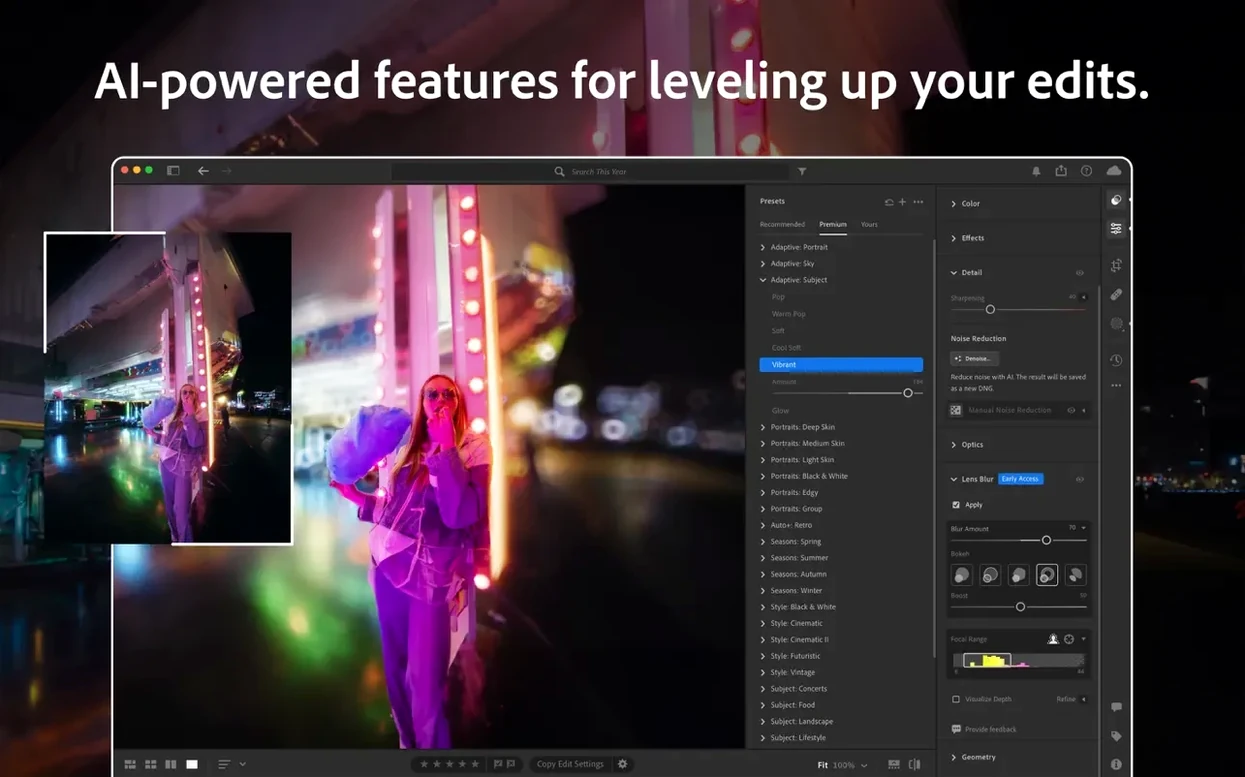
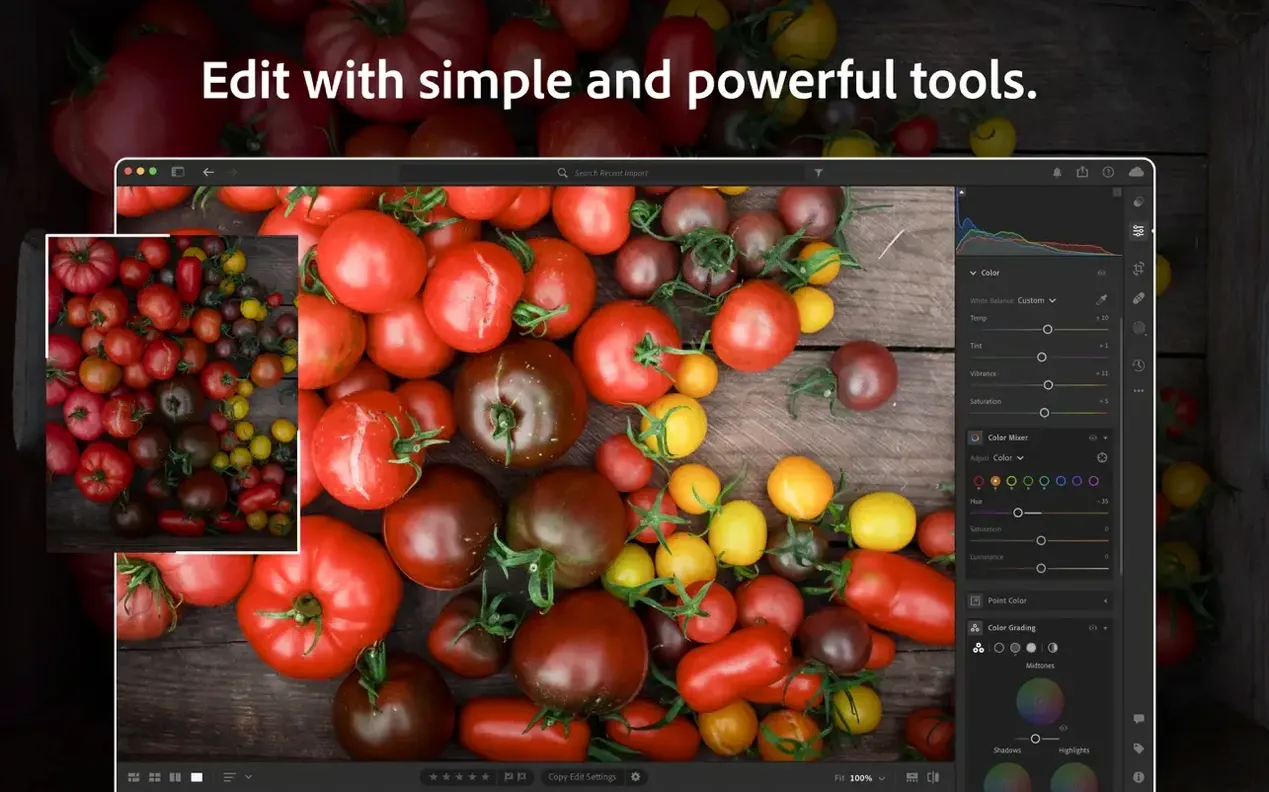
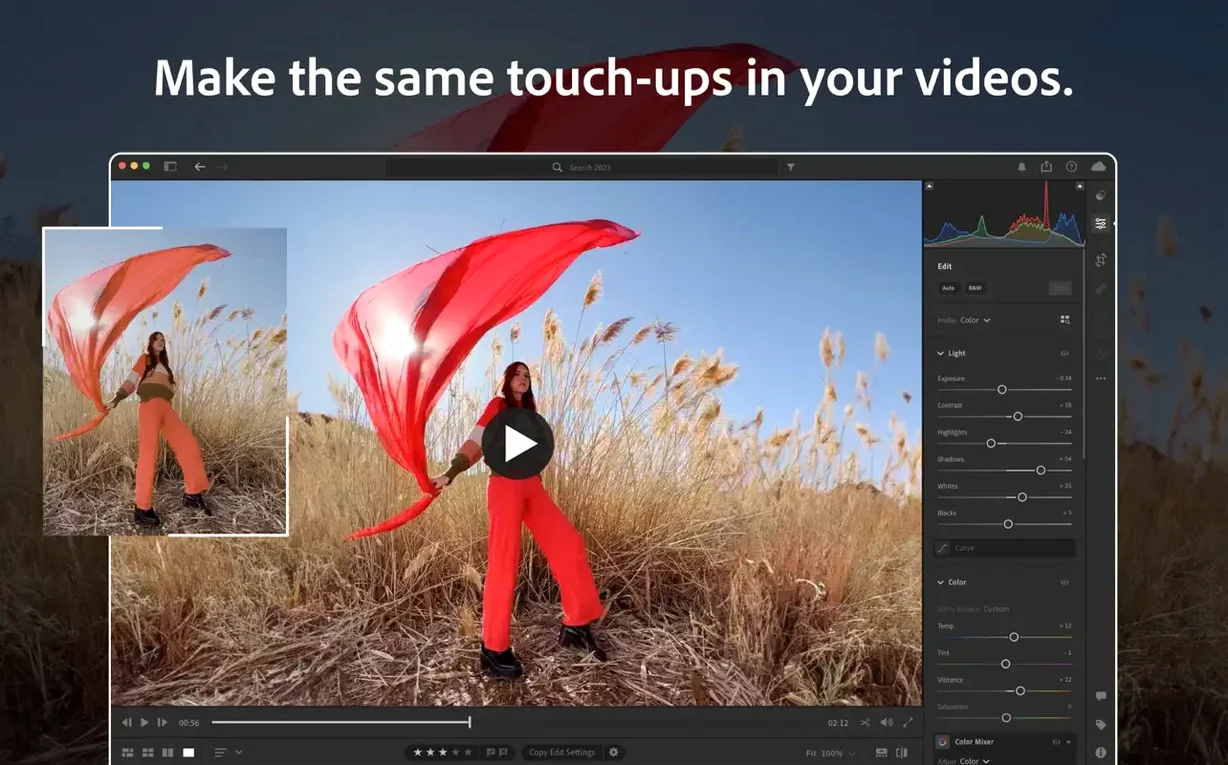
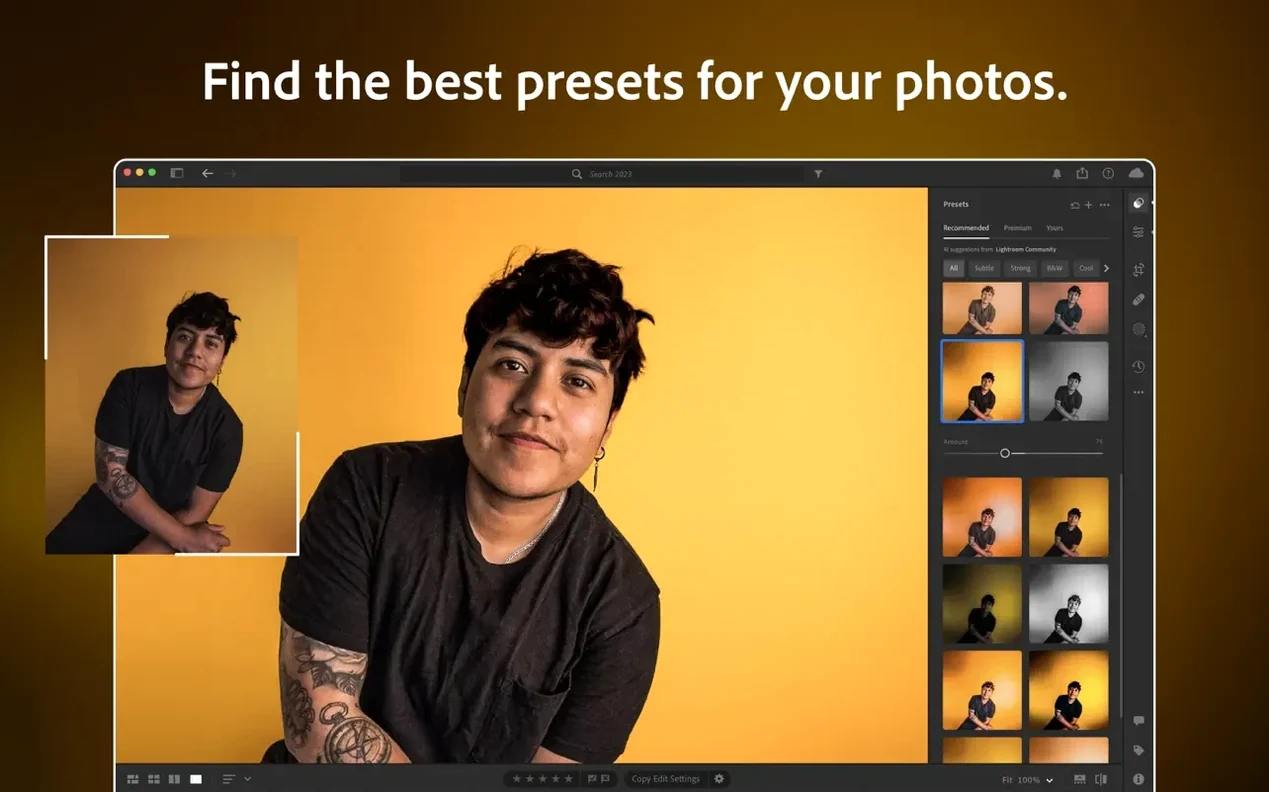
Click a screenshot to see it wider.
Adobe Lightroom CC 9.5, the August 2026 update, brings Generative Expand to the cloud-based photo editor and organizer. That means you can extend images beyond their original frame, and the tool fills the new space with matching content.
Edits RAW photos with selective tools
- Editing RAW photos with selective tools like brush, gradient, and radial filter.
- Organizing a large library with automatic tagging for landscapes, portraits, and animals, plus keyword search.
- Working across devices — edit on your Mac, continue on a tablet or phone, and share directly to social media via Adobe Spark.
- Jumping into Photoshop when you need pixel-level control.
Requires macOS Sonoma and 8 GB RAM
- Requires macOS Sonoma 14.x or later.
- Needs 10 GB free disk space and 8 GB RAM.
- Internet connection and registration are required for activation and online services.
- Runs on both Intel and Apple Silicon Macs.
Sync before switching devices
A few common issues come up when people start with Lightroom CC. Knowing them saves time.
- Not syncing before switching devices. Lightroom CC syncs automatically, but only when it has a connection. If you edit on a Mac without internet, then open the app on a tablet, the changes won’t be there yet. Wait for the sync icon to finish before moving to another device.
- Treating it like Lightroom Classic. This is the cloud version. Your library lives in Adobe’s servers, not on local folders. If you delete a photo on one device, it goes everywhere. That’s by design. Beginners often delete originals thinking they still have a local copy.
- Skipping presets. The built-in presets look basic, but they respond well to tone curve and HSL tweaks. A lot of new users ignore them and start every edit from scratch.
- Forgetting about HDR and panorama merging. These are in the app, not hidden. People get frustrated trying to stitch panoramas manually in Photoshop when Lightroom CC does it automatically.
Scenario from a real estate photographer
A real estate photographer shoots 15 to 20 interiors per house. RAW files, bracketed exposures, and a few exterior hero shots. They used to open each image in Photoshop, merge HDR batches manually, then apply a custom color grade.
With Lightroom CC 9.5, the workflow changes. Import the bracket sets, select them, and let the app merge into HDR. Apply a preset for the interior brand look, then tweak tone curve and selective brush on windows to pull in outdoor detail. No round-tripping to Photoshop until a specific reflection needs removing. The sync keeps the final set ready for the agent’s phone and a quick export for the MLS site.
Turn on auto-backup before importing
Install the app, activate it, and do these things before importing your full library.
- Turn on auto-backup for your catalog. It’s in the preferences. Without it, a crashed drive means resetting all your edit history.
- Set up one or two collections for a test batch. Import maybe 20 photos from a recent shoot. Edit them, apply presets, and check that syncing works to your other devices before committing thousands of images.
- Learn the search and tagging system. Automatic tagging works for landscapes, portraits, and animals. For real estate or product work, add keywords during import. That makes filtering fast later.
- Open the masking tools and try the new Feather and Edge controls from version 9.5. They give better edge detection for selective edits. A quick test on a portrait or a textured surface shows the difference.
- Expanded custom profile support — import and export your own look-up tables.
- New Creative Profiles for stylized edits with fine-grain control.
- Added camera profiles for recent Canon, Nikon, Sony bodies and others.
- Lens distortion correction extended to additional glass.
- Fixed hangs when browsing large catalogs.
- Resolved bugs in HDR and panorama merges.
- Export stability improved.
- Better Touch Bar integration on MacBook Pro.
- Memory leaks during long sessions patched up.
- macOS 15 or later
- Apple Silicon or Intel 64-bit
Questions I get about this line
Yes, Lightroom CC integrates with Adobe Photoshop, so you can send a photo to Photoshop for further editing and it comes back into your library.
Yes, version 9.5 supports both Intel and Apple Silicon Macs, as long as you're running macOS Sonoma 14.x or later.
Generative Expand lets you extend the canvas of a photo, and Lightroom fills the new area with content that matches the original scene.
The install order
Adobe Lightroom CC 10.0 is a 4.7 GB download built for macOS 15 and later, covering both Apple Silicon and Intel 64‑bit Macs. Set aside a few minutes for the transfer, then follow the three steps below.
- Mount the supplied DMG and copy Lightroom CC to your Applications folder.
- Open the bundled installation guide and follow its activation steps.
- If the app won't launch, go to System Settings → Privacy & Security → Full Disk Access and grant Lightroom CC full access.