
Free download (1.5 GB) Previous versions
- Version
- 21.6.0
- Developer
- Adobe
- Languages
- Russian, English, German, Arabic, Hungarian, Danish, Hebrew, Spanish, Italian, Chinese (Traditional), Chinese (Simplified), Korean, Dutch, Norwegian, Polish, Portuguese, Turkish, Ukrainian, Finnish, French, Czech, Swedish, Japanese
- License type
- K'ed by boringman
| macOS range | macOS 13 or later |
|---|---|
| Chip | Apple Silicon, Intel 64-bit |
| Download | 1.5 GB |
| Previous versions | 48 on file |
Screenshots


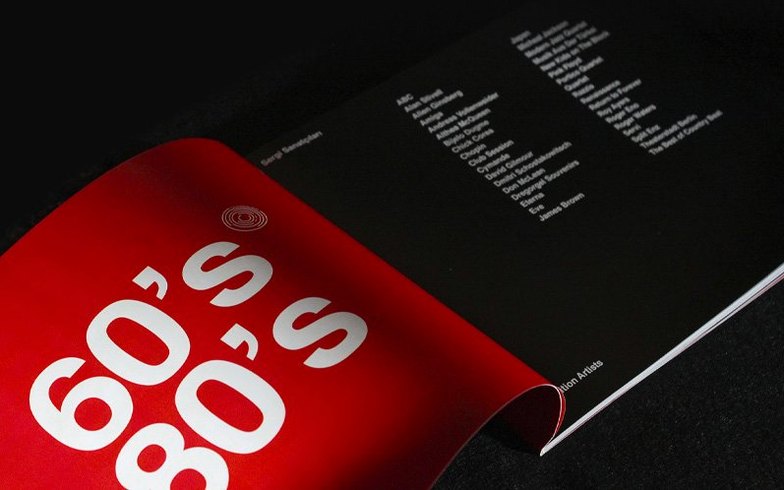
Scroll the row, it snaps to each screenshot. Click one to see it wider.
Adobe InDesign 21.5.1 runs on macOS 13 Ventura and later, both Apple Silicon and Intel 64-bit Macs. You need at least 8 GB RAM and 4.5 GB free disk space. Metal-compatible graphics are required for best GPU performance.
Lay Out Print Pages
Build multi-column layouts, tables, and formatted text for brochures, magazines, books, or posters. Export to PDF, print directly, or package files for press.
Publish for Web and Digital
Export documents to EPUB, HTML, or interactive PDFs. InDesign 21.5.1 generates HTML previews without needing a separate plugin. Design for tablet apps or online reading.
Collaborate and Automate
Review comments stay inside the document. Data Merge now handles multiline records and UTF-8 files, so you can pull content from spreadsheets without reformatting. Add local files as cloud documents or download cloud docs from the home screen.
How InDesign Works with Other Apps
InDesign sits in the middle of most print and digital workflows. You bring in assets from Photoshop and Illustrator — layered PSDs, vector artwork, and EPS files — and place them directly into layouts. Links stay live, so an edit in Photoshop updates the placed file in InDesign the next time you open the document.
For long-form text, copy from Word or Google Docs into InDesign. The app keeps basic formatting like bold, italic, and paragraph styles. If you work with spreadsheets, Data Merge in 21.5.1 reads CSV or tab-delimited files with multiline records and UTF-8 characters, so accented names or multi-line addresses come through cleanly.
From the home screen, you can add local files as cloud documents or pull cloud documents down to your Mac. That keeps a single master file accessible from other machines without emailing copies around.
Keyboard Shortcut Search Finds Any Command
Keyboard Shortcut Search is new in 21.5.1. Open the Keyboard Shortcuts dialog and type what you want to do — "zoom," "fit page," "align" — instead of hunting through menus. It shows the assigned shortcut or tells you if one isn't set.
HTML previews no longer require the HTML Preview plugin. Export an HTML version directly from InDesign to check how your layout reads in a browser before finalizing EPUB or web output.
AI-generated Alt Text can now be bulk-generated or removed for multiple images at once. Select the images in the document, run the tool, and Alt Text appears for each one. If you redesign the layout, clear the Alt Text in one pass rather than editing each frame individually.
Table accessibility improvements in PDF and EPUB exports mean screen readers interpret headers, merged cells, and column spans more accurately. You don't need to add hidden tags after export; the table structure comes through in the tagged PDF or EPUB file.
Placing Low-Res Images Blurs Print Output
Placing raster images at wrong resolution. InDesign does not resample placed images. A 72-dpi web screenshot scaled to fill a page looks blurry in print. Check Effective PPI in the Links panel before exporting.
Overusing master pages. Beginners put page numbers, headers, and background graphics all on one master page. When one page needs a different number style or no header, they either override every element or create a second master from scratch. Keep each element on its own master layer; it makes localized overrides cleaner.
Forgetting text reflow. Paste a large Word document into a single text frame and the overflow icon appears. Beginners see the red plus sign but keep working, assuming it will print correctly. Always thread text frames or adjust the Primary Text Frame setting before exporting.
Mixing builds of Adobe apps. If you install InDesign 21.5.1 and a different year's version of Illustrator or Photoshop, plug-ins and extensions may conflict.
Ignoring the Links panel. Repackaging a file for a printer sends only the placed images and fonts if you use the Package command. Beginners sometimes drag the .indd file to a USB drive and wonder why images are missing. Always use File > Package to collect all linked assets.
- Table accessibility improvements for PDF and EPUB exports.
- Keyboard shortcut search in the Keyboard Shortcuts dialog box.
- Data Merge supports multiline records and UTF-8 encoded data files.
- HTML previews no longer require the HTML Preview plugin.
- Add local files as cloud documents and download cloud documents from the home screen.
- Bulk generation or removal of AI-generated Alt Text for multiple images.
- macOS 13 Ventura or later
- Apple Silicon or Intel 64-bit processor
- 8 GB RAM minimum
- 4.5 GB available hard-disk space for installation
- Metal support required for optimum GPU performance
- Interface languages: 23 languages including English, Spanish, French, German, Japanese, Chinese, and others
Questions I get about this line
Yes, it supports both Apple Silicon and Intel 64-bit Macs running macOS 13 Ventura or later.
The install order
- Install instructions and activation instructions are included in the package. Use those to complete installation and activation.
- Do not mix releases from different build groups when installing multiple Adobe apps.