
- Home
- VST Plugins
- Ample Guitar M
Free download (5.2 GB) Previous versions
- Version
- 4.1.0
- Developer
- Ample Sound
- Languages
- English
- License type
- Included
| macOS range | macOS 10.13 or later |
|---|---|
| Chip | Apple Silicon, Intel 64-bit |
| Download | 5.2 GB |
| Previous versions | 3 on file |
Screenshots
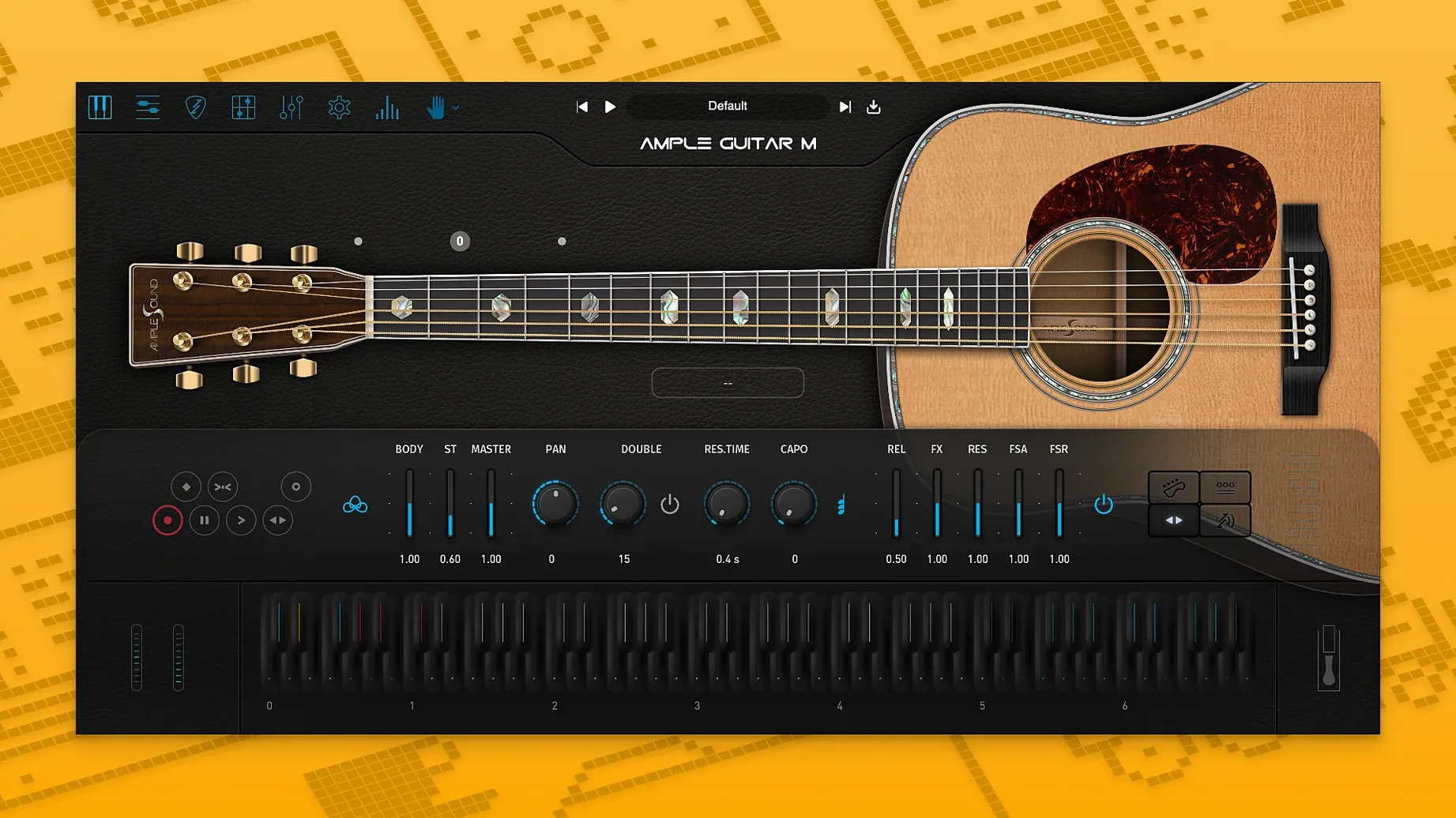
Open the Riffer and you'll find Auto Vibrato Curve waiting — that's where the new feel starts.
Riffer — built-in editor for programming guitar parts; now with Swing Quantization for a looser, more human timing.
Strumming System — creates rhythm patterns across the strings, so you can sketch a strummed part without manually placing every note.
Guitar Pro Import — loads GP files directly, turning existing tabs into playable instrument tracks.
Sample Engine — models a Martin D-41 acoustic with steel strings; the 4.1.0 update improved loading and playback speed.
Faster patch switching ends the beach ball wait
Faster loading — the sample engine now loads patches and articulations quicker. If you switch between presets or layer multiple Ample Guitar M instances, the wait is noticeably shorter. No more staring at a spinning beach ball when you change a fingerpicking preset midway through a mix.
Auto Vibrato Curve — this lives inside Riffer. Instead of a flat, on/off vibrato, you get a curve that ramps intensity over time. For sustained notes at the end of a phrase, it sounds closer to how a player's finger vibrato naturally builds and fades. You dial it in per note or apply it to a selection.
Swing Quantization — also in Riffer. Standard quantization snaps everything to a rigid grid. Swing quantization pushes alternating eighth-notes later by a percentage, giving a shuffle or half-swung feel. For acoustic strumming patterns or folk fingerpicking, it saves you from manually nudging notes off the grid.
Four bars of G, Cadd9, D: loading a fingerpicking track
You've got a chord progression in your DAW — four bars of G, Cadd9, D. No acoustic track yet.
First, you load Ample Guitar M as a MIDI instrument on a new track. The GUI opens with a default fingerpicking preset. You play a few notes on your MIDI controller to confirm it's receiving input and the sample library is active. The engine responds immediately.
You open Riffer and import a Guitar Pro file you wrote last week — a fingerstyle arrangement of that same progression. Riffer translates the tab into MIDI notes with correct string assignments and articulations. The Swing Quantization slider is set to zero by default. The eighth notes push back gently; the pattern breathes.
Next, you want a strummed part for the chorus. You switch to the Strumming System and pick a standard down-up pattern. You draw the chords in the key zone — the system handles which strings ring and which mute automatically. You layer this over the fingerpicking track, panning the fingerpicking left and the strumming right. The two parts sit differently in the stereo field without clashing.
For the outro, you draw a long sustained chord. You select the final note in Riffer and assign an Auto Vibrato Curve — a gentle ramp that reaches full intensity over two seconds. The note rings out with that natural shimmer instead of a robotic wobble.
You bounce the track to audio. The whole process takes about ten minutes. No tab editing, no humanize plugins needed.
Swing Quantization and Auto Vibrato defaults to tweak first
Swing Quantization default — Riffer opens at 0% swing. You'll feel the difference immediately in playback.
Auto Vibrato Curve per preset — each preset stores its own curve. Load a fingerpicking preset and check the curve. If it's flat, drag in a gradual slope for sustained notes. Do this once per preset you use often.
Strumming timing offset — the Strumming System has a timing offset parameter (not labeled here, but look for it in the strumming panel). A small negative offset tightens up fast strumming patterns; a small positive offset loosens them for a lazy feel.
Sample library path — if you installed the sample library to an external drive, double-check the path in the plugin's settings panel. A wrong path means no sound. Set it once and forget it.
These four adjustments take sixty seconds and save you from fighting defaults every session.
Ample guitar 4 torrent, ample guitar torrent, ample sound torrent, ample guitar m torrent, ample guitar mac torrent — those terms lead back to this build, version 4.1.0, compatible with macOS 10.13 and later on both Intel and Apple Silicon.
Ample Guitar M is sample-based, and the sample library is required for the instrument to work.
- Improved sampler engine performance with faster loading and playback.
- Auto Vibrato Curve added to Riffer.
- Swing Quantization added to Riffer.
- macOS 10.13 or later
- Intel or Apple Silicon
- Sample library required
- Interface: English
Questions I get about this line
Yes, it runs on both Intel and Apple Silicon Macs. macOS 10.13 or later is required.
Yes, the plugin can import Guitar Pro files directly into its Riffer editor.
It models a Martin D-41 acoustic guitar with steel strings, captured via samples.
The install order
- Extract the archive or open the DMG file.
- Open the PKG installer.
- Continue through the installation steps.
- Follow the included activation instructions.