
- Home
- VST Plugins
- Arturia Analog Lab V

Free download (2 GB) Previous versions
- Version
- 5.12.6
- Developer
- Arturia
- Languages
- English
- License type
- K'ed by LOST
| macOS range | macOS 11 or later |
|---|---|
| Chip | Apple Silicon, Intel 64-bit |
| Download | 2 GB |
| Previous versions | 18 on file |
Screenshots
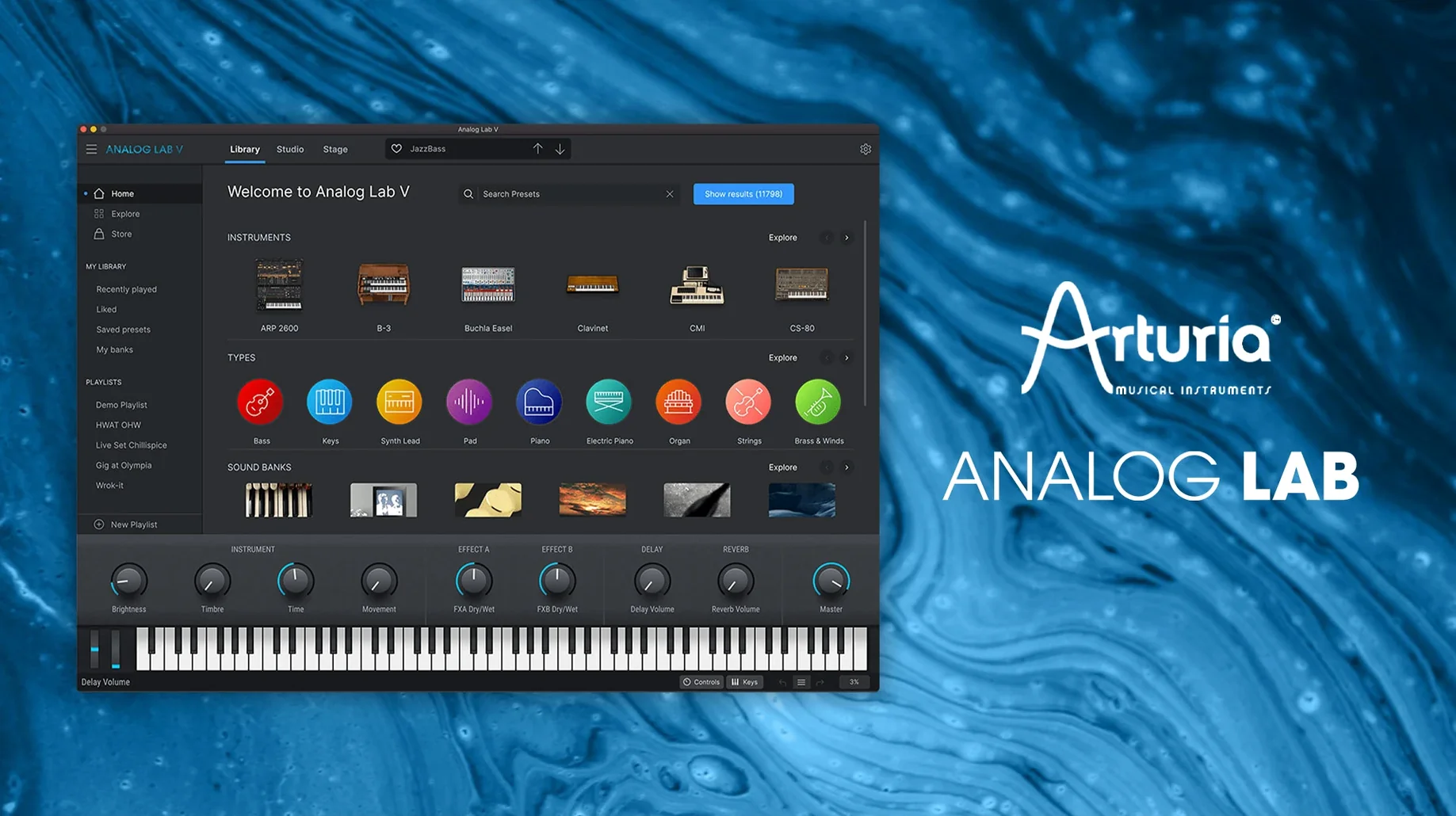
Sound designers and producers who want Arturia’s iconic synth and keyboard tones without loading a full instrument rack use Analog Lab V. It’s a preset browser with depth — you get thousands of vintage and modern sounds from dozens of instruments, all in one plugin.
| Detail | Value |
|---|---|
| Version | 5.12.0 (6227) |
| Formats | Standalone, AU, AAX, VST2, VST3 |
| macOS | 11.0 or later |
The controls let you shape each preset — tweak filters, envelopes, and effects right from the main view. For anyone working with Arturia V Collection X on a Mac, Analog Lab V is the quick path from patch to mix.
Intelligent Filter Sorts by Character, Era, or Style
Analog Lab V keeps several useful details off the main screen. The intelligent filter, for instance, does not just narrow by instrument type. It also lets you sort by character, era, or style tags baked into each preset. That means you can go from "vintage string pad" to "modern bass lead" in two clicks without scrolling.
The plugin remembers your last browsed category. If you were in the Mini V section last session, it opens there again. No extra navigation.
Double-clicking a preset loads it instantly, but you might not notice the preview button next to each name. Click once to hear the sound without committing, then decide. It saves time when auditioning twenty patches in a row.
When you use Analog Lab V with a V Collection license, the full instrument views unlock. That is not obvious from the default layout. If you own any Arturia V Collection, you already have access to deeper editing — the filters, envelopes, and modulation sections of the underlying synth. The plugin becomes a lightweight launcher for the full engine.
Native on Apple Silicon and Intel Macs
Analog Lab V runs on macOS 11.0 and later. It supports both ARM and x86 64-bit architectures, so it works natively on Apple Silicon Macs and Intel models. The installer is the standard Arturia procedure — run the package, authorize with the provided key, choose your plugin formats.
The plugin appears in four formats: standalone, AU, AAX, and VST2/VST3. You can register all of them during one install pass. No need to run the installer multiple times for different DAWs.
Language is English only. The interface uses short labels and icons, so there is no clutter even on a laptop screen. Resize the window freely — the layout adapts.
Scroll the First Hundred Presets to Gauge the Range
- Start with the intelligent filter set to "all." Scroll through the first hundred presets to see the range. You get a sense for what Analog Lab V covers before narrowing down.
- Open a project you already know and swap a synth track to Analog Lab V. The plugin preserves your existing sound design choices — no re-tweaking needed. It is a good way to test compatibility with your workflow.
- Check the preset collection for each instrument family. The Mini V section, the Juno-style patches, and the CS-80 emulations each have their own character. Spend ten minutes per family.
- Assign a keyboard shortcut or MIDI program change to cycle presets if your DAW supports it. Analog Lab V responds to program change messages, so you can audition hands-free during a take.
- Keep the standalone app open on a second monitor or laptop. Use it as a sound module while your DAW handles arrangement. The standalone version loads the same presets and responds to the same MIDI input.
Workflow: Pick a Pad for a Track from Start to Finish
This is a typical session for adding a warm pad to a verse section. No extra steps, no menus.
- Open Analog Lab V as an instrument plugin on a MIDI track. The default view shows the preset browser and the main control panel.
- Set the intelligent filter to "pad" and the era to "vintage." The list narrows to around 40 presets from various instruments.
- Click each preset name to preview. When you hear one that fits the chord progression, double-click it to load.
- Adjust the filter cutoff on the main panel. Turn it down to darken the sound, or up for more air. The envelope knobs let you shape attack and release without opening a submenu.
- Record a MIDI take or draw in chords. If the pad needs more presence, bump the filter resonance slightly.
- Close the plugin. The sound stays as loaded — no session recall issues, no missing patches.
That is the entire loop. Analog Lab V gets out of the way once the sound is right. Arturia Analog Lab V gives producers quick access to curated vintage synth sounds without needing a full library browser.
- macOS 11.0 or later
- Intel or Apple Silicon
The install order
- Run the installer and follow the on-screen instructions.
- Restart your DAW or the standalone app when prompted.