
- Home
- VST Plugins
- Arturia Efx AMBIENT

- Version
- 1.0.0
- Developer
- Arturia
- Languages
- English
- License type
- K'ed by MORiA
| macOS range | OS X 10.10 or later |
|---|---|
| Chip | Apple Silicon, Intel 64-bit |
| Download | 285 MB |
Screenshots
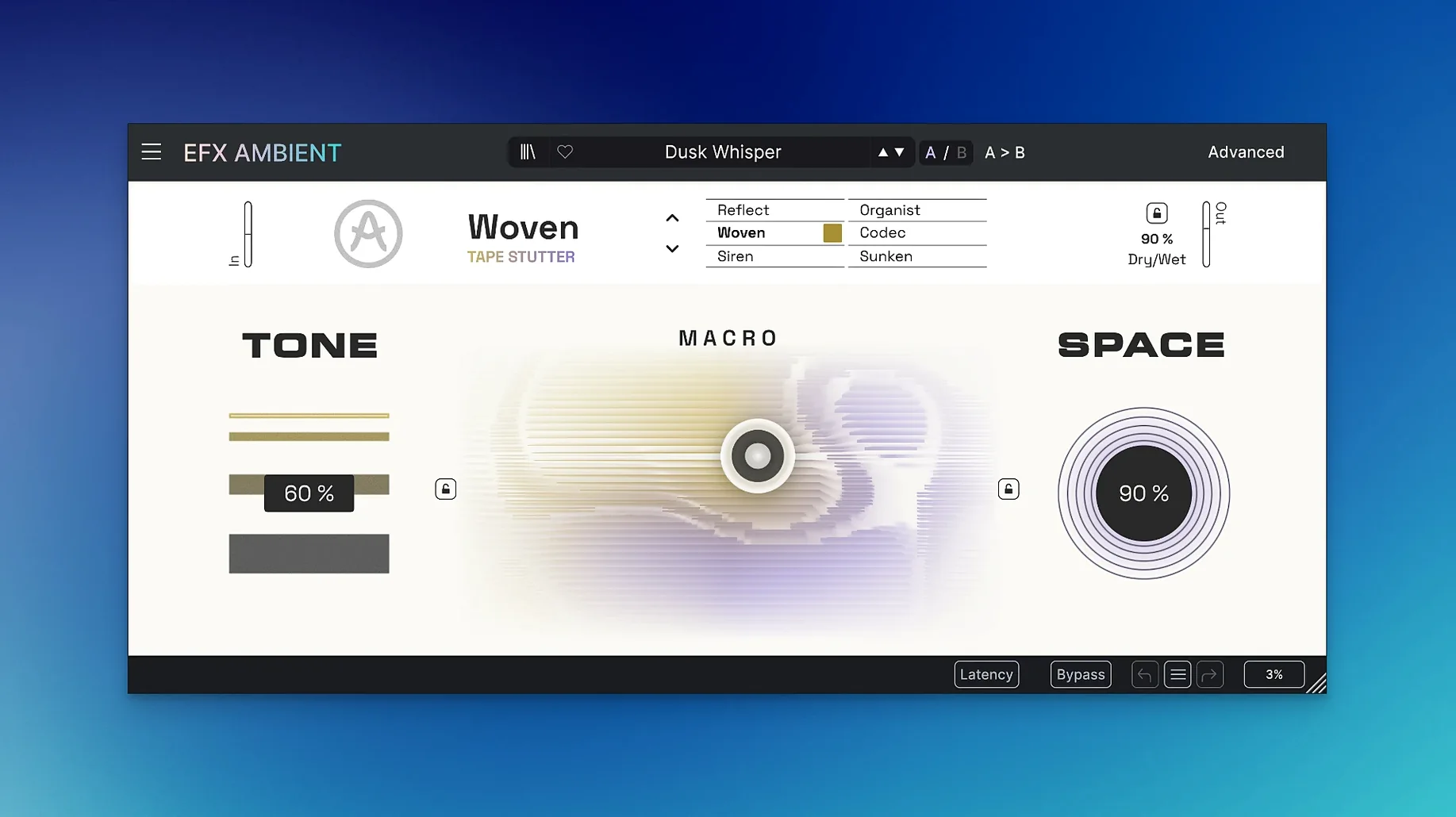
Electronic musicians and sound designers use Efx AMBIENT when they need dense, evolving pads or unusual transitions. It is part of Arturia’s FX Collection 6, but it stands alone as a dedicated spatial effects tool.
Runs on Intel and Apple Silicon
The plugin runs on macOS 10.10 or later, on both Intel and Apple Silicon Macs. It works as a VST, AU, or AAX plugin in any major DAW. The installer is a standard disk image; no activation server is required after install.
Six operating modes from room to feedback
- Insert Efx AMBIENT on an aux track or directly on a pad synth.
- Pick one of the six operating modes — each handles a different flavor of space, from subtle room to deep feedback.
- Use the motion and depth controls to move the sound quickly; they respond well to automation.
- Switch to the pitch-shift or sound-deformation mode sets for more radical changes.
- Dial back the mix to blend the processed signal with the dry source.
The spectral processing and Feedback Delay Networks give it a character that plain reverb plugins lack. It is less about simulating a room and more about shaping a soundscape.
2D Macro control for two-parameter sweeps
Arturia kept the interface uncluttered, so what is there earns its place. The 2D Macro control surface lets you move two parameters at once by dragging a single point. That saves time when you want sweeping changes across both pitch and depth, or motion and mix, without reaching for another mouse click.
Each of the six operating modes remembers its last state. If you switch from a soft blurred texture to the reverse playback mode and back again, the first mode picks up where you left it. That is useful during sound design sessions where you flip between treatments on the same source.
The Advanced panel groups the time-based controls in one place. You can tighten or loosen the effect without leaving the main view. The layout is consistent with other Arturia FX Collection plugins, so if you already use Efx FRAGMENTS or Efx MOTIONS, you will find the naming familiar.
MacOS and DAW integration
Efx AMBIENT registers itself as a standard AU, VST3, and AAX plugin. That means it appears in Logic Pro’s plugin list, in Ableton Live’s device browser, and in Pro Tools’ inserts without extra steps. The installer places the plugin files in the usual system folders, and macOS handles the rest.
The plugin responds to host automation. You can draw or record automation lanes for the motion, depth, and mix parameters, which makes it easy to build movement into a static pad or a held chord. It also respects your DAW’s sample rate and buffer settings without manual configuration.
Because it is part of the FX Collection ecosystem, the same installer framework handles updates. If you have other Arturia effects on your Mac, the disk image installation pattern stays the same. No extra licensing tools or background services are needed.
For experimental projects, the pitch-shift and reverse modes pair well with a granular synth or a sampler loaded with field recordings. The spectral processing can turn a simple piano chord into a cloud of texture that does not sound like reverb. That is where Efx AMBIENT fits best — not as a replacement for a hall or plate, but as a separate creative layer.
- Initial release of Efx AMBIENT, version 1.0.0.
- macOS 10.10 or later
- Intel or Apple Silicon
Questions I get about this line
Yes, the Mac build runs natively on both Intel and Apple Silicon, and it requires macOS 10.10 or later.
The install order
- Open the downloaded disk image.
- Run the standard installer.