
- Home
- VST Plugins
- EZbass

Free download (81 MB) Previous versions
- Version
- 1.3.3
- Developer
- Toontrack
- Languages
- English
- License type
- k'ed by Team V.R
| macOS range | macOS 10.15 or later |
|---|---|
| Chip | Apple Silicon, Intel 64-bit |
| Download | 81 MB |
| Previous versions | 5 on file |
Screenshots
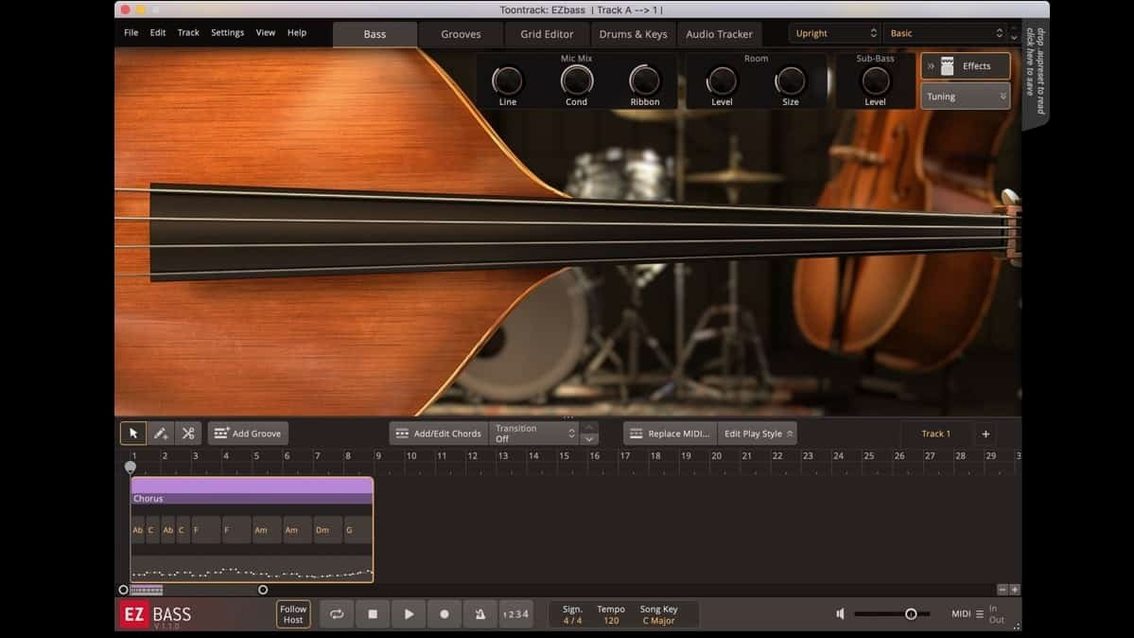
Tracking a real bass into a song usually means committing to a performance before the arrangement is locked. EZbass fixes that by putting a sampled bass instrument and a MIDI arranger inside one plugin. You can sketch a part, drag in a MIDI clip, or feed it a bass track and let the audio-to-MIDI conversion rebuild it as MIDI — then edit, change the articulation, or swap the bass model entirely.
In a typical session, EZbass lives on a MIDI track. The plugin handles its own internal routing: you get separate outputs for the DI signal and the processed amp sound, so you can bus them together or treat them differently. The built-in MIDI library lets you browse grooves by genre and tempo, and the editor lets you tweak note lengths, velocities, and mutes. The right-hand mute articulation added in the latest version is specific to the Rock Legend EBX expansion, so if you work with that library, you get more realistic palm-mute parts.
Version 1.3.3 also lets you reassign keyboard shortcuts in Settings — useful if you switch between EZbass and other Toontrack products and want consistent key commands. The Mac icons got updated to the macOS Tahoe style, which means they match the current OS look. The plugin runs on both Intel and Apple Silicon Macs under macOS 10.15 or later.
Drag Drum MIDI to Generate Basslines
EZbass works as a VST3, AU, or AAX plugin inside your DAW. Drag a drum MIDI clip onto the plugin and it generates a matching bassline based on the kick and snare hits. Feed it keyboard MIDI and it transposes the chords into a bass-friendly voicing. The audio-to-MIDI conversion shares its detection engine with Superior Drummer 3, so if you already work with that tool, you can drop a bass recording into EZbass, get MIDI back, and treat it the same way you treat converted drum tracks.
The plugin outputs two stereo feeds: a dry DI channel and a processed amp channel. Route the DI to your own amp sim or keep the built-in sound. Map the outputs to separate tracks in your DAW and you can process them independently without extra bounces.
Three-Way Mute and Shortcut Remapping
- Three-way mute articulation. The 1.3.3 update added right-hand mute for Rock Legend EBX, but the earlier left-hand mute and full mute are still there. Switch between them from the articulation dropdown on any note.
- Keyboard shortcut remapping. Open Settings and reassign common commands. Useful if you also run EZdrummer or Superior Drummer and want the same shortcuts across all of them.
- Standalone mode. EZbass can open outside a DAW. Good for browsing the MIDI library or auditioning bass sounds without loading a full session.
Scenario: The Songwriter Finishing a Demo
You have a verse-chorus arrangement with a drum MIDI pattern and a keyboard guide track. Drag the drum MIDI onto EZbass and it writes a bassline that follows the kick hits. Switch the bass model from vintage to modern and the part re-voices with the new instrument. Copy the MIDI to the chorus section, edit two notes in the editor, and the bass arrangement is done — you never recorded a note. Export the audio at 48 kHz (the 1.3.3 timing fix ensures the export lines up) and move on to vocals.
- Added support for right-hand mute articulation used in Rock Legend EBX.
- Added support for changing some keyboard shortcuts in Settings.
- Updated Mac icons to macOS Tahoe style.
- macOS 10.15 or later
- Intel or Apple Silicon Mac
The install order
- Mount the downloaded disk image.
- Run the standard installation procedure.