
- Home
- VST Plugins
- iZotope Tonal Balance Control
Free download (264 MB) Previous versions
- Version
- 3.0.0
- Developer
- iZotope
- Languages
- English
- License type
- K'ed by MORiA
| macOS range | macOS 13.4 or later |
|---|---|
| Chip | Apple Silicon, Intel 64-bit |
| Download | 264 MB |
| Previous versions | 3 on file |
Screenshots
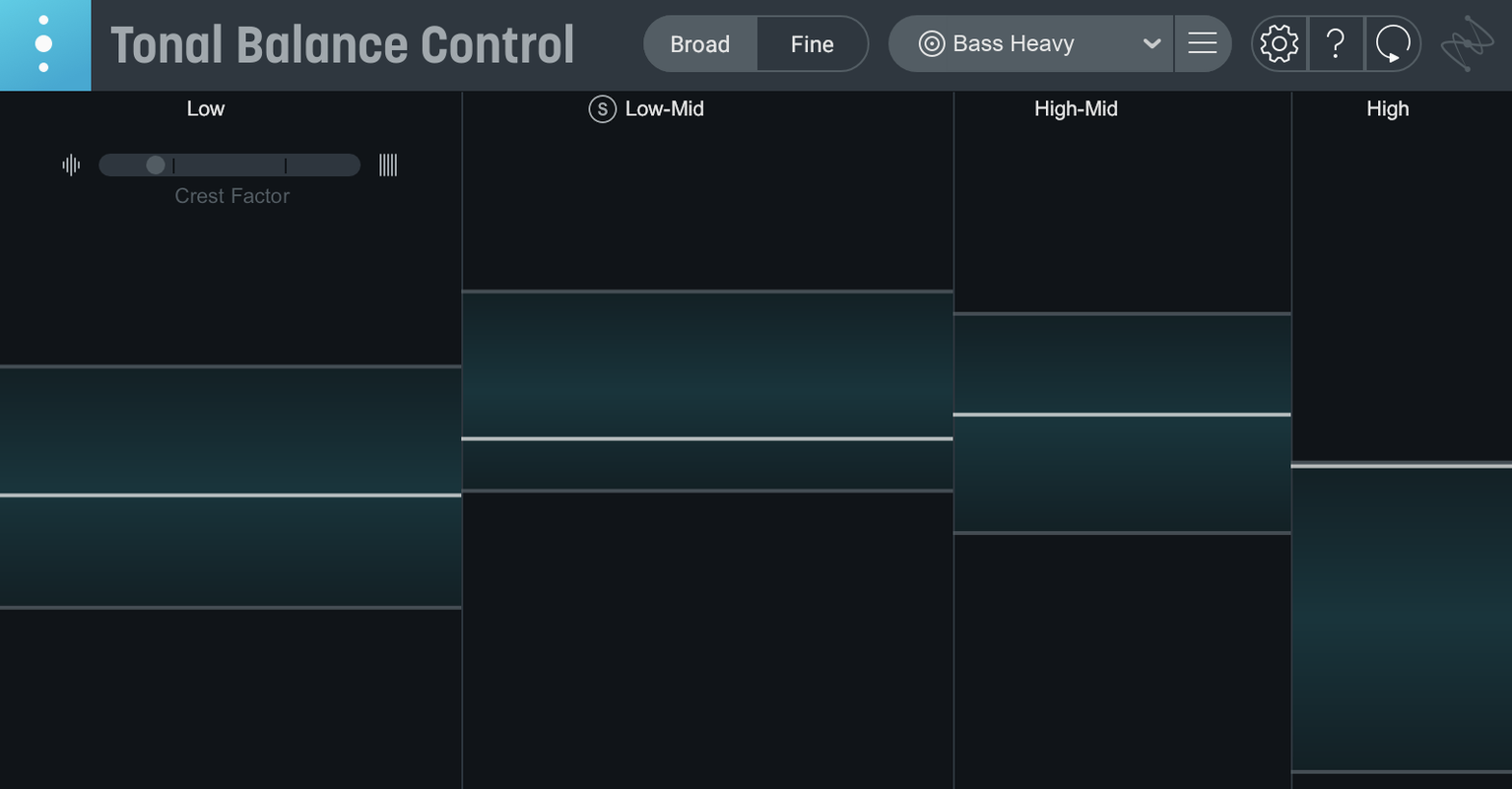
The built-in hybrid EQ is the headline on Tonal Balance Control 3. You can now adjust tonal balance directly inside the metering window without patching a second plugin. Drop it on a master bus to keep a mix glued to a reference curve, or insert it on a drum bus to check low-end weight against the genre target.
- Place Tonal Balance Control on your master bus. Pick one of 12 target curves — rock, pop, hip-hop, whatever fits the song.
- Use the new vocal balance and stereo width meters to see how the mix sits. If the vocal energy is too low or the stereo image is too wide, adjust in the DAW.
- Switch to the integrated hybrid EQ and make cuts or boosts without leaving the plugin. The meters update in real time.
- For individual tracks or buses, use the additional dynamics meter to spot level inconsistencies before they hit the master bus.
The companion Relay utility lets you access compatible iZotope plugins from inside Tonal Balance Control, so you can jump into Ozone or Neutron for deeper correction. It is a single-plugin station that covers analysis, EQ, and quick referencing.
First days with tonal balance control 3
Start with one reference curve and stick with it for the whole session. The 12 genre curves are good starting points, but loading your own reference audio file gives a more accurate target for the specific mix you are working on. Drag in a commercial release that sounds close to what you want.
Set the standalone app on a second display while you work in your DAW. It keeps the meters visible without taking plugin slot space. The app and the plugin show the same data, so pick whichever fits your screen setup.
Use the Relay utility on individual tracks first, not the whole mix. Relay controls gain, pan, and stereo imaging per channel. Adjust a vocal that is slightly off-center in the stereo field before it reaches the master bus. It saves corrective EQ work later.
Built-in hybrid EQ replaces separate plugin workflow
- The built-in hybrid EQ replaces the old workflow of switching between Tonal Balance Control and a separate equalizer plugin. Make EQ moves inside the same window the meters are in.
- The extra vocal balance meter shows when a vocal is too quiet or too loud against the rest of the mix. No more guessing from the main tonal graph alone.
- The stereo width meter catches overly wide or narrow mixes before mastering. Fix imaging issues at the mixing stage.
- The dynamics meter flags level jumps that could cause problems in compression later. Catch them early.
- Quick import from Tonal Balance Control 2 brings over your custom reference curves and target settings. No need to rebuild them from scratch.
Direct EQ control for Ozone and Neutron from one window
The plugin opens and controls Ozone and Neutron equalizers directly from inside its interface. Click through to the EQ section in either of those plugins without hunting for them in your plugin list. It works the same way whether you use Ozone for mastering or Neutron for mixing.
The 12 target curves cover more than just broad genres. Hip-hop, EDM, rock, pop, jazz, classical, and others each have a dedicated curve. If none of them fit, load any audio file to generate a custom reference. That covers the cases where a live recording or a film score needs a non-standard tonal shape.
Installation and activation follow the included instructions step by step. The plugin supports both Intel and Apple silicon Macs, so it runs natively on any machine from the last few years. No Rosetta workarounds needed.
- Initial major release of Tonal Balance Control 3.
- Added standalone desktop app.
- Added extra meters for vocal balance, dynamics, and stereo width.
- Added a built-in hybrid EQ.
- macOS Sonoma 14.7, macOS Sequoia 15.4, or macOS Tahoe 26.1
- Intel (x86 64-bit) or Apple Silicon (ARM) architecture
- Interface language: English
Questions I get about this line
Yes. The plugin is compatible with Ozone and Neutron equalizers, and you can access them through the companion Relay utility.
It runs on macOS Sonoma 14.7, macOS Sequoia 15.4, or macOS Tahoe 26.1. Both Intel and Apple Silicon M-series Macs are supported.
Version 3 adds dedicated meters for vocal balance, dynamics, and stereo width, plus a built-in hybrid EQ for direct tonal adjustments.
The install order
- Use the included installation and activation instructions.
- Install the plugin using the provided instructions.
- Complete activation using the included instructions.