- Home
- VST Plugins
- Heckmann Audio u-he Zebra3
Free download (46 MB) Previous versions
- Version
- 3.0.2.22175
- Developer
- u-he (Heckmann Audio)
- Languages
- English
- License type
- k'ed by Team V.R
| macOS range | macOS 10.13 or later |
|---|---|
| Chip | Apple Silicon, Intel 64-bit |
| Download | 46 MB |
| Previous versions | 1 on file |
Screenshots
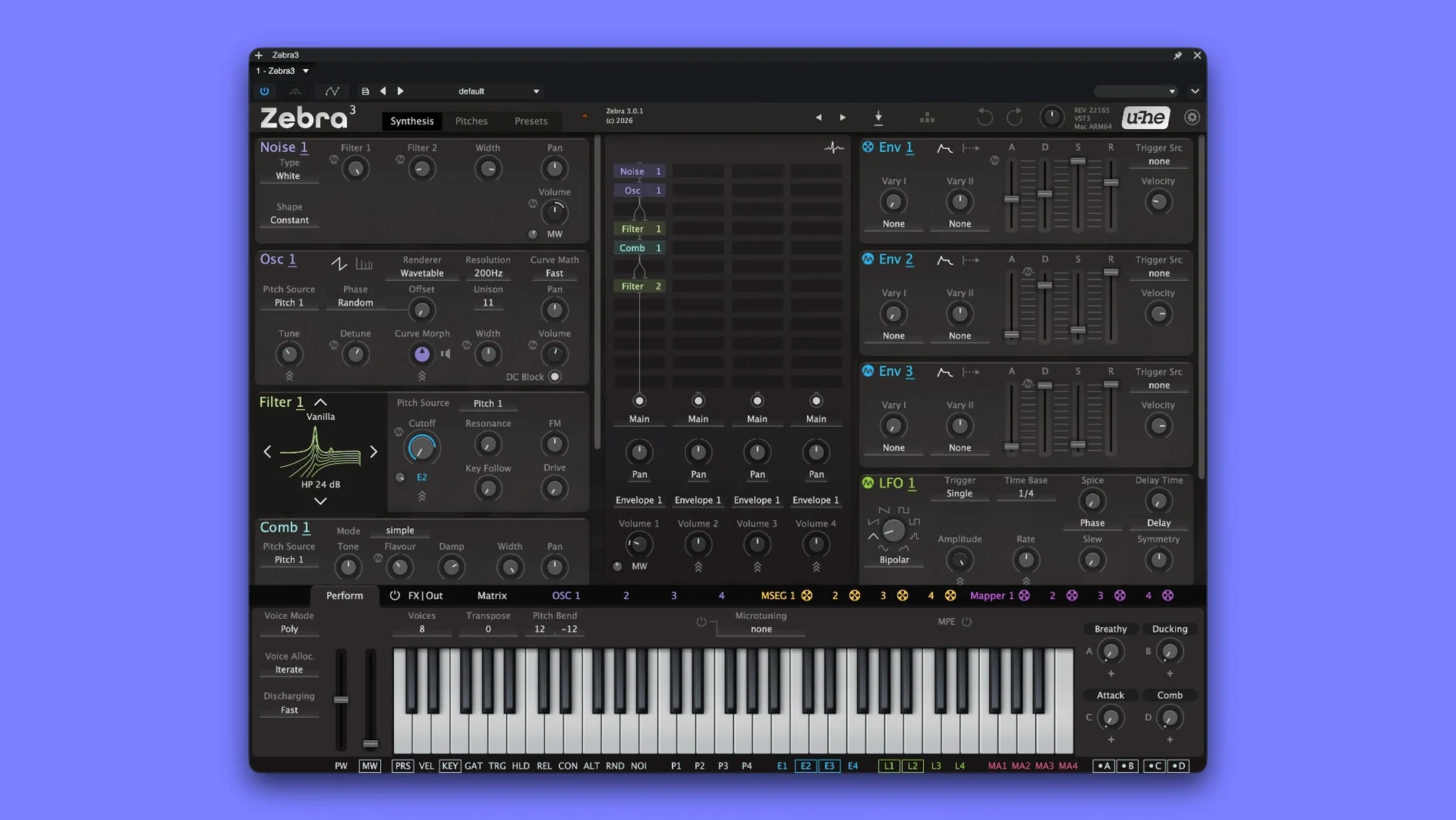
When a session needs a synth that can cover both bread-and-butter pads and wild, evolving textures, Zebra3 sits in the middle. It works as a regular instrument track for leads and basses, or on a bus when you want to layer several instances into one composite sound. The updated interface keeps routing visible, so you can patch modulation without losing track of the signal flow. It handles everyday production work and deep experiments equally well, with a wide range of filter models and flexible modulation. Version 3.0.2 (rev. 22175) fixes a GUI-related sound reset bug, making it a stable pick for session work.
- Instrument track for melodic parts, pads, and basses
- Bus insert for layering multiple synth voices
- Sound design tool for complex modulation patches
- Filter models cover classic to aggressive tones
- Updated interface keeps patching readable
- Successor to the original Zebra, with modern workflow
How the latest build changes daily use
Version 3.0.2 rev. 22175 is a point release, but the fix it carries matters more than the version bump suggests. Before this build, saving a project with Ctrl ABCD modulation active and reopening the GUI would reset the sound — the modulation assignments were still there, but the audible result shifted. You might have heard that as a transient click or a tonal jump when you opened the plugin to tweak something else. That bug could break a mix when you recalled a session days later. The fix means Zebra3 now recalls its full sonic state without surprises. For daily production, that translates to fewer "why does it sound different now?" moments during session recall.
Custom Waveforms for Logic and Ableton Users
Music producers working in Logic Pro or Ableton Live benefit most directly. The spline-based oscillators let you draw custom waveforms that fit a track's existing tonal palette, which is useful when stock synth waveforms don't quite sit in a dense mix. Sound designers who patch complex modulation routings will find the updated interface reduces the mental overhead of tracking signal flow. The modular layout supports everything from subtle filter sweeps to multi-envelope, multi-LFO patches that evolve over minutes.
For Mac users who still run Intel-based machines alongside newer Apple Silicon hardware, the dual-architecture build means one installer covers both setups — no need to manage separate plugin folders or track which machine runs which binary. Film and media composers layering hybrid orchestral-synth textures also get value from the analog and physical modeling engines inside the same plugin.
Everyday workflow changes in 3.0.2.22175
The Ctrl ABCD reset fix is the kind of change you notice most during recall-heavy sessions. Before it, you might have built a modulation setup, closed the GUI to save CPU, and only discovered the shift when you bounced stems later. Now the patch stays intact from save to recall. That matters for anyone who works in project templates with pre-routed modulation — no extra check on reopening.
- No audible jump when reopening the plugin GUI
- Ctrl ABCD modulation holds its sound across session saves
- Fewer mid-session saves and reloads to verify patches
Who gets the most out of it
Sound designers and electronic music producers who build patches from scratch rather than loading presets benefit most. The spline-based oscillators and wide filter selection let you carve tones that stock synths can't produce. Media composers who layer synth textures under orchestral arrangements will appreciate the analog modeling and physical modeling engines working together in one plugin. Live performers who use a MacBook on stage also gain from the consistent recall behavior — no surprises when you switch songs or recall a set from a previous show.
Whether you need a quick preset for a deadline or a weekend of experimental patching, Zebra3 fits both without reconfiguring your setup.
- Fixed an issue where the sound of Ctrl ABCD was reset after reopening the GUI.
- macOS 10.13 or later
- Intel or Apple Silicon
- Interface language: English
Questions I get about this line
Yes, the current version 3.0.2.22175 supports both Intel and Apple Silicon architectures on macOS 10.13 and later.
The install order
- Open the downloaded disk image.
- Run the standard installation procedure.