Free download (272 MB) Previous versions
- Version
- 13.3.1
- Developer
- Nitro Software
- Languages
- English
- License type
- K'ed by TNT team
| macOS range | macOS 10.14 or later |
|---|---|
| Chip | Apple Silicon, Intel 64-bit |
| Download | 272 MB |
| Previous versions | 1 on file |
Screenshots
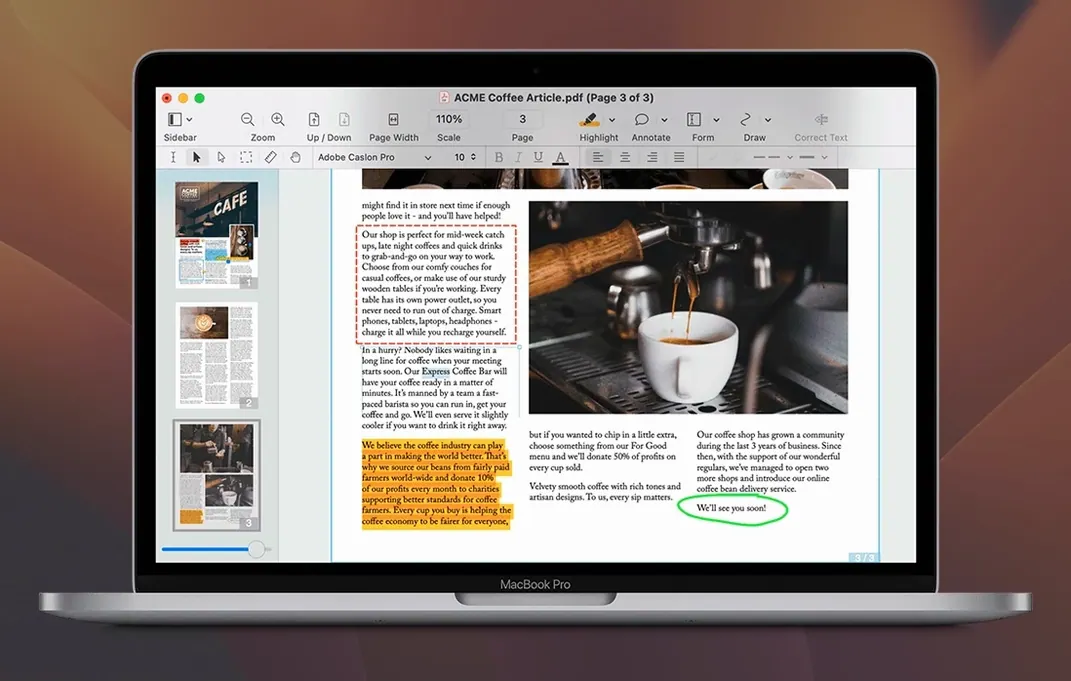
Scroll the row, it snaps to each screenshot. Click one to see it wider.
If you have used Preview for quick PDF tweaks, Nitro PDF Pro feels like the full toolbox. It takes the basics you already know and adds serious editing power: change text in place, move images, and build fillable forms without fighting the layout. The interface stays familiar, so the learning curve is short.
Boost Contrast for Missing OCR Text
| Item | Detail |
|---|---|
| Version | 13.3.1 |
| Developer | Nitro Software |
| macOS | 10.14 Mojave or later |
| Architecture | Intel and Apple Silicon |
| Language | English |
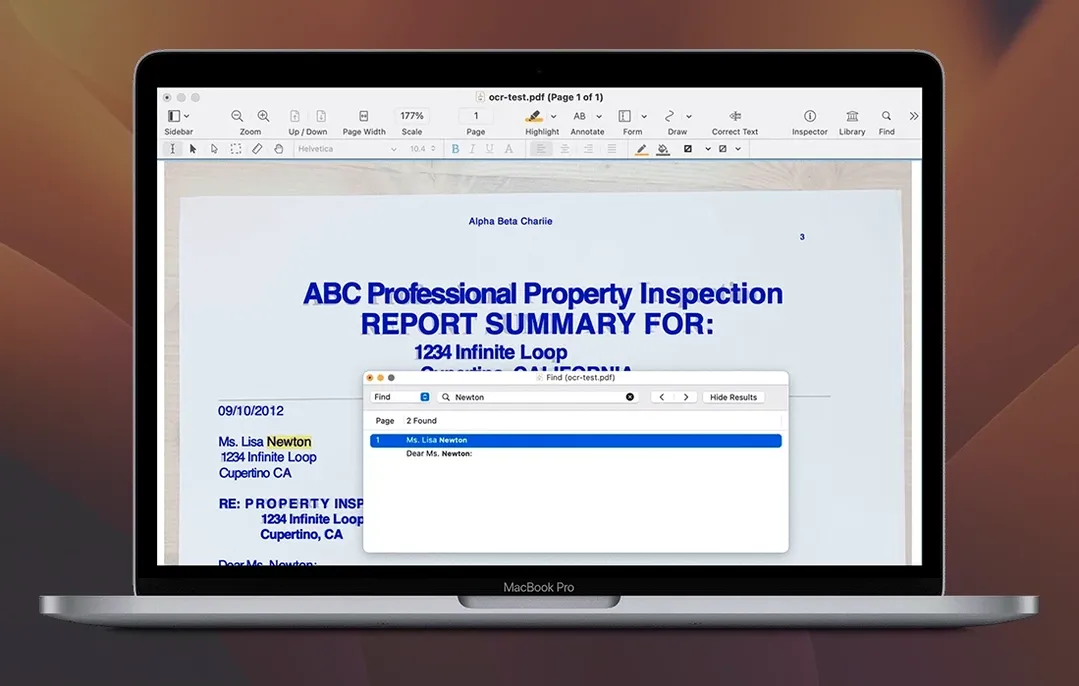
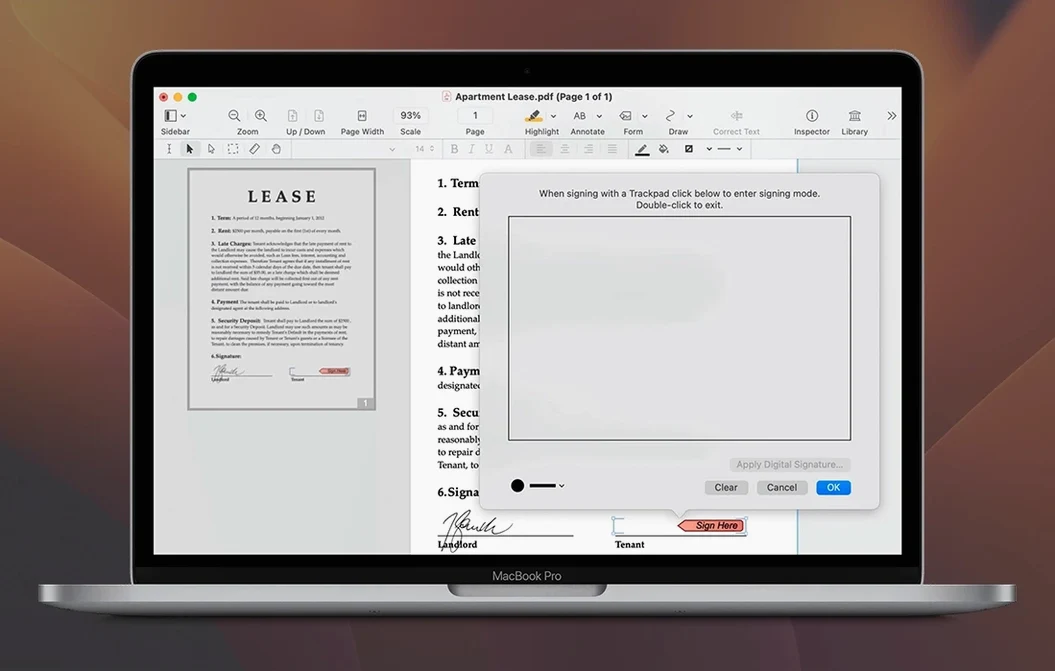
Start with the editing basics: select a text block and retype, or click an image to resize or delete it. Then try the annotation tools — highlight, underline, or strikethrough — and finish with a signature. OCR handles scanned documents, so even a photo of a contract becomes searchable and editable. Batch processing and automation are built in for repetitive tasks.
Small Conveniences That Get Overlooked
Nitro PDF Pro includes a few features that are easy to miss until you need them. Audio annotations are one. You can record and play a voice note directly inside a PDF, which is useful for review sessions where typing a comment slows things down.
Copying formatted text out of a PDF also works better than most editors. Columns, fonts, and spacing stay intact when you paste into Word or another app. That saves cleanup time on reports or legal docs.
The bookmark and table of contents tools let you build a navigable structure inside a long PDF. If you merge several files into a document portfolio, the portfolio keeps them grouped but separate, so each file keeps its original format.
You can also convert a website into a multi-page PDF with live hyperlinks. Handy for archiving research or saving a reference page with working links.
Select Text Blocks, Don't Double-Click
OCR sometimes misses scanned text in low-contrast scans — light gray on off-white. Running the page through an image editor to boost contrast before opening it in Nitro usually fixes it.
The form creation tools work cross-platform, but if a form doesn't tab correctly between fields, check the field order in the form editor. Beginners often skip this step and get stuck with a form that jumps around.
When exporting a PDF to Excel or PowerPoint, complex tables with merged cells may split into separate rows. A quick post-export cleanup in the target Office app is faster than redoing the layout by hand.
If the app won't launch after the install, make sure you ran the Gatekeeper bypass in Terminal before opening it. Skipping that step is the most common reason for a no-start on newer macOS versions.
Form Tools Work Cross-Platform
New users often try to edit text by double-clicking into a PDF the same way you would in a word processor. In Nitro PDF Pro, you select the text block first, then edit inside the editable block. Trying to type directly into the page without selecting the block leads to confusion.
Another frequent error is resizing an image by dragging a corner handle without holding the shift key. The image distorts. Keeping the aspect ratio locked avoids stretched graphics.
Beginners also forget to save a copy before running OCR on a scanned document. OCR is destructive: once applied, the original image layer is replaced. Keep a backup until you are sure the results are correct.
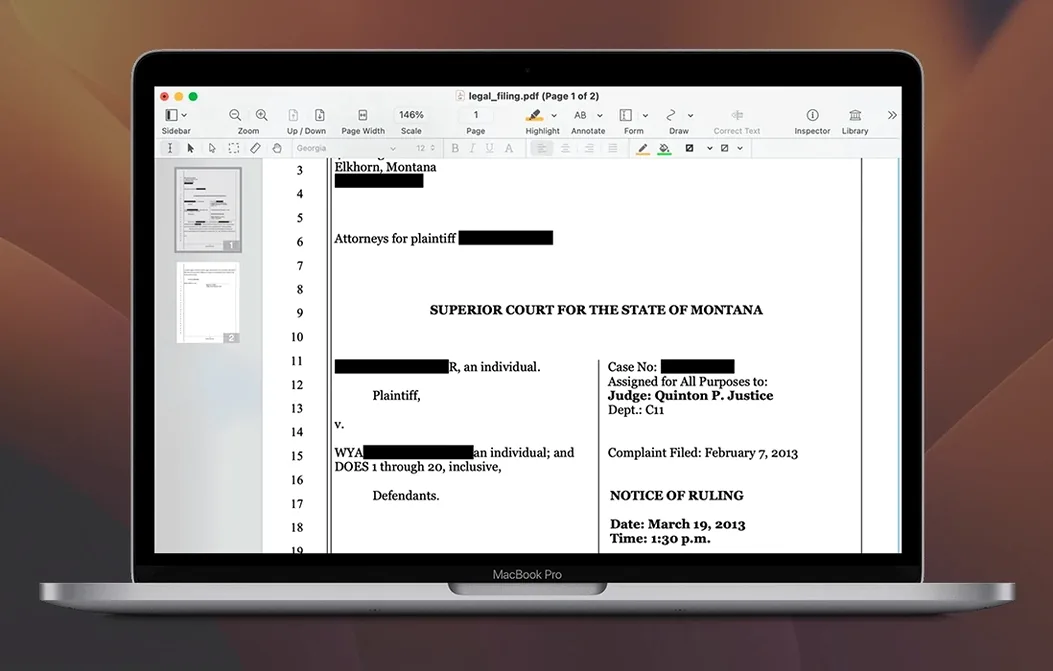
Finally, people sometimes overlook the redaction tool when sharing sensitive documents. Nitro PDF Pro can redact permanently, but you must apply the redaction before saving — closing the file without applying loses the mask.
- macOS 10.14 Mojave or later
- Intel or Apple Silicon
- 1 GB RAM
- Up to 2 GB disk space
- Display resolution at least 1280x800
Questions I get about this line
Yes, the built-in OCR feature converts scanned pages into editable and searchable text.
Yes, it runs natively on both Intel and Apple Silicon architectures.
Yes, you can create and edit cross-platform fillable PDF forms.
The install order
- Mount the disk image and run the installer. If macOS blocks it, right-click and select Open.
- Open Terminal and press Enter to bypass Gatekeeper when prompted.
- Drag the Nitro PDF Pro app into your Applications folder.
- Launch the app once the copy finishes.