- Home
- VST Plugins
- Arturia Augmented Grand Piano
Free download (2.6 GB) Previous versions
- Version
- 2.0.2 (6369)
- Developer
- Arturia
- Languages
- English
- License type
- K'ed by MORiA
| macOS range | macOS 11 or later |
|---|---|
| Chip | Apple Silicon, Intel 64-bit |
| Download | 2.6 GB |
| Previous versions | 8 on file |
Screenshots
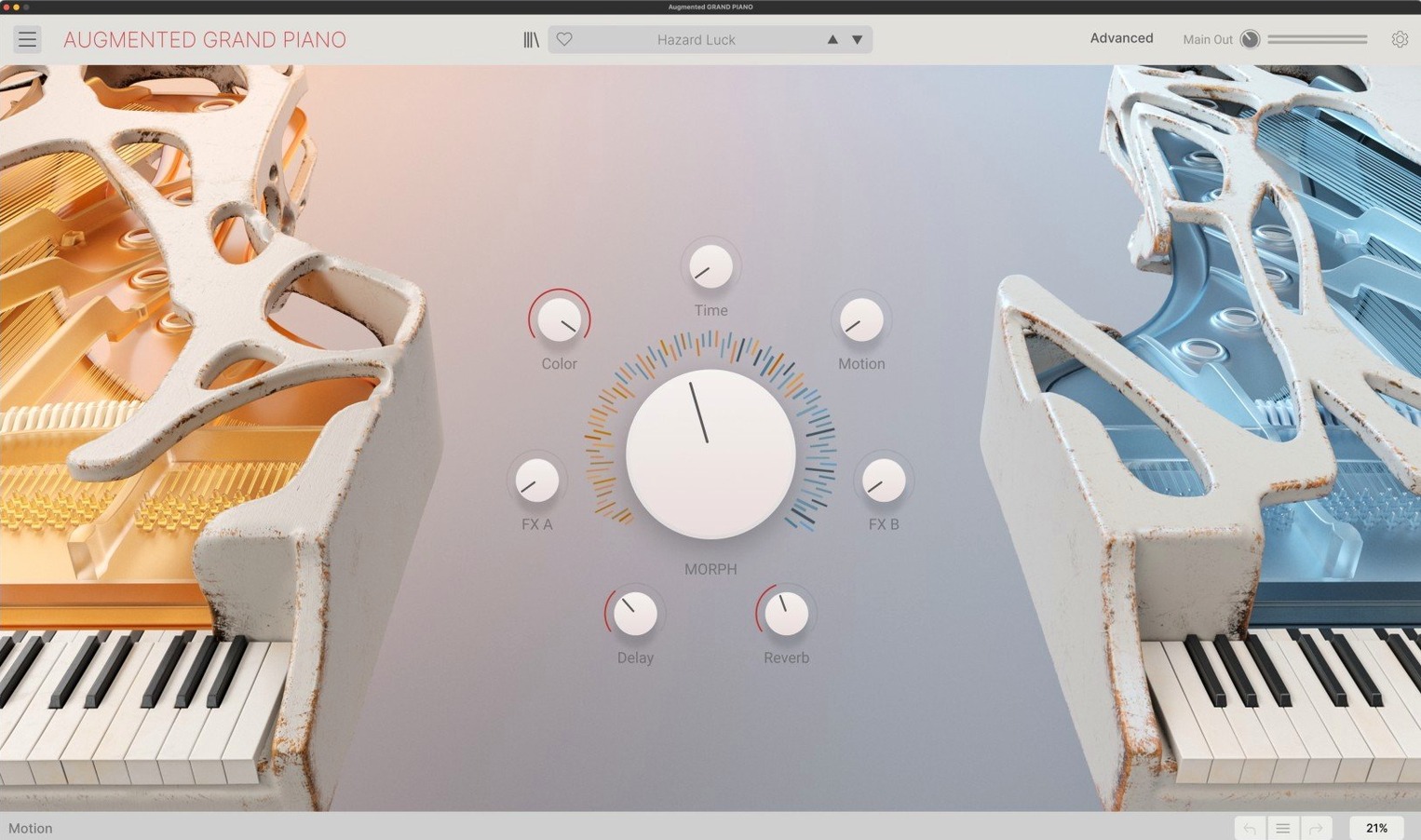
Version 2.0.2 (6369) is the current build, listed on Arturia's official downloads and resources pages. If you're new to Augmented Grand Piano, here's what to try first.
Morph control — drag between two sound layers to move from a familiar grand piano to a transformed, synthetic texture. Start here; it defines the instrument.
Macro controls — the main knobs for quick sound editing. Twist them before opening deeper menus; they cover the essential timbre and movement shaping.
Layer sources — each layer has two sound sources, mixing sampled piano with synthesis. Experiment by swapping sources per layer.
Smart arpeggiator — adds rhythmic patterns without manual programming. Turn it on, adjust the rate, and play single notes.
Modulation — complex routing for evolving pads and textures. Save this for after you learn the basics.
Working session walkthrough
Open Augmented Grand Piano as a standalone instrument. On the main panel you see two layer slots, each with its own volume fader and source selector. Pick the layer labeled A. The default source is a sampled grand piano — close-miked, natural. Press a few keys to hear it.
Now click the source button on layer A to switch to the synthetic waveform bank. The same note sounds different: thinner, more electronic. This is the sampled-meets-synth idea in practice. Drag the Morph slider toward layer B. The sound crossfades. Layer B might be a prepared-piano sample or a wavetable pad, depending on the preset you loaded.
Adjust the Attack macro knob all the way left for a percussive hit, or turn it right for a slow bloom. Twist the Movement macro to add a subtle flanger-style motion. Play a chord and hold it — you hear the modulation slowly shift the harmonics.
Toggle the arpeggiator on. Set the rate to a medium tempo and hold a C minor triad. The pattern starts cycling. Change the arpeggiator pattern from up to random. Now each note repeats in a different order. Keep the chord held and nudge the morph slider again — the arpeggiated notes change color as the layers mix.
The whole process stays inside the expanded panel. No menu diving required. When you find a sound you like, save it as a user preset. The instrument stores it alongside the factory 300.
Mute and Solo per Layer
Each layer has its own mute and solo buttons. When building a layered sound, solo layer A to hear only the sampled source, then solo B for the synthetic side. Quick compare without resetting anything.
Velocity and aftertouch are mapped per preset, not locked. If a preset feels too bright when you play hard, open the velocity curve and flatten it. Same for aftertouch — you can disable it or scale it down.
The arpeggiator includes a hold function. Press hold, let go of the keys, and the pattern keeps running. This frees your hands to tweak macros while the arpeggiated notes continue.
Preset browsing shows categories like Pads, Keys, Motion, and Bass. Each category contains ten to twenty variations. If you need a piano pad for a scene, start in Pads and audition without scrolling through every preset.
Installation is straightforward: mount the DMG, run the installer, and enter the activation code. The package includes a PDF with the full procedure. No online account required during install if you already have the code.
It runs standalone or inside a DAW, responds to velocity and aftertouch, and ships with over 300 presets. Built for modern composers and producers.
- Version 2.0.2.6369 is the current release.
- Listed on Arturia's official downloads and resources pages.
- macOS 11.0 or later
- Intel or Apple Silicon
Questions I get about this line
Yes. It runs standalone, so you can play it directly, or load it inside your DAW as a plugin.
The install order
- Follow the included installation and activation instructions.