- Home
- VST Plugins
- iZotope Insight
- Version
- 2.4.0
- Developer
- iZotope
- Languages
- English
- License type
- DRM-free
Screenshots
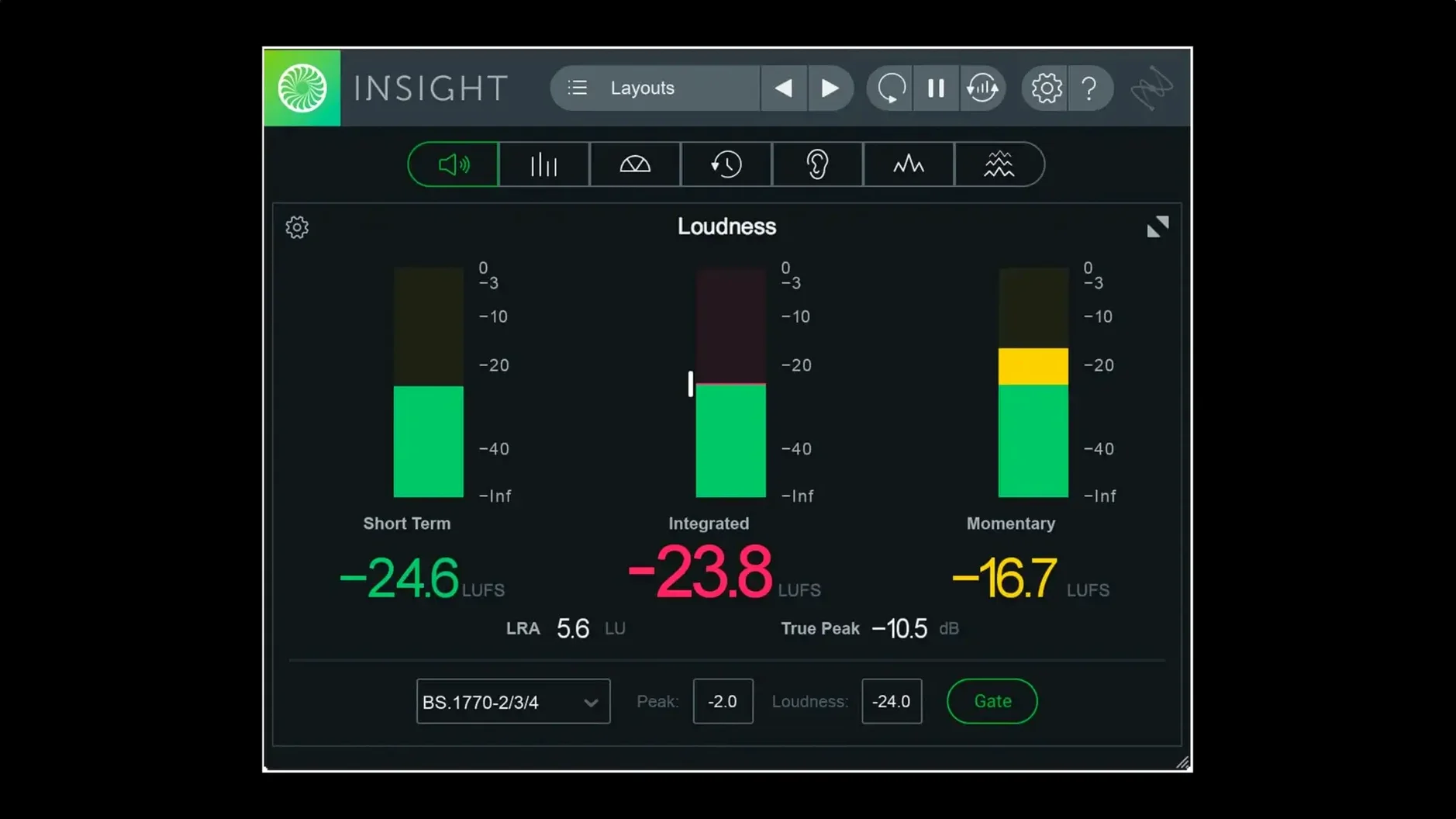
Insight 2 gives you eight metering and analysis tools in one plugin. True Peak Meters, Loudness Meters, Loudness History Graph, Stereo Vectorscope, Surround Scope, 2D/3D Spectrogram, and Spectrum Analyzer. Each meter resizes to fit your session. The plugin verifies audio against current loudness standards and flags potential mix problems in real time with visual monitoring and color signals.
Formats, Hosts, Compatibility
- AAX native arm64 for Pro Tools 2023.3+ on Apple Silicon Macs
- Native arm64 install support for Apple Silicon Macs
- Multi-user installation support
- Relay is no longer included in the installer
- Factory and custom preset tabs in the preset manager
How It Sounds
Insight doesn't color your mix — it shows you what's there. Use it during mixing and mastering to visualize changes. The meters and scopes update in real time, so you see compression, limiting, or stereo width shifts as they happen. It's a diagnostic tool, not an effect.
Preset Manager Factory and Custom Tabs
The preset manager got factory and custom tabs in 2.4.0. That means you can load iZotope's starting points from the factory tab and keep your own saved layouts in the custom tab without scrolling through one long list. Simple, saves a click every time.
Each meter resizes independently. You are not stuck with one panel size for the whole session. Drag a corner on the Loudness History Graph to see more timeline, shrink the Spectrogram when you only need a quick glance. The layout adapts to what you need to check right then.
Multi-user installation support is included. If you work on a shared machine or manage several workstations, one install covers all accounts on that Mac. No repeated logins or per-user activation steps.
AAX or AU Plugin Inside Any DAW
Insight runs as an AAX or AU plugin, so it lives inside your host DAW — Pro Tools, Logic, Ableton Live, Cubase, whatever you use. Route any track or bus into it. You can drop it on a master fader to monitor overall loudness, or insert it on a single vocal bus to check intelligibility. The same plugin works in either spot.
On macOS, the native arm64 build means it runs without Rosetta translation on Apple Silicon Macs. That keeps CPU overhead lower and leaves more room for other plugins. The plugin also respects macOS multi-user account separation, so your custom presets stay with your user account even with a shared install.
For post-production editors, the Surround Scope handles up to Dolby Atmos 7.1.2 multichannel layouts. You can check phase and level relationships across all channels in one view, which is useful if you are mixing to broadcast loudness specs or film deliverables.
If you search for izotope insight 2 mac torrent or izotope insight 2 crack, you'll find the DRM-free build listed on download sites. The package includes install and activation instructions — no online authorization needed once it is set up.
- Native arm64 AAX support for Pro Tools 2023.3+ on Apple Silicon Macs
- Native arm64 install support for Apple Silicon Macs
- Factory and custom preset tabs added to the preset manager
- macOS Big Sur
- Intel or Apple Silicon
- Interface language: English
Questions I get about this line
macOS Big Sur or later.
Yes. Version 2.4.0 adds native arm64 AAX support for Pro Tools 2023.3+ and native arm64 install support.
True Peak Meters, Loudness Meters, Loudness History Graph, Stereo Vectorscope, Surround Scope, 2D/3D Spectrogram, and Spectrum Analyzer.
The install order
- Install instructions and activation instructions are included in the package.