
- Home
- VST Plugins
- Melodyne
Free download (97 MB) Previous versions
- Version
- 5.4.2.006
- Developer
- Celemony
- Languages
- English
- License type
- K'ed by MORiA
| macOS range | macOS 10.12 or later |
|---|---|
| Chip | Apple Silicon, Intel 64-bit |
| Download | 97 MB |
| Previous versions | 1 on file |
Screenshots
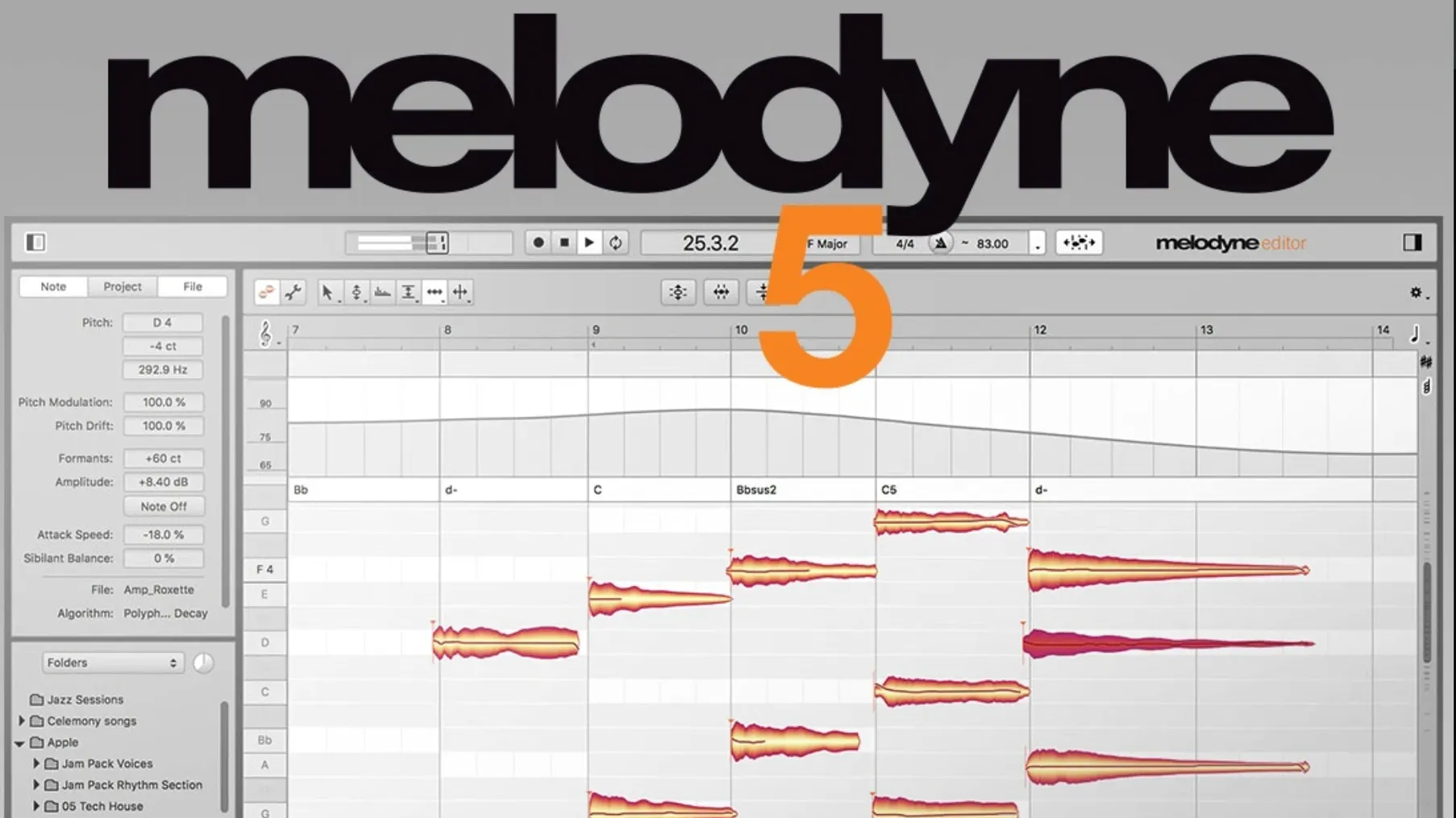
Melodyne 5.4.2.006 analyzes audio note by note, letting you edit pitch, timing, vibrato, volume, sibilants, length, and formants. It handles vocals, samples, and other recordings, and can even detect and edit individual sounds inside chords. The current version runs natively on Apple Silicon Macs and works as a plugin inside your DAW.
Correcting off-key notes and timing
- Correcting off-key notes in vocals or instruments
- Adjusting timing and rhythm of individual notes
- Controlling vibrato and formants for natural-sounding edits
- Balancing volume of notes and syllables manually
- Rearranging or restructuring melodic phrases
Note-based editing on macOS 10.12+
- It analyzes pitch, noise, breath, and intonation in vocal material
- Edits are note-based, not just waveform-based
- Requires macOS 10.12 or later, English interface
Silent bus and bypassed plug-in fixes
Melodyne works differently than standard waveform editors. A few things trip people up.
- No sound after analysis. Check your DAW track routing. Melodyne must receive the audio signal, not a silent bus. Also verify the plug-in is not bypassed in your DAW's mixer.
- Notes not detected as expected. If Melodyne sees a blob of sound instead of separate notes, try the Percussive Pitched algorithm on the track. It handles sounds with a strong attack and pitch, like bass or guitar plucks, better than the standard algorithm.
- ARA mode doesn't show the editor. Some DAWs require you to open the Melodyne editor window explicitly after inserting the plug-in. Look for an "Edit" or "Open Editor" button on the plug-in header.
- Trackpad scrolling feels off. Version 5.4.2 improved trackpad scrolling. If it still behaves oddly, check your macOS trackpad settings (System Settings > Trackpad) for scroll direction and speed. Melodyne respects those, not its own.
- Crashes when opening in ARA. The 5.4.2 update fixed a crash that could happen when opening Melodyne in ARA and plug-in use cases. If you still see it, try removing third-party ARA extensions or resetting your DAW's plug-in cache.
Vocal producers tuning note by note
This isn't a one-size-fits-all tool. It rewards people who work note by note.
- Vocal producers. Tuning a singer's performance, correcting pitch drift, or adding subtle vibrato. Melodyne's note-level control means you fix only what needs fixing, not the whole phrase.
- Audio editors for film and video. Tightening spoken word timing, removing breaths, or adjusting formants to match a character's voice. You don't need a full DAW for this.
- Music producers working with samples. Re-pitching a sample to match your track's key, chopping and rearranging melodic phrases. The note-based fades and Leveling Macro help glue edits together.
- Composers using chord detection. Melodyne can detect chords and keys in recorded audio. That helps you re-harmonize or transpose a line to fit a new arrangement.
- Anyone who hates drawing automation. Instead of volume rides, you adjust individual notes. Instead of tuning an entire waveform, you tune only the off-pitch note. That saves time.
Post-recording pitch editing vs. live correction
Melodyne is not alone. Here is how it lands next to two common alternatives.
Waves Tune Real-Time. Works as a live pitch corrector. It changes pitch as you play or sing. Melodyne lets you see and edit notes after recording. Tune Real-Time is faster for a quick fix but gives you no control over vibrato, formants, or timing per note. Melodyne wins when you need precision, Tune Real-Time wins when you need speed in a live or tracking scenario.
iZotope Nectar. A vocal mixing suite with pitch correction, EQ, compression, and reverb. Nectar is all-in-one for mixing. Melodyne focuses on note editing. If you need to tune a vocal and also compress and EQ it, Nectar is convenient. If you need to rearrange a phrase, detect chords, or edit individual notes inside a chord, Melodyne is the better tool.
Celemony Melodyne vs. Antares Auto-Tune. Auto-Tune offers a graphical mode similar to Melodyne, but its note detection is less detailed. Melodyne's chord detection and formant editing are more flexible. Auto-Tune tends to be faster for simple tuning, but Melodyne lets you restructure audio, not just correct it.
Analysis algorithm for vocals vs. percussive sounds
Straight out of the installer, a few changes make Melodyne behave more predictably.
- Analysis algorithm. The default "Melodic" works for most vocals. For percussive sounds, switch to "Percussive Pitched" before analyzing. You can change it later, but re-analysis takes a moment.
- Display mode. If you work with chords, enable "Chord Grid" from the View menu. It shows chord symbols and key changes. If you edit timing, "Note Assignment" mode shows which notes belong to which pitch.
- Leveling Macro. Turn it on and set a target level. It evens out note volume without affecting pitch or timing. Handy for breathy vocals where some syllables are too quiet.
- High values make everything lock to the grid, which sounds robotic on vocals.
- Too much sounds unnatural. Adjust per note, not globally.
These aren't mandatory. They just save you from hunting through menus mid-session.
- Optimizations, bug fixes, and macOS Sequoia adaptations
- Improved trackpad scrolling
- Fixed a crash when opening Melodyne in ARA and plug-in use cases
- macOS 10.12 or later
- Intel or Apple Silicon
- English interface
Questions I get about this line
Yes, version 5.4.2 runs natively on Macs with Apple Silicon processors.
It can detect sounds within chords and edit them individually.
The install order
- Mount the downloaded disk image.
- Run the standard installation procedure.