
- Home
- VST Plugins
- LFOTool
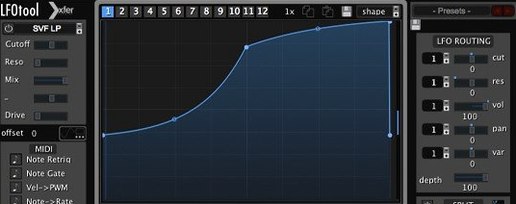
- Version
- 1.768
- Developer
- xferrecords
- Languages
- English
- License type
- Included
| macOS range | OS X 10.11 or later |
|---|---|
| Chip | Apple Silicon, Intel 64-bit |
| Download | 7 MB |
Screenshots
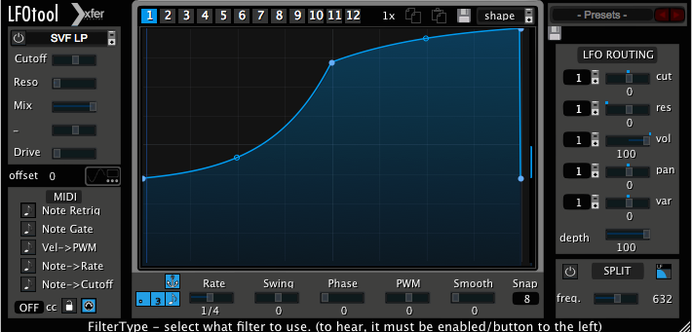
Think of LFOTool as a dedicated LFO module you can patch into any audio stream or MIDI chain. It processes incoming audio and can also generate a MIDI message stream for controlling other instruments or hardware.
Shape the curve
The point-and-curve editor lets you draw custom LFO shapes, not just sine or square. You can dial in exactly the rise, fall, and hold you need.
Lock the timing
Set the rate in BPM with optional swing, or switch to hertz. Sample-accurate sync keeps the LFO locked to your project grid, even at short loop lengths.
Send MIDI CC
Route the LFO output as MIDI CC to soft synths, effects, or external gear. That means one plugin can modulate parameters that don't accept side-chain input.
Drag points to shape the curve
Open LFOTool and start with the graphical editor. The default curve is a basic sine, but the real benefit is in the point-and-tension editor. Click a few points on the line and drag them into a shape that fits the part you are working on — a slow rise for a pad or a sharp spike for a percussive hit. Save that as a preset before you move on.
The rate control defaults to BPM sync. If the part needs a feel that is not locked to a subdivision, switch the mode to hertz. A value around 3-5 Hz gives a classic tremolo or vibrato feel. Swing is off by default.
Set the MIDI CC destination in the output section early. Pick the CC number your target plugin or hardware expects — common ones are CC 1 (mod wheel) for filter cutoff or CC 7 for volume. Test the range with a few notes before you start sequencing.
MIDI routing via IAC bus in Logic
LFOTool works inside any AudioUnit or VST host on macOS. In Logic Pro, insert it on an instrument track and route the MIDI output to a second track or to a hardware instrument via the IAC bus. In Ableton Live, it lives on a MIDI track and the CC output drives the device's macros or external synths.
Sample-accurate sync matters when you use LFOTool alongside time-based effects like delays or reverbs that follow the project tempo. The LFO resets to the same phase at every bar start, so the modulation pattern repeats exactly the same way every cycle. No drift.
Because it is a plugin and not a standalone app, you can save and recall LFOTool settings with your DAW project. The preset system holds up to 12 graphs per preset, which covers all the modulation you might need in a single track.
The macOS system is mostly hands-off. The plugin is 64-bit and runs under Rosetta on Apple Silicon without issue, though the developer offers a native ARM build. Keep the host DAW current and the plugin will show up in the standard plugin folder.
Four simultaneous graphs for evolving sweeps
Sound designers who build textures from single samples will use the custom curve editor to create evolving filter sweeps or pan motion that does not repeat in a predictable sine pattern. The ability to run up to four graphs simultaneously means one instance can handle cutoff, resonance, pan, and volume all at once.
Mix engineers working on stereo widening or automated movement can set LFOTool to a slow, irregular curve and map it to a stereo imager or a mid-side processor. The MIDI CC output lets you automate parameters that the host DAW cannot reach directly.
Electronic music producers who want a pumping side-chain effect without a compressor insert LFOTool on the audio track and route the LFO to a volume or filter parameter. The swing control adds a human feel to the pump. Those who work with external hardware synths or modular gear benefit from the MIDI CC output, which sends modulation straight to gear that responds to CC messages.
For anyone who uses lfotool crack or lfo tool mac versions, the installation and activation instructions included with the download apply the same way regardless of the source. The plugin is the same build.
- macOS 10.11 or later
- Intel or Apple Silicon
- VST or AudioUnit-compatible host