- Home
- VST Plugins
- LANDR Vocal Bundle

- Version
- 2025.12
- Developer
- LANDR Audio
- Languages
- English
- License type
- K'ed by FLARE
| macOS range | macOS 12 or later |
|---|---|
| Chip | Apple Silicon, Intel 64-bit |
| Download | 447 MB |
Screenshots
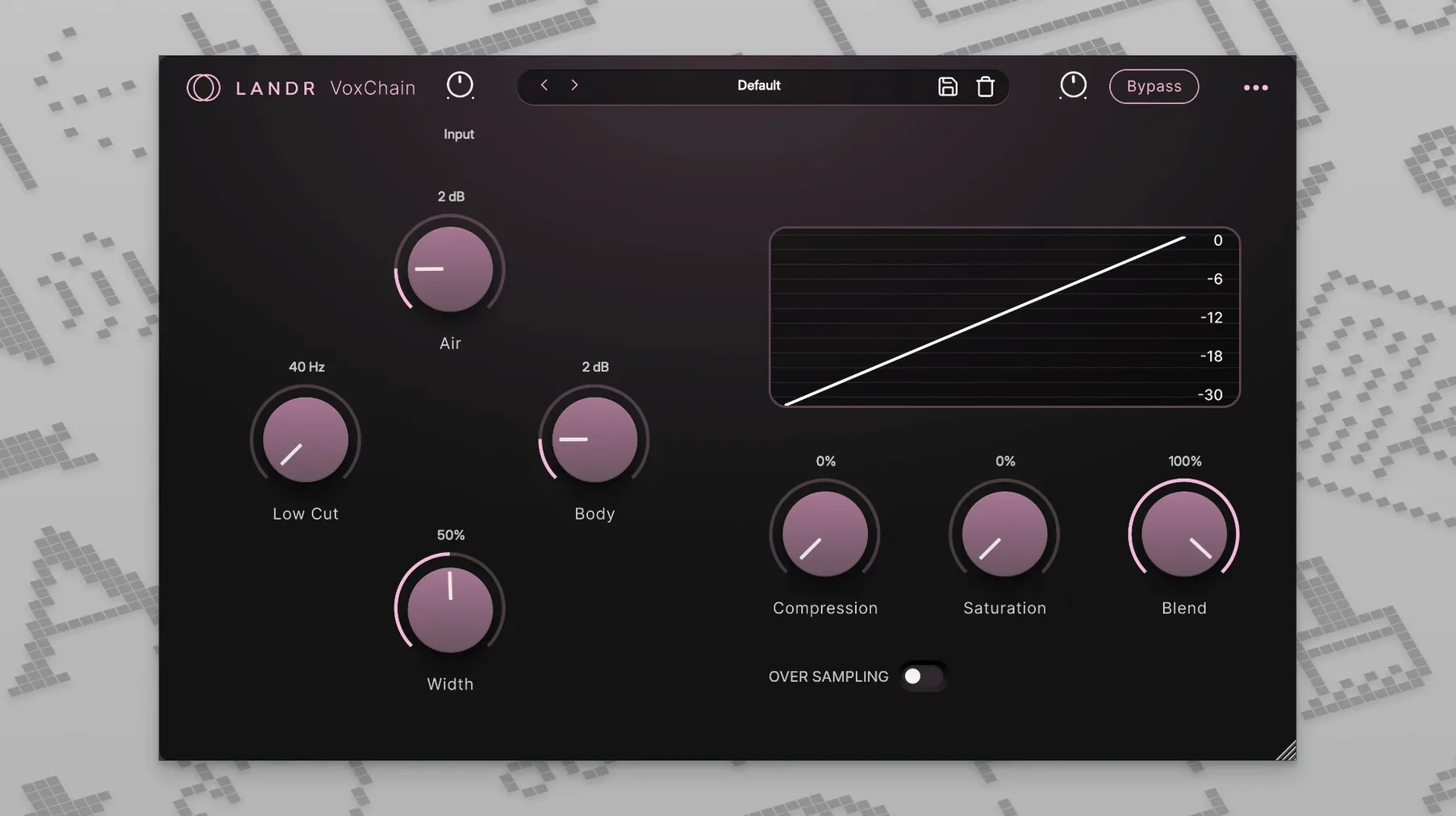
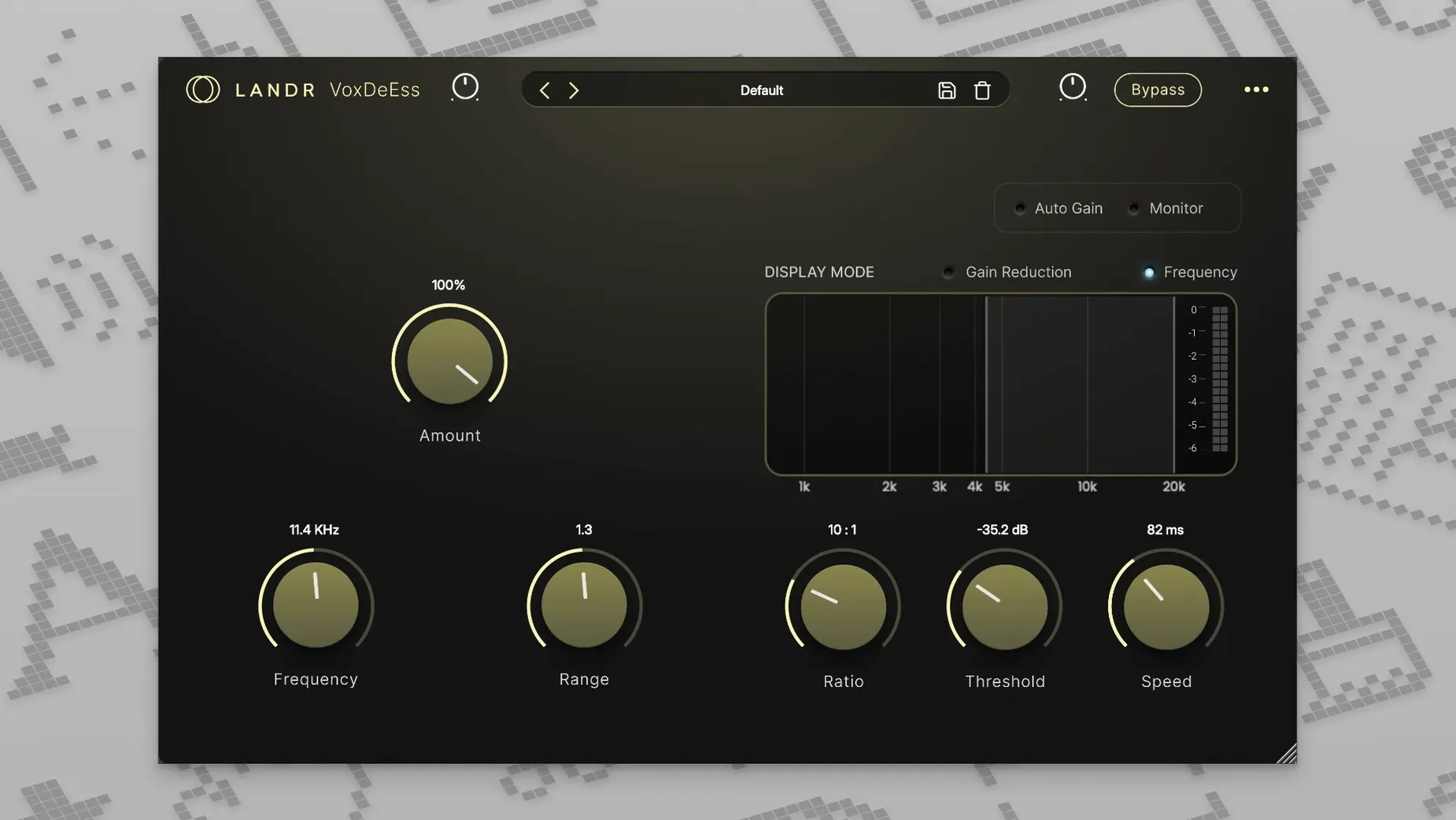
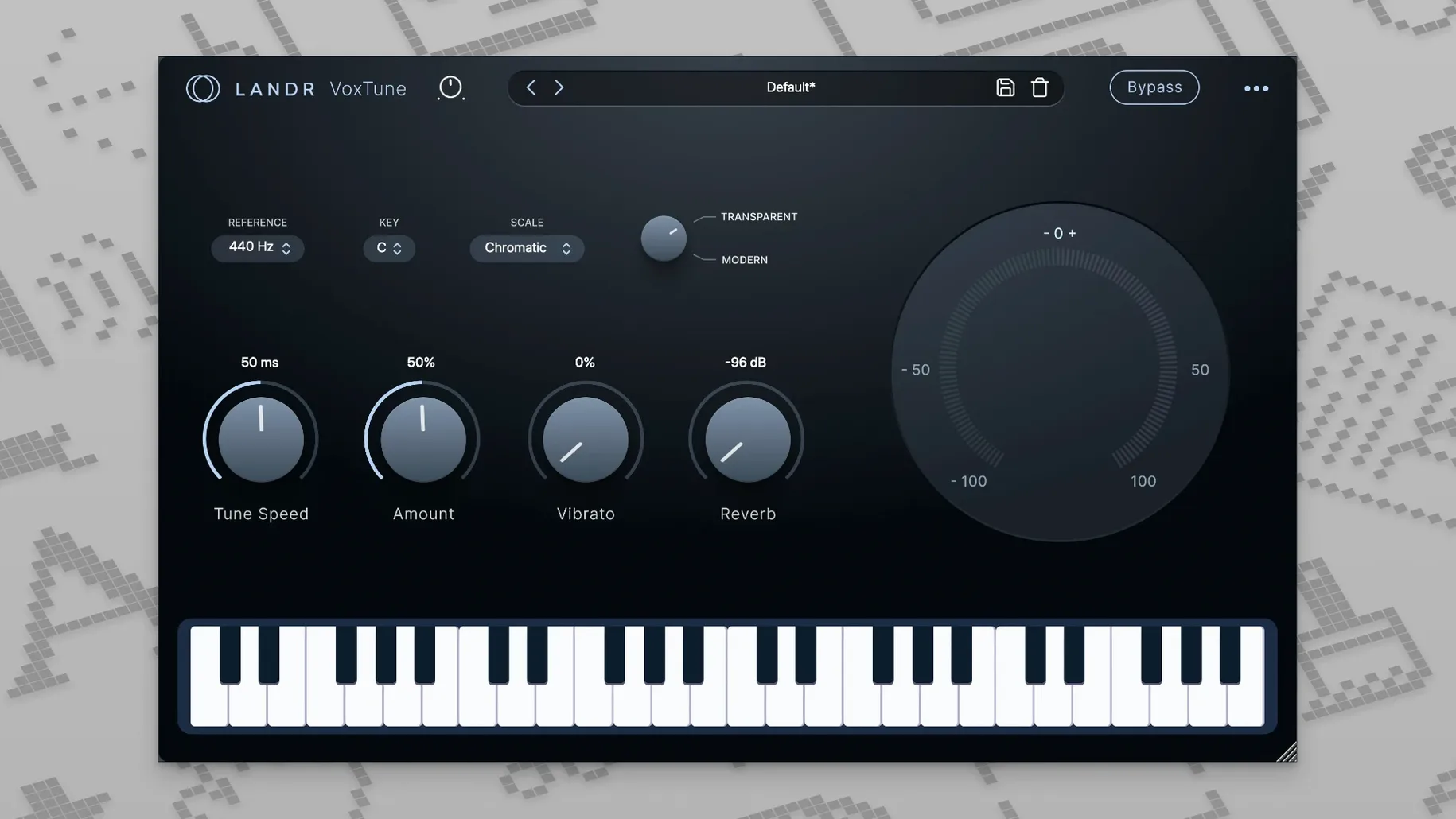
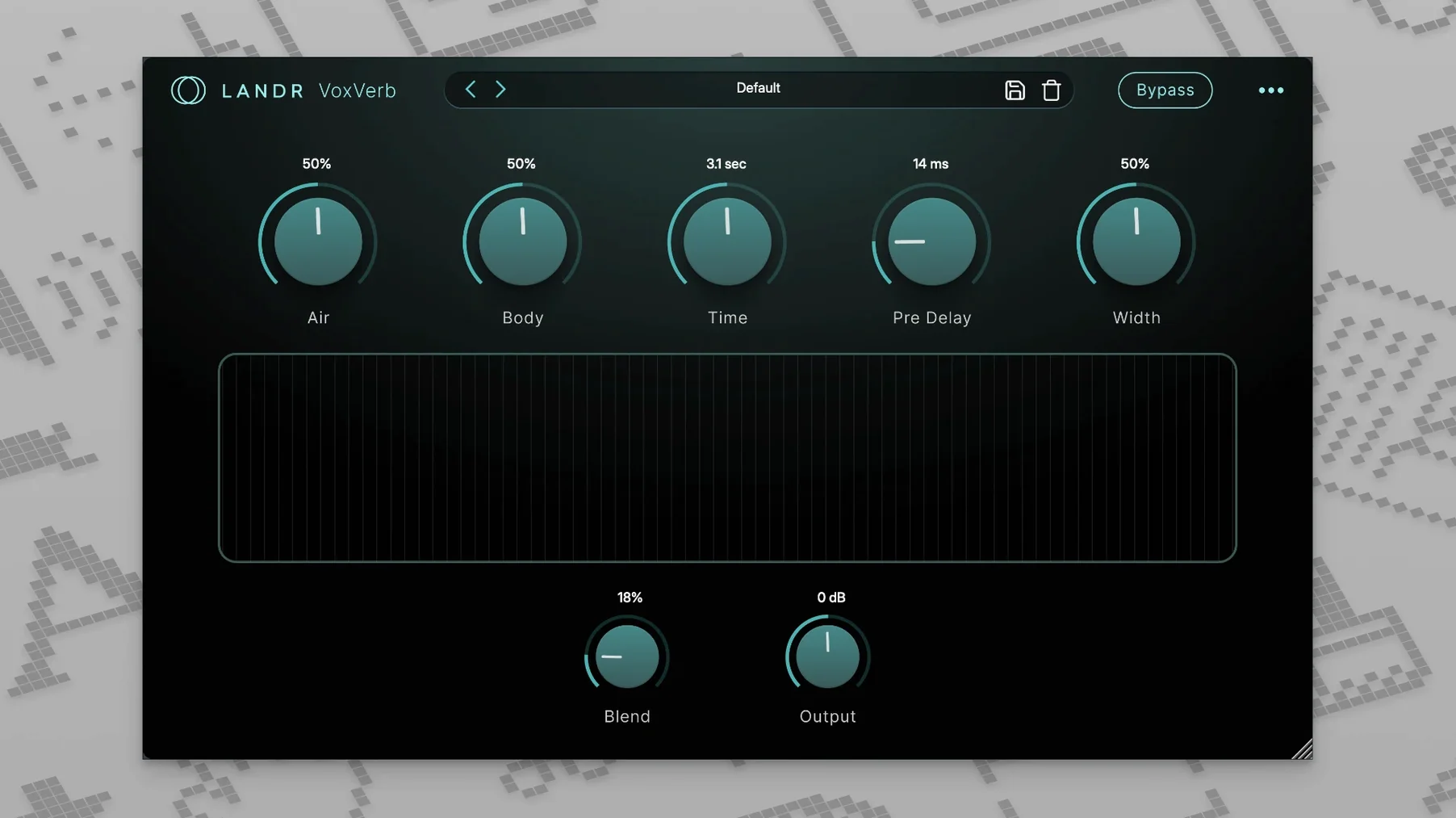
Click a screenshot to see it wider.
Vocal tracks often need quick fixes—pitch, harsh sibilants, dull tone. LANDR Vocal Bundle covers those in one package. Four plugins: VoxTune for real-time pitch correction with voice color and vibrato control, VoxChain for channel shaping, VoxVerb for vocal-tuned reverb, and VoxDeEss to tame s and sh sounds. All simple to use, no deep menus. VoxTune works without latency, so it fits live tracking and fast edits. The bundle comes with LANDR Studio, but you can also grab it standalone. For a small clinic IT guy who records voiceovers at night, it’s a practical set.
| Plugin | Job |
|---|---|
| VoxTune | Pitch correction, color, vibrato |
| VoxChain | Channel shaping |
| VoxVerb | Vocal reverb |
| VoxDeEss | De-essing |
One realistic session: record a vocal, run VoxTune to catch pitch slips, add VoxDeEss to clean sibilants, shape with VoxChain, and finish with VoxVerb. Works on both Intel and Apple Silicon Macs.
Tweak Defaults for Your Vocal
When you open each plugin for the first time, the defaults are set to be safe. A few adjustments will make the bundle work better for your specific vocal.
VoxTune
- Turn the Voice Color knob down a notch or two before you start singing. The default can sound a little hyped on some mics. Adjust it to match your natural tone.
- Set the Vibrato control to a light setting if the singer has a steady vibrato already. Too much will sound artificial. Start near 20% and dial up only if needed.
- Switch between the natural and strong tuning modes early in the session. Natural mode works for spoken word and subtle corrections. Strong mode is for pop vocals that need a tighter pitch lock.
VoxChain
- Start with the EQ band at a flat position. Add a small boost around 5 kHz for presence. Cut at 300 Hz if the vocal sounds boxy.
- Set the compressor ratio low. A 2:1 ratio keeps the vocal dynamic without squashing it. Raise only for aggressive pop or rap.
- Saturation adds harmonic content, but too much muddies the mix.
VoxVerb
- Anything longer will push the vocal far back in the mix.
- Adjust the mix knob so the reverb is just audible. A good starting point is 20% wet. You want space, not a hall effect.
VoxDeEss
- Start with the threshold at -20 dB. Then sing a phrase with sibilants. Adjust until the s and sh sounds drop by about 3-4 dB. Do not over-process or the vocal will sound lispy.
- Set the frequency range to target only the 5 kHz to 8 kHz zone. That is where most harsh sibilants live. Narrowing the range leaves the rest of the vocal untouched.
Real-World Scenario: The Podcast Host
A podcast host records from a home office. The room has no acoustic treatment. The voice sounds thin, has plosives, and the occasional pitch slip when the host gets excited.
After recording the raw track in a DAW, the host applies VoxDeEss first to clean the s and sh sounds. That alone makes the track less fatiguing to listen to. Next, VoxChain adds a small mid-range EQ boost and light compression. The host can adjust these without needing to read a manual. The vocal now sits forward and clear without sounding processed.
Then VoxVerb adds a short, tight reverb that masks the boxy room sound. The host does not need a separate reverb plugin or complex routing. Finally, a quick pass with VoxTune on natural mode catches the pitch slips. The whole chain takes about 10 minutes per episode.
The result is a vocal that sounds professional without expensive gear or a treated room. The bundle does the work that used to require four separate plugins and more time.
Built for Content Creators Needing Fast Processing
LANDR Vocal Bundle fits three types of users well:
- Content creators who record voiceovers, podcasts, or YouTube audio. They need fast, no-fuss processing. The plugins are simple enough that a creator can drop them on a track and get usable results in seconds.
- Live performers who use a Mac on stage for backing vocals or live tracking. VoxTune works without latency, so it is safe to use in a live mix. VoxDeEss can be inserted on the vocal channel to control sibilants in real time.
- Mix engineers who handle a high volume of vocal tracks. The bundle provides a consistent processing chain that can be applied across multiple sessions. Engineers working with voiceover talent or remote singers will find the four plugins cover the essentials without extra complexity.
For users who simply want to download the landr vocal plugin bundle free download or look for a landr mac torrent version, the bundle is also included with LANDR Studio. Either way, the Mac version runs on both Intel and Apple Silicon hardware.
- macOS 12 or later
- Intel or Apple Silicon
- English interface
Questions I get about this line
Yes, VoxTune works without latency, so it’s fine for live monitoring or quick pitch fixes during recording.
VoxDeEss removes harsh sibilant sounds like s and sh, which often get too strong after compression.
The install order
- Open the downloaded disk image.
- Run the standard installation procedure.