- Home
- VST Plugins
- Neural DSP Archetype Tim Henson X

- Version
- 1.0.1
- Developer
- Neural DSP Technologies
- Languages
- English
- License type
- K'ed by FLARE
| macOS range | macOS 10.13 or later |
|---|---|
| Chip | Apple Silicon, Intel 64-bit |
| Download | 575 MB |
Screenshots
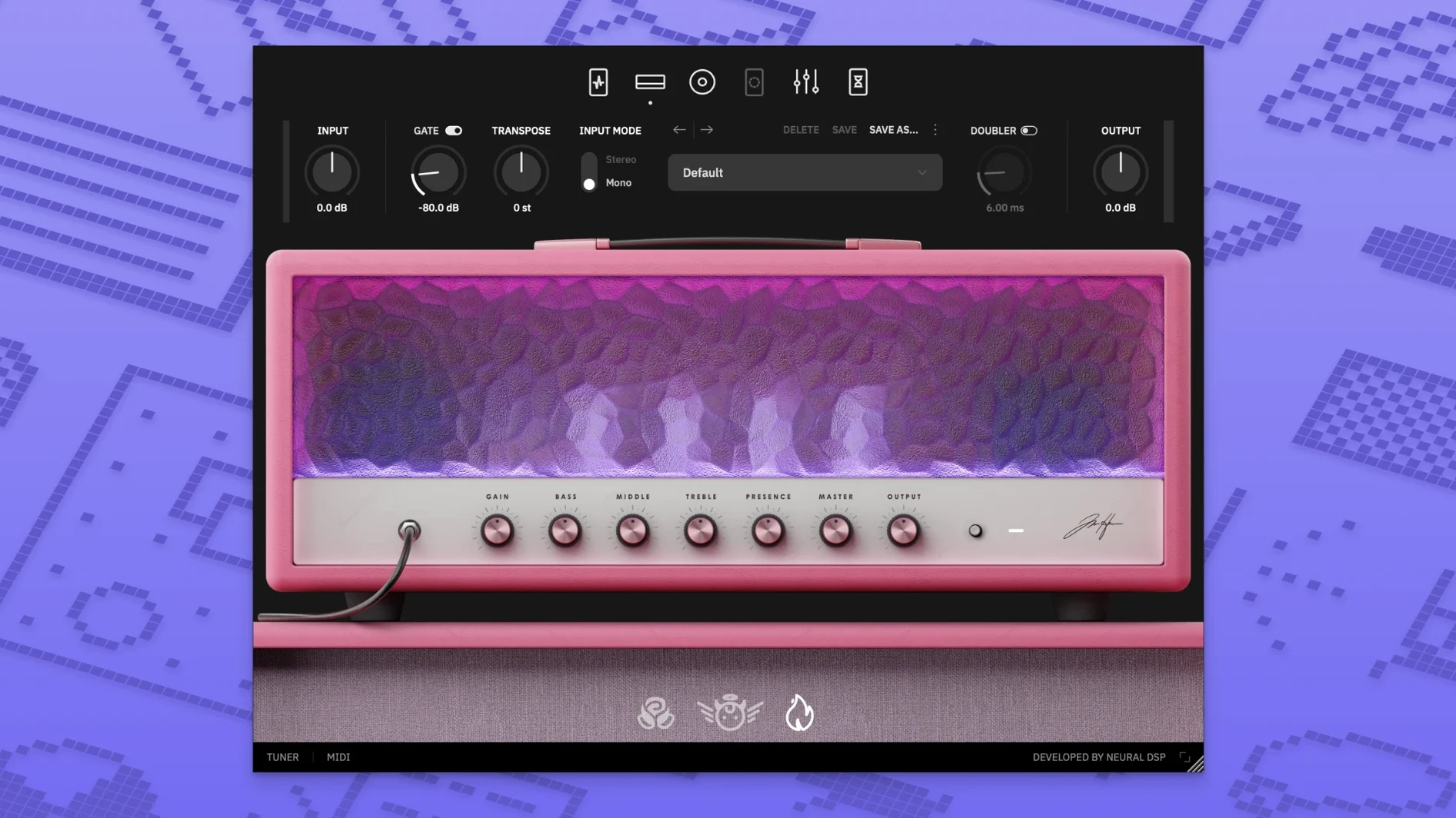
The current version of Archetype Tim Henson X brings a fully redesigned interface and two new scale variants. This plugin focuses on clean, precise, and harmonically layered guitar tones, with controls that shape both the core sound and the added voices.
- Boost: simple low-frequency and high-frequency controls. It raises signal level and density without changing the character of the sound.
- Compressor: evens out volume and makes notes sustain longer.
- MIDI mode: receives notes or chords from a MIDI keyboard, with selectable key, scale types, and chord types. Added voices automatically match pitch and create layered harmonies.
- Arpeggio effect: adds a picked pattern to the signal, useful for ambient or textural parts.
- Blend control: mixes the dry and effected signals; the 1.1.0 update fixed a phase issue between Boost and Blend.
The updated scale variants expand the harmonic options, making it easier to stay in key while experimenting. If you work with clean, intricate guitar parts, this plugin gives you the tools to build them quickly.
Workflow: Building a Layered Clean Part
- Open the plugin as a standalone or insert it into your DAW track.
- Set the Multivoicer to add two extra voices. Pick a major scale and a common chord type like triads.
- Enable the arpeggio effect for a picked texture on the added voices.
- Dial in a moderate amount of Boost with the low-frequency control slightly raised for body.
- Set the Compressor to a medium strength and a fast response speed to keep the notes even.
- Record your main guitar line. The plugin produces the layered harmonies automatically from the Multivoicer settings.
- Tweak the Blend control to balance the dry guitar against the processed signal.
The result is a full, harmonized part without multiple takes or manual pitch editing.
Cleaner Harmonic Layering vs. Lead-Focused Gain
Versus Archetype Plini X. Plini X leans toward lead tones with more gain and solo-focused effects. Tim Henson X stays cleaner and centers on harmonic layering. Both share the same plugin format and interface design language, but the voices and MIDI mode are unique to Henson.
Versus Audio Damage Futz. Futz is a utility for amp and cab emulation, not aimed at clean harmony work. Tim Henson X offers built-in harmony generation and scale-aware voicing that Futz does not attempt. For ambient or textural clean parts, Henson covers more ground out of the box.
Recording a Short Ambient Section
Set the Multivoicer to four voices and choose a minor scale with seventh chords. Enable the arpeggio effect on a slow tempo. Play a single note on the low E string. The plugin generates a four-voice arpeggiated chord that follows the scale and chord type you selected. Record a few bars of single notes, then switch the chord type to suspended for a different harmonic color on the next pass. The MIDI mode is useful here: route a MIDI keyboard to the plugin, play a simple two-note chord, and the guitar signal follows those pitches in real time.
Versus Other Neural DSP Options
Versus Archetype Rabea. Rabea X focuses on heavy riffing and synth-like textures. Tim Henson X does not aim for that territory. The Multivoicer in Henson is designed for precise, clean harmony rather than layered distortion. If your project needs clean, harmonically rich parts, Henson saves setup time.
Versus Archetype Cory Wong. Cory Wong targets funk and rhythm playing with a focus on compression and clean tones. Tim Henson X shares the clean approach but adds the Multivoicer and scale-aware harmony generation. For chordal, ambient, or arpeggio-driven clean parts, Henson offers more built-in harmonic tools without external MIDI processing.
- Interface fully redesigned.
- Two new scale variants added.
- macOS 10.13 or later
- Intel or Apple Silicon
The install order
- Open the downloaded disk image.
- Run the standard installation procedure.