
- Home
- VST Plugins
- Neural DSP Soldano SLO-100 X

- Version
- 1.0.0
- Developer
- Neural DSP Technologies
- Languages
- English
- License type
- K'ed by FLARE
| macOS range | macOS 10.15 or later |
|---|---|
| Chip | Apple Silicon, Intel 64-bit |
| Download | 340 MB |
Screenshots
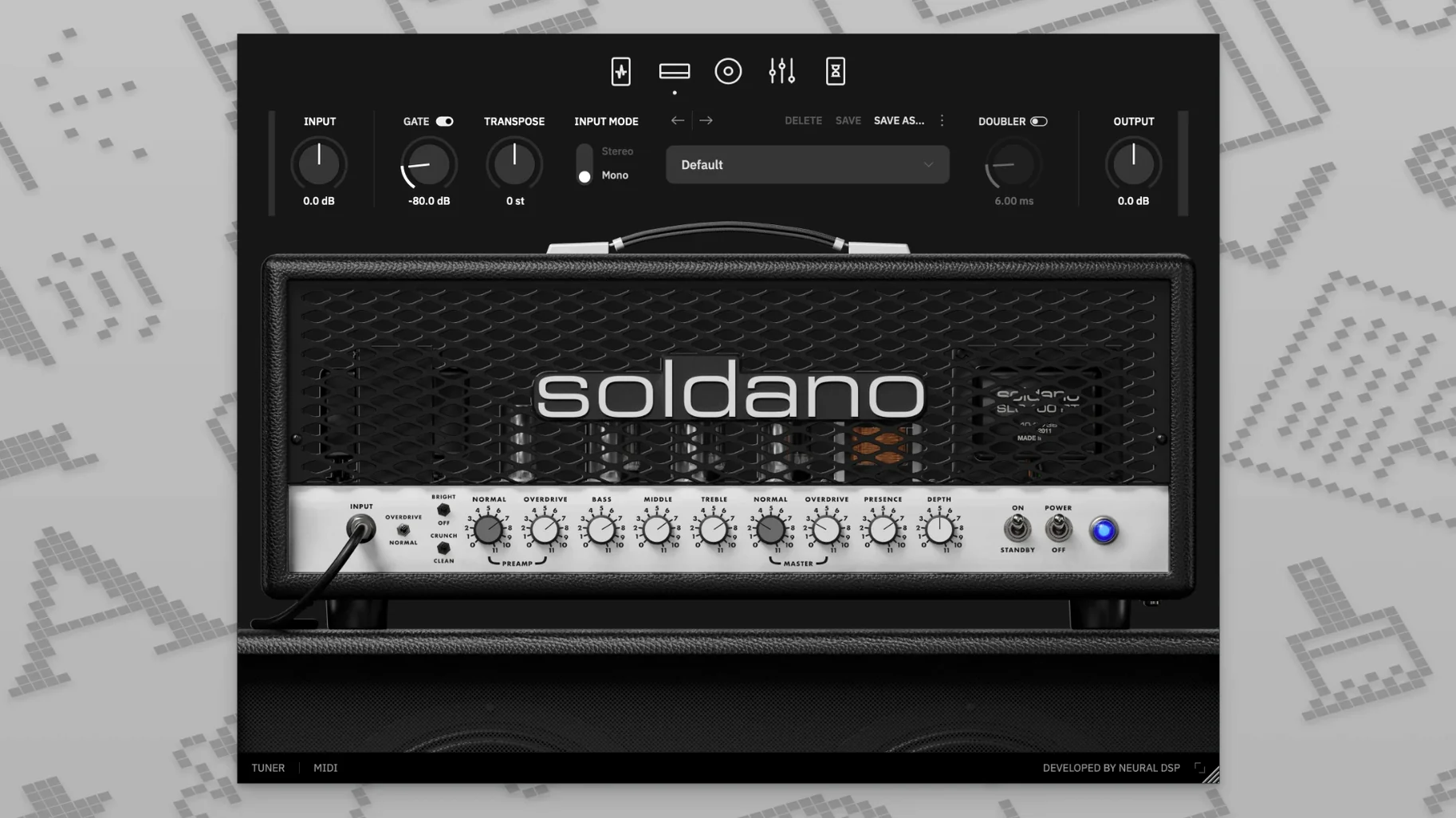
Neural DSP Soldano SLO-100 X is a guitar amplifier plugin that models the high-gain Soldano SLO-100 head, with updated modeling technology in this X version.
Clean — the amp’s clean channel, tight and clear at lower gain.
Bright — a cleaner voice with extra top-end sparkle for single-coils.
Crunch — pushed mid-gain tones that break up naturally when you dig in.
Overdrive — the saturated lead channel, the SLO’s signature voice for solos and metal rhythms.
Delay and reverb sit after the amp section, so you can add space without extra pedals. A transposition control shifts tuning up or down without retuning. It runs as a plugin in 64-bit VST2, VST3, AU, and AAX hosts, or as a standalone app.
Who This Makes Sense For
A guitarist recording demos at home on a late-model iMac. You have a modern interface and Logic Pro open. You want the Soldano sound but do not own the actual head, and you cannot crank a 100-watt amp at home. You load SLO-100 X on a rhythm track, set the amp to Overdrive, dial the nine-band EQ to cut mud around 250 Hz, and get a tight chug that sits in the mix without a dozen outboard pedals. Then you double the part with the built-in doubler, pan hard left and right, and the track sounds like a full wall of amps. No re-amping. No volume complaints.
Snags People Hit
Plugin Not Seen in Host
You installed it, but Logic Pro does not list it. Check the file format. SLO-100 X ships as VST2, VST3, AU, and AAX. If your host expects only VST3, point it to the correct folder. On macOS the AU version usually appears in Logic without extra steps, but you still need to scan it once. Restart the host after install.
No Sound from Standalone App
You open the standalone version and hear nothing. Open the audio settings in the app. Select your interface input and output. The app does not guess your hardware. Also check your system audio preferences — on macOS the standalone app needs exclusive access to your interface.
Cabinet Sims Sound Off
Factory cabs sound boxy or harsh on your monitors. You are hearing the speaker, not the amp model. Browse the cabinet section and pick a different mic position or switch to one of the hundreds of preset cabs. Or load your own IR files in the user cabinet loader. The amp itself is not the problem.
Engaging the Preamp Boost in Logic Pro X
You open Logic Pro X 10.6. You create a guitar track and insert SLO-100 X as an AU plugin. The interface opens to the preamp section — you leave the compressor off for now, but you engage the boost to push the front end a little. You switch the amplifier to Crunch for a riff that needs body but not full saturation.
The nine-band EQ is next. You pull a little low end out with the high-pass filter set to 80 Hz and cut a narrow band around 1.2 kHz where the pick noise lives. The amp now sits cleaner in the mix without losing its character. You add a short room reverb from the post-amp section so the track sounds less direct.
You record the riff. Playback sounds good but thin. You hit the doubler, set it to wide, and duplicate the track to a second instance panned opposite. The two tracks lock together and the riff fills the stereo field. You do not reach for a separate doubler plugin.
The solo section needs more cut. You push the Overdrive channel, add a little delay with the built-in delay set to a dotted-eighth note, and the part sits in the mix without extra processing. You print the track, move to the next song, and the session stays in the box — no mics, no cabling, no noise complaints. That is the point.
- Updated modeling technology in the X version.
- macOS 10.15 or later
- Intel or Apple Silicon Mac
- 64-bit host software required for plugin use
The install order
- Open the downloaded disk image.
- Run the standard installer and follow the prompts.