
- Home
- VST Plugins
- Output Portal

Free download (319 MB) Previous versions
- Version
- 1.2.1
- Developer
- Output
- Languages
- English
- License type
- K'ed by MORiA
| Chip | Apple Silicon, Intel 64-bit |
|---|---|
| Download | 319 MB |
| Previous versions | 1 on file |
Screenshots
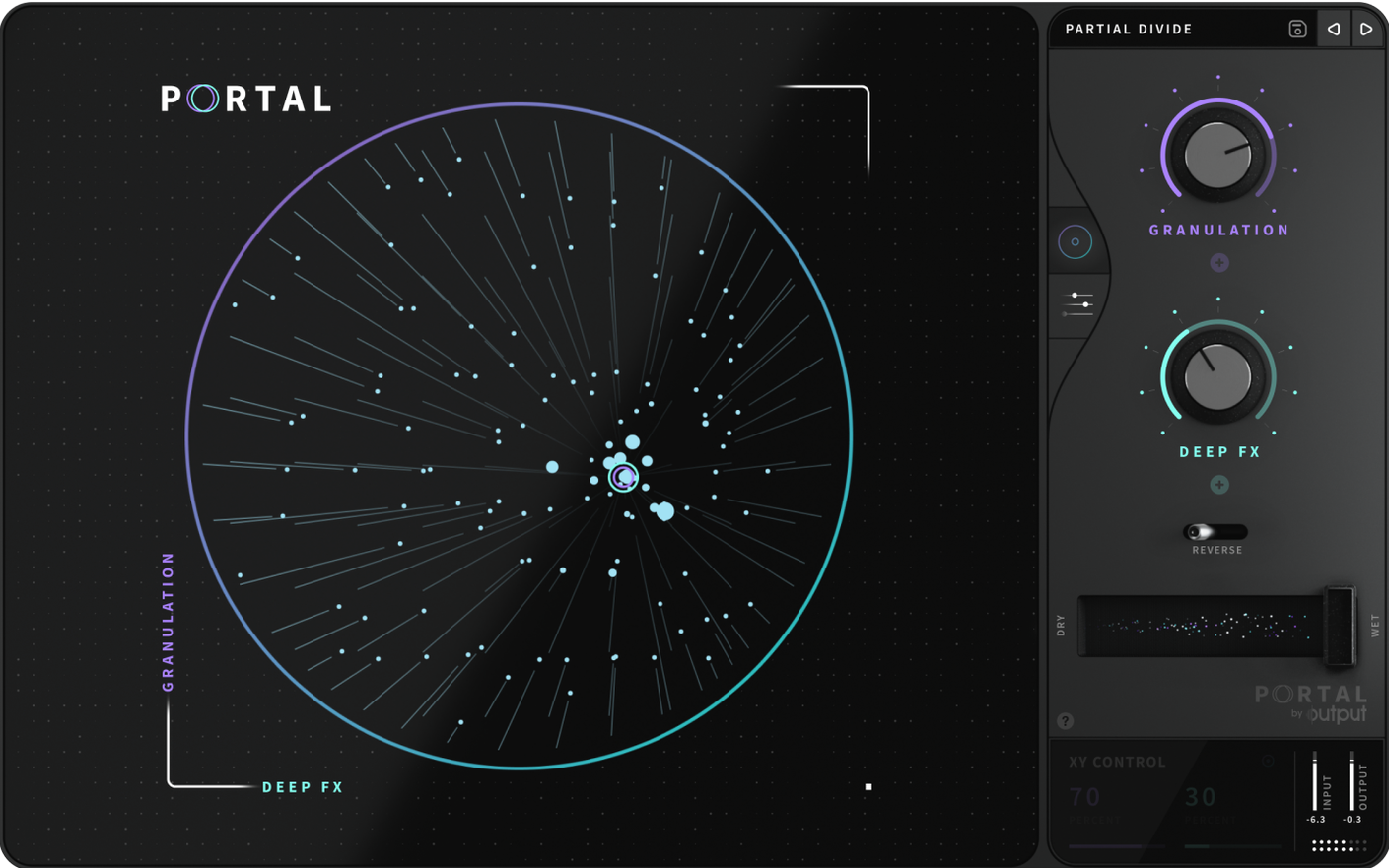
Version 1.2.1 of Output Portal is the current build of this granular effects plugin. It treats audio input as raw material, breaking it into grains and re-synthesizing the result so it stays close to the original source. You get a sound-shaping tool, not a virtual instrument.
Check Hosts and Formats
Portal runs as a standard plugin in your DAW of choice. It supports both Intel and Apple Silicon Macs, and the interface is in English. Confirm your host accepts VST, AU, or AAX before installing.
Match the Tempo
Sync the effect to your project's main tempo for rhythmic gating and texture. Or run it unsynchronized for free-floating movement. Either way, envelopes get natural variation without sounding mechanical.
Shape the Pitch
Change pitch without altering duration or sync. Lock notes to a scale for melodic control, or leave it open for experimental shifts. Granular re-synthesis keeps the character of the input intact.
Stability Fixes and Tighter Grain Spacing
The 1.2.1 build is a maintenance release. Output fixed several stability items that come up in everyday use. Grain spacing feels more consistent when working with fast tempos. The pitch-lock to scale now responds faster to MIDI input, so live playing into Portal tracks better. No new controls or interface changes — just tighter behavior under the hood.
Automating Density for a Dry Vocal Verse
I open a session and drop Portal on a vocal track. The singer recorded a verse dry, and I want movement without losing the take. I set the grain size to medium, leave sync off, and automate the density parameter over eight bars. The phrase turns into a pulsing cloud that still breathes like a human voice.
Next I pull up a drum bus. Portal goes on as an insert. I match the project tempo, dial the grain envelope to short, and lock pitch to the root note of the chord progression. The hats become a rhythmic shimmer that follows the groove. I can adjust the mix knob to blend the effect back under the dry signal. No further processing needed on that channel.
For the bridge, I route a pad synth into Portal. I stretch the grains to a long window, unsync, and let pitch drift free. The pad swells in and out without losing its harmonic core. I write automation for grain position across the arrangement so the texture evolves through the section.
That is the whole chain in about twenty minutes. Portal stays on three tracks for the rest of the mix, only needing small tweaks during the final pass.
Workflow: Turn a Guitar Loop into a Pad
- Place a short guitar loop on an audio track. Set your project tempo to match the loop.
- Insert Portal on the track. Turn on tempo sync so grains lock to the beat.
- Raise the grain size to a longer setting. This smears the attack into a sustained tone.
- Enable pitch lock and set the root note to match the key of the song. Leave pitch shift neutral so the sustain stays true.
- Reduce the envelope variation to minimum. You want a uniform texture, not movement.
- Play the loop. The guitar now sounds like a soft pad that holds between chords.
- Record the output to a new audio track. Now you have a pad you can process further with EQ or reverb.
You can repeat the same workflow with any monophonic source — voice, bass, brass. Portal turns discrete notes into continuous sound without extra routing or samplers.
- macOS: not specified
- Architecture: Intel and Apple Silicon
- Interface language: English
Questions I get about this line
Yes. The plugin can shift pitch independently of duration and synchronization, and it can lock pitch to a scale for musical results.
The install order
- Mount the downloaded disk image.
- Run the standard installer.
- Choose the installation location to finish setup.