- Home
- VST Plugins
- Unison Audio Sound Doctor

- Version
- 1.3.19
- Developer
- Unison Audio
- Languages
- English
- License type
- k'ed by Team V.R
| macOS range | macOS 11 or later |
|---|---|
| Chip | Apple Silicon, Intel 64-bit |
| Download | 208 MB |
Screenshots
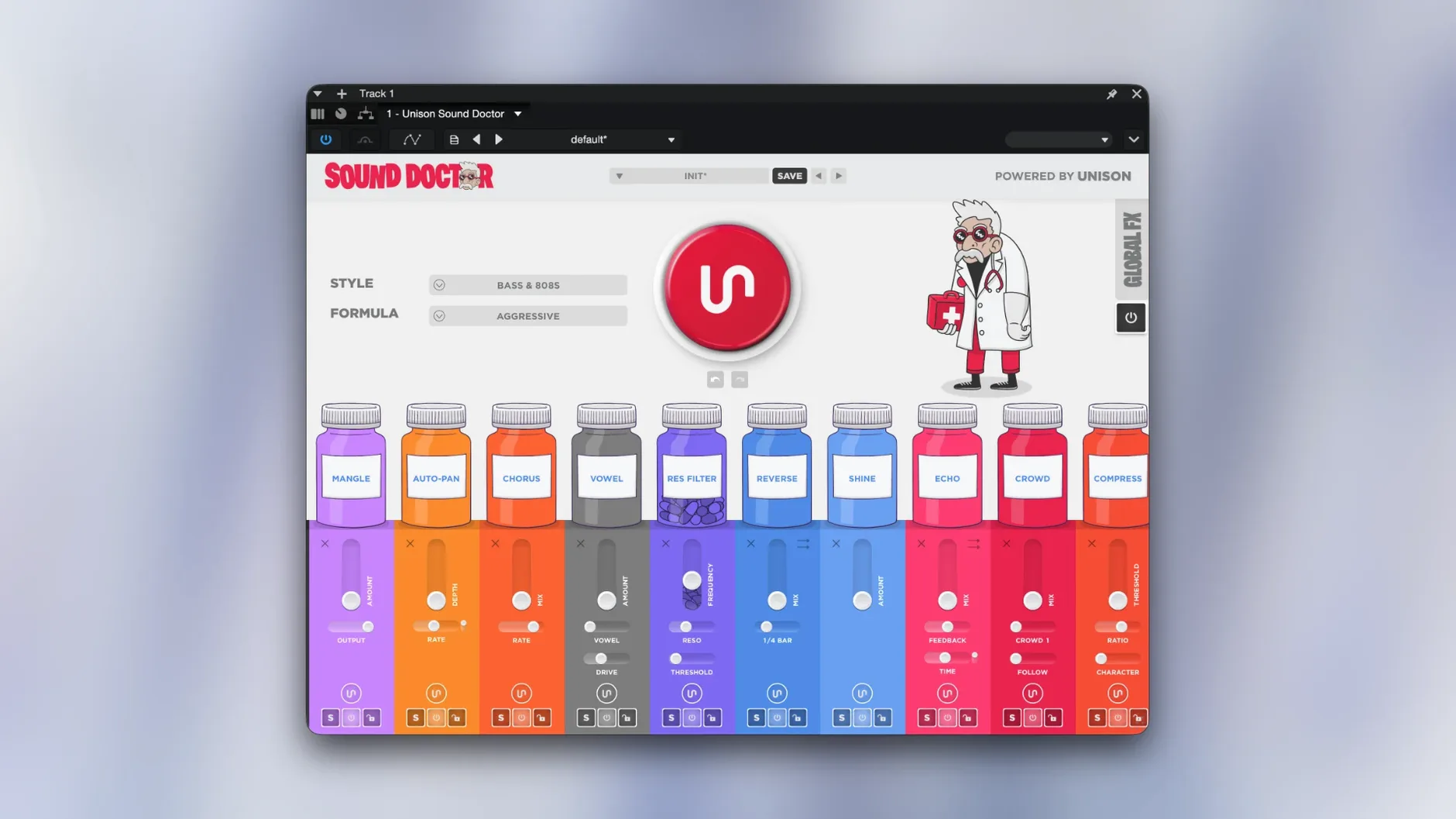
Think of Sound Doctor as a preset machine for signal chains, not sounds. Drop it on a track or bus, pick one of five processing styles, and it builds a full chain — EQ, compression, saturation, the works. If the result is close but not exact, regenerate individual parameters until it fits. You can also add extra effects on top or tweak manually. It’s a workflow tool for when you want a starting point that already has structure.
- Insert Sound Doctor on the track or bus where you need processing.
- Select one of the five style formulas (e.g., punchy, warm, clean).
- Audition the generated chain. If it needs adjustment, click regenerate on individual modules.
- Add your own effects before or after the chain if needed.
- Fine-tune any parameter in the generated chain manually.
Shorten Chain Limit for Dense Mixes
Sound Doctor defaults to a general-purpose chain length. If you work on dense mixes, shorten the chain limit in the preferences — fewer modules means less CPU draw and a cleaner starting point. For sound design or sparse arrangements, increase it to get more sculpting modules in the chain.
The regeneration randomness slider is worth adjusting early. Crank it up when the first chain is close but you want wider variation on the next roll. Turn it down when you need tighter, more predictable repeats.
Turn off auto-audition if you plan to regenerate parameters while the track is playing. It stops the plugin from re-processing on every click, which keeps the session responsive.
Normalize Track Level Before Regenerating Chains
Chain doesn’t match the style you picked. This usually happens when the input audio is very quiet or very loud. Try normalizing the track level, then regenerate the whole chain. Sound Doctor’s AI responds to the signal it sees.
Plug-in won’t load on an older project. If you open a session saved with an earlier version, the chain may show as inactive. Re-select the style from the dropdown and the chain rebuilds with the current engine.
CPU spike when regenerating. The plugin recalculates the full chain on regeneration. Mute the track or pause playback before hitting regenerate, then unmute after the new chain loads.
Saved presets don’t recall the exact chain. Sound Doctor stores the formula and parameters, but the AI re-evaluates on recall. If you need a lock-tight repeat, bounce the processed audio to a new track before changing anything.
Settings Worth Changing First
Open the preferences panel before you do anything else. Set the default output level to -6 dB. The generated chains can hit hard, and that headroom saves you from clipping the master bus on the first audition.
Enable the dry/wet mix knob in the plugin header. Sound Doctor doesn't show it by default, but you'll want it for parallel processing on drums or vocals. One toggle in preferences adds it to every instance.
Set the style recall behavior to "manual." The default auto-recall loads the last style you used, which can surprise you when you open a project from last week. Manual recall shows the last saved style for that instance instead.
Common Snags and How to Sort Them Out
Chain sounds phasey or hollow. The AI sometimes stacks two EQ or filter modules that cancel each other. Bypass modules one at a time until the phase issue clears, then delete the offending module and regenerate that slot only.
Plugin window won't resize. Sound Doctor locks the window size after the first load. Quit the host app, hold the Option key while reopening the plugin, and the resize handles appear. Set your preferred size, then close and reopen normally.
MIDI learn not sticking between sessions. The plugin stores MIDI assignments per preset, not globally. Save the preset after mapping your controller. If you use the same mapping across projects, save it as a default template preset.
Chain disappears after dragging a preset from the browser. Dragging a preset replaces the entire chain, not just the current module. Use the preset dropdown instead of drag-and-drop to keep partial edits. If you already dragged, undo works for one step.
For the latest fixes and features, download Unison Audio Sound Doctor for Mac from the catalog.
Version 1.3.19 runs on macOS 11 and later, Intel and Apple Silicon.
- Version 1.3.19 released August 21, 2026.
- macOS 11 or later
- Intel or Apple Silicon
- Interface language: English
The install order
- Open the downloaded disk image.
- Run the standard installation procedure.