- Home
- VST Plugins
- uJAM Virtual Guitarist IRON 2

- Version
- 2.3.1
- Developer
- uJAM
- Languages
- English
- License type
- K'ed by MORiA
| macOS range | macOS 10.15 or later |
|---|---|
| Chip | Apple Silicon, Intel 64-bit |
| Download | 6 GB |
Screenshots
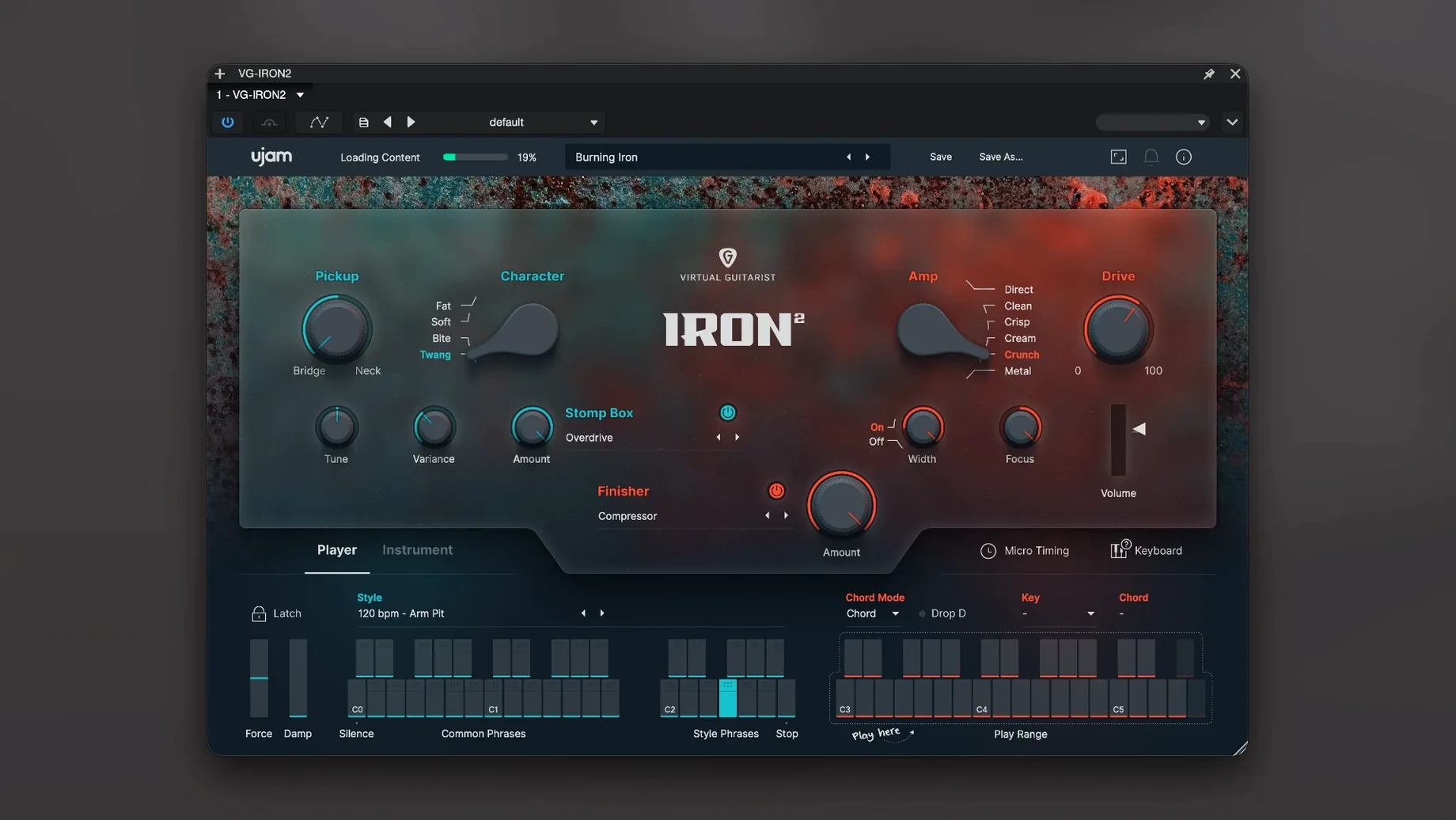
uJAM Virtual Guitarist IRON 2 runs on both Apple Silicon and Intel Macs, so it works on current and older hardware alike. For a rock-oriented session, this plugin earns a spot on a dedicated guitar bus, feeding into your amp sim or cab IR chain. It handles the rhythm guitar parts you would otherwise track manually.
- Drop it on an instrument track and play MIDI to trigger 30 styles and over 350 phrases — no guitar recording required.
- Use Instrument mode for more direct control over individual notes and chords, instead of just phrase triggering.
- Dial in the built-in stomp box effects on the same bus, keeping the guitar tone cohesive before it hits your mix bus.
- Activate Drop D or doubling modes for heavier, wider rhythm parts — both work well on a stereo track.
- Send the plugin output to a parallel compression bus if you want the riffs to cut through without losing the room sound.
- Choose VST, AU 2, or AAX formats depending on your DAW and project workflow.
IRON 2 uses freshly recorded samples and phrases, so the parts sound current. Pair it with a bass track and a drum loop, and you have a full rock band skeleton in minutes.
60 Finisher FX Modes
Some of the useful touches in IRON 2 are easy to overlook at first.
- The 60 Finisher FX modes mean you can add ambience, distortion or filtering without a separate effects chain on the track.
- Drop D mode shifts the guitar tuning down by a whole step — one click, no manual pitch shifting.
- Doubling mode layers two slightly different takes for a wider stereo image, helpful when you want a full-band wall of guitars.
- Each of the 30 stomp box emulations can be engaged and bypassed individually, so you can audition drive, chorus or delay without resetting the whole signal path.
Plugin Not Appearing Fix
A few things trip people up the first time. Here is how to sort them.
- Plugin does not appear after install. Make sure you placed the .dll, .vst3, .aax or .bundle file into the correct DAW plugin folder. Rescan your plugin list in the DAW preferences.
- No sound from MIDI input. Confirm the track is an instrument track and that you are sending MIDI notes in the correct velocity range. IRON 2 responds differently to low, medium and high velocities.
- First load shows no interface. Open the plugin twice the first time — the UI needs a second instantiation to populate fully.
- Phrases sound out of key. Make sure the root note of the phrase matches your song key. You can transpose inside the plugin or adjust the MIDI note.
- Arm, x86 confusion. If you are on Apple Silicon, use the ARM version of the plugin. On Intel Macs, use the x86 version. Mixing them causes crashes or silence.
- Overhauled with Instrument mode.
- Re-recorded samples and phrases.
- Expanded stomp box effects.
- macOS 10.15 or later
- Apple Silicon or Intel 64-bit
Questions I get about this line
Yes, it supports both Apple Silicon and Intel 64-bit Macs.
The plugin is available in VST, AU 2, and AAX formats.
Instrument mode gives you more direct control over individual notes and chords, rather than only triggering pre-recorded phrases.
The install order
- Follow the included installation and activation instructions.
- Open the plugin twice the first time.