
- Home
- VST Plugins
- VocalNet
- Version
- 1.0.4
- Developer
- Session Loops
- Languages
- English
- License type
- K'ed by TEAM HCiSO
| macOS range | macOS 10.15 or later |
|---|---|
| Chip | Apple Silicon, Intel 64-bit |
| Download | 669 MB |
Screenshots
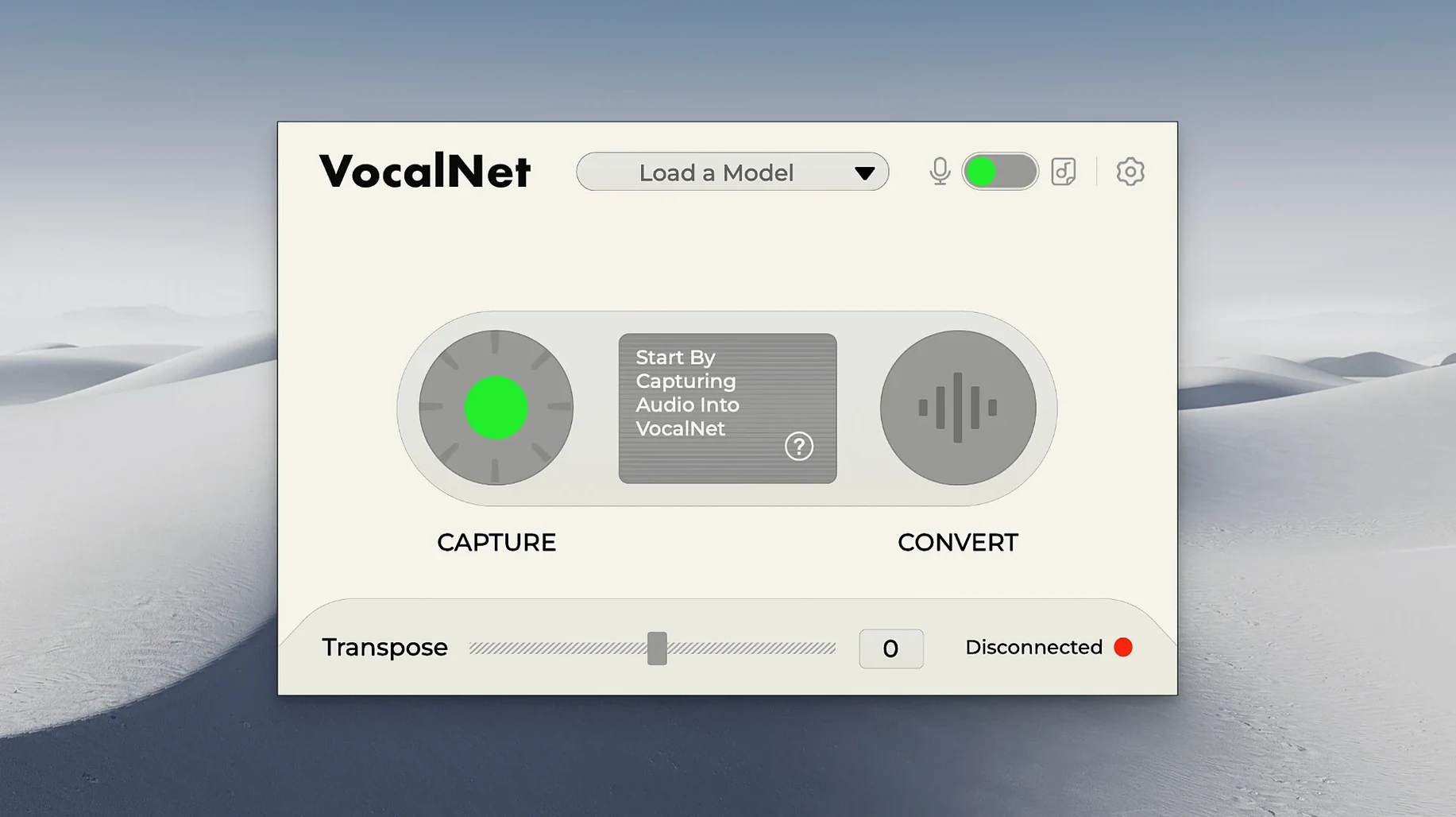
VocalNet's pitch-shift engine is the first thing you'll notice — it can move a voice up or down without the usual robotic artifacts. The AI changes vocal timbre, so a spoken line can become a sung lead, or a male voice can take on a female register.
Format support is where it fits into your workflow. The Mac installer includes VST3, AU, and AAX, so it shows up in Logic, Ableton Live, Pro Tools, and most other DAWs. It runs on both Intel and Apple Silicon Macs, requiring macOS 10.15 or later.
Processing happens locally, which means your recordings never leave the machine. That privacy angle matters if you're experimenting with vocal ideas you don't want uploaded anywhere.
Session Loops Unchanged Since Launch
The current build (1.0.4) is the release version. Session Loops hasn't rotated in feature drops or UI revisions since launch, so what you install is what you get. That's not unusual for a 1.x plugin — the focus has been on stability across DAWs and architectures. The installer covers both ARM and x86 in one package, which saves a download decision if you work between an Intel iMac and an Apple Silicon MacBook.
Rivals in a Tiny Category
VocalNet sits in a small category. Here is how it lines up against a few similar tools.
VocalNet vs. Soundtoys Little AlterBoy
Little AlterBoy is a pitch and formant shifter with a distinctive character. It does not use AI. It is good for aggressive, stylized effects. VocalNet uses AI to rebuild timbre, so the result can sound more natural, especially on subtle shifts. AlterBoy gives you knobs and immediate control. VocalNet requires sample analysis, which takes a moment longer but can produce a wider range of voice types.
VocalNet vs. iZotope Nectar
Nectar is a full vocal processing suite — EQ, compression, de-essing, reverb — with an assistant that suggests settings. VocalNet does one thing: transform timbre. If you need a complete channel strip, Nectar has it. If you want to turn a voice into a different voice, VocalNet does that and Nectar does not.
Each tool has its place. VocalNet is not a replacement for either. It fills the gap for AI-driven voice morphing that the others leave open.
No-Cloud Local Processing
- Local-only processing. The plugin analyzes and transforms audio on your machine. No account, no cloud upload, no waiting on a server. That is a practical speed gain for anyone who works offline or in a studio with restricted internet.
- Real-time use while performing. You can monitor the transformed voice as you sing or speak into the mic. That is not universal among AI voice plugins — some require offline rendering first. VocalNet lets you audition changes while you perform.
- Blend multiple samples. The ability to blend voice samples means you can create hybrid timbres without layering tracks in the DAW. It is one plugin doing what would otherwise take routing and automation.
- Three plugin formats in one installer. VST3, AU, and AAX all come in the same download. No separate installers for each format, no hunting for the right version for your DAW.
- Windows and Mac parity. The same features, same version number, same workflow. If you collaborate across platforms, the session translates.
If you are already working with the vocal net plugin in your DAW, these details make a difference in daily use. The file formats are standard, the AI runs locally, and the real-time response keeps your workflow uninterrupted.
VocalNet is designed for adding effects without needing another singer. You can use it while singing or speaking, and it's available for Windows too.
- macOS 10.15 or later
- Intel or Apple Silicon
Questions I get about this line
The Mac installer includes VST3, AU, and AAX formats, so it works with most major DAWs.
No. All AI processing happens locally on your computer, and your recordings stay private.
Yes, it can fully change the sound of a voice, raising or lowering it while altering timbre.
The install order
- Open the downloaded disk image.
- Run the standard installation process.