
- Home
- VST Plugins
- Xpand!2

- Version
- 2.3.1
- Developer
- AIR Music Technology
- Languages
- English
- License type
- k'ed by GUISEPPE
| macOS range | macOS 13 or later |
|---|---|
| Chip | Apple Silicon |
| Download | 1.2 GB |
Screenshots
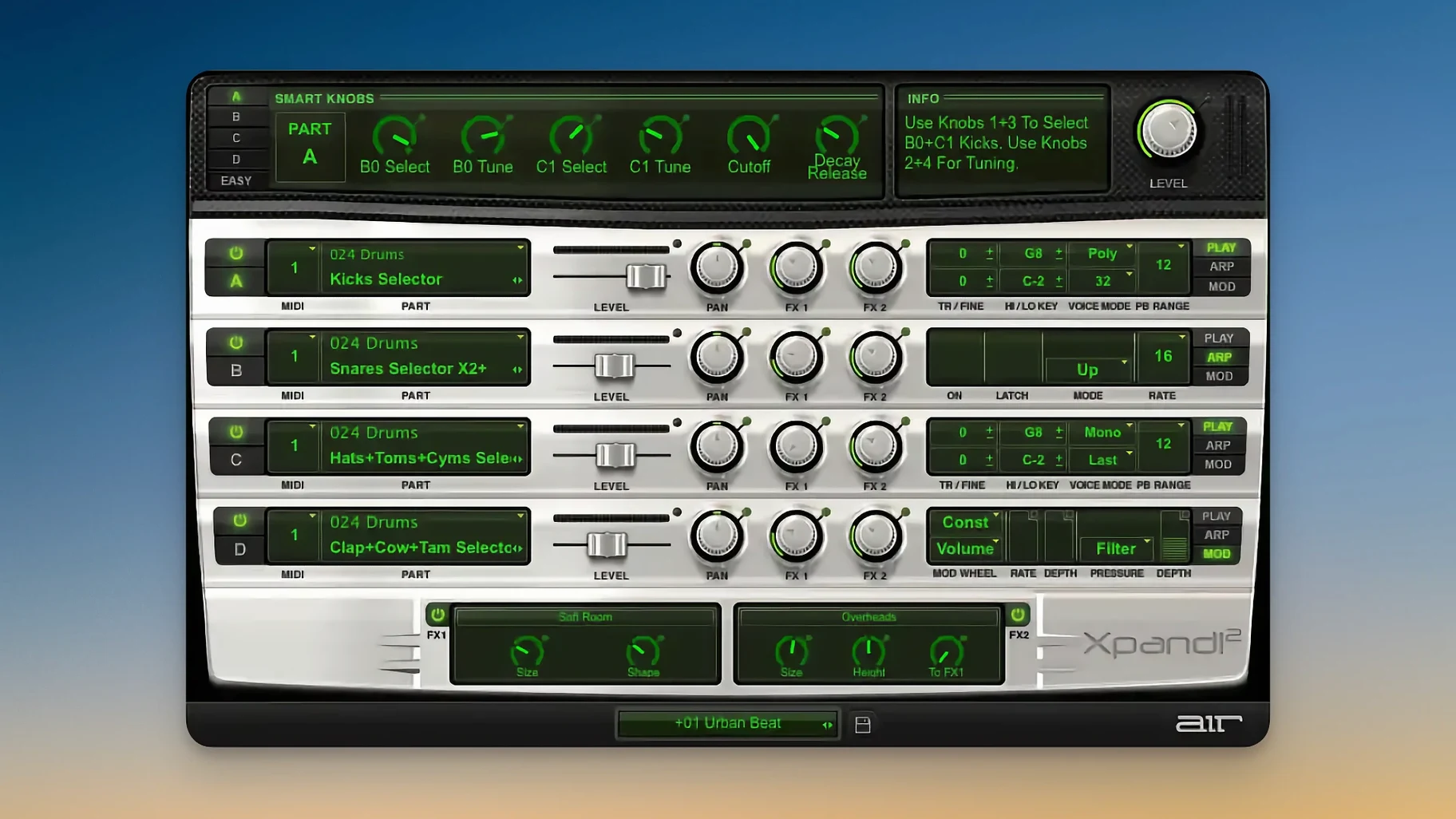
Producers and composers who need a versatile multitimbral instrument reach for Xpand!2. It fits naturally in a session as a single track with four independent sound slots, each with its own note range, mix, arpeggiator, modulation, and effects. That makes it a space-saver for orchestral mockups, layered synth pads, or split keyboard parts.
Layering Four Slots on One Track
- Layering multiple sounds on one track — split a chord across four slots, or assign different articulations per MIDI channel.
- Live or sequenced splits: set one slot to bass, another to pad, another to arpeggio, all from the same MIDI input.
- Quick sketching: load a preset and route each slot to a separate bus for individual processing.
Polyphonic to Monophonic per Slot
- Each slot can be polyphonic (up to 64 voices total) or monophonic — useful for lead lines or legato transitions.
- Supports Pitch Bend, Aftertouch, and MIDI Learn for real‑time control.
- Interface scales for Retina and HiDPI displays.
- Requires macOS 13 or later and Apple Silicon.
Ignoring MIDI Channel Assignment
A few common missteps show up when people start using Xpand!2. The first: ignoring the MIDI channel assignment. Each of the four slots defaults to a channel. If you send all notes on MIDI channel 1, only the slot set to channel 1 plays back. Route your controller or clip to the right channels — or set all slots to Omni mode — before troubleshooting the sound.
Another mistake is forgetting the per-slot note range. Beginners load a bass preset into one slot and a lead into another, then wonder why nothing plays past middle C. Each slot has its own low/high key limit. Check or reset those ranges after loading a preset.
People also overlook the monophonic vs. polyphonic toggle. A monophonic slot with First priority cuts off the previous note as soon as you hit the next key. That is perfect for flutes or leads, but confusing if you expect a pad to sound full. Switch to polyphonic unless you want that legato behavior.
Finally, new users sometimes load a preset, tweak the smart controls, and close the plugin without saving. Next session, the preset is back to defaults. Save your own patch or snapshot in your DAW's track preset system after you dial in a sound.
Plugin-Only, No Standalone Mode
People often ask if Xpand!2 can run as a standalone app. It cannot — it is a plugin that loads inside a DAW or host that supports VST, AU, or AAX. No standalone mode exists.
Another frequent question is whether the four slots can each route to a separate audio output. Most hosts allow this if you open the multi-output version of the plugin. Check your DAW's manual for multi-output routing. By default, the plugin sums all four slots to a single stereo output.
Some wonder if the 2,500 presets are overwhelming. The 29 categories help. Browse by type — Keys, Pads, Basses, Leads — rather than scrolling the full list. The smart controls on each slot also let you adjust a preset's brightness, attack, and release without digging into deeper synthesis menus.
People also ask whether Xpand!2 works with older Macs. It requires macOS 13 or later, so a machine running macOS 12 or earlier will not load it. It does support Apple Silicon natively, so no Rosetta needed on an ARM Mac.
Finally, users ask about the xpand 2 crack or xpand 2 torrent availability. The package you find here includes the installer and activation files. Follow the included instructions to get it running.
Scenario: a producer building a cue in one pass
A media composer has thirty minutes before a deadline. They need to sketch a short cue — bass pulse, evolving pad, a lead melody, and a repeating arpeggio. Instead of loading four separate plugins and routing MIDI to each, they open one instance of Xpand!2.
Slot 1 gets a synth bass preset, set to polyphonic, MIDI channel 1. Slot 2 gets a soft pad on channel 2, with the note range narrowed to the middle two octaves. Slot 3 holds a sawtooth lead on channel 3, switched to monophonic so each note cuts clean. Slot 4 triggers a pluck arpeggio preset on channel 4. The composer records four separate MIDI clips, each routed to its channel. In under ten minutes the cue is written. No extra bussing, no plugin count bloat, one channel strip in the mixer.
- macOS 13 or later
- Apple Silicon processor
- Interface language: English
Questions I get about this line
Yes. Each preset holds four sound slots, and you can assign each to a different MIDI channel or note range within the same track.
No. The current version requires macOS 13 or later and Apple Silicon processors.
The install order
- Install and activation instructions are included with the package. Follow them in order.