Free download (5.1 GB) Previous versions
- Version
- 2.16 [MAS]
- Developer
- App ahead GmbH
- Languages
- English, German, Spanish, Italian, Chinese (Simplified), Korean, Portuguese, French, Japanese
- License type
- K'ed by TNT team
| macOS range | macOS 14.6 or later |
|---|---|
| Chip | Apple Silicon, Intel 64-bit |
| Download | 5.1 GB |
| Previous versions | 3 on file |
Screenshots
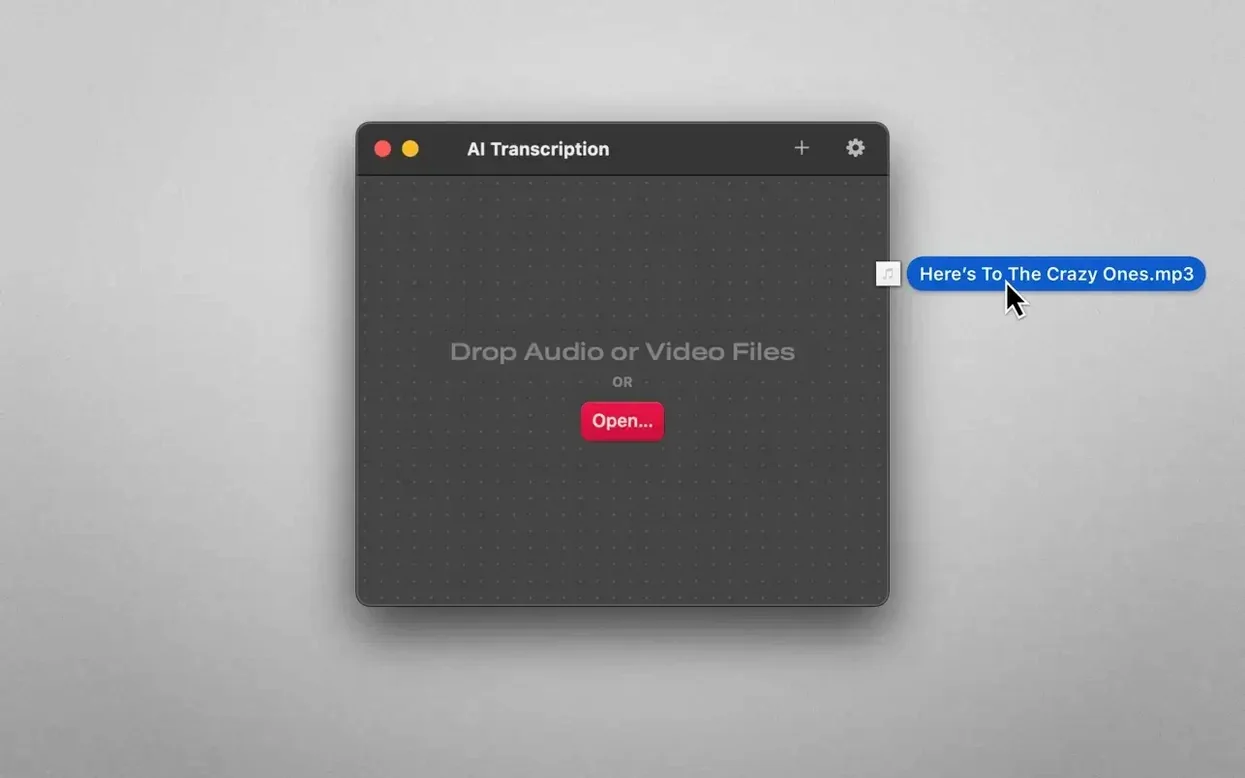
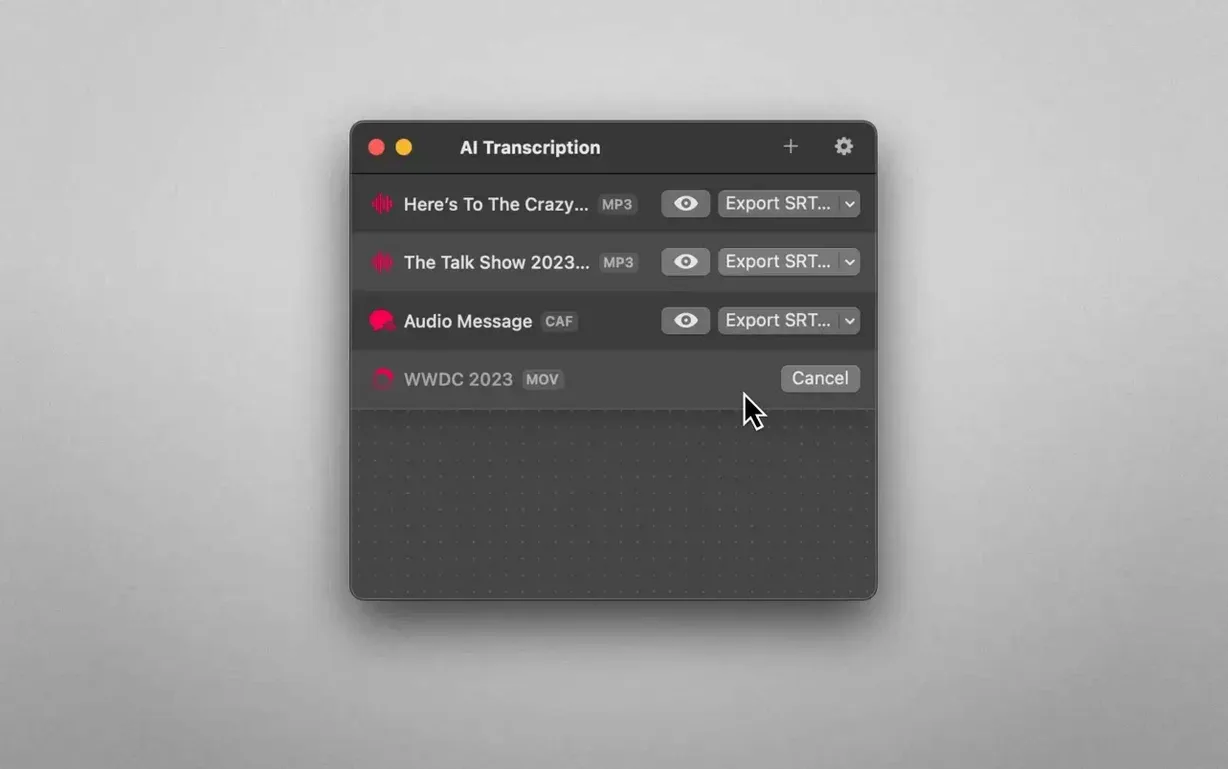
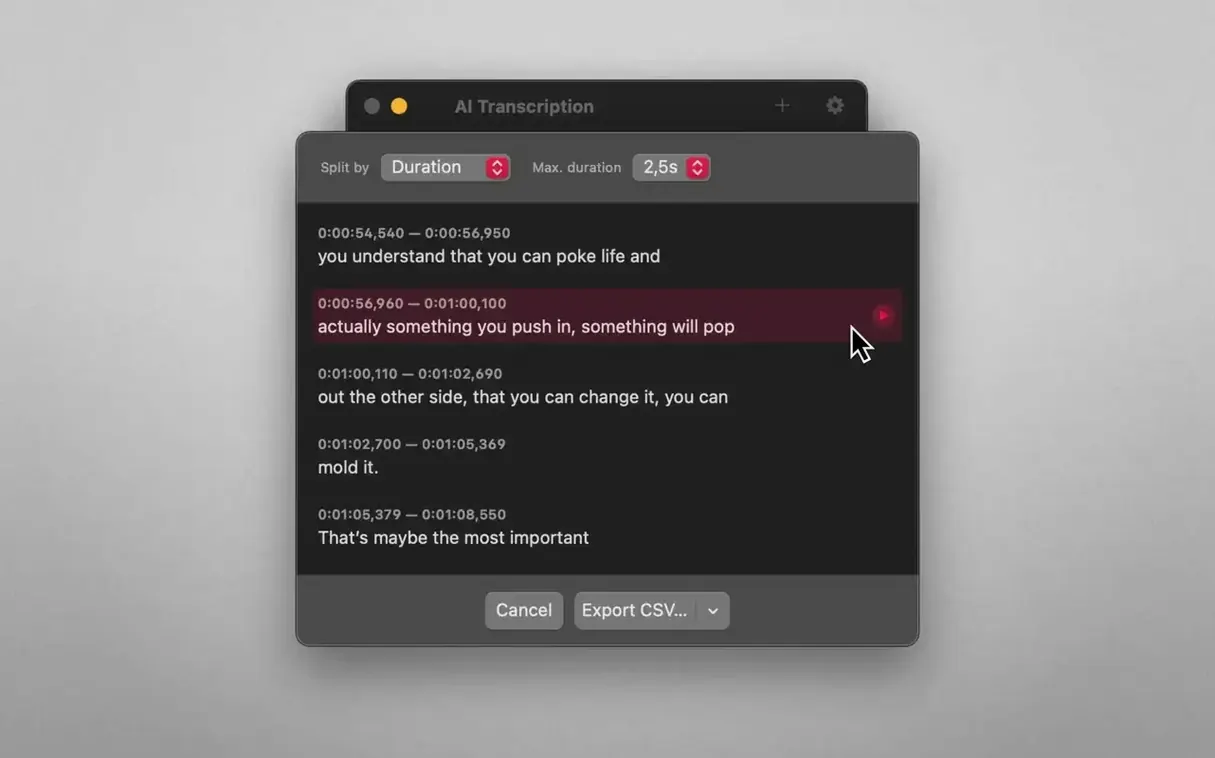
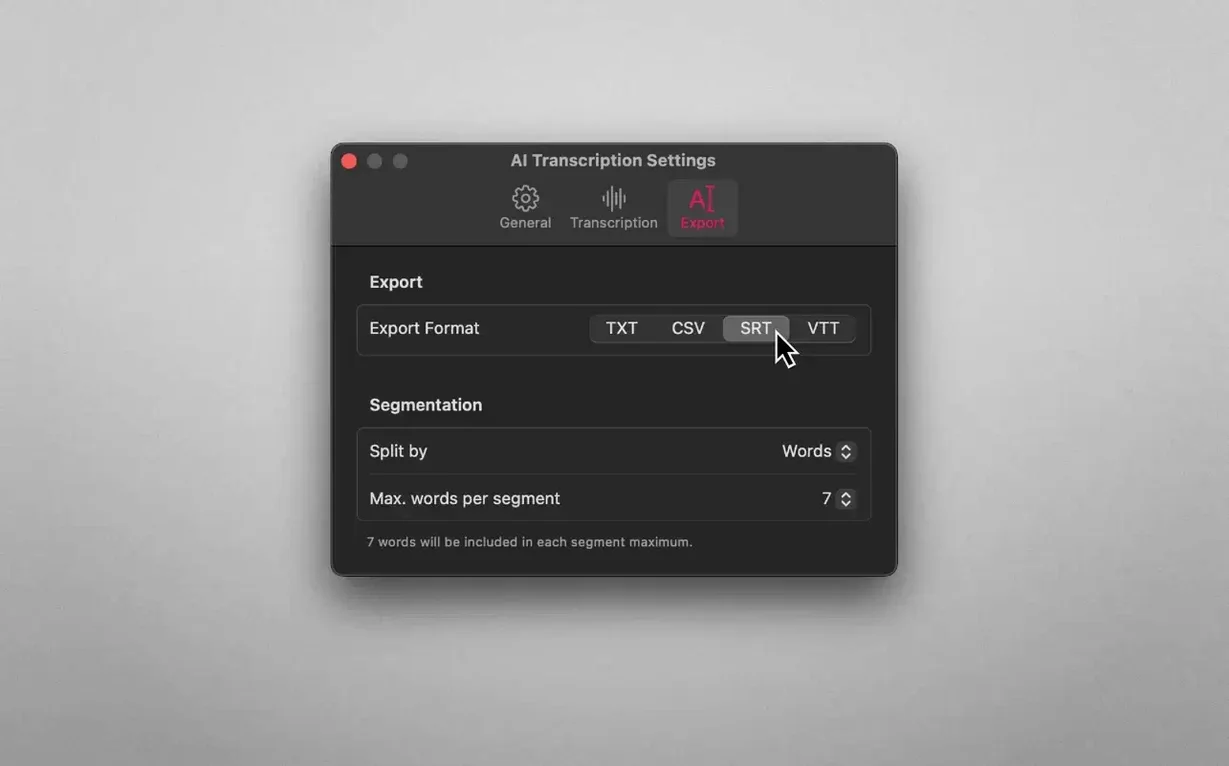
Scroll the row, it snaps to each screenshot. Click one to see it wider.
You already know Whisper. This app wraps it into a clean Mac interface, so you don't have to touch the command line. It runs entirely offline, which means your audio never leaves the machine.
Start with a recorded interview. Drag the file onto the window, pick a split mode — by word, sentence, or duration — and hit transcribe. The app uses the Mac's own resources, so there's no cloud upload and no waiting on a server. On an M2 Air, a 30-minute file takes a few minutes. On an Intel Mac, it's slower but still works.
The transcript comes back in the language you set. English, German, Spanish, and six others are built in. You can copy the text out or edit it right there. For a quick, private transcription on a Mac, this does the job.
Runs on macOS 14.6 or Later
Version 2.16 runs on macOS 14.6 or later. Both Apple Silicon and Intel x86 (64-bit) machines are supported. The app is a standard disk image — mount it, run the Gatekeeper bypass in Terminal, then drag it to Applications. No persistent background services or cloud hooks.
Because it relies on local inference, expect the Mac's fans to spin up during longer transcriptions. The app uses either OpenAI Whisper or Apple Speech Recognition as the backend engine, so the load depends on which model you pick. There is no network activity during processing.
For Journalists, Podcasters, and Video Editors
Three groups come to mind:
- Journalists and researchers — anyone who records interviews and needs a clean text file without uploading sensitive material to a third party.
- Podcasters and video editors — you can drop an MP4 or M4A into the app, get an SRT or WEBVTT subtitle file, and import that directly into your editing timeline.
- Language learners and linguists — the interface supports nine languages, and the split-by-sentence mode makes it easy to study spoken patterns from a recording.
If you already own a capable Mac and transcribe audio more than a couple of times a month, this app removes the friction of pasting text out of a web tool.
Exports to SRT, WEBVTT, and More
The export formats (plain text, CSV, SRT, WEBVTT) are standard. Plain text and CSV drop into any notes app or spreadsheet. SRT and WEBVTT load straight into DaVinci Resolve, Final Cut Pro, or HandBrake. There is no proprietary container or cloud sync — the output files are ready to use.
Drag-and-drop from Finder works as expected. The app reads common file types (MP3, WAV, M4A, MP4) without conversion. If you use macOS dictation or accessibility features already, think of AI Transcription as a batch tool for the same kind of speech-to-text task.
For ai transcription mac setups that value privacy and local control, this workflow complements tools like Audacity for audio cleanup or Obsidian for note-taking. You do not need a second machine or a GPU — just a Mac running macOS 14.6.
- macOS 14.6 or later
- Apple Silicon or Intel Mac
The install order
- Mount the disk image and run Open Gatekeeper friendly.
- Press Enter in Terminal to bypass Gatekeeper.
- Drag the app to the Applications folder.
- Launch the app when installation is complete.