- Version
- 2.2.9
- Developer
- Splasm Software
- Languages
- Russian, English, German, Spanish, Portuguese, Swedish
- License type
- K'ed by TNT team
| macOS range | OS X 10.11 or later |
|---|---|
| Chip | Apple Silicon, Intel 64-bit |
| Download | 25 MB |
Screenshots
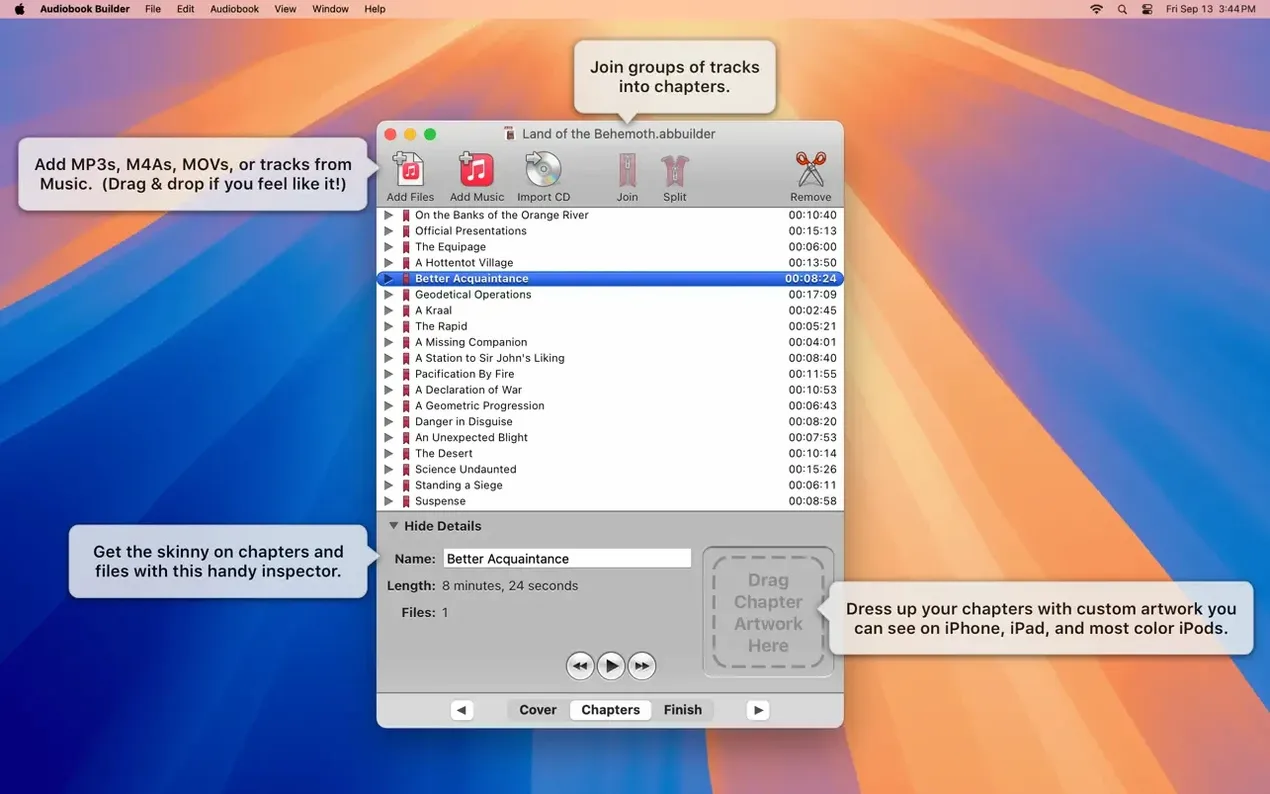
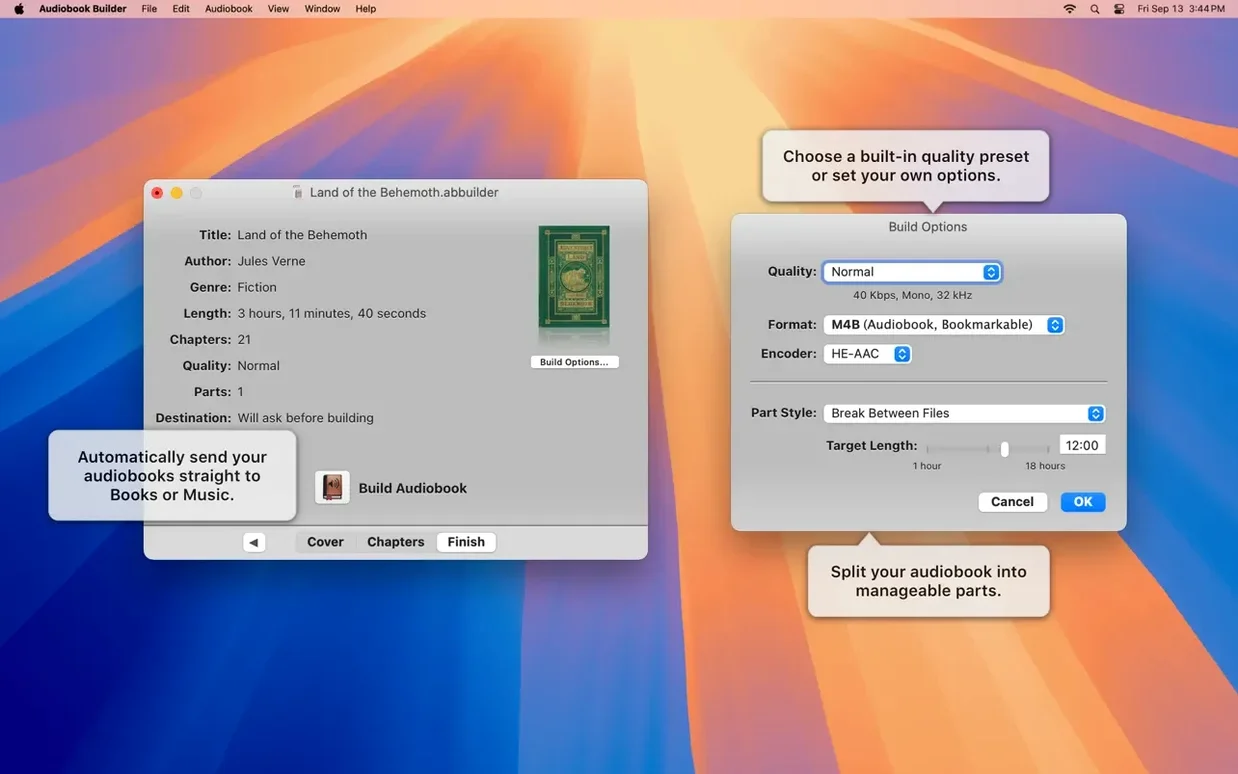
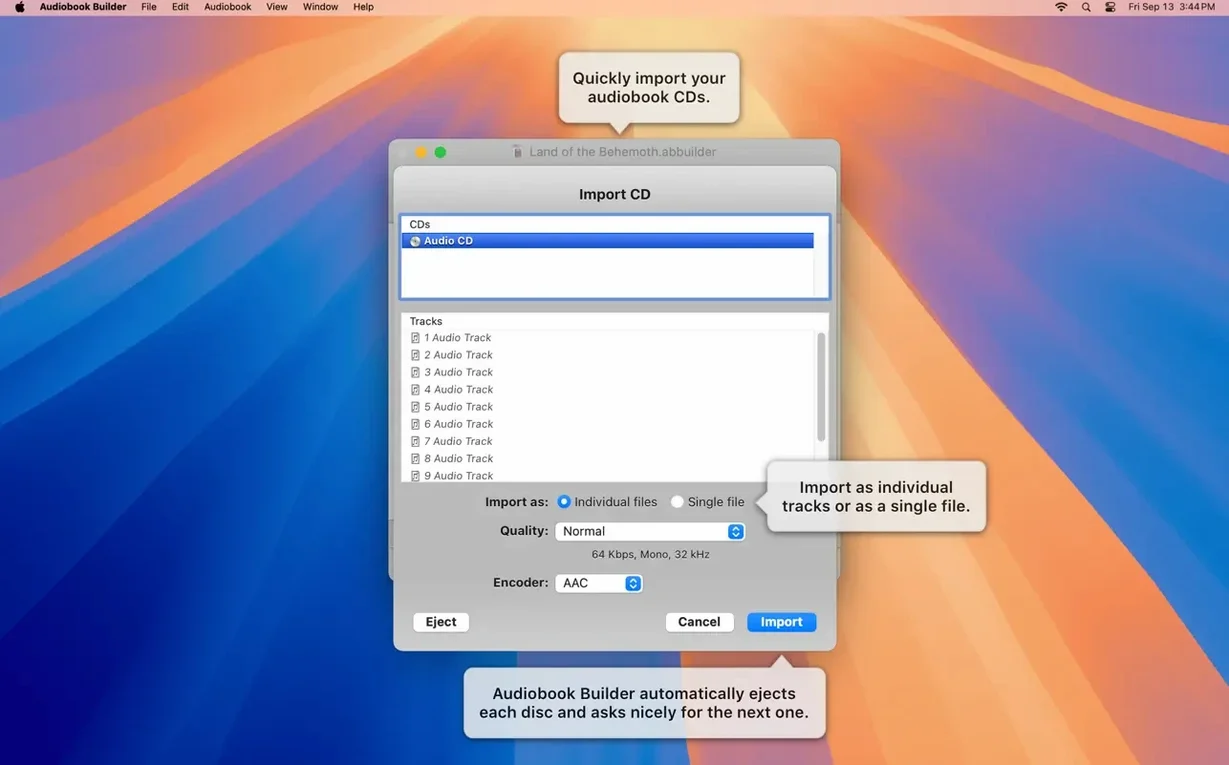
Scroll the row, it snaps to each screenshot. Click one to see it wider.
Audiobook Builder 2.2.9 is ready for macOS 15 Sequoia, so your workflow stays current whether you're on the latest system or still running OS X 10.11 El Capitan. Here's what the standout features do for you.
Audio conversion — Turns audio files and CDs into audiobooks for iPhone, iPad, and other Apple devices. Works on both Apple Silicon and Intel Macs.
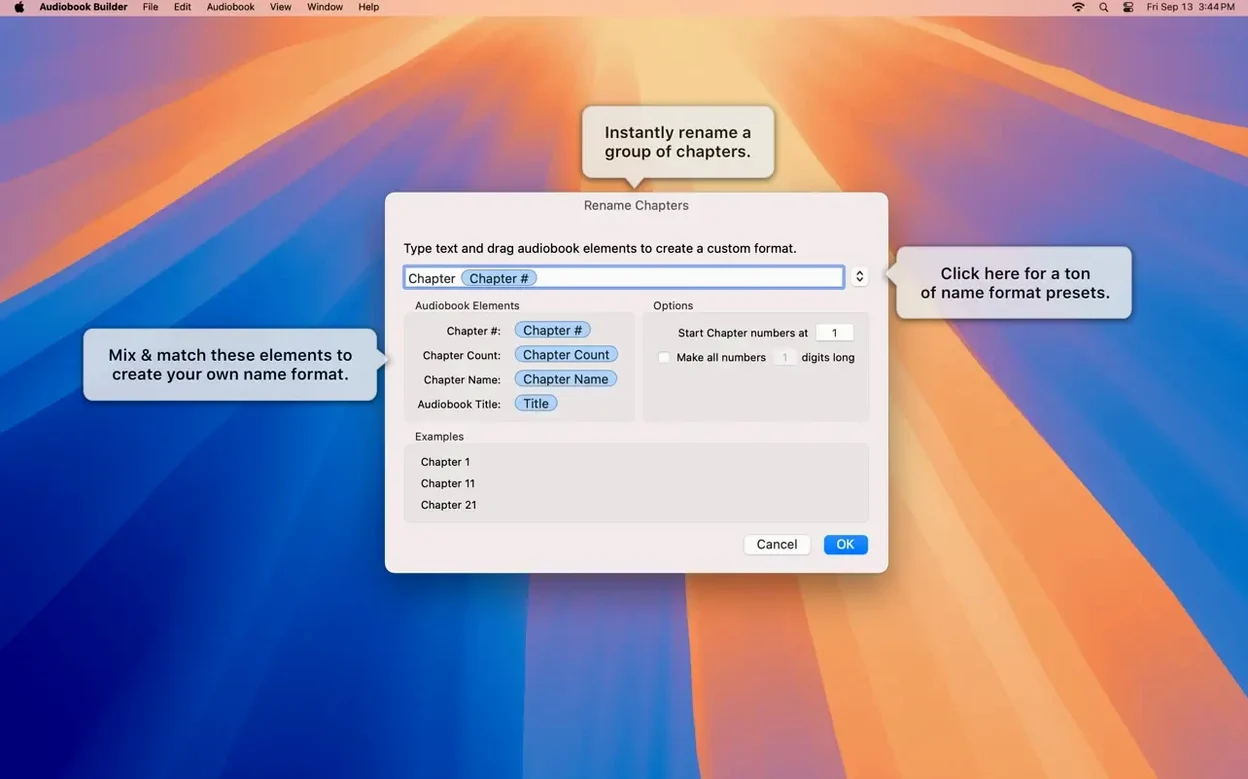
Chapter creation — Combines separate audio files into one or more chapters. You keep manual control over what goes where, so a long recording can be split just the way you want.
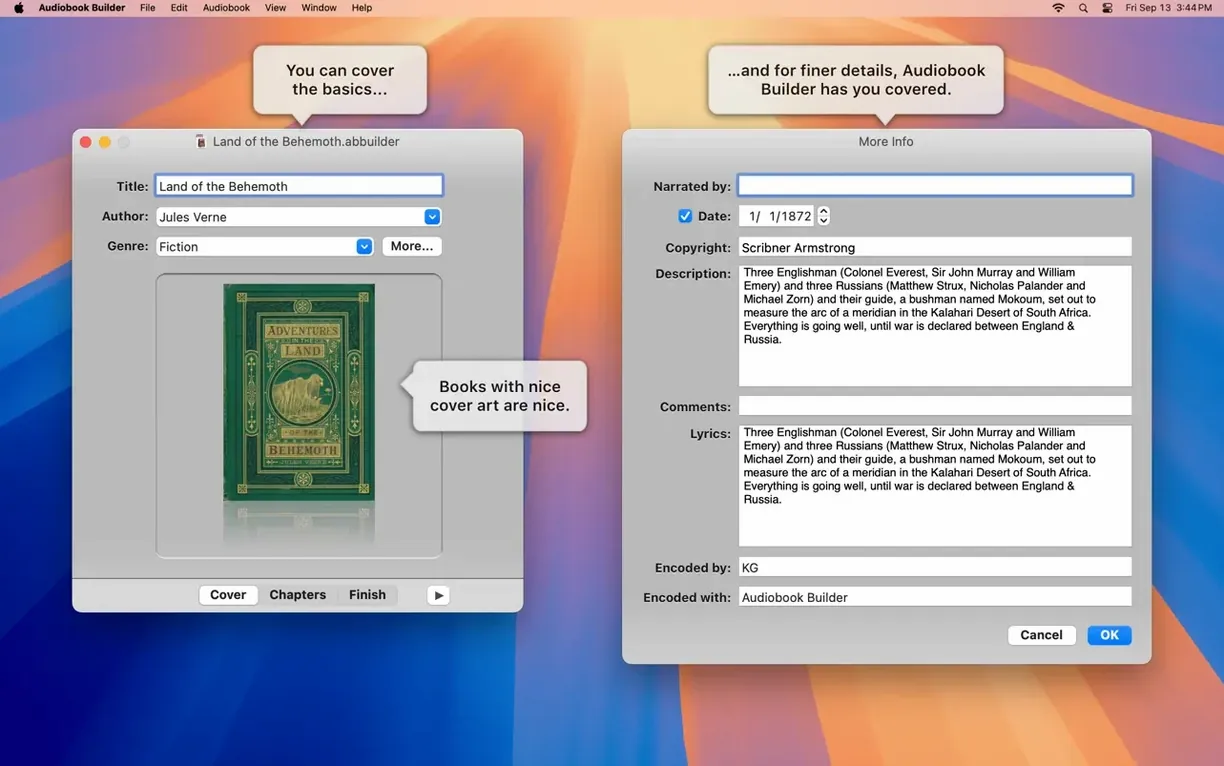
Custom chapter stops — Adds titles and images to chapter stops. Listeners see a clear break and a visual cue, which makes navigation easier.
Metadata entry — Lets you enter book title, author, and cover art during creation. That metadata carries over to your device's library.
Sound presets — Choose preset quality settings. Pick a higher bitrate for music-heavy content or a lower one to save space.
Chapter Editor vs. Audio Book Creator: Where Audiobook Builder Wins
If you're looking at other options, two apps that come up often are Chapter Editor and Audio Book Creator. Here's how Audiobook Builder stacks up against them.
It doesn't build new ones from raw audio files. If you have a folder of MP3s from an audio CD rip, Chapter Editor won't help you assemble them. Audiobook Builder starts from that raw material and gives you the tool to combine it.
Audio Book Creator handles file concatenation well but doesn't give you per-chapter artwork or custom chapter titles the way Audiobook Builder does. Its metadata entry is also more basic — you get title and author fields but not cover art integration during the build process. Audiobook Builder's cover artwork and chapter artwork support on macOS 13 Ventura means your finished product looks like a proper book in your device library, not just a list of audio files.
Neither of those alternatives runs on both Apple Silicon and Intel from OS X 10.11 through macOS 15 Sequoia the way version 2.2.9 does. If you keep older Macs in service alongside new ones, that compatibility range matters.
Bypass Gatekeeper and Test with a Short File
Once you've mounted the disk image, run Open Gatekeeper friendly, and pressed Enter in Terminal to bypass Gatekeeper, you can drag the app to your Applications folder. Open it and try these first steps.
- Start with a short test project. Grab three or four audio files — maybe a podcast episode split into parts — and run them through the chapter creation workflow. Check the output on your phone before you commit to a full-length book project. This confirms your quality preset and chapter splits are doing what you expect.
- Set your language early. Audiobook Builder ships with English, Russian, German, Spanish, Portuguese, and Swedish. Changing it later is possible, but setting it right after opening saves you hunting through menus later. Pick the one you work in fastest.
- Experiment with the sound presets. Build the same two-minute test piece at two different quality settings. Compare file sizes. If the lower preset sounds fine on your earbuds, you can save significant disk space on a long book.
- Write down your chapter stops. Have a text file open with the timestamps and titles you want before you start. The manual chapter controls are precise, and having your plan ready keeps the workflow moving instead of pausing to think about what comes next.
- Check your cover art dimensions. Use an image editor to crop artwork to standard book cover proportions before importing. Audiobook Builder handles the file, but starting with a well-sized image avoids awkward cropping in your device library.
- Ready for macOS 15 Sequoia.
- Cover and chapter artwork work on macOS 13 Ventura.
- No longer shows “no audio in file” errors for WAVE files with MP3 audio data.
- Corrects an error reporting glitch on pre-macOS 11.3 Macs.
- Restores the Description tag for some classic iPods.
- macOS OS X 10.11 or later
- 64-bit processor
- Works on Apple Silicon and Intel Macs
The install order
- Mount the disk image and run Open Gatekeeper friendly.
- Press Enter in Terminal to bypass Gatekeeper.
- Drag the app to the Applications folder.
- Open the app when installation is complete.