- Home
- Mac Cleaners
- AppZapper
- Version
- 2.0.3 fix
- Developer
- Austin Sarner and Brian Ball
- Languages
- English
- License type
- K'ed by TNT team
| macOS range | OS X 10.9 or later |
|---|---|
| Chip | Intel 64-bit |
| Download | 4 MB |
Screenshots
Scroll the row, it snaps to each screenshot. Click one to see it wider.
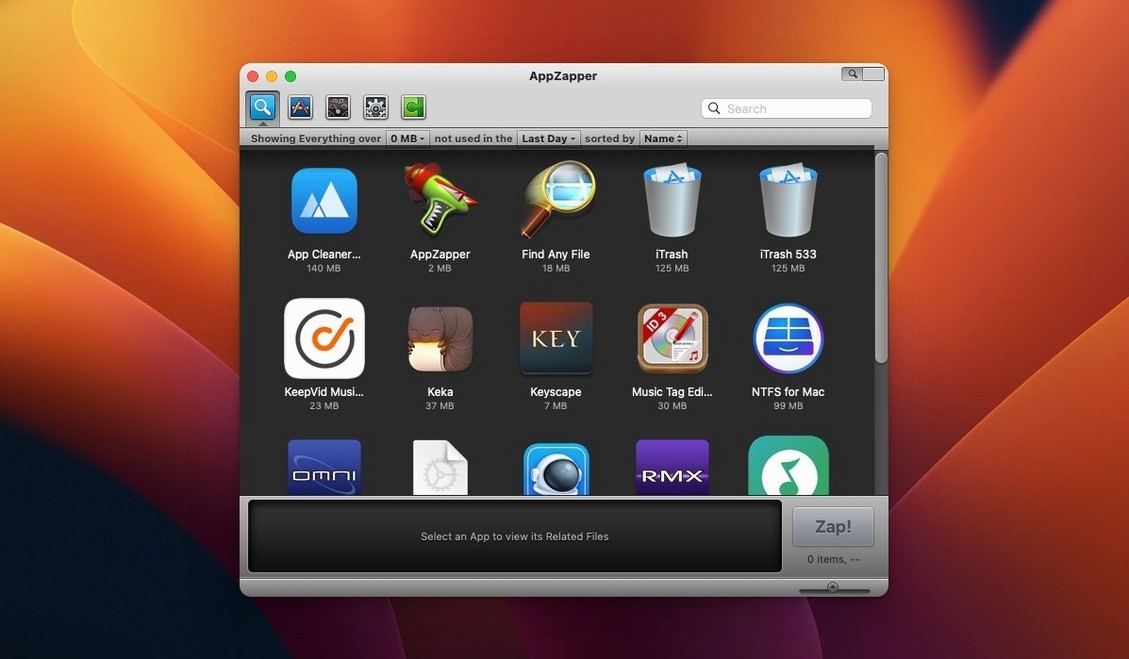
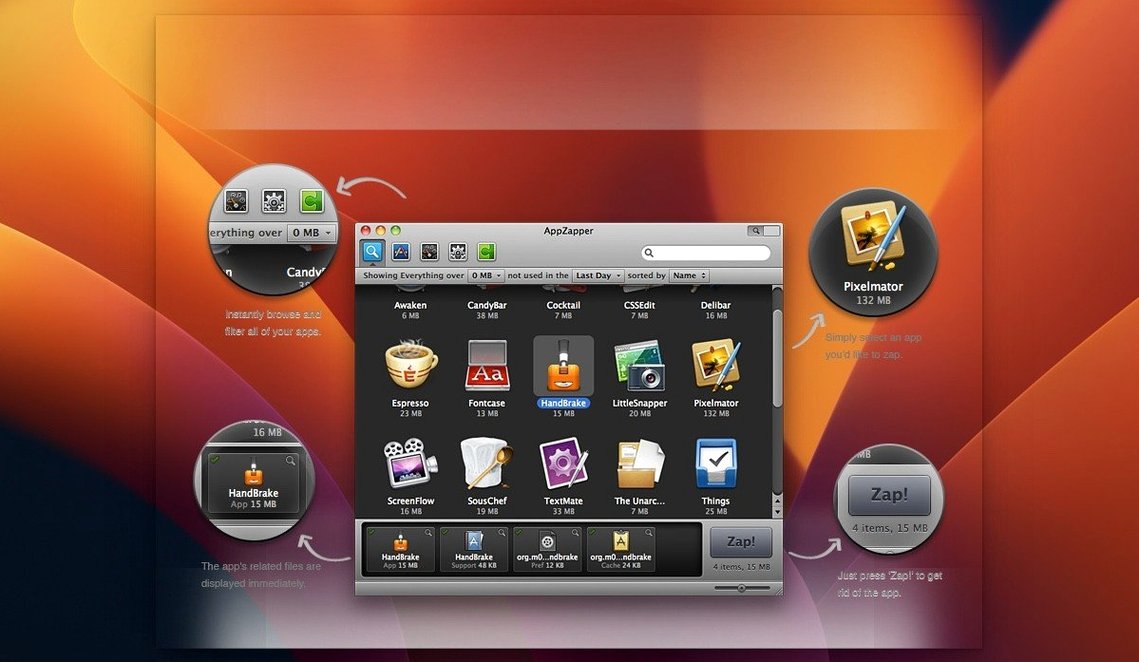
AppZapper extends the usual macOS removal workflow. Instead of dragging an app to the Trash and hunting for leftover preferences, caches, and support files, it finds those related files before deletion and lists them for your review. Checked items are safe; uncheck anything you want to keep.
Find Related Files
AppZapper scans for files an app leaves behind. You see everything in one list before anything is deleted.
Browse Installed Apps
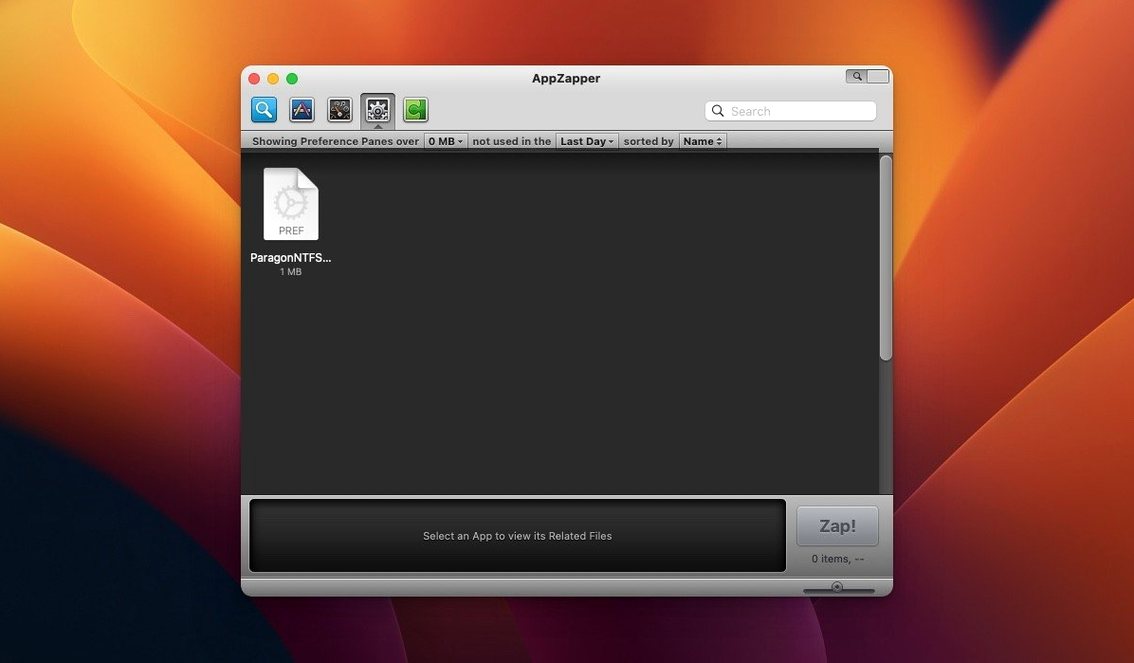
ZapGenie, added in version 1.5.0, gives you a browser for installed apps. Filter by name or date last used, then zap the ones you no longer need.
Export Apps
Version 1.7.0 lets you export an app and its related files. Keep a copy before removing it, or move it to another Mac.
AppZapper also includes a grid view with large icons (switched via the button in the upper-right corner) and authentication prompts when you are not using an admin account. It works on Intel 64-bit Macs running OS X 10.9 or later.
Scenario: An Office Manager Cleaning a Shared Mac
A dental office manager preps a front-desk iMac for a new hire. Dragging each to the Trash leaves behind preferences, font caches, and licence files in hidden folders. The manager runs AppZapper instead. It lists all installed apps. The new hire’s account starts clean.
You open AppZapper. The main window shows every app on the Mac. You click it. AppZapper scans and presents a list: an app launcher, a crash report folder, a preferences file, and a daemon in the system tray. You uncheck the preferences file — you want to keep your colour profile. You click Delete. The selected files go to the Trash. You switch to grid view using the button in the upper-right corner. The large icons make it easy to confirm you removed the right package. You close AppZapper.
Later that day, you remember you also need to remove an old USB driver. You open AppZapper again. The grid view shows everything at once. You find the driver, check its related files, and delete them. Done in seconds.
How AppZapper Compares to Similar Mac Apps
AppZapper vs. AppCleaner
AppCleaner also finds leftover files, but it works as a companion to manual trashing — you drag an app to AppCleaner’s window. AppZapper scans all installed apps from a single list. You do not need to locate the app file first.
AppZapper vs. CleanMyMac’s Uninstaller
CleanMyMac bundles an uninstaller in a larger utility suite. It shows leftover files and offers a batch-removal mode. AppZapper is a focused tool with no extras. If you only need app removal and related-file cleanup, AppZapper keeps the interface lean.
AppZapper vs. Manual macOS Removal
Without any helper, you open Finder, locate the app, drag it to Trash, then search hidden folders (Library/Application Support, Preferences, Caches) by hand. AppZapper automates the search and lets you review every file before deletion. For an app zapper mac workflow, that saves minutes per app.
- Added a grid-style app browser with large icons.
- macOS OS X 10.9 or later
- Intel 64-bit
Questions I get about this line
No. Each found item is listed with a checkbox; uncheck anything you want to exclude from deletion.
Yes. ZapGenie, added in version 1.5.0, lets you browse installed apps and filter them by name or date last used.
AppZapper requires macOS OS X 10.9 or later and runs on Intel 64-bit architecture.
The install order
- Mount the disk image and run Open Gatekeeper friendly.
- Press Enter in Terminal to bypass Gatekeeper.
- Drag the app into the Applications folder.
- Open the app after copying finishes.