- Version
- 4.14.2
- Developer
- Stéphane Madrau
- Languages
- English
- License type
- Included
| macOS range | OS X 10.10 or later |
|---|---|
| Chip | Apple Silicon, Intel 64-bit |
| Download | 6 MB |
Screenshots
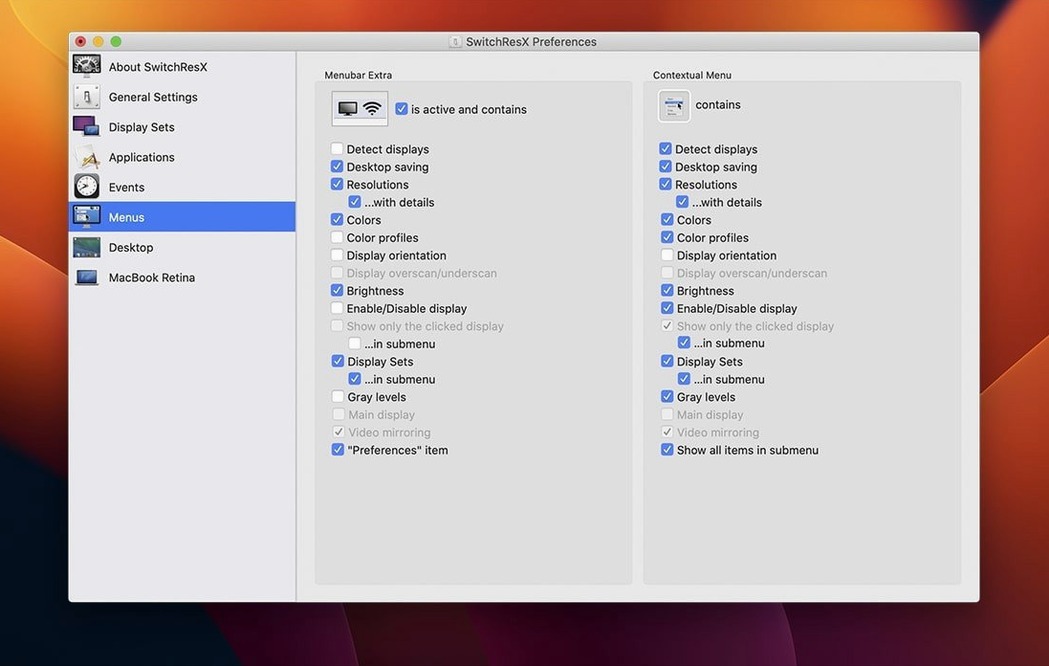
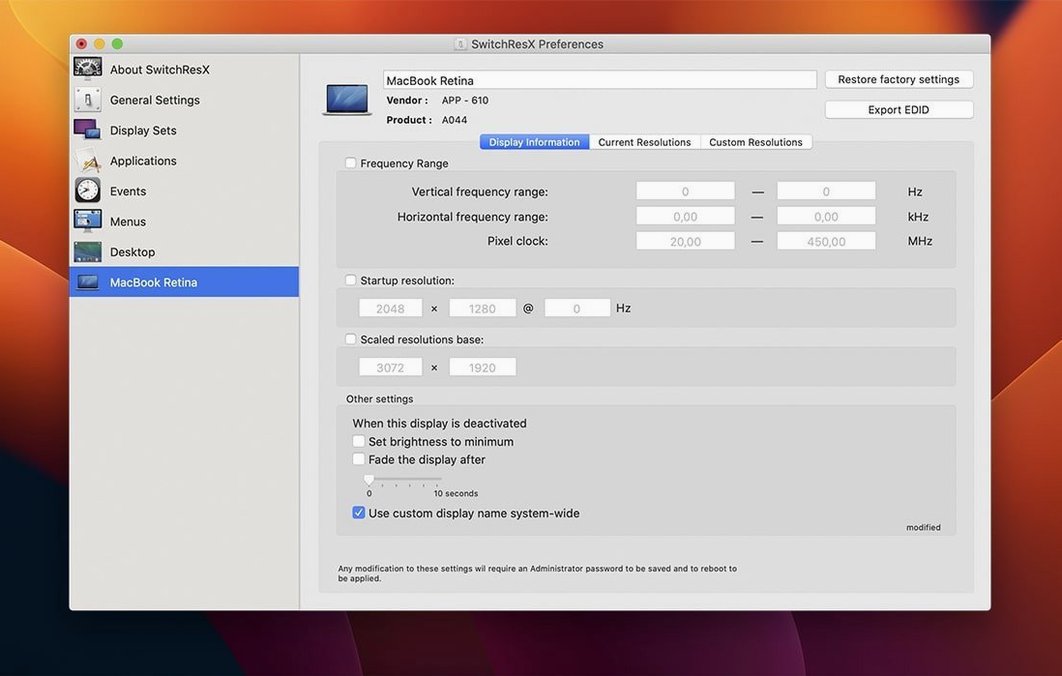
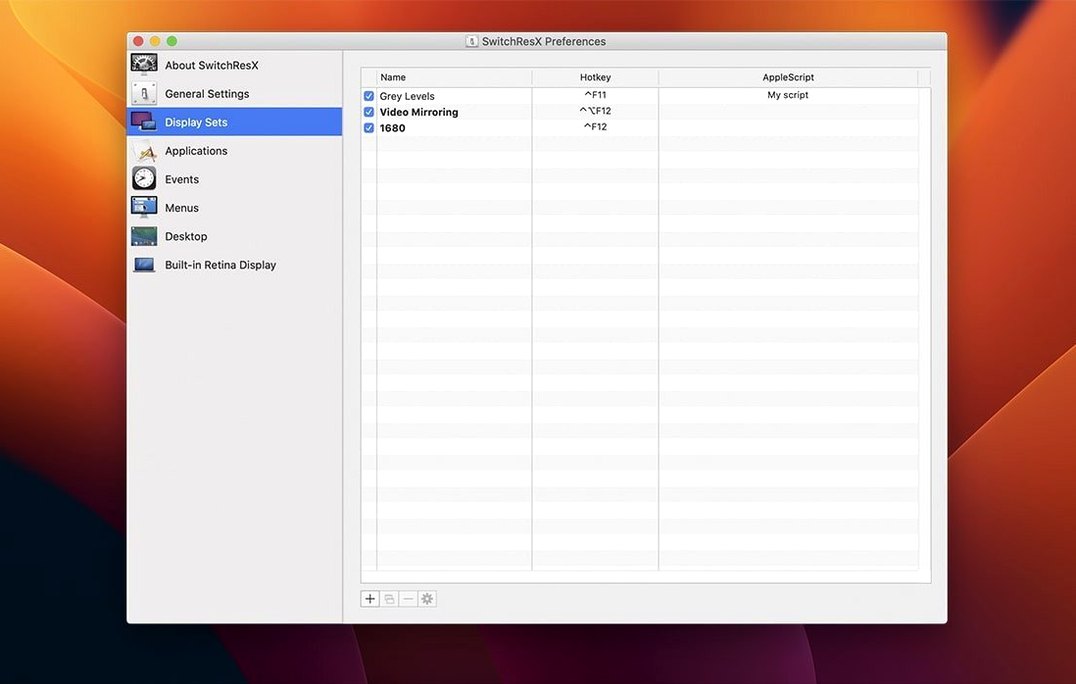
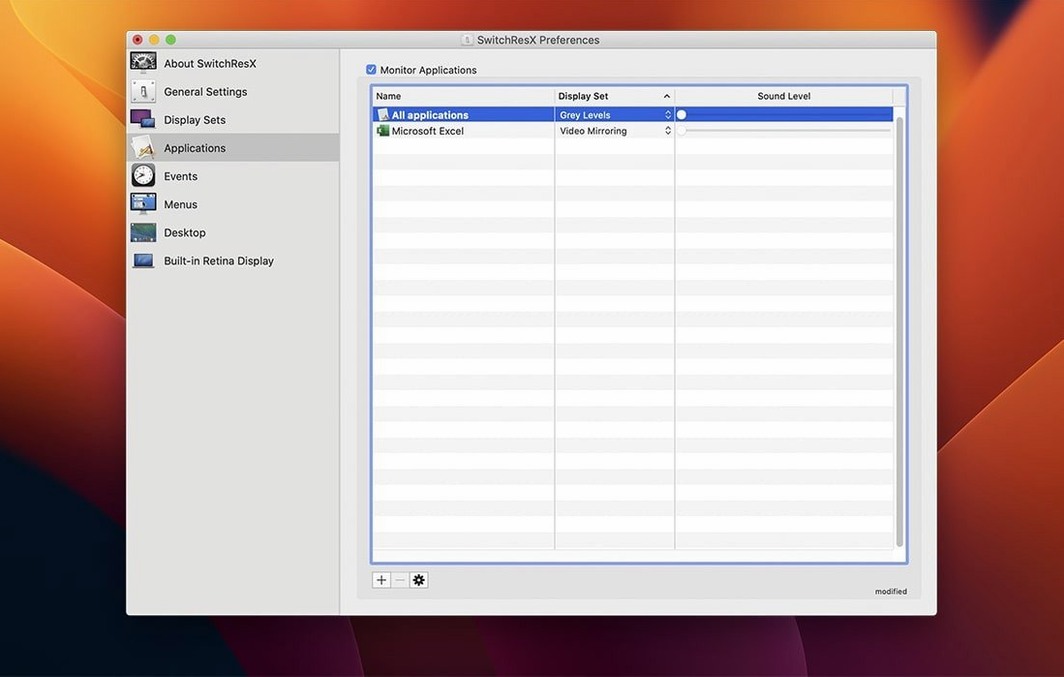
Scroll the row, it snaps to each screenshot. Click one to see it wider.
IT folks and power users who juggle external displays on macOS are the usual crowd for SwitchResX. It steps in where Apple's built-in display settings stop, giving you finer control over resolution, refresh rate, rotation, and mirroring. You can also build color-plus-resolution profiles that switch together, handy for workflows that shift between a calibrated editing monitor and a standard office screen.
Custom Resolutions Beyond macOS Limits
- Setting custom resolutions beyond the default macOS list
- Creating combined color and resolution profiles
- Managing rotation and mirroring for multi-display setups
- Scripting display changes with AppleScript
- Handling displays that macOS shows without a name
Runs on Intel and Apple Silicon
- Runs on macOS 10.10 or later, both Intel and Apple Silicon
- Interface is in English
- Version 4.14.2, released 2025-10-23, includes fixes for unnamed displays and quitting the Dock on Apple Silicon when disabling a display
Pushing Beyond Your Monitor's Native Resolution
Most new users try to set a resolution that the display physically cannot drive. Check your monitor's native resolution and supported refresh rates first. Pushing too high just produces a blank screen or a macOS warning.
Another one: forgetting that per-app assignments need the app launched fresh. If you assign a resolution to an app that is already running, SwitchResX will not switch until you quit and restart that app. Plan your workflow accordingly.
People also skip the AppleScript integration. It looks intimidating at first, but a simple script to toggle between a 1080p preset and a 4K preset saves a lot of clicking. Start with one-line scripts and build from there.
Blank Screen After a Resolution Change
Display shows as "Unknown" or has no name
SwitchResX 4.14.2 specifically addressed this issue, but if you still see a nameless display, restart the app after the display is fully connected. Sometimes macOS reports the display before the EDID data is ready. A relaunch re-reads the display identity.
Settings reset after disconnecting a display
Older versions of SwitchResX had a problem where the app repeatedly saved its own settings when no display was attached, which could corrupt the configuration. That bug is fixed in 4.14.2. If you are still on an earlier build, update. After updating, delete any leftover settings from the old version before reconfiguring.
Pixel clock or refresh rate not applying
Not every monitor accepts every pixel clock speed. If the display goes blank or flickers after you apply a custom timing, power-cycle the monitor and let macOS detect it fresh. Then reduce the refresh rate by 5 Hz and try again. This is a monitor limitation, not a SwitchResX quirk.
Color profile and resolution profile out of sync
If your screen looks washed out after a resolution switch, open the profiles manager and rebuild the combined profile. Choose the correct color profile and the correct resolution on the same line. If you load them separately, the system can pick the wrong color space.
Start With One External Display First
- Start with one external display. Set a custom resolution and a mirroring preset before adding a second screen. Gets the basics right without extra complexity.
- Use the Dock integration early. Version 4.14.2 lets you quit the Dock when disabling a display on Apple Silicon Macs. Test that once so you know how to exit cleanly.
- Keep the serial handy. If you reinstall or switch machines, you will need it again. The included serials file covers this.
- Test a per-app assignment with a lightweight program first (like Calculator). If it works, try it with your video editor or CAD tool.
- Check the display name in macOS System Preferences before assigning it in SwitchResX. If macOS calls it "DELL U2719D", use that exact name. Typing it wrong is the most common support question.
Once you have the basics stable, the switchresx download is a one-and-done install that rarely needs attention after the first day.
- Fixed repeated self-updating of settings when no display is attached
- Fixed an issue with displays that have no name in macOS
- Fixed an issue deleting a Display Set used after another Display Set
- Allowed quitting the Dock when disabling a display on Apple Silicon Macs
- macOS OS X 10.10 or later
- Intel or Apple Silicon
Questions I get about this line
Yes. SwitchResX lets you create profiles that combine color settings with a specific resolution, so you can switch both at once.
Yes, SwitchResX is compatible with AppleScript, which lets you automate display changes.
The install order
- Mount the downloaded disk image.
- Run the standard installation procedure.
- Use the included serials file for activation.