- Home
- VST Plugins
- Arturia Efx_MOTIONS
Free download (553 MB) Previous versions
- Version
- 1.1.0 (5460)
- Developer
- Arturia
- Languages
- English
- License type
- Included
| Chip | Apple Silicon, Intel 64-bit |
|---|---|
| Download | 553 MB |
| Previous versions | 1 on file |
Screenshots
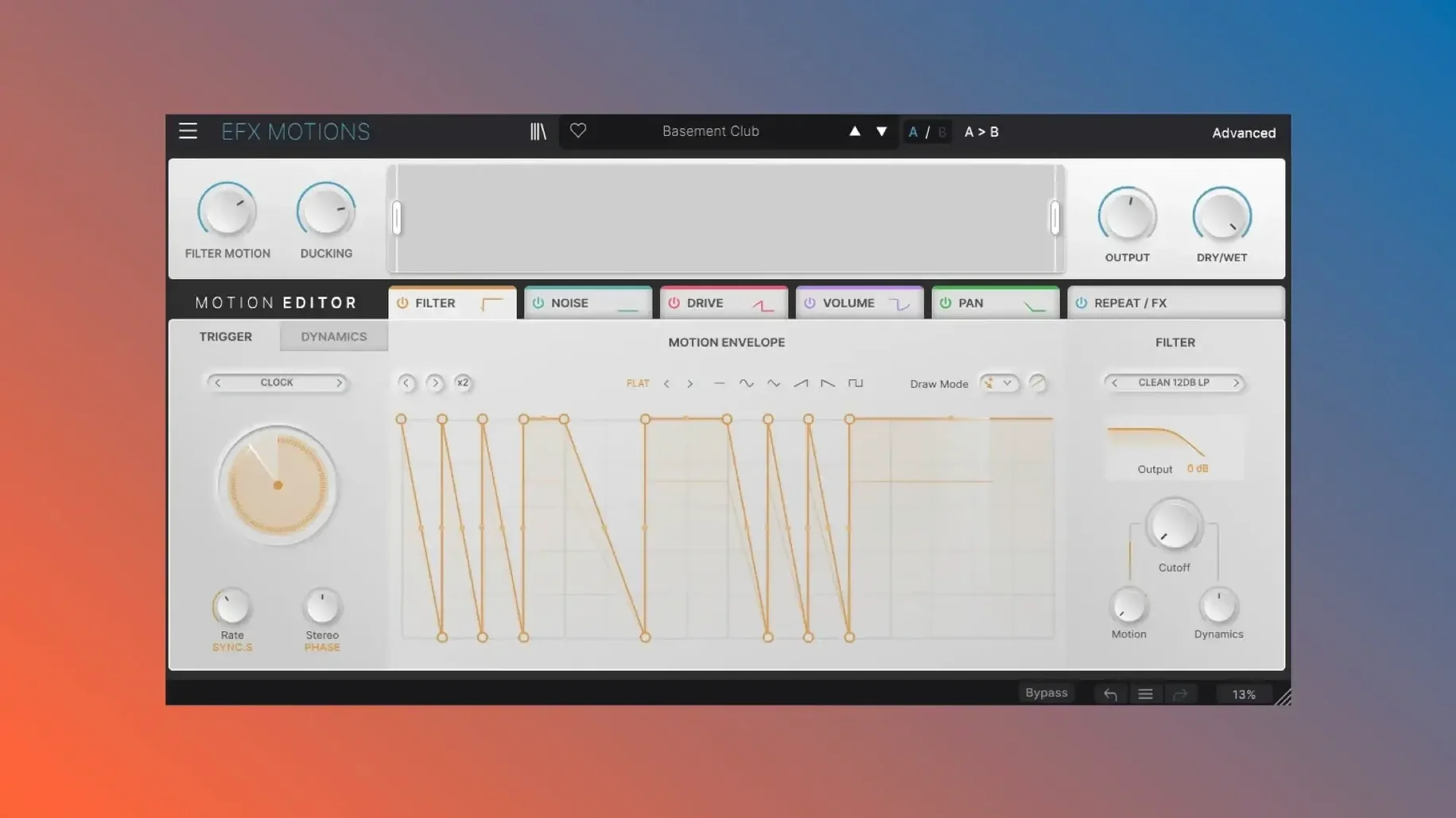
Mixing static audio gets boring fast. Efx_MOTIONS solves that by injecting movement into any track or bus, turning a plain synth line or drum loop into something that shifts and breathes. It sits comfortably on individual tracks for subtle color, or across a drum bus for bigger, rhythmic changes.
Automate Filter Sweeps Without DAW Automation
On a track, the Repeat/FX section gives you an effects sequencer with 14 effects to choose from, each with its own Motion and Dynamics controls. That means you can automate filter sweeps or pitch drops without touching your DAW's automation lanes. On a bus, the Beat Repeat & Effects section shines—its synchronized repeat grid runs independently, so you can trigger Rolls, Reverses, Pitch, and Time-Stretching variations on the full output without disrupting the rest of the processing.
Protect Low-End With the Crossover and Macros
The Crossover area sets the frequency range being processed, so you can keep low-end solid while effects hit only the mids and highs. Macros tie multiple parameters to one knob, letting you morph between states quickly. The Dashboard houses Macros, Crossover, and Output/Mix controls, giving you a single place to balance the effected and dry signals.
Building a Rhythmic Filter Sweep from Scratch
Start with a drum loop or held synth pad. Set the Crossover area so the effect targets the mid and high frequencies, leaving the low end untouched. In the Filter module, dial in a moderate resonance and a sweep range. Switch the Motion control to Clock mode and set a note value — eighth notes work well for a pumping feel. Adjust the Dynamics control to shape how abruptly the filter opens, then use the Dashboard Macros to blend the effect depth in or out as the loop plays.
Once the filter moves in time, add the Repeat/FX section. Pick one of the 14 effects for the sequencer slot and sync its grid to the same clock. You now have a filter sweep and a repeating effect running on the same tempo, all without writing a single automation line.
Ignoring the Crossover and Overloading Effects
- Ignoring the Crossover. Beginners often let the effect run across the full frequency range. The low end becomes muddy or disappears. Set the Crossover to protect the kick and bass.
- Overloading the Repeat/FX Section. Stacking too many effects in the sequencer slots at once creates a chaotic, uncontrollable sound. Start with one effect per slot and add more only when the result stays musical.
- Forgetting the Dry/Wet Balance. The Output/Mix area in the Dashboard lets you blend the processed signal with the original.
Working the Beat Repeat & Effects Section in a Breakdown
Drop into a breakdown section of a track. Mute the kick and let a pad or vocal phrase play. Open the Beat Repeat & Effects section and set it to sample the full output signal. Choose a Roll variation on the repeat grid and sync it to a half-note value. The pad stutters in time while the rest of the processing stays quiet. Bring the fader up slowly on the Output/Mix area so the repeat blends under the vocal instead of overpowering it. Switch to a Reverse variation on the next phrase — the effect flips the sample without needing to bounce audio or edit regions. You have a breakdown that moves without touching a single clip.
Mistakes Beginners Make With It
- Setting the Repeat Grid Wrong. The synchronized repeat grid runs independently from the main modules. New users expect it to follow the track tempo automatically, but they forget to check the grid's sync setting. The repeats drift off-beat. Always confirm the grid clock matches the project tempo before recording.
- Ignoring the Dynamics Control on Each Module. Every module has its own Motion and Dynamics controls. Beginners tweak the filter or distortion settings but leave Dynamics at its default. The movement stays flat. Adjust Dynamics per module to change how fast or slow the effect reacts — it makes the difference between a static sweep and a punchy one.
- Not Using Macros After Setting Modules. Macros tie multiple parameters to one knob. People dial in a good sound in the individual modules but never map them to a Macro. Live tweaking becomes impossible without clicking into each module. Assign key parameters — filter cutoff, distortion amount, effect mix — to one or two Macros on the Dashboard so you can morph the sound in real time.
- macOS (compatible version)
- Intel or Apple Silicon
- Interface in English
Questions I get about this line
Yes, the synchronized repeat grid in Beat Repeat & Effects runs independently, so you can apply rolls, reverses, pitch, and time-stretching variations without affecting other processing.
The install order
- Open the included installation and activation guide.
- Follow the steps to install the plugin.
- Activate the plugin as described in the guide.