- Home
- VST Plugins
- Nicky Romero Kickstart 2
- Version
- 2.0
- Developer
- Nicky Romero
- Languages
- English
- License type
- DRM-free
| Download | 18 MB |
|---|
Screenshots
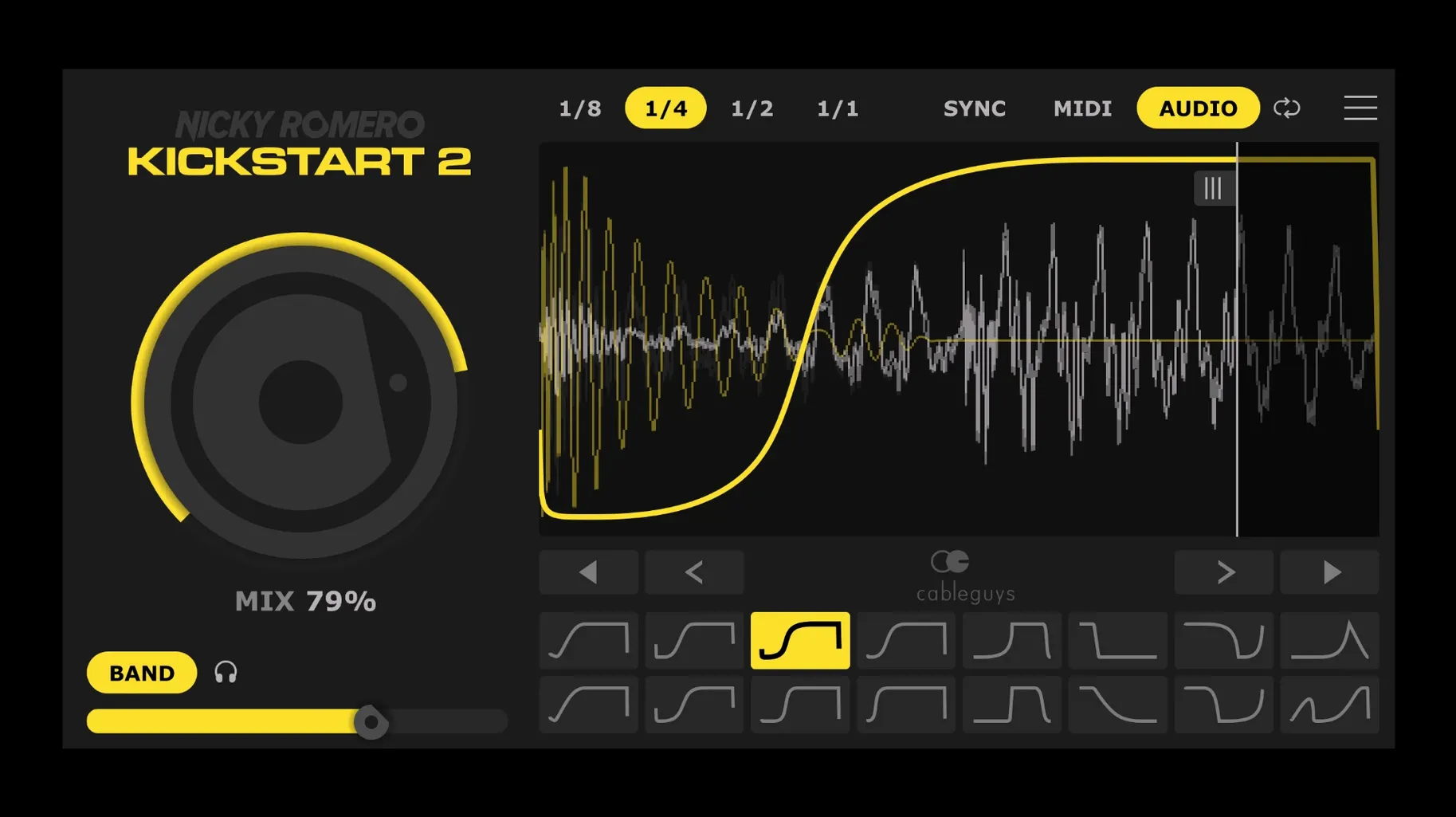
Version 2.0 adds audio and MIDI triggers, multiband splitting, a resizable interface, and native VST3, AAX, and Apple Silicon support. It is a fast way to get a sidechain effect without routing compressors or setting up ghost kicks.
- Open your DAW and insert Kickstart 2 on the track you want ducked — synth, pad, or bass.
- Select a ducking curve from the preset shapes. Adjust the movable slope control to fine-tune the release feel.
- Switch to audio trigger mode and route a kick track into the plugin. It follows the kick's transients automatically.
- Use MIDI trigger mode to program custom sidechain patterns. Draw notes in your sequencer; each note fires a duck cycle.
- Engage multiband splitting to duck only specific frequency ranges — leave highs or mids untouched while the low end pumps.
- Resize the window to fit your screen. Work in stereo or mono without extra setup.
Built-In Sidechain Envelopes vs. Third-Party Synths
Nicky Romero Kickstart 2 sits in a specific spot among sidechain tools. Xfer Serum's built-in sidechain envelopes are tied to Serum's own synthesis engine — you can't use them on a third-party synth or a sample track. Kickstart 2 works on any channel regardless of the source sound.
Soundtoys Tremolator does ducking as a stereo volume effect, but its rate is tempo-synced or free-running; it doesn't follow a kick's transients. Kickstart 2's audio trigger solves that — it watches an incoming drum track and ducks precisely on each hit. MIDI trigger mode is another feature missing from most LFO-based tremolo plugins. You draw the pattern rather than guess a rate or syncopation.
Wavesfactory Duck is a free alternative with a similar concept, but it offers fewer curve shapes and no multiband splitting. Kickstart 2's 16 hand-made curves and per-band ducking give you deeper control without buying extra tools.
Bassline Loop Fight: Inserting the Pump Curve
You are working on a bassline loop that fights the kick drum. The low end needs air between hits, but you want the bass to stay full during the verses. Insert Kickstart 2 on the bass track. Pick the "Pump" curve and drag the slope control toward the slower side — gives you a soft, gradual rise.
Switch to audio trigger mode. Route a reference kick track into the plugin. The bass ducks exactly on each kick hit, no compressor dial‑in required. For the chorus, engage multiband splitting and set the crossover at 150 Hz. Only the sub frequencies duck; the upper harmonics keep playing. The track stays thick.
Later you use MIDI trigger mode on a pad. Write a repeating eighth-note pattern in your sequencer and route it to Kickstart 2. The pad pulses in time without touching the kick channel. Zero latency adjustments, no sidechain routing in your DAW's mixer.
Works on Intel or Apple Silicon Macs running macOS 10.15 and up. Requires a host that supports VST 2, VST 3, AU, or AAX.
- Audio trigger added
- MIDI trigger added
- Multiband splitting added
- Resizable interface added
- Native VST3, AAX, and Apple Silicon support added
- macOS 10.15 or later
- Intel or Apple Silicon processor
- VST 2, VST 3, AU, or AAX host sequencer
Questions I get about this line
Yes, version 2.0 has native support for Apple Silicon processors. It also runs on Intel Macs.
It includes an audio trigger for following kick patterns and a MIDI trigger for programming custom sidechain sequences.
The install order
- Install instructions and activation instructions are included with the package.