- Home
- VST Plugins
- Pulsar Modular P410 Joyride
Free download (45 MB) Previous versions
- Version
- 1.1.1
- Developer
- Pulsar Modular
- Languages
- English
- License type
- K'ed by MORiA
| macOS range | macOS 10.13 or later |
|---|---|
| Chip | Apple Silicon, Intel 64-bit |
| Download | 45 MB |
| Previous versions | 1 on file |
Screenshots
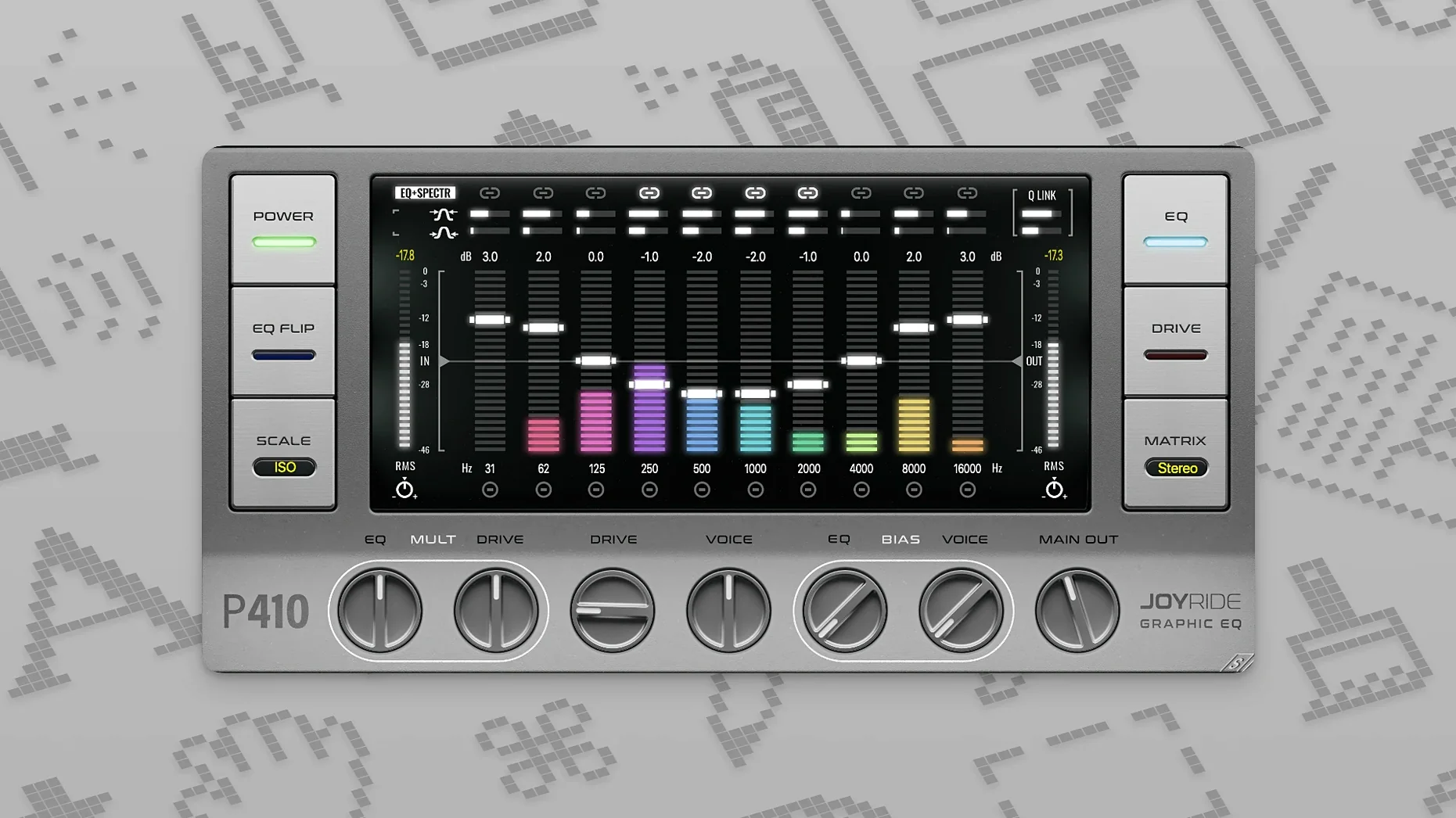
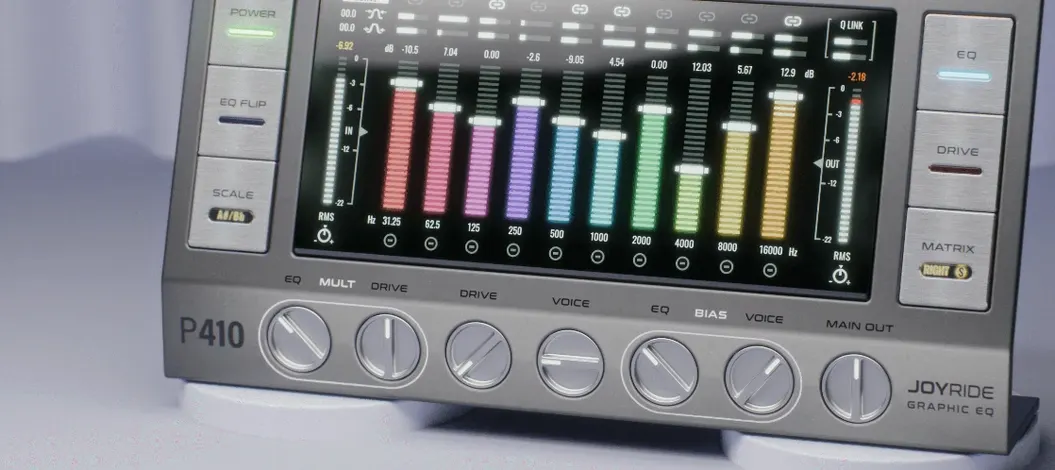
Pulsar Modular P410 Joyride is a 10-band graphic EQ plugin for macOS and Windows, built for mixing, final processing, and sound design.
Apple Silicon and Intel Mac support
Joyride runs on both Apple Silicon and Intel Macs, with support for macOS 10.13 and newer. The interface is in English. It works as a standard VST plugin, so it slots into most major DAWs without fuss. Installation follows the typical plugin drop-in routine — copy the component or VST bundle into your usual plugin folder and let your host scan it. Activation is handled through the included instructions, so keep those handy.
Variable proportional Q across ten bands
The ten bands give you surgical control across the spectrum, but the variable proportional Q is what makes it feel like an instrument rather than a utility. Narrow the Q for precise cuts, widen it for broad tonal shifts, and watch the real-time visual indicators as you sweep. It is a creative tone-shaping tool that rewards experimentation, whether you are taming a harsh vocal or carving space in a dense mix.
LC resonant circuit character vs. digital filters
Compared to stock DAW graphic EQs, Joyride is less about flat correction and more about character. The LC resonant circuit modeling per band gives it a weight that typical digital filters lack. Against FabFilter Pro-Q, Joyride trades infinite bands and spectrum analysis for a constrained, focused 10-band layout with distinct drive options. Pro-Q is precise and surgical; Joyride is musical and exploratory. The six drive engines also set it apart from something like iZotope’s Neutron EQ, which stays clean and transparent. Joyride pushes color and saturation, making it a better fit for sound design and final-stage creative processing.
Workflow: shaping a synth pad
- Insert P410 Joyride on the synth channel in your DAW.
- Use the SCALE spread to widen the frequency bands across the pad’s range — this keeps the low end full while the highs stay open.
- Engage one of the drive engines to add harmonic saturation. Start with a subtle setting to avoid overdriving the signal.
- Automate the drive or a specific band frequency to follow the song’s chord progression or key changes. The plugin supports automation for this directly.
- Check the real-time visual indicators as the pad plays to see where the energy sits. Fine-tune the proportional Q on any band that clusters too tightly.
- Bypass and compare. The tonal shift should feel intentional, not corrective.
How Joyride compares to other graphic EQs
Stock DAW graphic EQs like Logic’s Channel EQ or Ableton’s EQ Eight stay clean and transparent. They are corrective tools for fixing problems. Joyride is different — it adds color, saturation, and musical character as you shape the tone. The six drive engines and variable proportional Q give it a sound that stock EQs cannot touch.
Compared to Waves’ H-EQ, which offers vintage analog models with a fixed band count, Joyride’s 10-band layout is more flexible for detailed work. H-EQ focuses on emulating specific hardware units; Joyride feels more modern and modular, with the SCALE spread and drive engines letting you push it into sound design territory that H-EQ stays away from. For mixing engineers who want both precision and character, Joyride sits between a surgical tool and a creative effect.
Workflow: final mix bus processing
- Insert P410 Joyride on your master bus after your compressor and limiter.
- Set the SCALE spread to a wide setting so the bands cover the full frequency range evenly.
- Select a subtle drive engine — the goal is gentle harmonic enhancement, not distortion.
- Cut or boost individual bands to shape the overall balance. Use the proportional Q to keep cuts narrow and boosts broad.
- Watch the real-time indicators to see how the energy shifts across the spectrum as the track plays.
- Automate a band or the drive to follow the song’s arrangement — a slight high-frequency boost in the chorus, for example.
- Bypass and compare. The mix should sound more cohesive, not just louder or brighter.
This workflow works for any full mix that needs final polish without losing its original character. Joyride on the bus is about subtle, musical glue rather than drastic correction.
This approach works for any sustained element — strings, pads, or layered pads — where the goal is movement rather than static EQ correction.
- macOS 10.13 or later
- Apple Silicon or Intel (x86 64-bit)
- Interface language: English
The install order
- Unpack the downloaded package.
- Follow the installation and activation instructions included in the package.
- Restart your DAW and scan for new plugins.