- Home
- VST Plugins
- uJAM Virtual Guitarist Carbon

- Version
- 1.2.0
- Developer
- uJAM Instruments
- Languages
- English
- License type
- K'ed by MORiA
| macOS range | macOS 10.14 or later |
|---|---|
| Download | 4.2 GB |
Screenshots
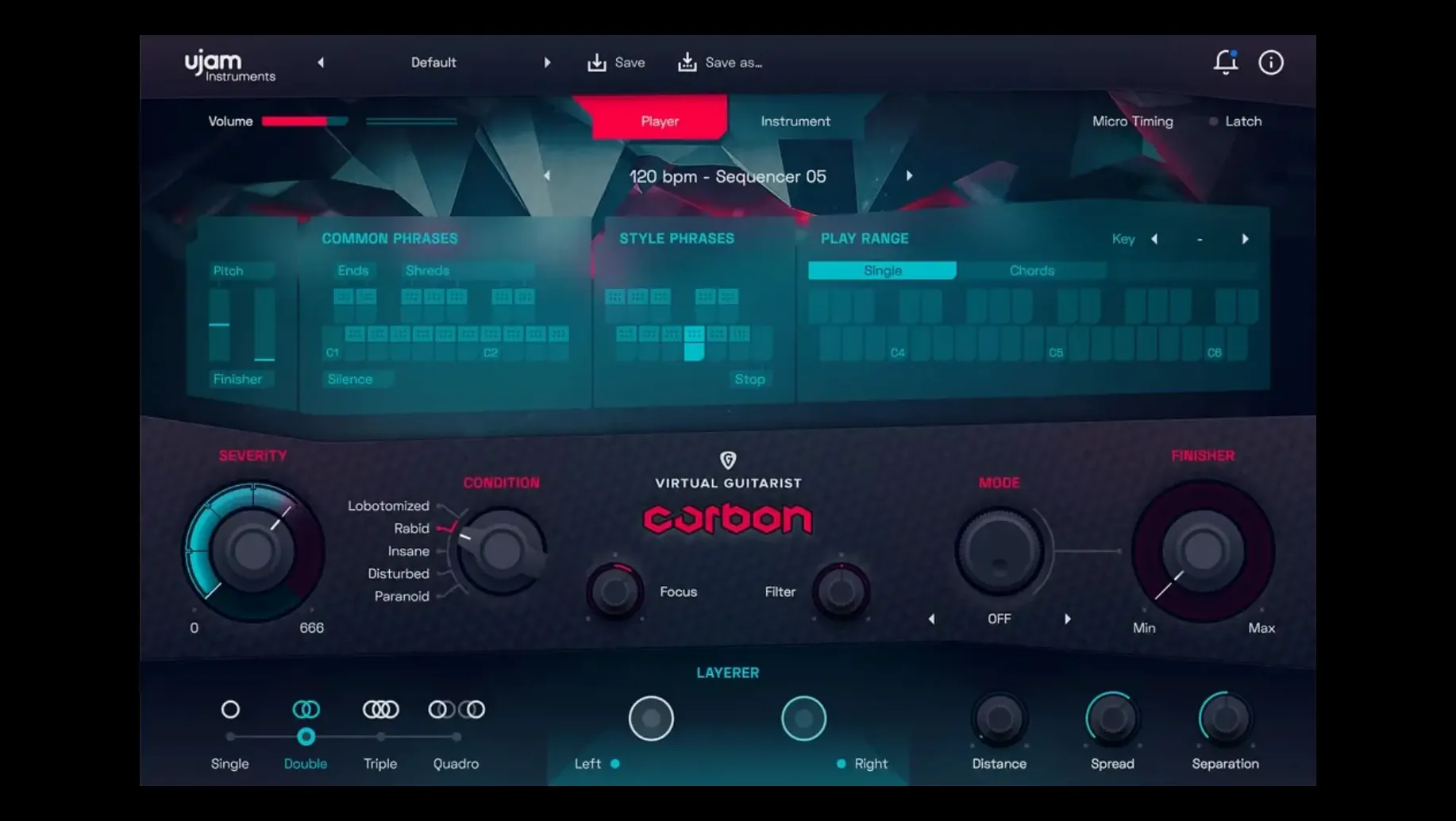
You are tracking a pop track that needs a distorted guitar bed. You drop Virtual Guitarist Carbon on a MIDI track, pick a style, and play a chord. The Ultra Amp and Future Distortion algorithms give you a wild, heavily processed sound that sits right in the mix without hours of tweaking.
How does the Layerer feature work?
Layerer combines up to four virtual guitarists at once. You get a thicker, more organic rhythm sound than a single guitar can produce, perfect for big choruses or electronic-pop builds.
Drag your own MIDI patterns into Carbon
Yes. Carbon accepts standard MIDI input, and you can drag and drop MIDI patterns directly into your DAW. That makes it easy to edit or reuse the generated parts.
Which DAWs and macOS versions are supported?
It runs in Ableton Live, Logic Pro, Pro Tools, FL Studio, Cubase, Studio One, Bitwig, Reaper, and Reason. macOS support covers Monterey 12 through Tahoe 26, and it works on both Intel and Apple Silicon Macs.
Unlock 75 effect algorithms in the Finisher rack
Open the Finisher multi-effect rack right away. You get 75 effect algorithms, so scroll through the presets to hear what Carbon can do beyond the default chain. The Future Distortion and Ultra Amp algorithms are the core of the sound, but the Finisher lets you add modulation, reverb, or filter sweeps.
Set the Layerer to two or three guitarists initially. Four layers can be overwhelming for a verse. Two layers give you a solid rhythm foundation. Bump it to four for a chorus or drop.
Edit generated guitar parts note by note
- MIDI drag and drop – Carbon generates its own guitar parts from your chords. Drag those MIDI clips into your arrangement and edit them note by note. You keep the feel but get full control.
- Style selection – The style menu changes how chords are strummed, picked, or muted. Try a few styles before tweaking effects. The right style often solves the mix faster than EQ.
- Layerer balance – Each virtual guitarist in the Layerer has its own level. Adjust the blend so the layers don’t turn into noise. A 70/30 split between two layers is a good starting point.
For game and film composers: Carbon works with any chord progression you feed it. The synth-like distortion cuts through orchestral or electronic elements without stepping on other instruments.
Settings worth changing first
After installing version 1.2.0, open the UJAM App or run the installer from the disk image. Once Carbon loads in your DAW, head to the main panel and adjust these:
- Key and scale – Set the key and scale to match your track. Carbon uses this to generate correct notes from your chords. A wrong key setting produces sour notes.
- Voice Leading – This parameter controls how chords transition. A lower value keeps movement tight and percussive. A higher value spreads the voicing across the fretboard for a bigger sound.
- Timing – Carbon has a humanize-style timing control. Tighten it for locked-in electronic pop. Loosen it for a more organic, slightly sloppy feel that works in rock and film cues.
Set these before you start sequencing. They change the character of every generated part.
Small conveniences easy to miss
The Finisher rack includes 75 effect algorithms, but the presets menu inside the rack loads complete effect chains. Scroll through those before building your own chain. Many are tailored to Carbon’s distorted sound.
The Layerer feature has a mute button for each virtual guitarist. Use it to audition individual layers while the others are silent. That makes it simple to hear what each layer contributes without pulling faders.
Carbon generates MIDI patterns that you can drag and drop into your DAW. The generated clips include velocity and timing data. That data stays editable after the drag, so you can humanize or quantize specific notes.
For music producers working in electronic and pop genres: the Ultra Amp algorithm responds to velocity. Play chords softly for a cleaner tone. Play harder for more distortion and sustain. That dynamic response works without automation.
- macOS 10.14 or later
- Intel or Apple Silicon
- Compatible DAW (Ableton Live, Logic Pro, Pro Tools, FL Studio, Cubase, Studio One, Bitwig, Reaper, Reason)
Questions I get about this line
Carbon focuses specifically on heavily distorted, processed rhythm sounds, using Ultra Amp and Future Distortion algorithms. The Layerer feature lets you stack up to four guitarists for a dense, organic tone.
The install order
- Mount the downloaded disk image.
- Run the standard installer and follow the prompts.