- Home
- VST Plugins
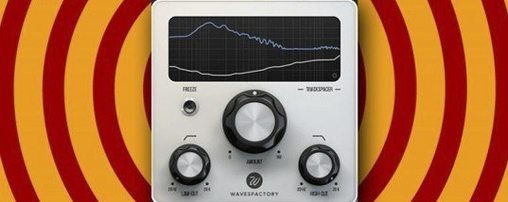
- Wavesfactory Trackspacer
Free download (107 MB) Previous versions
- Version
- 2.5.10
- Developer
- Wavesfactory
- Languages
- English
- License type
- K'ed by MORiA
| macOS range | OS X 10.9 or later |
|---|---|
| Chip | Apple Silicon, Intel 64-bit |
| Download | 107 MB |
| Previous versions | 1 on file |
Screenshots
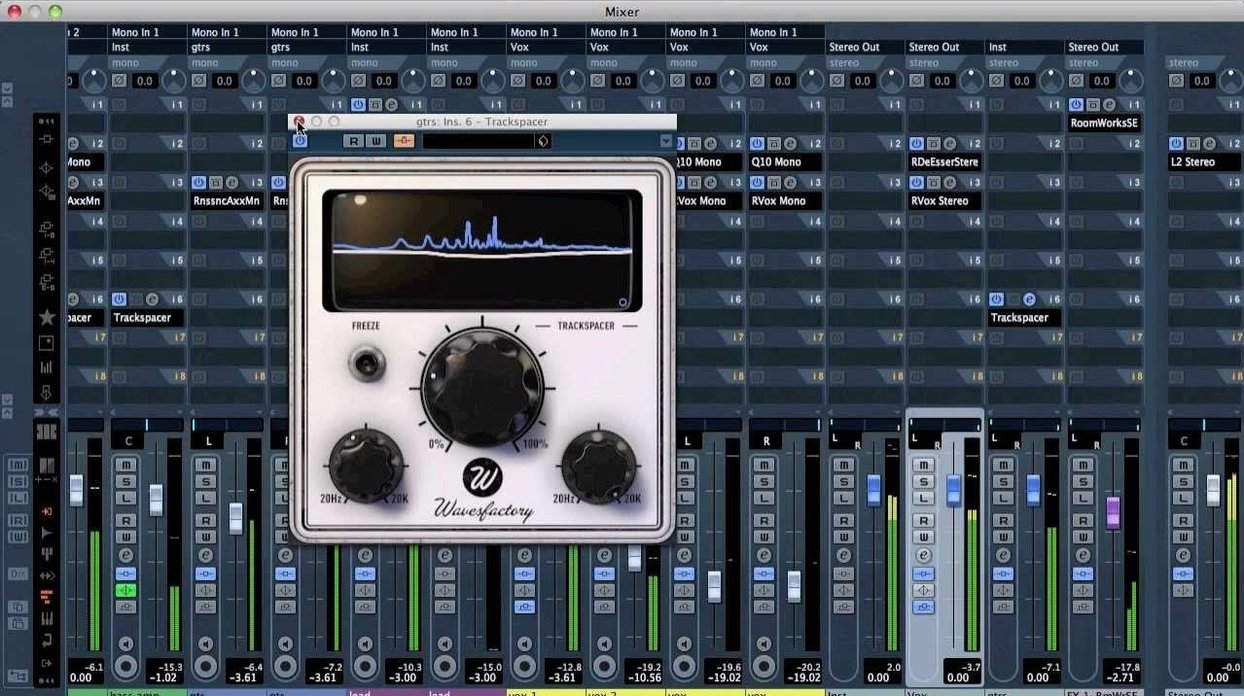
When two tracks fight for the same frequency range, one usually ends up buried. Trackspacer solves that by ducking only the frequencies that need it.
Sidechain EQ — Analyzes the incoming sidechain signal and applies an inverted 32-band EQ curve to the track it sits on.
Real-time processor — Reacts instantly to the sidechain input, so the effect follows the music, not a static setting.
Mix tool — Works on individual tracks, buses, or full groups. Common jobs: clearing space for vocals, bass, or kick drums.
System support — Runs on macOS 10.9 or later, both Intel 64-bit and Apple Silicon.
Scenario: Fixed a muddy vocal-and-guitar duo
A podcast editor I know records interviews with acoustic guitar backing. The guitar’s midrange constantly smothered the host’s voice. Every time the guitar came in, the voice lost clarity. A dynamic EQ would need manual bands. A compressor sidechain killed too much body. Trackspacer, placed on the guitar bus with the vocal as the sidechain, ducked just the overlapping frequencies. The guitar stayed full; the voice cut through. No riding faders, no automation.
32 automatic bands vs. manual Pro-Q 3
Wavesfactory Trackspacer vs. FabFilter Pro-Q 3 (dynamic mode). Pro-Q 3 can do dynamic EQ with sidechain, but you set the frequency bands and thresholds yourself. Trackspacer handles 32 bands automatically. for a quick fix on a busy mix, that’s less setup time. Pro-Q 3 gives more control for mixing engineers who want to dial each band.
Wavesfactory Trackspacer vs. Neutron 4 (Masking EQ). Neutron’s Masking EQ also uses a sidechain to carve space. It sits inside iZotope’s ecosystem and works best with other iZotope plugins. Trackspacer is standalone; you drop it on any track in any DAW that supports sidechain. No extra software needed.
Wavesfactory Trackspacer vs. SPL M/S Equalizer (M/S mode). That plugin carves space using mid/side processing, not a sidechain. It works well for stereo width but doesn’t react to a separate signal. Trackspacer is purely sidechain-based, so it works where you have a clear “leader” track (kick, vocal) and a “follower” track (bass, pad).
64-bit-only lighter performance
- Broader system support. Version 2.5.10 drops 32-bit support (version 2.5.4 was the last to include 32-bit). If you still use a 32-bit host, stick with 2.5.4. For everyone else on 64-bit DAWs, the current version runs lighter and is built for modern systems.
- Apple Silicon native. Earlier versions ran through Rosetta. 2.5.10 is a native Apple Silicon binary, which means lower CPU load on M-series Macs and better session stability at low buffer sizes.
- Updated installer. The package now includes clear activation instructions. No guessing where to put the license file.
For a producer who swaps between Intel and Apple Silicon machines, the native ARM build alone is worth the update. The plugin behaves the same way — one track ducks frequencies based on another — but it uses less of the CPU headroom you need for virtual instruments and heavy reverbs.
- Version 2.5.4 is the latest version with 32-bit support.
- macOS 10.9 or later
- Intel 64-bit or Apple Silicon
- 64-bit host required
Questions I get about this line
Yes, it supports both Apple Silicon and Intel 64-bit systems.
macOS 10.9 or later is required.
It analyzes the sidechain signal and applies an inverted EQ curve to the track, reducing only the frequencies that clash.
The install order
- Open the package and read the included installation and activation instructions.
- Follow those instructions step by step to get the plugin running.