
Free download (159 MB) Previous versions
- Version
- 6.7.3
- Developer
- Zine EOOD
- Languages
- English
- License type
- Included
| macOS range | macOS 10.13 or later |
|---|---|
| Chip | Apple Silicon, Intel 64-bit |
| Download | 159 MB |
| Previous versions | 2 on file |
Screenshots
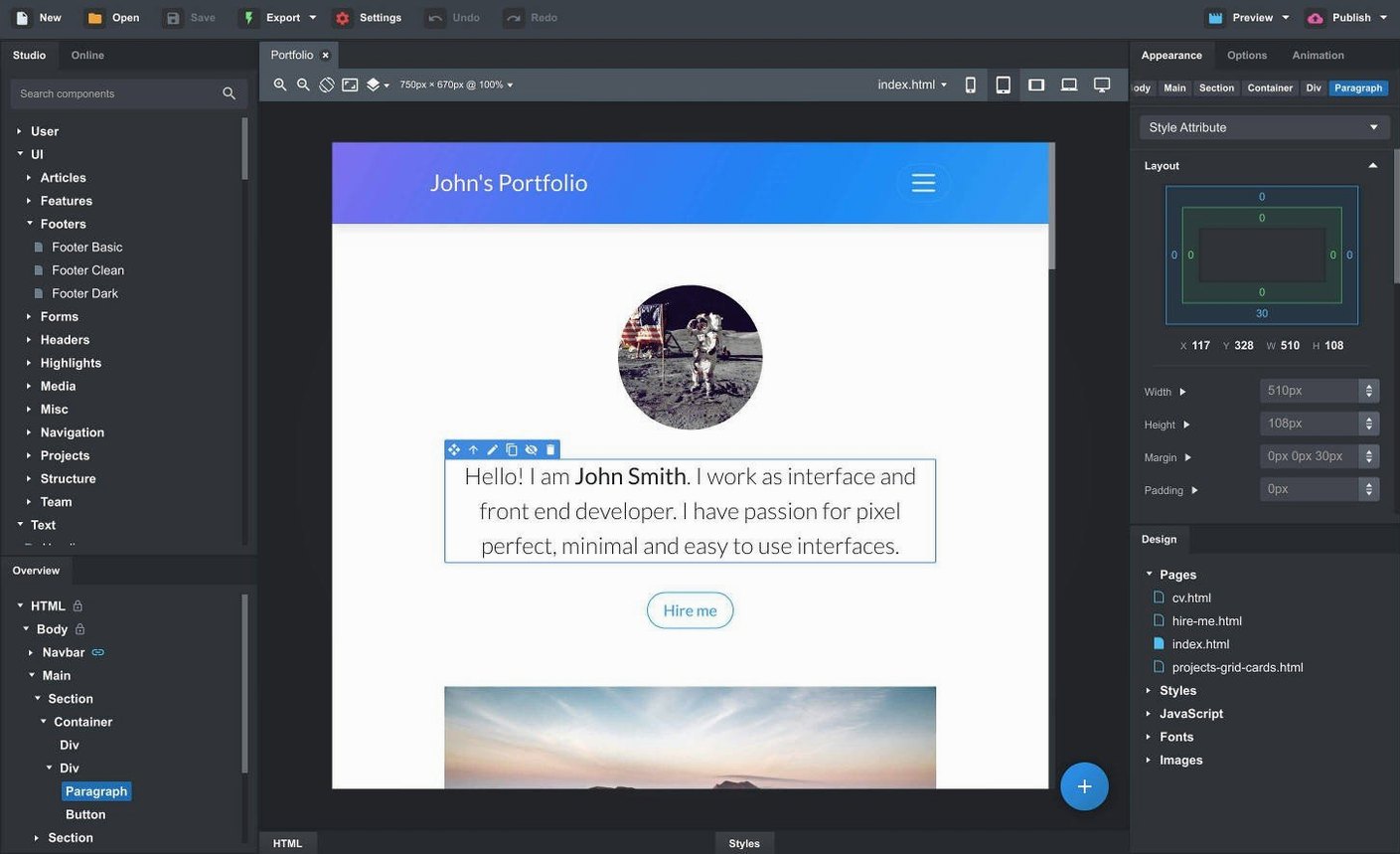
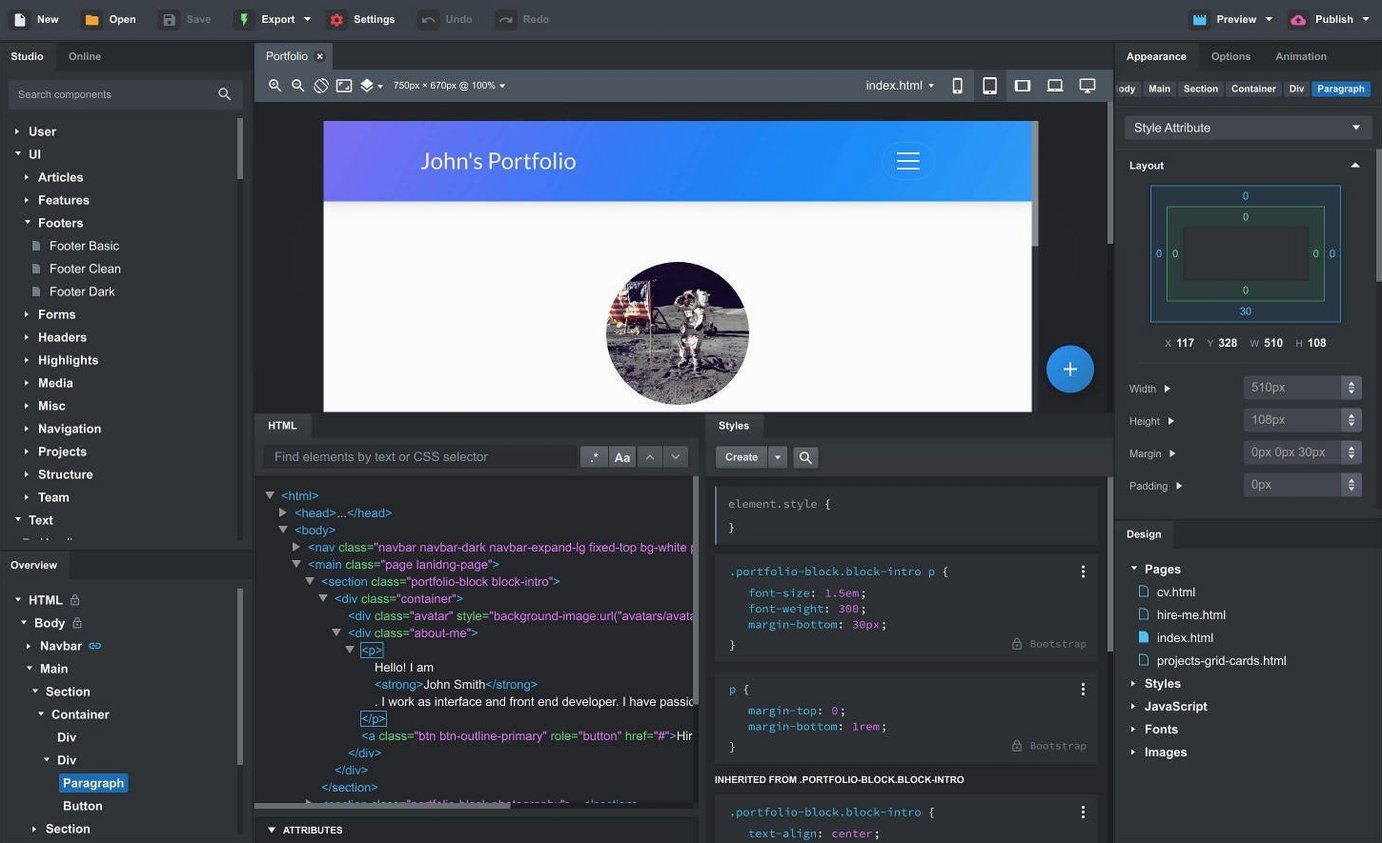
Scroll the row, it snaps to each screenshot. Click one to see it wider.
Bootstrap Studio runs on macOS 10.13 and later, on both Intel and Apple Silicon Macs. It is a desktop website builder for creating responsive pages with Bootstrap. You work visually: drag components into place, see live previews in multiple browsers and devices, and edit SCSS directly. The app includes built-in headers, footers, galleries, slideshows, spacers, and divs. You can also create custom components from parts of a design and link them so changes propagate across pages. It supports Bootstrap 3.4, 4.6, and 5.3.
- Live preview in multiple browsers and device sizes
- Smart drag and drop for nested Bootstrap components
- Linked components that stay synchronized across pages
- Built-in components: headers, footers, galleries, slideshows, spacers, and divs
- Full SCSS editing support
- Sticky On option for sticky navbars
Pasted OpenAI Keys Finally Work
The latest release, version 6.7.3, makes a few specific improvements to the daily workflow. The fix for the OpenAI API key entry dialog means the AI Assistant panel now accepts pasted keys without trouble. The AI Assistant also adds two new models, gpt-4o-mini and gpt-4o, so the text generation and layout suggestions should feel faster and more capable.
The Sticky On option for sticky navbars is a small addition but saves time when you want the navigation to stay at the top of the viewport during scrolling. Similarly, the Click Outside to Close option for Bootstrap modals gives you cleaner control over user interaction. The Icon Dialog now lists the number of icons and the type for each icon set, which helps when you are hunting for a specific glyph without opening every set. These are not big redesigns, but they remove friction from tasks that come up regularly.
Visual Drag-and-Drop for Responsive Sites
Web designers who build responsive sites from scratch will find the visual workflow natural. You can drop in a header, add a gallery, and arrange a footer without writing HTML. Developers who prefer to write their own code but want fast layout prototyping will also benefit. You can import your existing CSS, JavaScript, and HTML, or drag in whole site folders, and then edit SCSS directly for fine-grained control.
Frontend teams that need consistent components across multiple pages will like the linked components feature. Changing a footer or a navbar once propagates the update everywhere. Prototype builders who need to show clients a working responsive layout in minutes will appreciate the live preview across multiple browser windows and device sizes. Anyone maintaining Bootstrap 3.4, 4.6, or 5.3 sites can switch between frameworks without rebuilding their workflow.
What the Latest Version Changes in Everyday Use
Version 6.7.3 is a maintenance release that removes small annoyances. The OpenAI API key fix is the most noticeable: if you use the AI Assistant, you can paste your key directly without the dialog rejecting it. The new gpt-4o-mini and gpt-4o models are available in the AI Assistant dropdown, so the suggestions and text generation use the latest OpenAI models.
The Sticky On option for sticky navbars is a checkbox that keeps the navbar fixed at the top when scrolling. It is one less CSS property to remember. The Click Outside to Close option for modals lets you close a Bootstrap modal by clicking the background area, which is standard behavior on many sites but now configurable inside the app.
The Icon Dialog now shows the icon count and type per set. If you have several icon packs loaded, you can see at a glance which set has the icon you need without expanding each one.
Who Gets the Most Out of It
Web designers who work with Bootstrap daily will save time on repetitive layout tasks. The drag-and-drop components and linked components reduce the work of maintaining consistent headers, footers, and navigation across a multi-page site.
Frontend developers who prototype responsive layouts will like the live preview across multiple browser windows and device sizes. You can test a layout on a phone viewport and a desktop viewport simultaneously without switching tabs.
Small teams or solo developers who manage Bootstrap 3.4, 4.6, or 5.3 sites can switch between framework versions in the same project. The SCSS editor and import features let you keep your existing code while using the visual builder for new sections.
It is a practical tool for anyone building Bootstrap-based sites who wants a visual editor with a live preview and reusable components.
- Fixed an issue with the OpenAI API key entry dialog not accepting some keys
- Icon Dialog now lists the number of icons and type for each icon set
- Added a Sticky On option for sticky navbars
- Added a Click Outside to Close option for Bootstrap modals
- Added gpt-4o-mini and gpt-4o to the AI Assistant
- macOS 10.13 or later
- Intel or Apple Silicon processor
- English interface language
Questions I get about this line
It supports Bootstrap 3.4, Bootstrap 4.6, and Bootstrap 5.3.
Yes, you can create custom components from parts of a design and save them for reuse.
Yes, it has full support for creating and editing SCSS files.
The install order
- Use the included installation and activation instructions.