- Version
- 6.2.1
- Developer
- Cosmic Apps Pty
- Languages
- English
- License type
- K'ed by aqzs
| macOS range | macOS 10.13 or later |
|---|---|
| Chip | Apple Silicon, Intel 64-bit |
| Download | 58 MB |
Screenshots
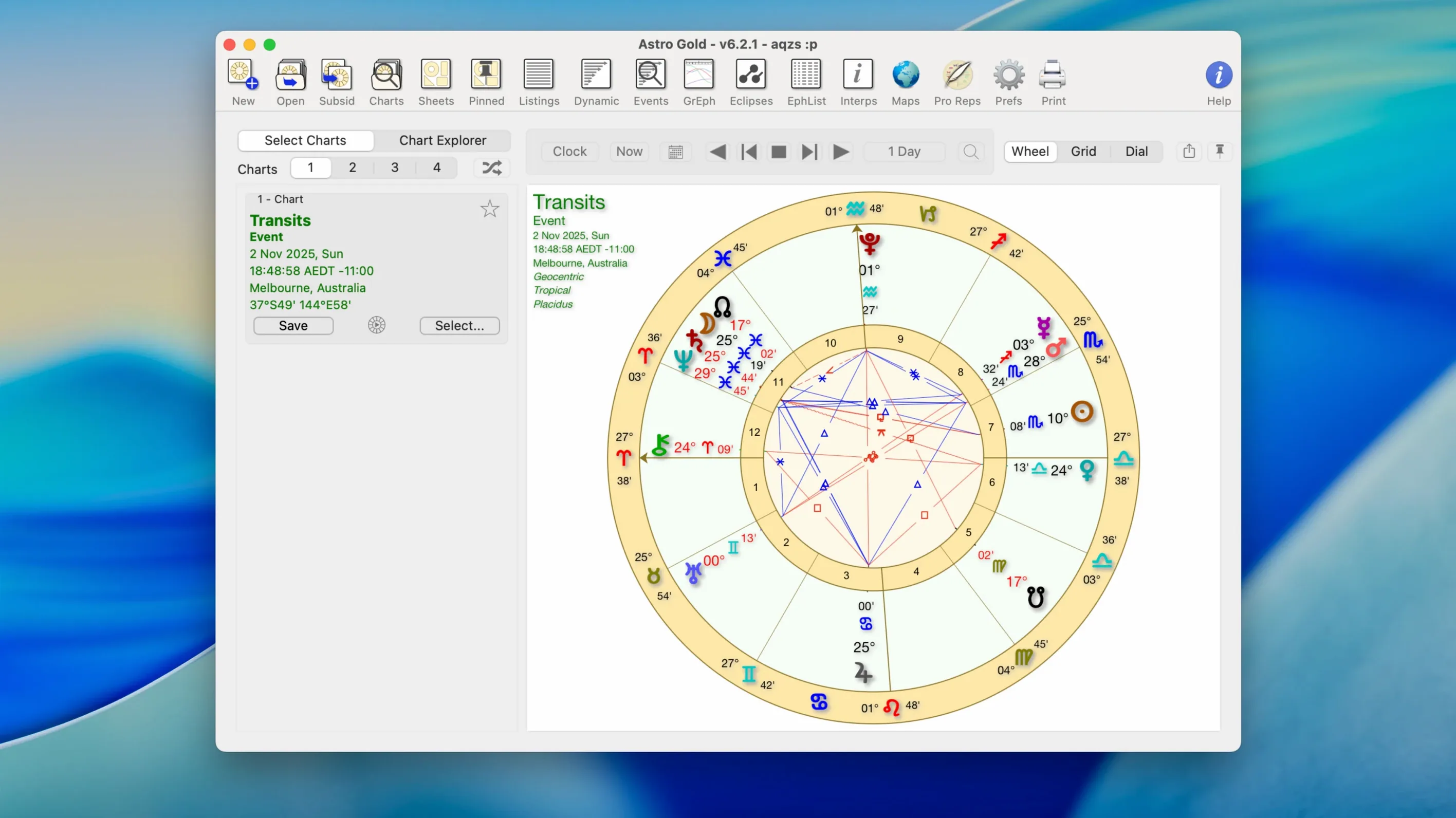
Astro Gold is for astrologers who want more than a basic chart wheel. It targets practitioners who need precise tools for client work, research, or personal study.
Working with Astrocartography
Planetary lines are included, so you can map relocation charts and see where Jupiter or Saturn crosses your horizon. The fixed star catalog adds another layer for those who read fixed stars in a natal chart.
Running Directions and Asteroids
Solar arc and symbolic directions are built in, which is useful for timing events or tracking progressions. Asteroids like Chiron and Proserpina are available, and you can switch between tropical and sidereal zodiac systems without re-entering data.
Comparing Charts
Synastry analysis shows two charts side by side, with aspects clearly listed. Chart styles include round and square, with or without aspects, so you can present the same data in whatever format the client expects.
Per-Chart Orbs and Planet Filters Save Time
Several features in Astro Gold 6.2.1 aren't obvious on the first launch. They save time once you find them.
- Orb, aspect, and planet filters. You can set per-chart orbs, choose which aspects to display, and turn individual planets on or off. This keeps a busy transit chart readable.
- Return charts for multiple cycles. Solar and lunar returns are expected. Saturn and other planetary returns are also available, letting you compare the same planet at different ages.
- Ephemeris data built in. No need to keep a separate ephemeris file or online tab open. The app calculates positions directly.
- Medieval and modern techniques. The same chart can be read through a traditional or contemporary lens, depending on your school of practice.
The chart style toggle for round or square charts with or without aspects is also handy when you need a cleaner printout for a client folder.
Drag to Applications, Then Enter a Familiar Birth Chart
After installing, open the downloaded disk image, drag the app into the Applications folder alias, and launch from Launchpad once the copy finishes. That is the full install routine.
Start with a familiar birth chart you know well. Enter the data, then try switching between tropical and sidereal zodiac systems to see the difference in house positions and sign placements. It helps you confirm the calculations match your expectations.
Set up a transit chart for today. Then add solar arc directions and compare the two time-based methods. You will get a feel for which direction type you prefer for everyday work.
Run a synastry comparison with your own chart and a spouse or client chart. Adjust the orb and aspect filters to reduce clutter. This is the fastest way to understand how the aspect display behaves.
Finally, create an astrocartography map for a notable past relocation. Check if the planetary lines there line up with what you experienced. That gives you confidence in the geodetic calculations before you use them for a paying client.
Astro Gold for Mac has a clean workflow once you settle on your default chart style and filter set. Astro Gold free download provides astrologers with accurate chart calculations for macOS 10.13 or later on ARM and x86 hardware.
- macOS 10.13 or later
- Apple Silicon or Intel (x86 64-bit)
- Interface: English
Questions I get about this line
Yes, it runs on both ARM and x86 64-bit Macs, so it works with M-series and Intel models.
It supports both tropical and sidereal zodiac systems, along with medieval and modern techniques.
The install order
- Open the downloaded disk image.
- Drag the app into the Applications folder alias.
- Launch the app from Launchpad after copying finishes.