Free download (103 MB) Previous versions
- Version
- 2026.3.1
- Developer
- Bohemian Coding
- Languages
- English, Chinese (Simplified)
- License type
- K'ed by TNT team
| macOS range | macOS 14 or later |
|---|---|
| Chip | Apple Silicon, Intel 64-bit |
| Download | 103 MB |
| Previous versions | 12 on file |
Screenshots
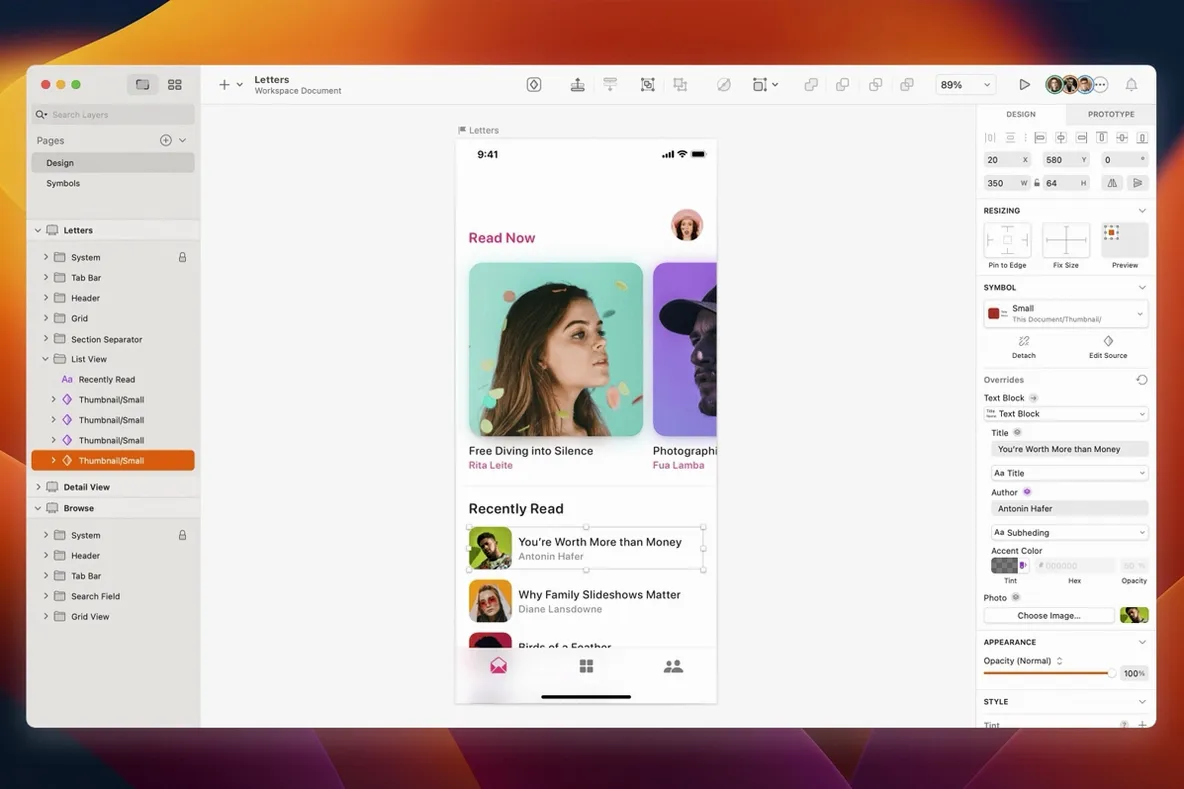
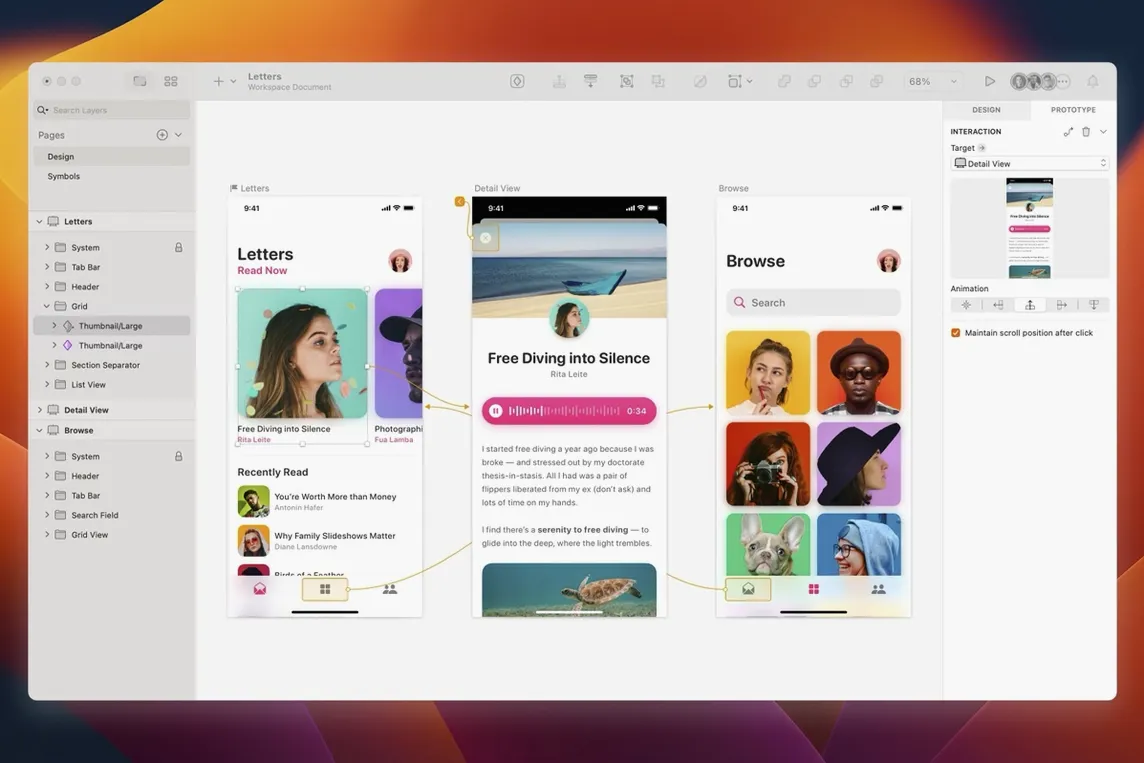
Scroll the row, it snaps to each screenshot. Click one to see it wider.
Sketch 2026.3.1 focuses on macOS Golden Gate compatibility. Tooltips no longer clip near the screen edge, and a blank canvas bug triggered by Writing Tools is resolved. The Rename Selected Layers sheet also aligns text correctly now. Beyond these fixes, the Florence release features are included, document windows adopt the system corner radius, and a stack layout issue with minimum text layer width is patched. For everyday work, Sketch still covers the full path from wireframes to production artwork export. It runs natively on both Intel and Apple Silicon Macs, with macOS 14 or later required. Whether you're starting out or designing professionally, this version keeps the core workflow intact while tightening up the rough edges on the newest OS.
macOS 14 or Newer Required
A few things come up often. First, compatibility. Sketch 2026.3.1 requires macOS 14 or newer, and the Florence release features are built into this version. It runs on both Intel and Apple Silicon Macs, so no matter what Mac you have in the clinic or at your desk, it will work. No need to check architecture before downloading.
Second, plugins. Sketch supports third-party plugins for speeding up workflow. If you rely on specific plugins from a previous version, check that they are updated for the Florence release. Most authors keep pace, but it is worth verifying before you swap versions.
Third, file format. Sketch files from older versions open directly in 2026.3.1. There is no migration step or conversion required. If you share files with others, the format is the same, so nobody will be stuck with an unreadable file.
Fourth, the activation. This build is K'ed by TNT team. It means the app is ready to use after you follow the install steps: mount the disk image, run Gatekeeper friendly, enter your password in Terminal, and drag the app to Applications. No serials, no accounts, no ongoing connections required.
Vectors vs. Bitmaps: Dragging Distorts Raster
The most common mistake is treating Sketch like a bitmap editor. It is a vector design tool. Beginners try to resize graphics by dragging corners, which works for vectors but distorts raster content. Use the right layer type for the job, and keep your images as separate layers if you need to scale them non-destructively.
Another one is ignoring the layer panel. People draw shapes and text, then wonder why they cannot select anything underneath. Sketch layers stack in the order you create them, and the layer panel is your map. Use it to reorder, group, and name layers early. It saves time later.
Beginners also forget to use the stack layout feature. The latest fix in 2026.3.1 addresses a minimum width issue with text layers in stack layouts, but the feature itself is powerful for building responsive designs. If you are manually positioning every element, you are working too hard. Learn the layout tools early.
Finally, not exporting correctly. Sketch exports artboards and layers to various formats, but the export settings panel is easy to overlook. Set export sizes, formats, and prefixes before you need to hand off files. It avoids rework.
System Corner Radius in the Document Window
You open Sketch 2026.3.1 for a morning session. The document window uses the system corner radius, so it blends in with other macOS apps. You start by creating a new file from the welcome screen, which shows recent documents and templates. No need to hunt through menus.
You work on a mobile app interface. The artboard tool lets you pick a device size or set a custom one. You drop in a few rectangles as headers and navigation bars. The smart guides snap everything into alignment as you drag. You type in placeholder text for buttons. The text layer respects the stack layout rules, and the recent fix means your minimum width behaves predictably even with short labels.
Mid-session, you switch to wireframes. You use the built-in shape tools for buttons, icons, and dividers. You group related elements and name them in the layer panel. You test a plugin that generates Lorem ipsum text for longer paragraphs. It works without slowing down the canvas.
Later, you refine the design. You adjust colors, line weights, and shadows. You use the layer effects panel for drop shadows and inner glows. You preview the artboard in a separate window to check the layout at actual size.
At the end, you export the artboards. You open the export panel, choose PNG at 2x for retina displays, and set a naming prefix. Sketch exports everything in one go. You drag the output folder to a shared project drive. No extra steps.
The whole session stays in Sketch. You do not open another app for layout or another for export. It is one tool from first rectangle to final asset.
- Includes Florence release features and enhancements for macOS 27 Golden Gate.
- Fixes tooltip clipping near the screen edge.
- Fixes blank canvas content when using Writing Tools.
- Fixes text alignment in the Rename Selected Layers sheet.
- Document windows now use the system corner radius.
- Fixes a stack layout bug involving minimum width of a text layer.
- macOS 14 or later
- Intel 64-bit or Apple Silicon
Questions I get about this line
Yes, the app supports both Apple Silicon and Intel 64-bit processors, requiring macOS Sequoia 15.0.0 or newer.
The install order
- Mount the disk image and run Open Gatekeeper friendly.
- Press Enter in the Terminal window to bypass Gatekeeper.
- Drag the app to the Applications folder.
- The app is ready to use.