Free download (1.6 GB) Previous versions
- Version
- 27.0.277
- Developer
- Trimble Inc.
- Languages
- Russian, English, German, Spanish, Italian, Chinese (Traditional), Chinese (Simplified), Korean, Portuguese, French, Swedish, Japanese
- License type
- K'ed by TNT team
| macOS range | macOS 15 or later |
|---|---|
| Chip | Apple Silicon, Intel 64-bit |
| Download | 1.6 GB |
| Previous versions | 8 on file |
Screenshots
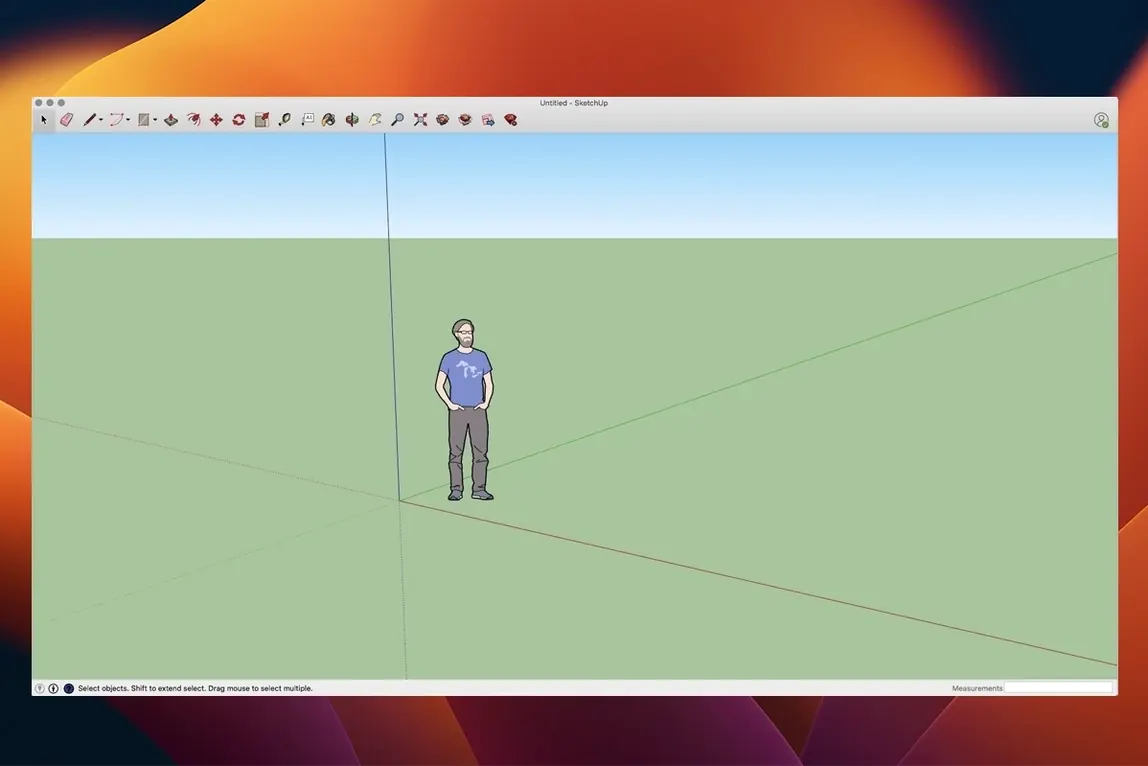
Open the Tape Measure tool first. It snaps to one-thousandth of an inch, so you can rough in a wall and know it's right before you push/pull. That kind of precision is what separates a model from a sketch.
First things a newcomer should try
- Draw a rectangle, then push/pull it into a box. That's the core move.
- Use the Orbit and Pan tools to look around your box. Get comfortable moving in 3D.
- Group your box. Groups keep geometry separate — critical when you add more parts.
- Open LayOut and link your model. The view updates when you change the model. No re-exporting.
- Try the Walk tool to move through your model. Set a few scenes and export a walkthrough.
SketchUp Pro 2026 includes LayOut for page layout and presentation. That workflow is where the real time savings live.
Runs on Ventura through Tahoe
SketchUp Pro 26.2.242 runs on macOS 13 Ventura or later, including 14 Sonoma, 15 Sequoia, and the 26 Tahoe release. It supports both Apple Silicon Macs and Intel-based 64-bit x86 models, so the same build covers the full lineup back to Ventura-compatible hardware. Trimble specifies 8 GB of RAM as the baseline and recommends at least 6 GB of free disk space for the application files and your project data.
The installer comes as a disk image — a single .dmg file. Open it, drag the application to the Applications folder, then run the license utility once. After that, launch SketchUp from Launchpad or your Dock. There is no separate ARM or Intel download to track; one build handles both.
On Apple Silicon machines the app runs natively, not through emulation. That means LayOut rendering, Orbit navigation, and Walk tool playback all use the processor the way they were designed to. On older Intel Macs the same binary works without a compatibility layer. Install it, point it at your project files, and the interface and engine are identical across architectures.
Common questions before the first launch
Forward-only file compatibility
SketchUp Pro 2026 opens .skp files from previous versions. The reverse is not always true — files saved in 2026 cannot open in older builds. If you share models with colleagues on older releases, export to an older format before sending. LayOut files (.layout) follow the same rule: save backward when needed.
Does LayOut run alongside the model
LayOut is a separate application installed as part of the same disk image. You open it from your Applications folder just like SketchUp. The link between a model and a LayOut document is live: change the model, save it, and LayOut updates the referenced views on next open or on refresh. There is no plugin or bridge to install.
Twelve interface languages included
Yes. The build includes Russian, English, German, Spanish, Italian, Traditional Chinese, Simplified Chinese, Korean, Portuguese, French, Swedish, and Japanese. The language setting is in the application preferences or the system locale, depending on how Trimble set the release. Pick your language at first run or change it later.
Trackpad works, mouse recommended
Yes, but a three-button mouse with a scroll wheel is more efficient. The Orbit, Pan, and Zoom tools map to mouse buttons and modifier keys. Trackpad gestures work for basic moves, but for sustained modeling work a mouse saves time.
Quick Look previews .skp files
SketchUp Pro 2026 stores models as .skp files and LayOut documents as .layout. Both are standard macOS file types that appear with the correct icon in Finder. You can use macOS Quick Look to preview .skp files without launching the application. Drag a model from Finder into a running LayOut document to link it, or export from LayOut as PDF, PNG, or DWG for use in Adobe Illustrator, AutoCAD, or any vector-capable app.
Macros and scripts? Not natively. SketchUp Pro does not include an AppleScript or shell interface. If you automate file management, do it at the Finder level with folder actions or Hazel rules. The application itself expects manual interaction for modeling and documentation.
For teams that use cloud storage — iCloud, Dropbox, or OneDrive — keep your project folder synced so everyone works off the same .skp and .layout files. SketchUp Pro does not lock files, so coordinate writes to avoid overwrites. LayOut documents that reference live models break if the model path changes, so keep the folder structure stable.
If you export walkthroughs or flythroughs, the output is a standard video file macOS QuickTime can play. No extra codecs are needed.
Two-week storefront renovation workflow
A three-person firm in Columbus has a two-week window to submit a storefront renovation set. One person models the existing shell and the new display wall in SketchUp Pro 2026. The second person opens the same .skp to add interior partitions. The third person links the model into LayOut, sets up sheet sizes, and builds elevations and detail callouts.
When the architect revises the display wall height, they save the model. The person in LayOut opens the document the next morning, sees the updated view, and repositions a dimension line. No redrawing. No waiting for a file export. The final PDF set — title block, floor plan, four elevations, two sections, and a walkthrough video — goes out on day twelve. The team used LayOut's presentation tools for the cover page and vector illustrations for the construction notes. Nothing left SketchUp Pro.
The firm runs a mix of M2 Macs and a single Intel iMac on macOS 14. The same build works on both. That is the point of a single 64-bit build that covers ARM and x86.
SketchUp Pro 27.0.277 is now live. Check the official release notes for the full list of fixes and feature updates.
- macOS 15 or later
- Apple Silicon or Intel 64-bit
Questions I get about this line
Yes. The current version supports both ARM and 64-bit x86 architectures.
The install order
- Open the downloaded disk image.
- Drag the app to the Applications folder.
- Open and install SketchUp 2026 License.
- Launch the app from Launchpad after installation.