Free download (615 MB) Previous versions
- Version
- 2025.31550
- Developer
- Derivative
- Languages
- English
- License type
- K'ed by TNT team
| macOS range | macOS 10.14 or later |
|---|---|
| Chip | Intel 64-bit |
| Download | 615 MB |
| Previous versions | 5 on file |
Screenshots
Scroll the row, it snaps to each screenshot. Click one to see it wider.
If you already use tools like Quartz Composer or Max/MSP for visuals, TouchDesigner is the next step. It’s a separate visual programming environment built for interactive real-time media and graphics, developed by Derivative in Toronto. It doesn’t replace your existing apps — it works alongside them, connecting to other software, protocols, hardware, and the internet.
How It Fits Mac Workflows
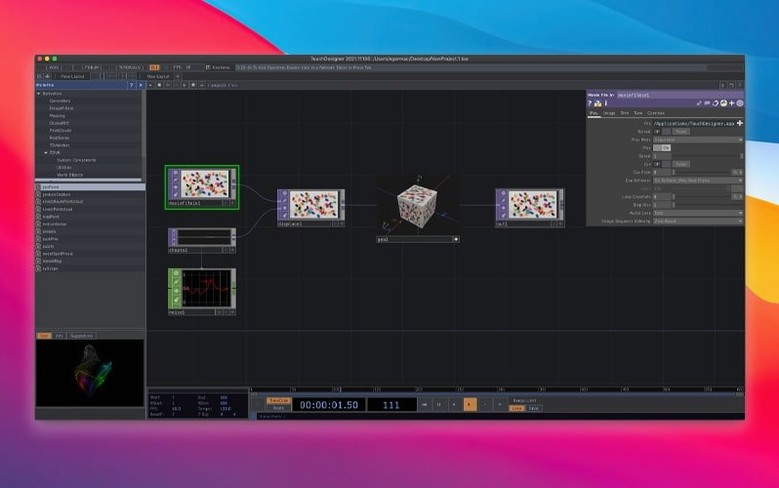
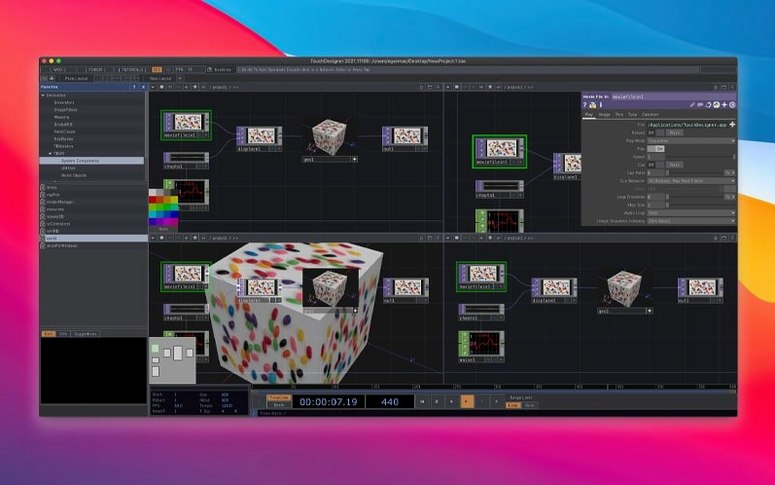
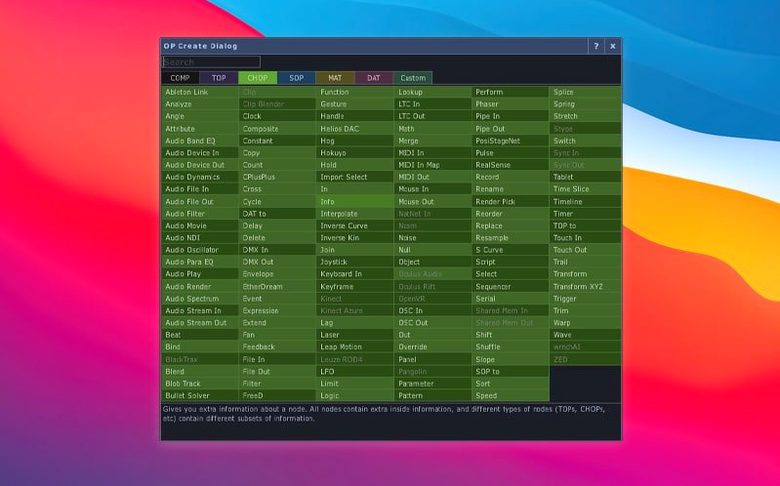
- Build a network – Drag operators onto the node graph to create a pipeline. TOPs handle images, SOPs handle models, and the new POPs run on the GPU to create or modify 3D data.
- Connect your gear – Use built-in wrappers for Kinect Azure (1.10.3) or Orbbec (1.10.16) to bring in depth data.
- Output in real time – Send visuals to a projector, a screen, or VR headsets with the included VR tools.
Most TOPs now natively support 3D textures and 2D arrays, which opens up volumetric workflows without extra plugins. It’s production-ready, tested, and stable — a solid addition for any Mac-based media lab.
Gatekeeper Blocks the App on Launch
A few things trip up new users on Mac. Here is what I see most often.
- Gatekeeper blocks the app on launch – The official workaround is already in the install steps: mount the disk image, open Terminal, press Enter. If you skip that step, macOS refuses to open the app. Run the Terminal command again, then drag the app into Applications.
- No visual output appears – Check that your network has an output operator (like a TOP named Out) connected to a Window COMP. If the window is off-screen, use the Preferences panel to reset the window position or set it to full screen.
- Kinect or Orbbec device not recognized – The wrapper updates in 2025.31550 fix this for Intel-based Macs. Make sure the device shows up in System Report > USB before opening TouchDesigner. If it does not, unplug and re-plug the cable.
- POPs show no data – POPs run on the GPU. If your Mac has an older Intel GPU or if the Metal driver is outdated, POPs may appear empty. Update macOS to 10.14 or later, and check that the POP output is connected to a Render SOP that feeds a TOP.
- UI feels sluggish on the node graph – Large networks with many operators can slow down. Try collapsing operator groups or using the performance monitor to find heavy operators. Reducing the display quality of TOPs in the viewer also helps.
Projection-Mapping a Kinect Feed for a Gallery Preview
I was setting up a small projection-mapping piece for a gallery preview. The goal was one Kinect feeding depth data into a 3D scene, then output to a projector. Here is how it went.
First, I opened TouchDesigner 2025.31550 and created a new project. I dropped a Kinect CHOP into the network — the wrapper picked it up immediately. I connected that to a Transform CHOP to center the depth data.
Next, I built the 3D side. I added a POP Point operator to generate a point cloud from the depth values. Since POPs run on the GPU, the data stayed fast even with 30,000 points. I piped that into a Render SOP and aimed a Camera COMP at it.
For the output, I used a TOP Composite operator to blend the point cloud with a background gradient. I dragged an Out TOP to a Window COMP set to full screen on the second display — the projector.
I spent about 20 minutes adjusting the Transform CHOP parameters to match the room layout. Then I added a simple audio CHOP to make the point cloud pulse with a microphone input. The whole session, from empty network to running output, took under an hour. No crashes, no weird errors.
Building the Entire Network in One Operator
I see the same patterns when people start with TouchDesigner. These are worth avoiding.
- Building the entire network in one operator – Beginners try to put everything into a single TOP or SOP. Break your pipeline into small, named operators. It is easier to debug and reuse later.
- Forgetting to connect output operators – You can build a complex network and see nothing because the Out TOP is not connected to a Window COMP. Always end your chain with an Out operator.
- Beginners often chase the wrong operator. Watch the monitor, not the graph.
- Running TouchDesigner on a system with too little RAM – The app needs room for real-time textures and GPU data. Close other memory-heavy apps like Photoshop or Chrome before you start a session.
- Not saving projects often – TouchDesigner saves its network as a .toe file. If you crash, you lose the whole graph. Save early, save often, and use the auto-save feature in Preferences.
If you are still hunting for a working copy, search for touchdesigner download or touchdesigner torrent. Just make sure you grab the 2025.31550 build — the POPs and TOPs updates are worth the switch.
- New Point Operators (POPs) for GPU-based 3D data creation and manipulation.
- Most TOPs now support 3D textures and 2D arrays natively.
- Orbbec SDK upgraded to 1.10.16.
- macOS 10.14 or later
- Intel Mac
- English
The install order
- Mount the disk image and launch the installer. If Gatekeeper blocks it, open Terminal and press Enter to bypass.
- Drag the TouchDesigner app into your Applications folder.
- Launch it and start building.