
Free download (68 MB) Previous versions
- Version
- 17.0-545
- Developer
- fournova Software GmbH
- Languages
- English
- License type
- k'ed by Magic Mike
| macOS range | macOS 12 or later |
|---|---|
| Chip | Apple Silicon, Intel 64-bit |
| Download | 68 MB |
| Previous versions | 3 on file |
Screenshots
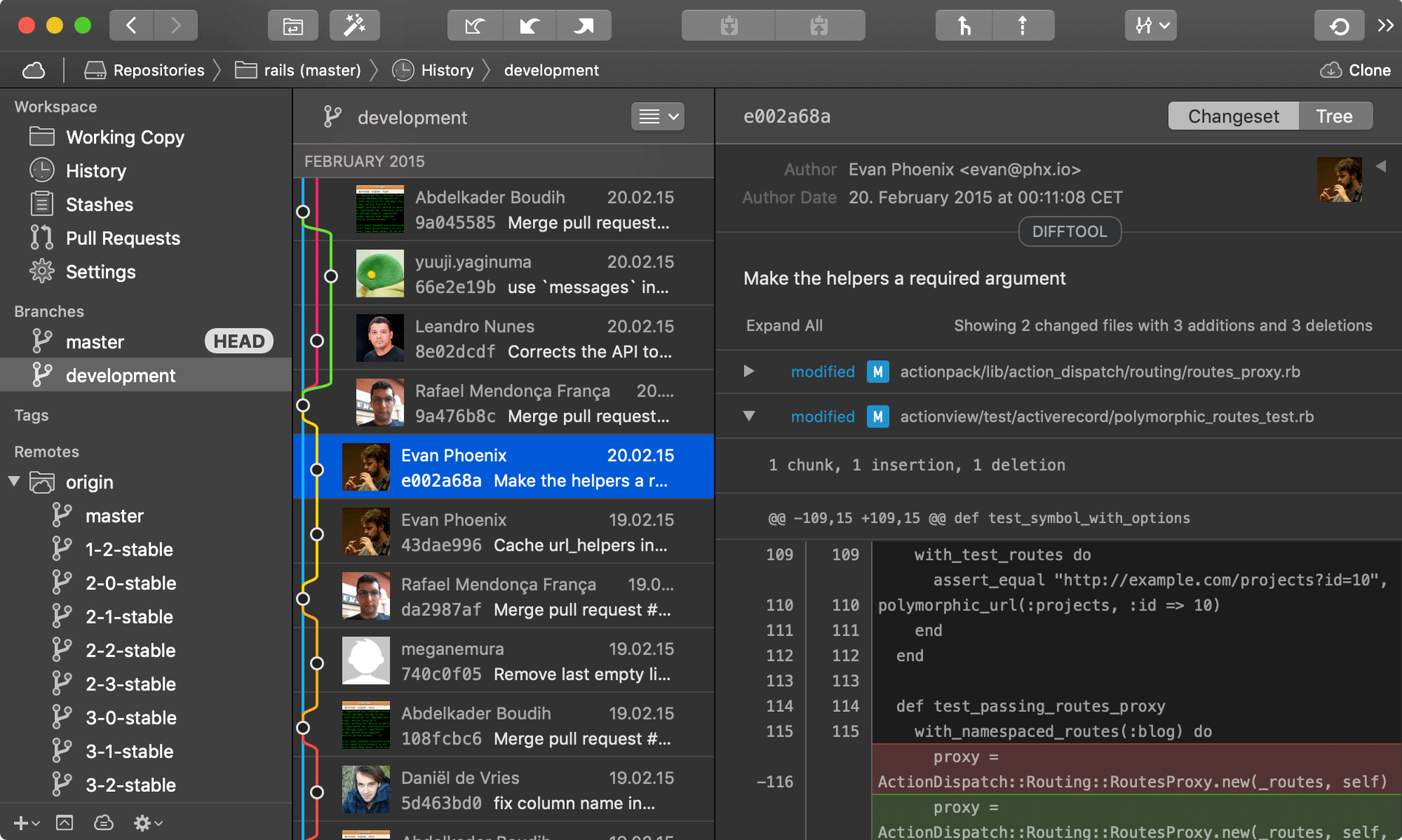
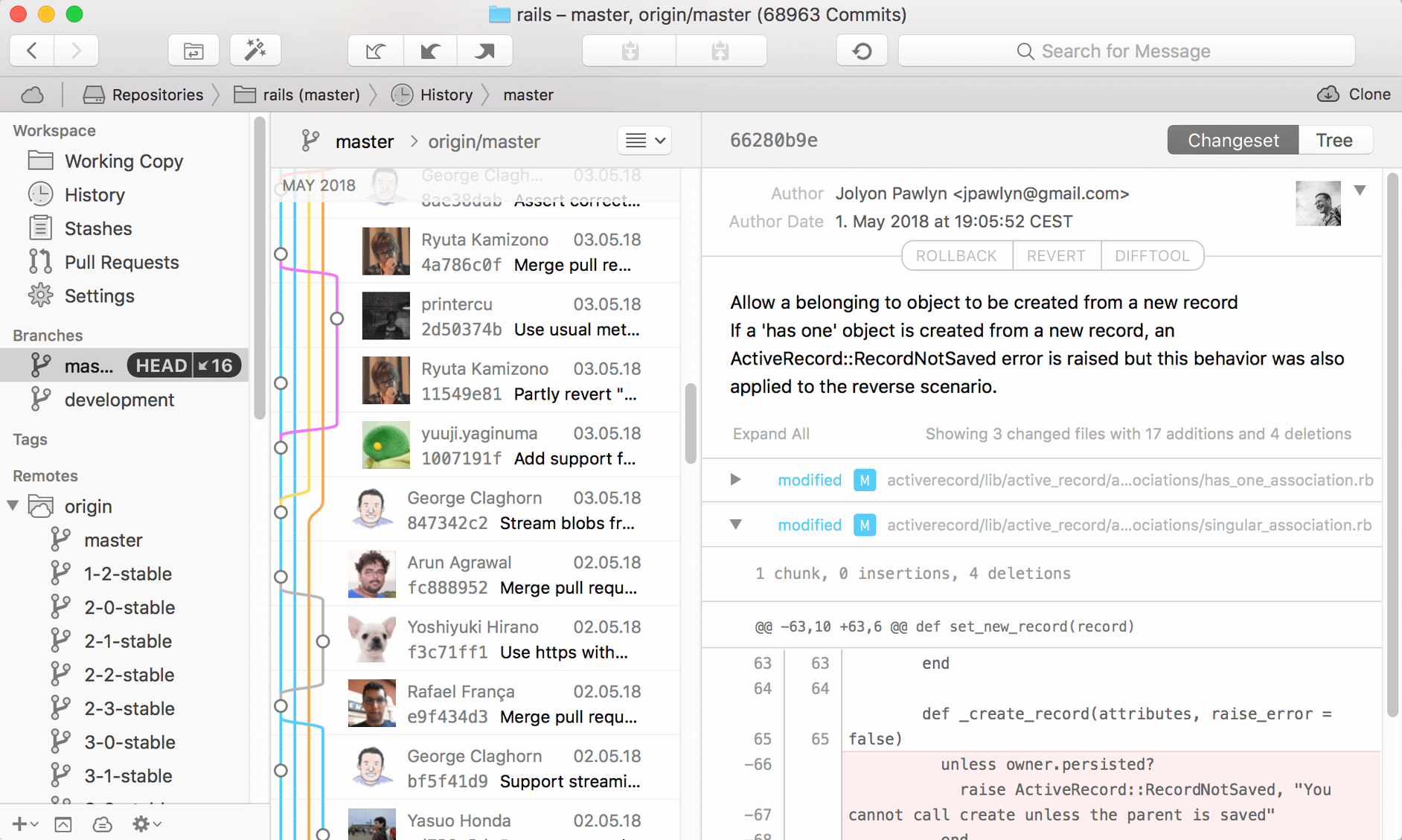
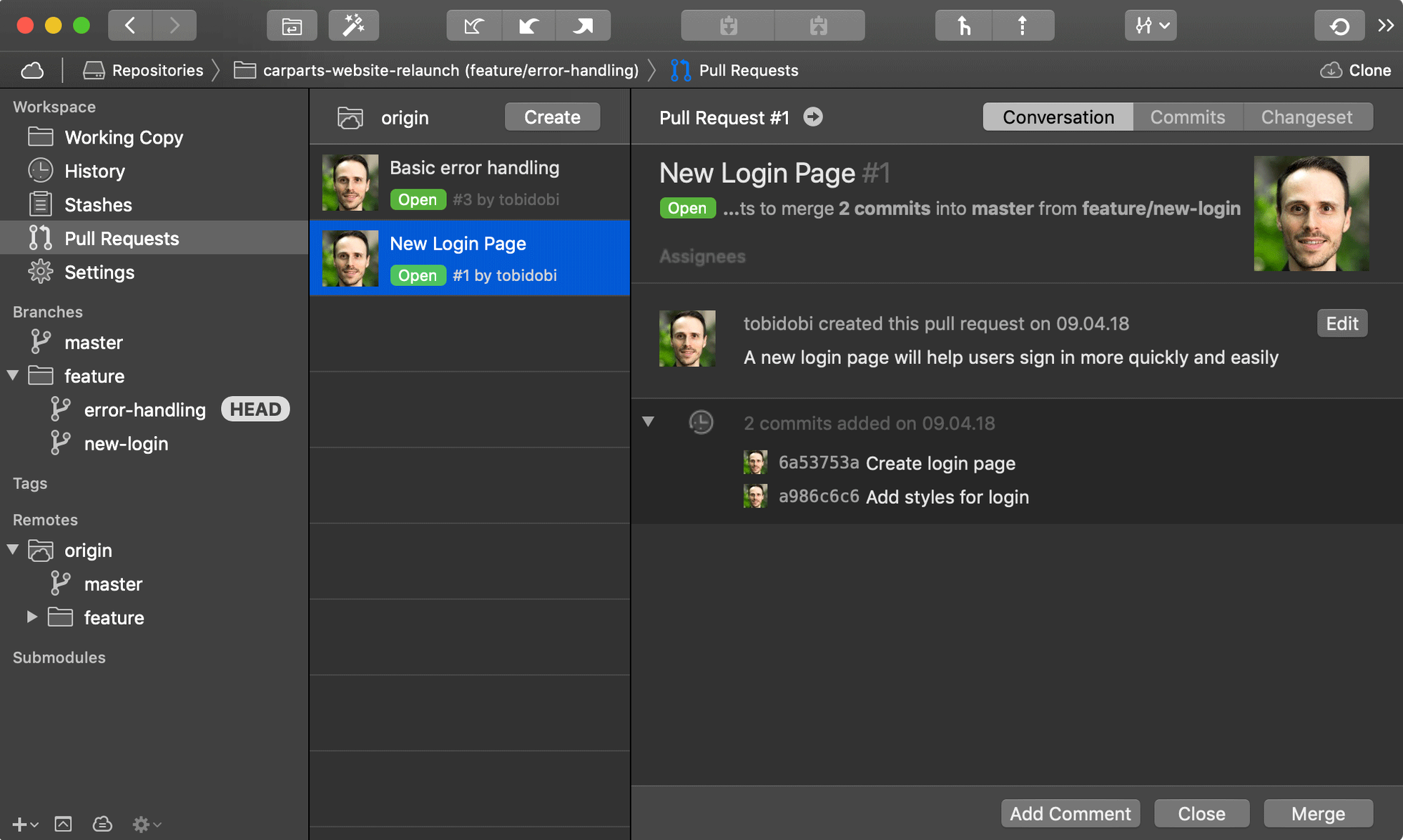
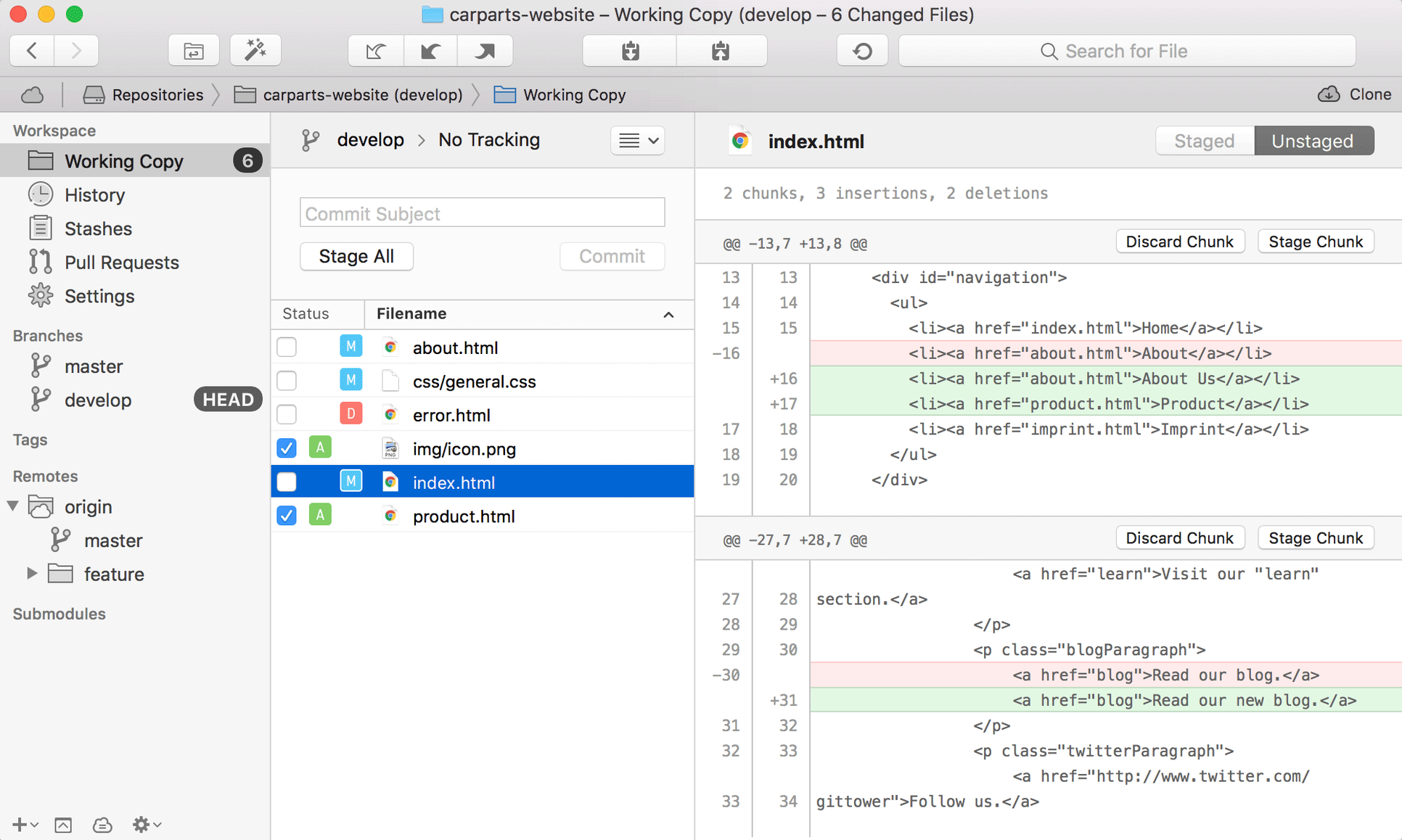
Click a screenshot to see it wider.
Tower PRO is the Git client that turns command-line complexity into a visual workflow. If you already know Git basics, you’ll feel at home; if you don’t, the interface guides you.
Drag-and-Drop Actions and File History
Drag and Drop — Drag files between areas to stage, commit, or branch. Most actions work this way.
File History — Click any file to see its full commit history in the right pane. No terminal needed.
Undo — Made a mistake? Revert changes with a single click. Tower keeps a safety net.
Fully Merged Detection — In version 17, Tower matches local branches against merged pull requests from hosting services, so cleanup is easier.
Experiment on a Spare Repository First
Give yourself a short period of exploration before diving into real work.
- Clone a spare repository — Point Tower at a test repo or a copy of a project. Use it to experiment without risk.
- Learn with the drag-and-drop flow — Stage, unstage, discard, and commit by dragging files between panels. It builds muscle memory fast.
- Use the undo command freely — Every mistake is one click away from fixed. Push the boundaries to understand what the safety net covers.
- Check the submodule view — If your project uses submodules, open the submodules panel and see how Tower displays their status. It’s a clean overview that many clients bury.
- Set up a hosting service account — Add your GitHub or GitLab credentials inside Tower. Once linked, the Fully Merged feature matches your local branches against remote pull requests automatically.
After a day of playing, you will know exactly where everything lives and what the interface can handle.
Workflow: Clean Up Old Branches
This is a regular task for any team using branches. Tower 17 makes it straightforward.
- Open your repository in Tower.
- Look for the branch list on the left. Each branch shows a status badge.
- Find branches marked Fully Merged — these have been merged into main via a pull request, even if that PR was squashed or rebased.
- Select a Fully Merged branch.
- Click the delete option in the toolbar or right-click context menu. Tower confirms the action.
- Repeat for each stale branch. You can delete several in a row without worrying about losing work, because Fully Merged detection checks with your hosting service first.
You finish with a clean branch list and no accidental deletions. The whole process takes a few minutes for a typical project.
Daily Multi-Branch Management and PR Detection
Developers who manage multiple branches daily. If you switch between feature branches, hotfixes, and release branches, the visual tree view and drag-and-drop operations save time over typing commands.
Teams that use Git with hosted services. The PR-merged detection in version 17 is useful for any group that merges through GitHub, GitLab, Bitbucket, or similar. Cleanup becomes systematic instead of manual.
Developers who prefer a native Mac experience. Tower PRO runs on macOS 12 and later, supports both Apple Silicon and Intel, and feels like a proper Mac application. It does not imitate a web UI or a cross-platform toolkit.
Users who want automated branch management. The Pro features — Stacked Branches, Advanced Custom Workflows, and Automatic Branch Management — let you create repeatable processes. If your team has a defined Git workflow, Tower PRO can enforce it.
For anyone who works in Git day in and day out, Tower PRO removes friction. The tower pro for mac torrent gets you a native client built for that reality.
Start with these four and you’ll be productive in the first session.
- Fully Merged detection now matches local branches against merged pull requests from hosting services.
- You can mark a branch as Fully Merged after squash or rebase merges.
- macOS 12 or later
- Apple Silicon or Intel
Questions I get about this line
Yes, Tower PRO runs on both Apple Silicon and Intel Macs, as long as you have macOS 12 or later.
Yes, many actions can be performed with drag and drop, making it easy for newcomers to stage and commit changes.
The install order
- Follow the included installation instructions.
- Then apply the included activation instructions.