Free download (1 GB) Previous versions
- Version
- 8.1.5-31
- Developer
- Arobas Music
- Languages
- Russian, English, German, Spanish, Italian, Chinese (Traditional), Korean, Polish, Portuguese, French, Swedish, Japanese
- License type
- K'ed by Antibiotics
| macOS range | macOS 10.13 or later |
|---|---|
| Chip | Apple Silicon, Intel 64-bit |
| Download | 1 GB |
| Previous versions | 3 on file |
Screenshots
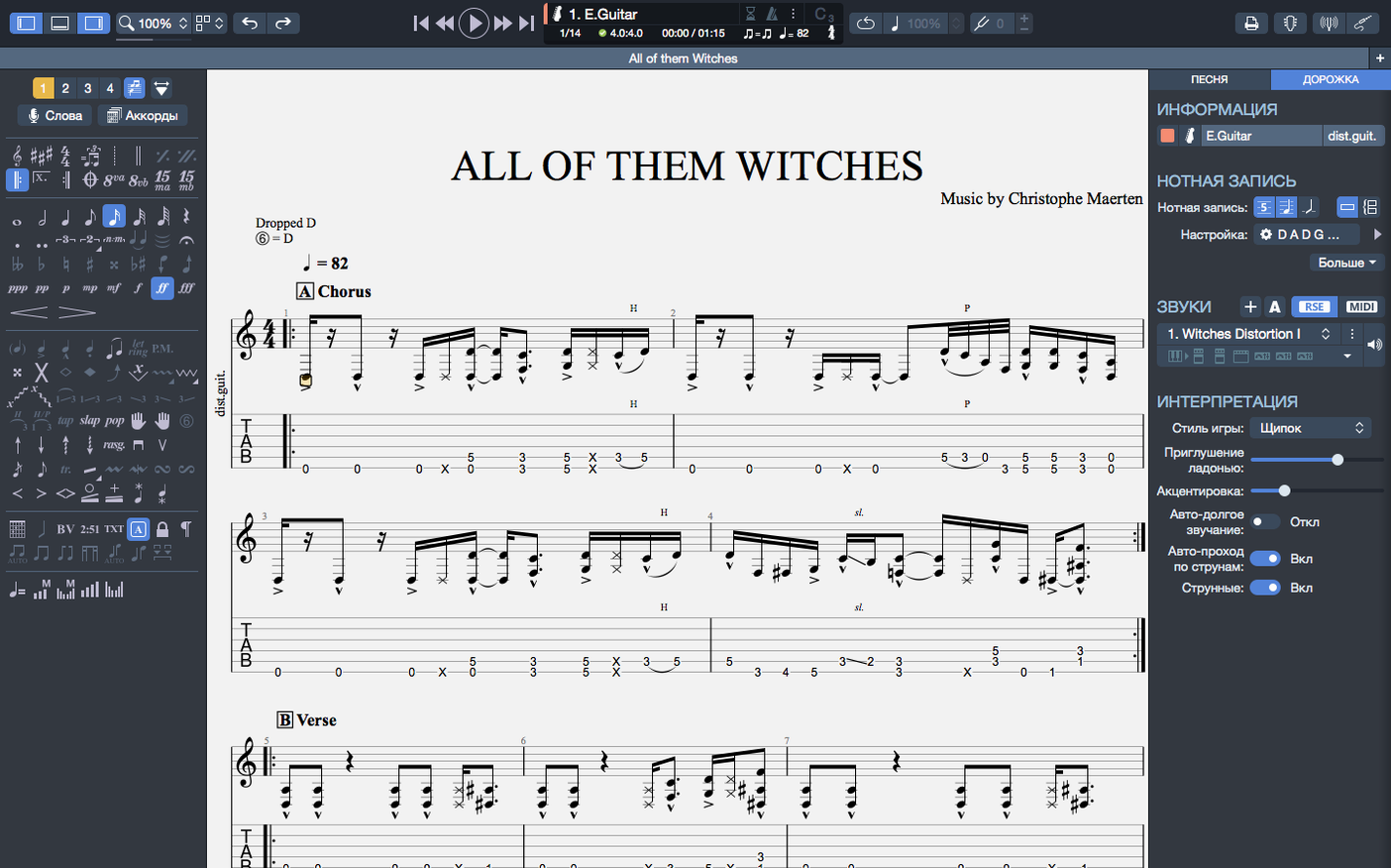
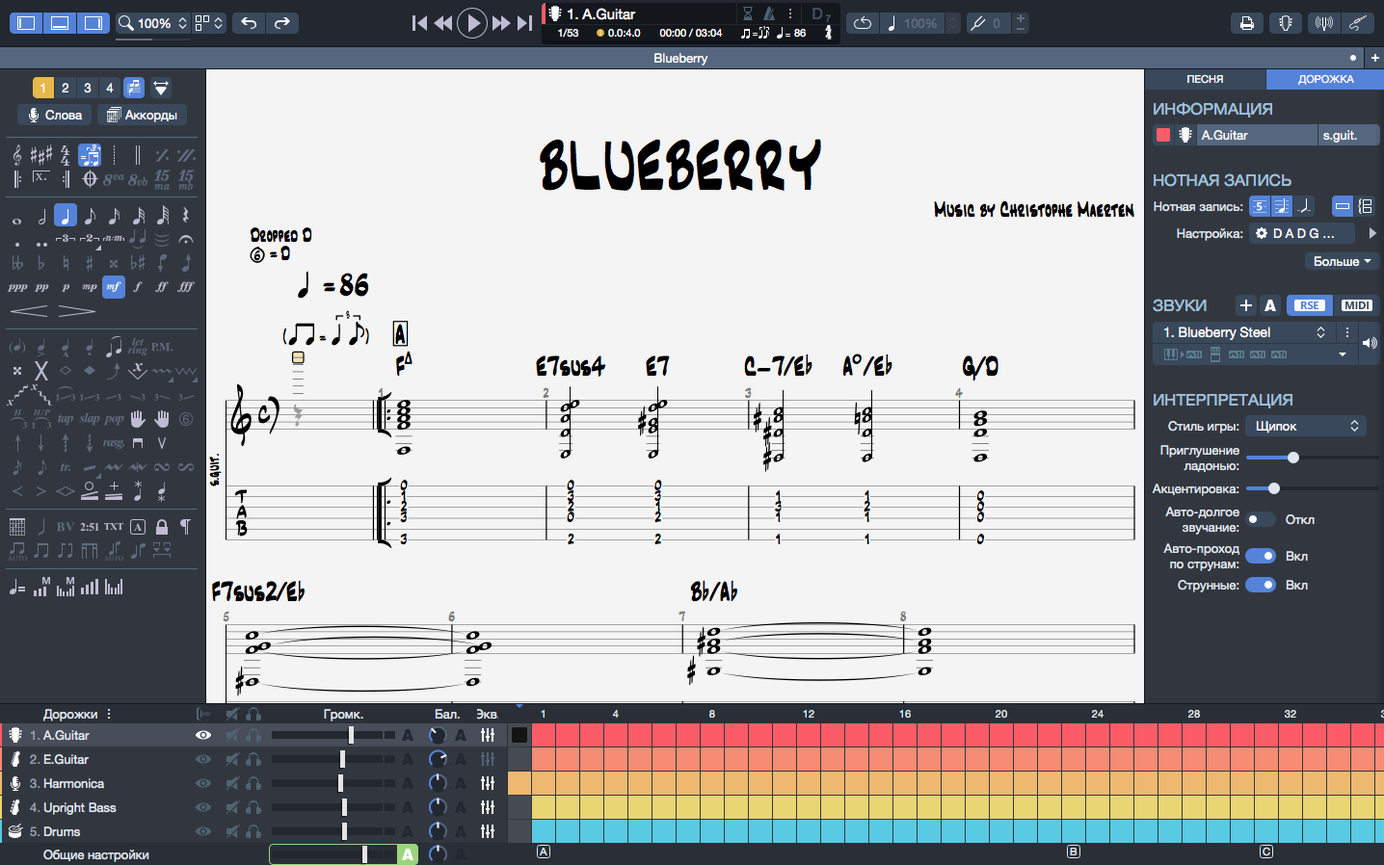
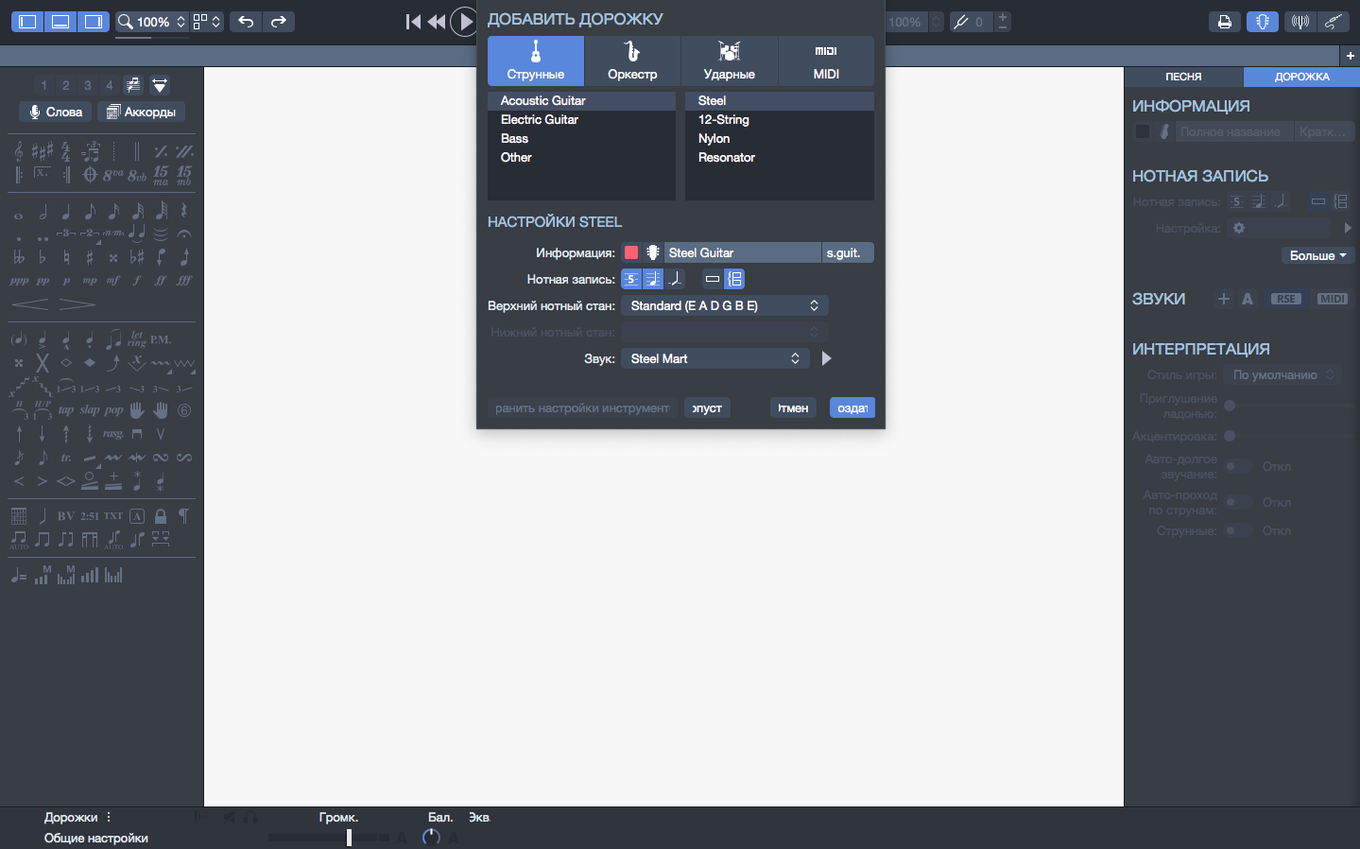
Scroll the row, it snaps to each screenshot. Click one to see it wider.
You just downloaded Guitar Pro 8 and opened a tab file for the first time. The interface shows a fretboard, a score, and a mixer — here is what each part does and how to start working with it.
Recent Files Pinning — Hover over any file in the recent section of the homepage and click the pin icon. Pinned files stay at the top until you unpin them. Saves time if you are working on a few scores at once.
Score and Tab Editor — The main workspace where you add notes, chords, and rests for guitar, bass, and Hawaiian guitar. You can edit standard notation and tablature side by side. Double-click a note to change its pitch or duration.
Built-in MIDI Editor — Open the MIDI editor from the View menu. Use it to fine-tune note velocities, durations, and controller data. Useful when you export to other DAWs or adjust playback feel.
Backing Tracks — Add drum or piano parts using the tracks panel. Click the plus icon, choose an instrument, and start writing. The built-in sound engine plays them back with your guitar parts.
Playback Device Handling — Plug in or unplug headphones or an audio interface, and playback continues without stopping. This was improved in 8.1.5.
Sketch Riffs Before Picking Up an Instrument
Guitar Pro 8 fits different workflows depending on what you do. Songwriters use it to sketch riffs and chord progressions before they pick up an instrument. The built-in metronome and playback let you hear a rough mix right away. Music teachers and students rely on the side-by-side tab and notation view to explain timing or fingerings. The chord builder gives you voicings for standard tuning and alternate tunings without hunting through a chord dictionary.
Bass players get the same tab editor and MIDI tools guitarists do, plus drum and piano tracks for building a full arrangement. If you transcribe solos by ear, the player loop and speed controls help you work through a phrase a few notes at a time. The transparent PNG and SVG export matters if you make lesson handouts or YouTube thumbnails.
Hawaiian guitar players can write and edit tablature in their tuning right inside the main editor — no special mode needed. The 8.1.5 arpeggio fix means those fast rolled chords at bar one actually sound right on playback.
Better Tab Editing Than MuseScore
MuseScore — Free and open source, strong for classical notation and orchestral scores. Weak on tab editing. No built-in fretboard view and the tab input feels slower. Guitar Pro 8 is the better pick if you spend most of your time in tablature.
TuxGuitar — Another open-source tab editor. Handles basic Guitar Pro files well and runs on older machines. Lacks the MIDI editor, chord builder, and transparent export. The interface has not changed much in years. Guitar Pro 8 gives you a modern layout, contrast adjustments, and Apple Silicon performance.
Soundslice — Web-based, focused on syncing tab to video. Great for learning songs but limited for original composition. No offline editing, no backing track creation, no native file format.
Admin Password Required for Installation
The installer requires administrator rights, so you need the admin password on your machine. The disk image mounts like a standard macOS download. Run the setup, and the app lands in your Applications folder.
Guitar Pro 8 works on any Mac running macOS 10.13 or later, whether it has an Intel or Apple Silicon processor. A 64-bit dual-core CPU and 4 GB of RAM are the minimums listed. The app needs about 2 GB of free disk space for the program files and bundled sound library.
Installation runs the same on M-series Macs and older Intel models. The release notes note improved efficiency on Apple Silicon, so playback and rendering should feel responsive on current hardware.
Arpeggio Timing Fix in 8.1.5-31
- Arpeggios at the start of a score sound wrong — This was a known issue in earlier 8.1 builds. Version 8.1.5-31 fixes it. If you imported an older file, check that the arpeggio marking sits on the correct beat in the editor.
- Stem directions won't change — The 8.1.5 update addressed several cases where you could not flip a stem from up to down. If you still see a stem stuck the wrong way, select the note and use the flip tool in the note inspector.
- Playback cuts out when switching audio devices — The 8.1.5 changelog says plugging or unplugging headphones or an interface no longer stops playback. If you still get a dropout, close other apps that grab the audio device and re-plug the hardware.
- The interface feels too bright or low contrast — Guitar Pro 8 adjusted colors and contrast for better reading. Open Preferences and look for the display or theme settings. You can dial down brightness or switch to a darker look if available.
- Chord names don't match after transposing — Chord names and fingerings transpose together in version 8. That means a C shape becomes a D when you shift up a whole step. If your imported file shows wrong names, check that the score key matches the playback pitch.
These fixes and workarounds cover the points users most often ask about on forums. The rest of the editor is straightforward — double-click to edit, drag to rearrange, and use the mixer to balance levels before you export.
- Arpeggios at the beginning of a score are now played correctly.
- Some cases where stem directions could not be changed were fixed.
- Playback continuity on macOS was improved when plugging or unplugging devices.
- macOS 10.13 or later
- 64-bit dual-core Intel, AMD, or Apple Silicon processor
- 4 GB RAM
- 2 GB free disk space
- Administrator rights required
Questions I get about this line
Guitar Pro 8 interface is available in Russian, English, German, Spanish, Italian, Traditional Chinese, Korean, Polish, Portuguese, French, Swedish, and Japanese.
Yes, it runs natively on both Intel and Apple Silicon processors. Requires macOS 10.13 or later, 4 GB RAM, and 2 GB free disk space.
Arpeggios at the start of a score now play correctly. Stem direction issues in certain cases were fixed. Playback continuity on macOS improved when plugging or unplugging audio devices.
The install order
- Mount the downloaded disk image.
- Run the standard installation procedure.