Free download (112 MB) Previous versions
- Version
- 2025.4
- Developer
- Thomson Reuters
- Languages
- English
- License type
- k'ed by CORE
| macOS range | macOS 10.14 or later |
|---|---|
| Chip | Apple Silicon, Intel 64-bit |
| Download | 112 MB |
| Previous versions | 1 on file |
Screenshots
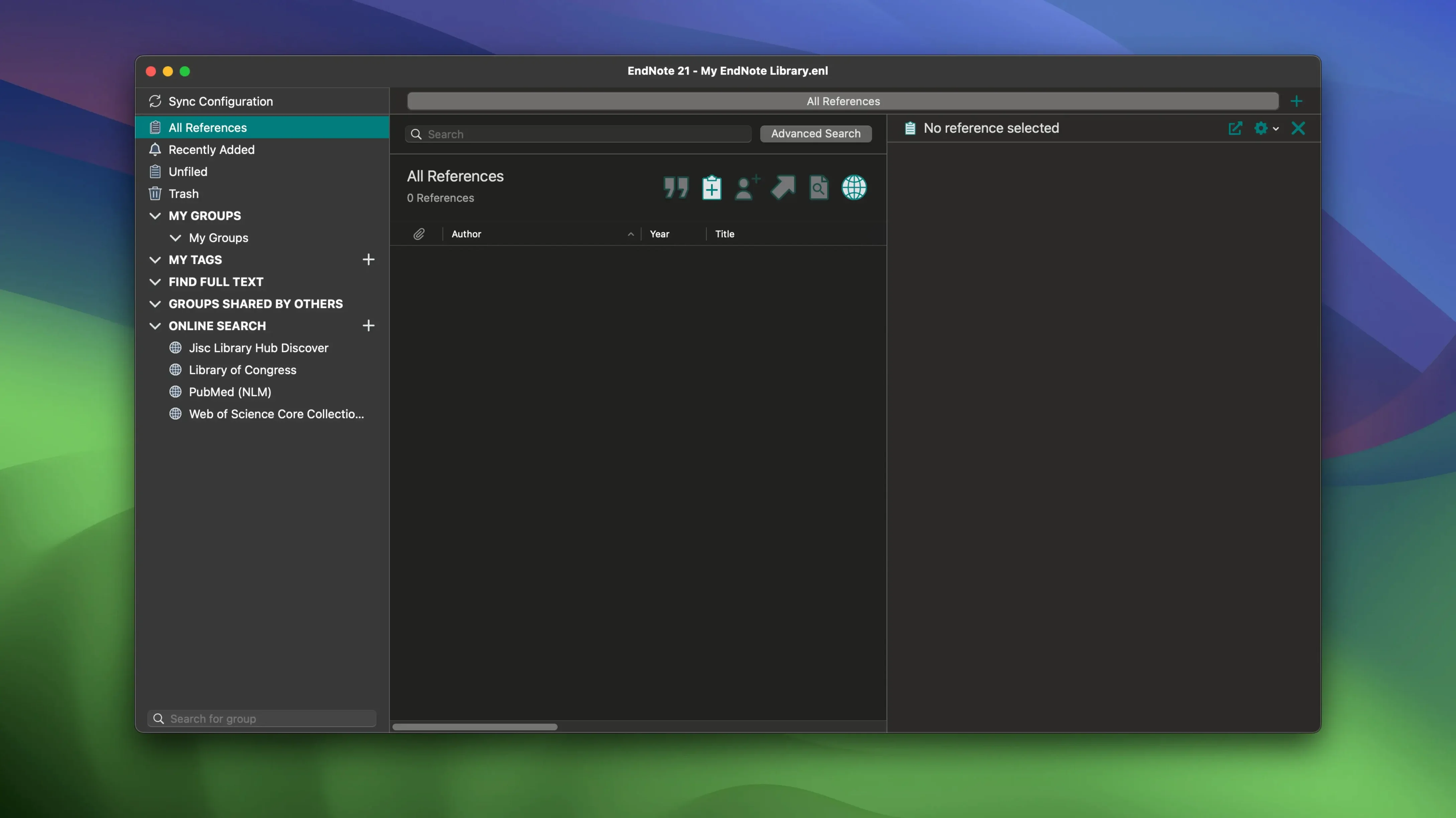
EndNote 2025.3 for macOS now includes Simplified Chinese localization and bug fixes. The rest stays familiar: a desktop reference manager that syncs with EndNote Web and plugs into Word and Google Docs.
Build a Bibliography in Five Steps
- Open EndNote and create a new library. Choose File > New, name it, and save.
- Add references. Use the online search to pull bibliographic data for books, journals, or articles. Or import a file if you already have one.
- Tag each reference with color-coded labels. This keeps your sources organized without folders.
- Write in Word or Google Docs. Cite While You Write inserts citations as you type.
- Format the bibliography. Pick a style, and EndNote builds the reference list at the end of your document.
One Session, Start to Finish
I usually start a new EndNote session by opening my existing library, not creating a new one. The library file holds everything: PDFs, annotations, notes, tags. The first thing I do is run a quick search in the online database panel for the latest articles on my topic. If I find a reference that looks useful, I add it with one click. No manual entry needed.
Next, I drag the PDF of the article into the reference. EndNote attaches it automatically. I open the PDF right inside the app, highlight a few key sentences, and add a note in the margin. That note syncs to EndNote Web, so I can read it on another Mac later.
When I switch to my Word document, the Cite While You Write toolbar is already there. I place the cursor where the citation goes, click Find Citation, and type a keyword. EndNote shows matching references. I pick one, and the citation appears formatted in my chosen style. I do this a dozen times as I write the section.
Before I submit, I run Format Bibliography. EndNote builds the full reference list at the end of the document, ordered correctly, with no hanging indents or missing periods. I save the library and close out.
Color-Coded Tags and Reference Restoration
- Color-coded tags. I use red for "needs full-text PDF," blue for "cited in draft," green for "done." A quick glance tells me the status of every source.
- Restoring a previous version of a single reference. If I delete a note by mistake, I go to the reference history and bring back the older version. No need to restore the whole library.
- Sync PDFs and annotations. No extra export step.
- Select Matching References crash fix in Word. Version 2025.3 resolves that issue, so the citation dialog no longer drops out when you have a long list of references.
Apple Silicon Compatibility and Offline Use
Does it work with Macs that have Apple Silicon? Yes. EndNote 2025.3 runs natively on both Intel and ARM processors. You install the same disk image regardless of the Mac you own.
Do I need an internet connection to use it? Some features need it: online search, syncing to EndNote Web, and Cite While You Write in Google Docs. The desktop app itself works offline for library management and PDF annotation. You can add references manually without a connection.
What happens if my Mac is still on macOS Mojave? The minimum supported version is macOS 10.14, so you are covered. No need to upgrade the OS just for EndNote.
Does the Simplified Chinese localization affect English users? No. It only changes the interface language. English remains the default, and you never see Chinese menu items unless you switch the language setting.
Can I use EndNote with Google Docs? Yes. Cite While You Write works there too, not just in Word. The toolbar installs as an add-on in your browser.
The workflow stays consistent across versions. The new localization makes it easier for Chinese-speaking users, and the bug fixes smooth out the rough edges.
- Simplified Chinese localization added.
- Bug fixes included.
- macOS 10.14 or later
- Intel or Apple Silicon
Questions I get about this line
Yes. Cite While You Write is included for Microsoft Word and Google Docs.
Yes. You can add and color-code tags to organize references.
The install order
- Mount the downloaded disk image.
- Run the standard installation procedure.