Free download (33 MB) Previous versions
- Version
- 3.4.4 [MAS]
- Developer
- 惠源 赵
- Languages
- English, Chinese (Simplified)
- License type
- K'ed by TNT team
| macOS range | macOS 10.13 or later |
|---|---|
| Chip | Apple Silicon, Intel 64-bit |
| Download | 33 MB |
| Previous versions | 1 on file |
Screenshots
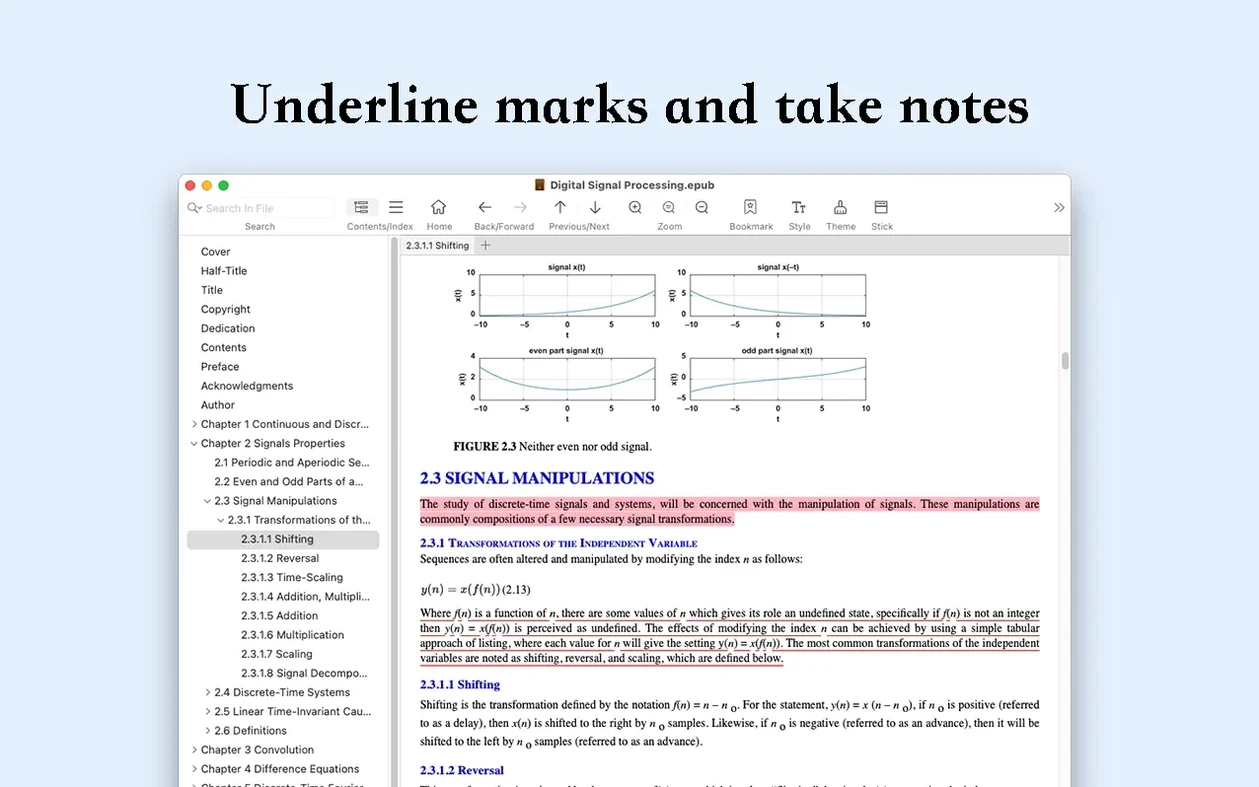
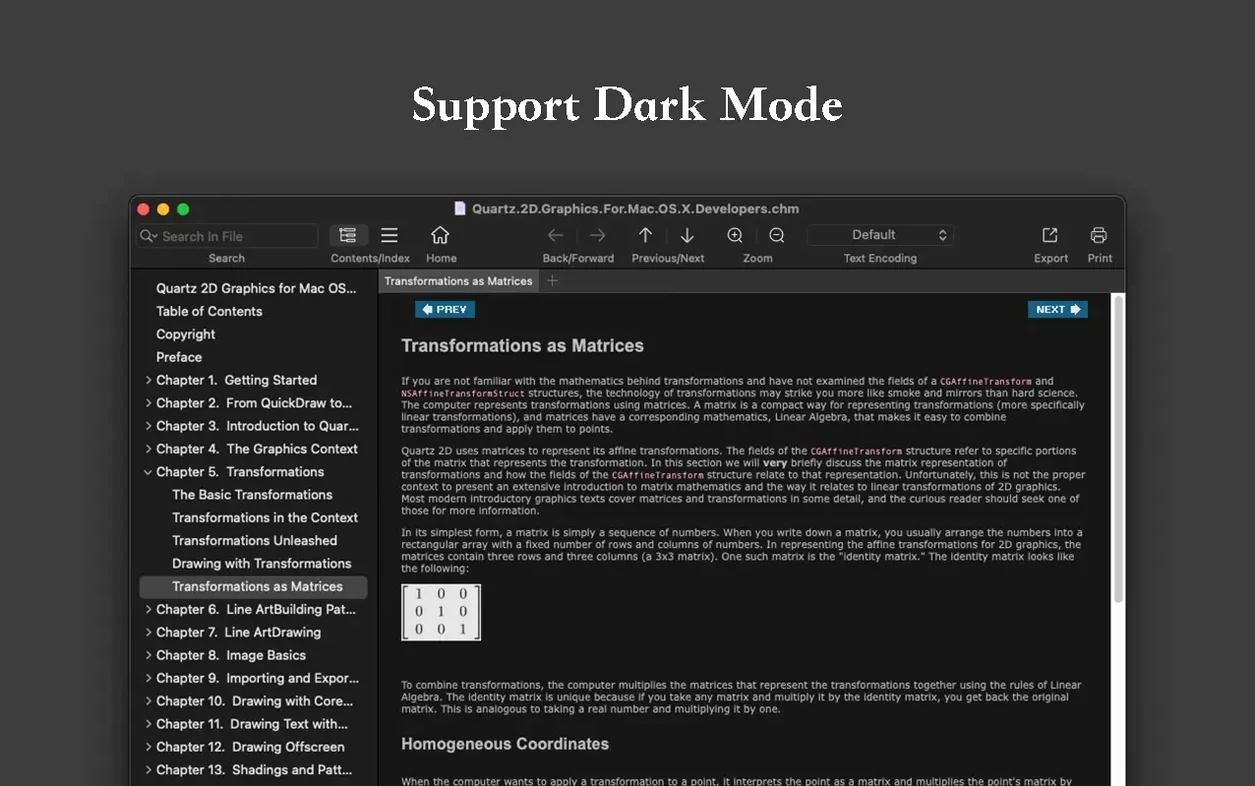
Scroll the row, it snaps to each screenshot. Click one to see it wider.
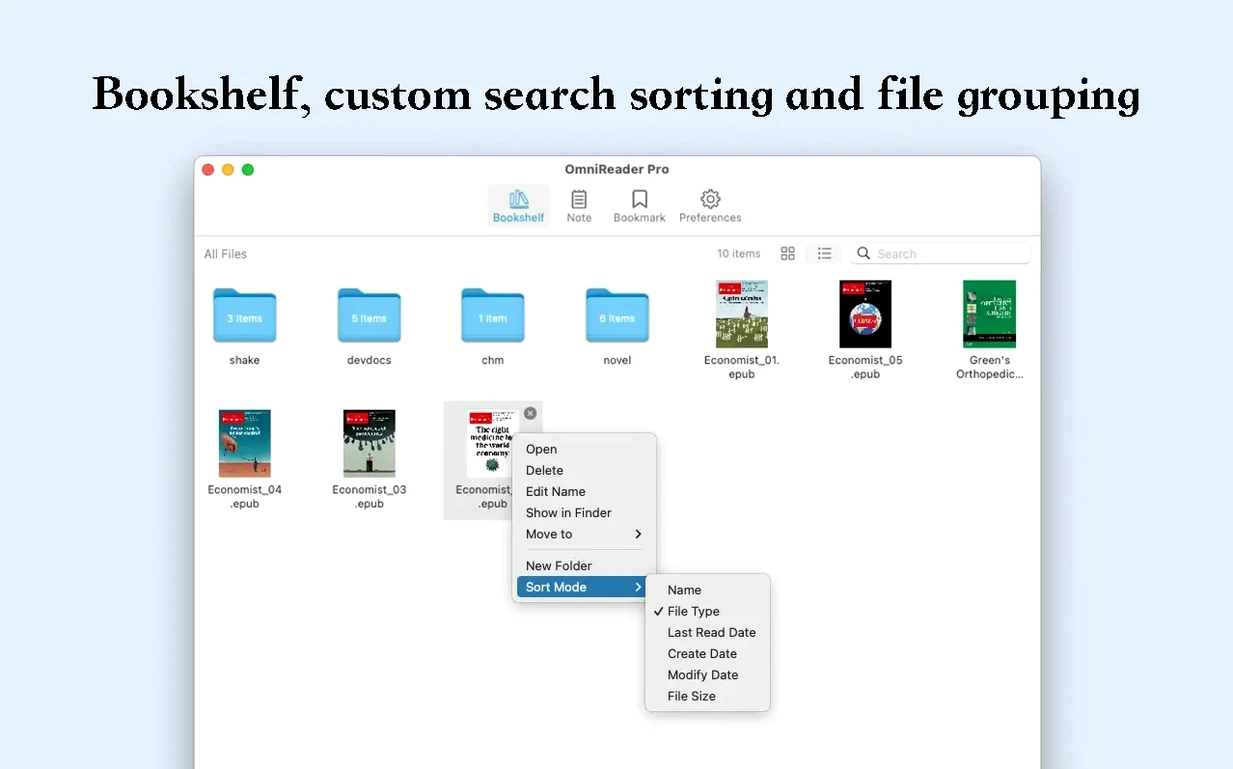
OmniReader Pro is a Mac book reader that handles both books and documents without getting in the way.
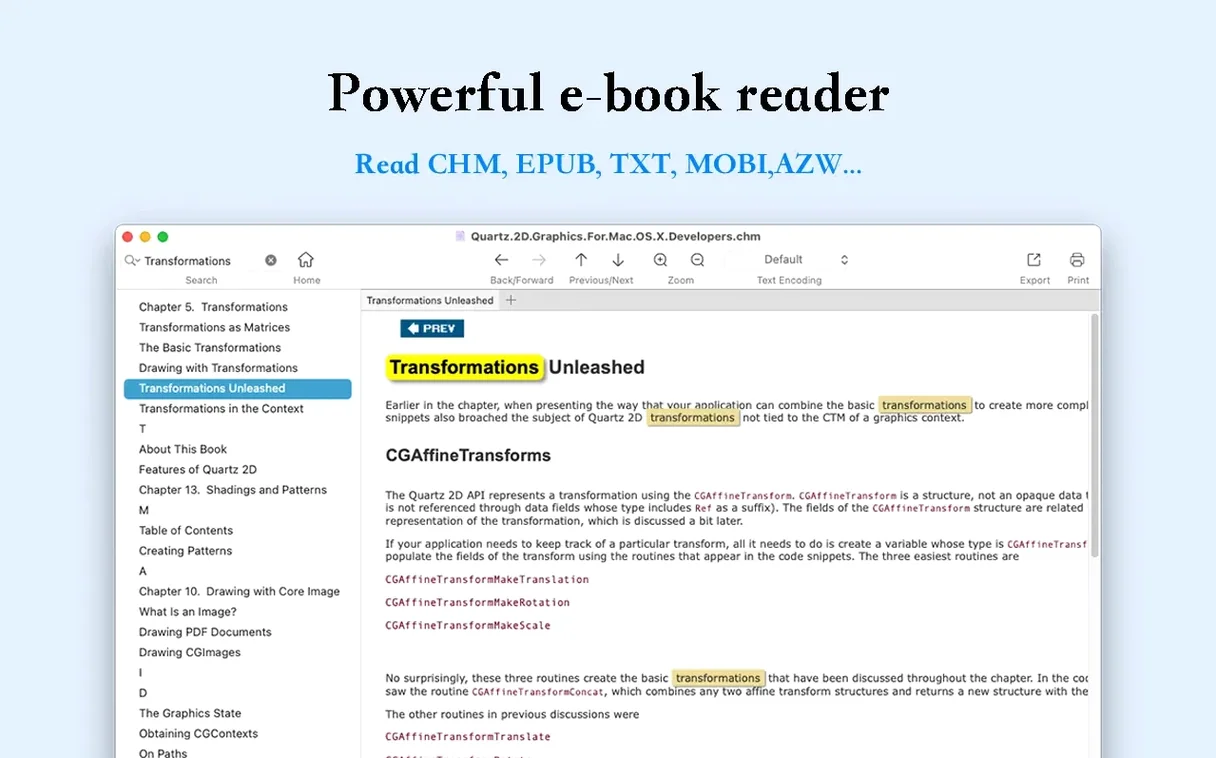
Page Turning, Zoom, and Text Search
- Page turning, zooming, and sidebar collapse keep the reading area flexible.
- Page search and full-text search find text fast, with highlights on results.
- Extract all images to a file when you need the visuals separate.
- Forward and back reading history keeps your place across sessions.
- File encoding handling fixes garbled text in older documents.
Practical Tool for Everyday Files
It sits alongside Preview and your browser as a dedicated reader. The search and history features are useful for reference documents, not just novels. If you manage a mixed library of PDFs, ePubs, or plain text, it handles the quirks without extra fuss.
Avoiding File Encoding Pitfalls
A few common missteps crop up when people first start with OmniReader Pro. None are hard to avoid once you know about them.
- Ignoring the file encoding setting when opening an older CHM or text-based file. If the text looks garbled, check the encoding option before assuming the file is broken.
- Forgetting to use the reading history after jumping to a search result. The back button brings you straight to where you were, but beginners often re-scroll instead.
- Expecting full Kindle file support. OmniReader Pro handles Kindle files, but not every DRM-locked or proprietary format works the same way. It is a helper, not a replacement for the Kindle app.
- Not using the print function for reference excerpts. Printing a few pages as a handout is quick, but people tend to screenshot or copy-paste when they could just print.
Drag-and-Drop from Finder
OmniReader Pro does not try to replace macOS built-in tools. It fills a specific slot. Here is how it fits.
- Drag and drop files directly from Finder into the app. No import dialog, no extra steps.
- Use the share sheet to move highlights or excerpts into Notes or Mail. The extracted text keeps its structure better than a raw clipboard paste.
- Export to EPUB or PDF, then open those in Books or Preview for annotation. This gives you two editing paths without doubling up on readers.
- Search results with highlights work well alongside Spotlight. Use Spotlight for quick file lookup, then full-text search inside OmniReader Pro for content.
- Sidebar collapse leaves more space for split-view or Stage Manager setups. Reading while referencing a browser or note app stays comfortable.
IT Pros and Students
Not every Mac user needs a dedicated multi-format reader, but certain types benefit heavily.
- IT and documentation people. If you keep technical manuals in EPUB or CHM format, the search, history, and encoding fixes save time daily.
- Students who read course material in different formats. One app for PDFs, ePubs, and exported Kindle notes beats switching between three.
- Anyone archiving or migrating a document library. The export to EPUB and PDF functions make it simple to convert and consolidate files.
- Users on older Macs running macOS 10.13 or later who need a lightweight reader. OmniReader Pro does not demand much, and it runs on Intel and Apple Silicon alike.
- macOS 10.13 or later
- Intel or Apple Silicon
- Interface languages: English, Chinese (Simplified)
Questions I get about this line
Yes, it supports page search and full-text search, and it highlights the results so you can jump straight to them.
You can extract all images to a file, which helps when you need to reuse visuals or review them separately.
The install order
- Mount the disk image and run Open Gatekeeper friendly.
- Press Enter in Terminal to bypass Gatekeeper.
- Drag the app to the Applications folder.
- Open the app when installation is complete.