- Version
- 1.1
- Developer
- Geod Studio
- Languages
- English
- License type
- Not required
| macOS range | macOS 10.12 or later |
|---|---|
| Chip | Intel 64-bit |
| Download | 81 MB |
Screenshots
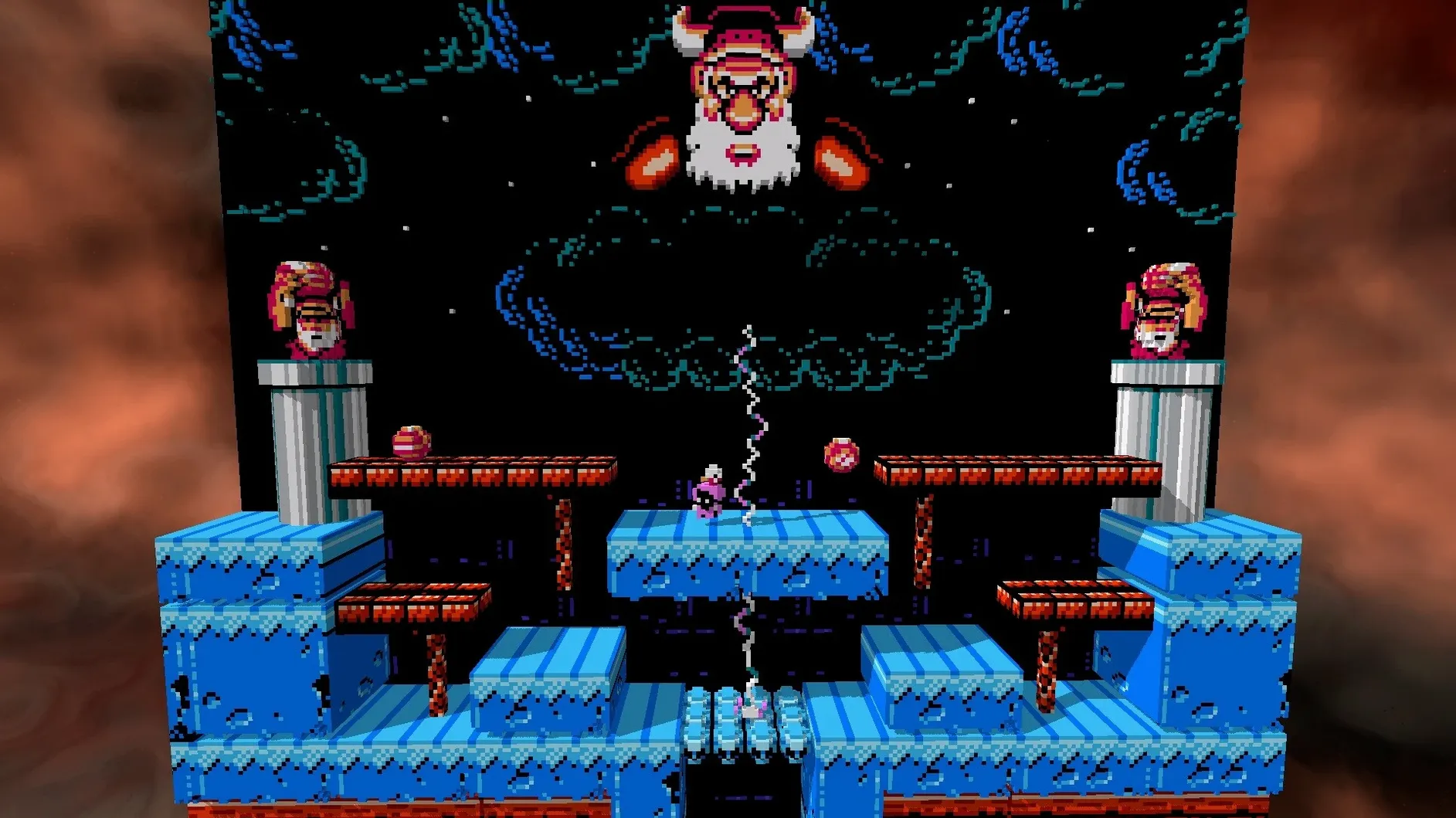
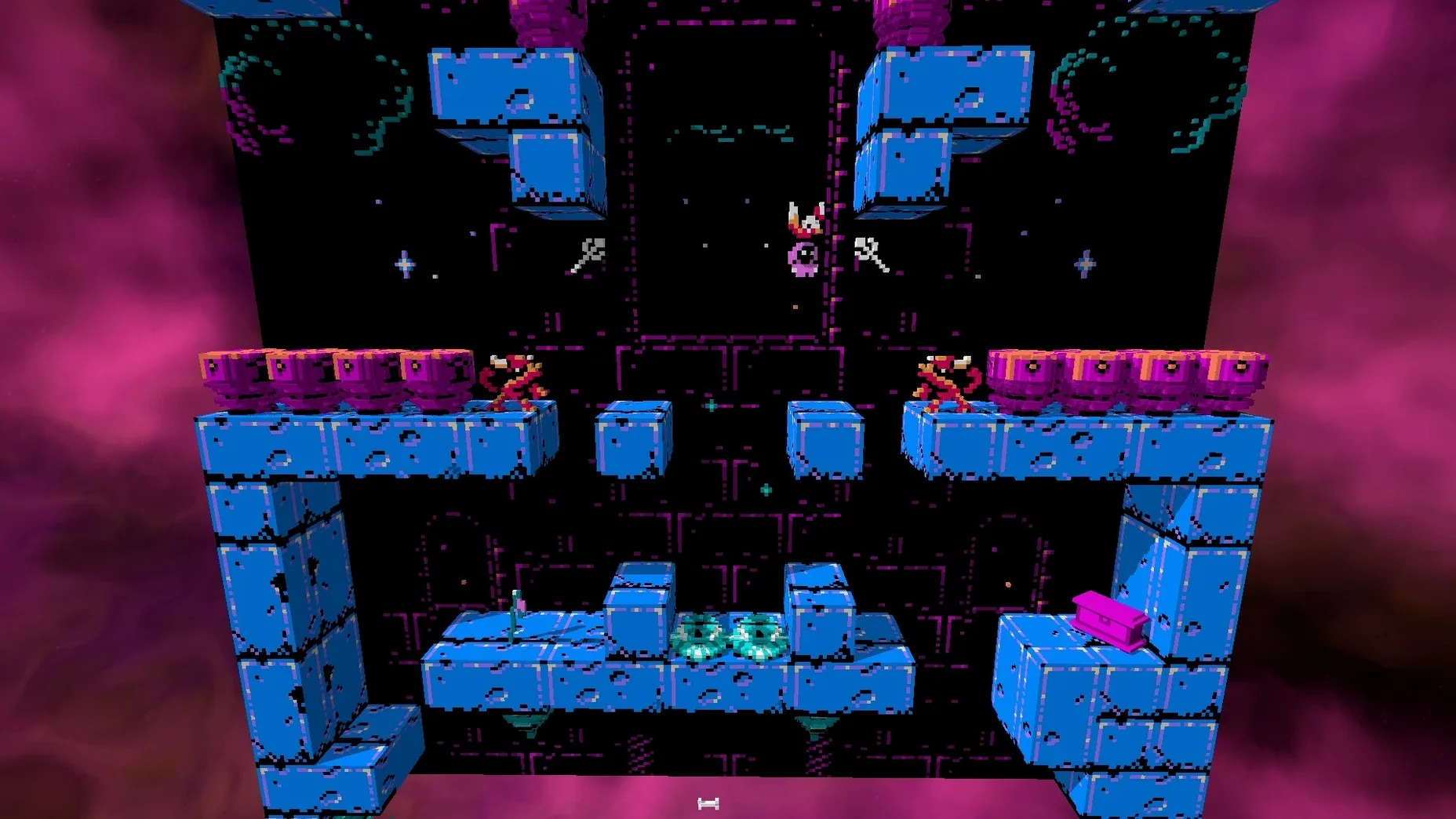
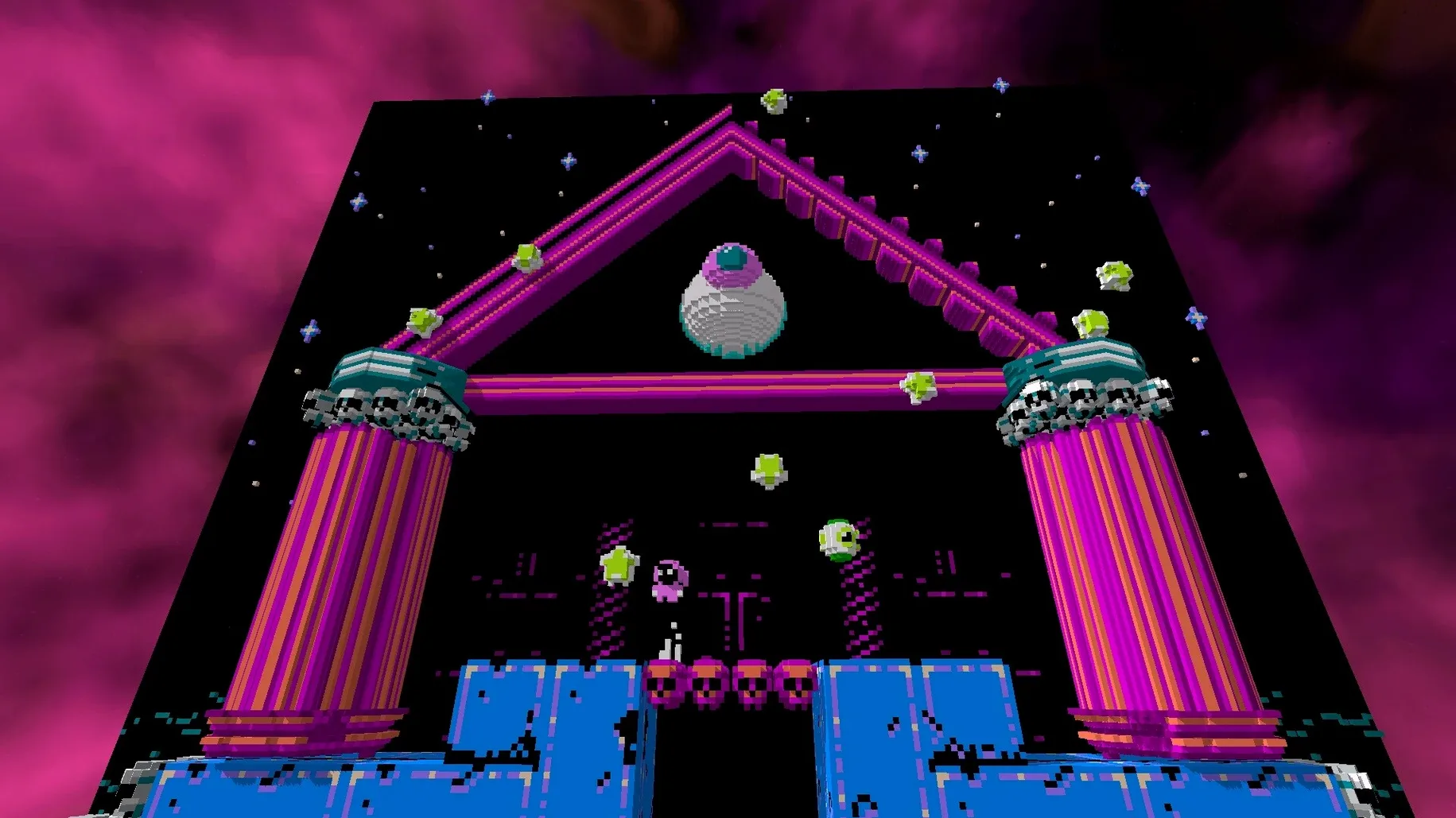
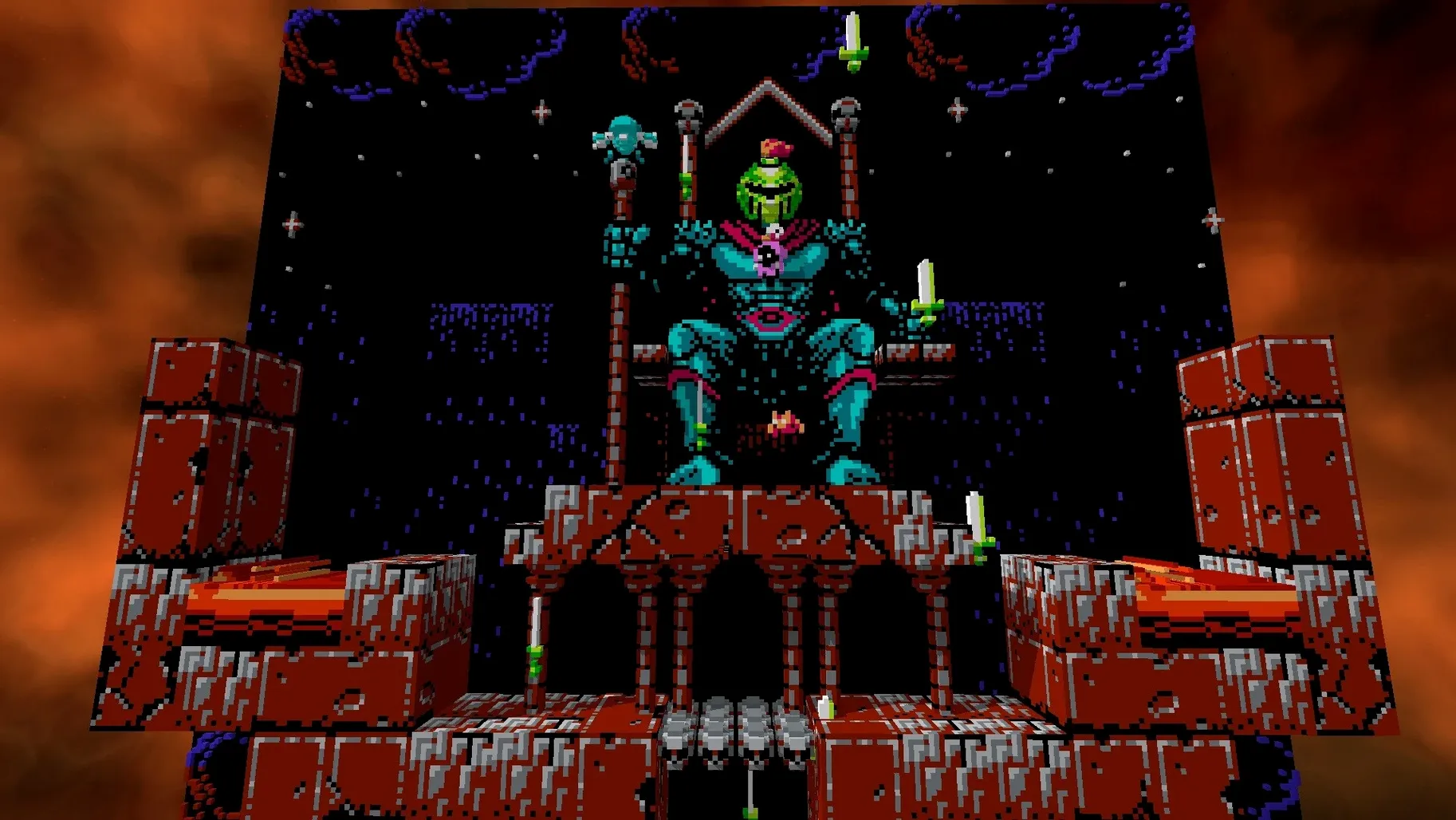
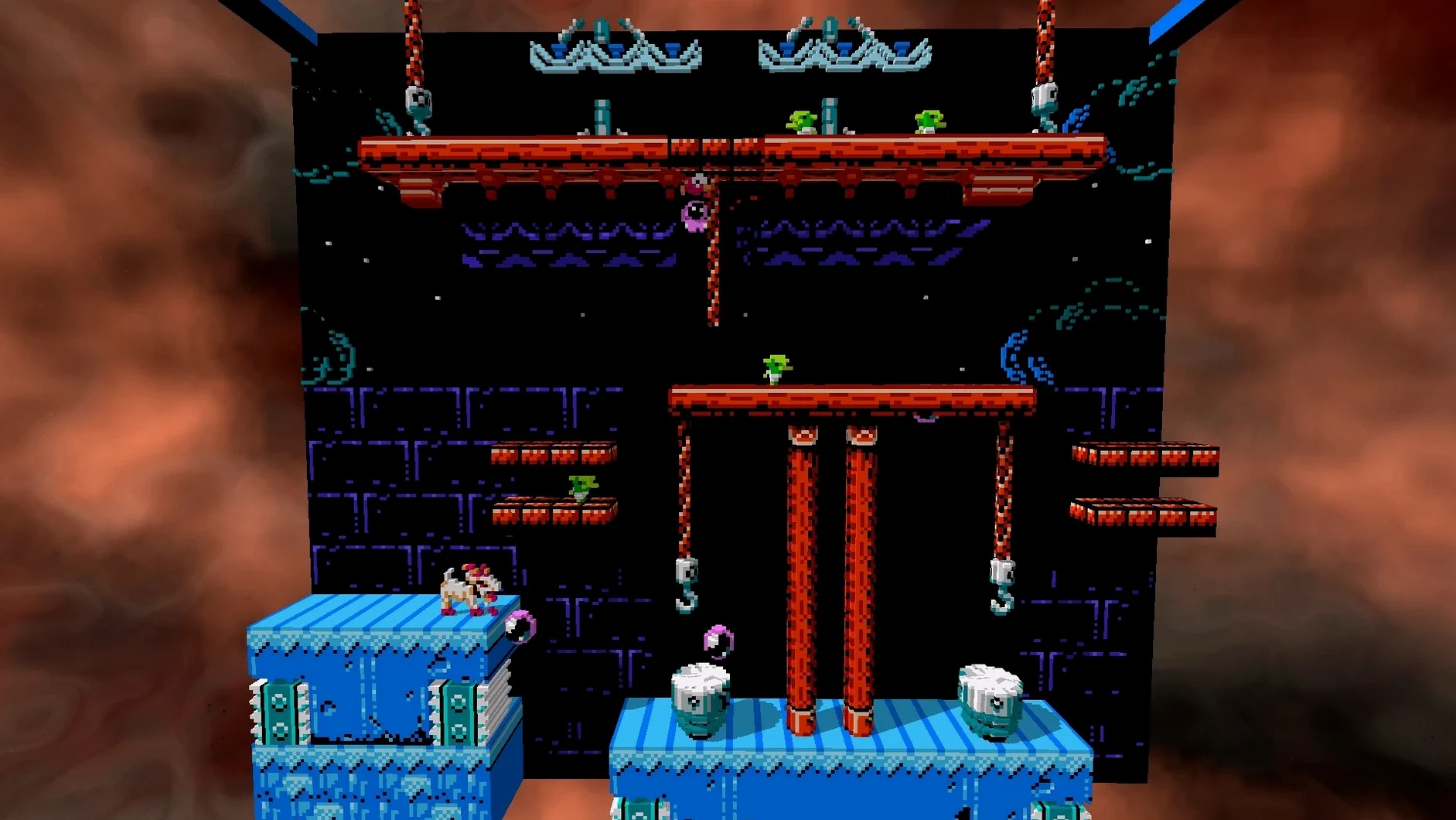
Click a screenshot to see it wider.
You already know NES emulators. 3dSen adds a dimension — literally. It renders supported NES games as real-time 3D voxel scenes, turning familiar side-scrollers into explorable dioramas. The 2D-to-3D conversion happens on the fly, and you can zoom, rotate, and frame the camera however you like. More than 100 games are supported. You supply the ROM files.
| Detail | Specification |
|---|---|
| Developer | Geod Studio |
| Version | 1.1 |
| Category | Utilities |
Quick save and load work like you expect. You can also export scenes as 3D files and assign custom cover art. It runs on macOS 10.12 or newer on Intel Macs.
Rewind and Fast-Forward Built Into Gameplay
Rewind and fast-forward are both built in. If you miss a jump or need to skip a slow section, you don't need a separate tool or a save-state menu. It's handled inside the running game.
The animated sky backgrounds are part of the voxel scene. They aren't static — the sky moves as you play, which makes the diorama feel more like a miniature world than a filtered screenshot.
Real-time lighting and shadows are applied to the voxel blocks. This is not a post-effect. The lighting adjusts as your character moves through the scene, and shadows shift with the camera angle. It adds depth without slowing down the action.
Quick Save, Quick Load
The save-state system is two buttons. You save, you load, you keep playing. There is no file-naming or slot management to deal with mid-game. For a retro session, that means less friction and more time actually playing.
64-Bit Intel Macs Running macOS 10.12+
3dSen is built for 64-bit Intel Macs. It requires macOS 10.12 or later, which covers systems from late 2012 and newer that still run a supported version. The app is lightweight enough for the typical office or home Intel Mac from that era, based on the listed requirements.
No activation is needed. You download the disk image, drag the app to Applications, and launch it from Launchpad. No account, no serial key, no online check.
The interface is English. All menus, labels, and the settings panel read in plain English, so there is no language barrier when you are navigating the 3D controls or the ROM selection.
Small Conveniences That Are Easy to Miss
The custom game cover art feature is one of those details you might skip during setup, but it makes the library view look a lot better than a row of generic file names. You point 3dSen to your own cover art image, and the app uses it in the game browser. It's optional, so you can ignore it if you only have a few ROMs.
Export to a 3D file is another feature that is not immediately obvious. If you want to save a scene as a standalone model, you can. That is useful for showing someone a specific diorama angle without running the emulator, or for keeping a snapshot of a level you like. The export is built into the app, no extra plugin needed.
The free camera is more flexible than it sounds. You are not locked to a fixed viewpoint. You can zoom in on voxel details, rotate around a character, or frame the scene from an angle the original NES hardware could never produce. It works during gameplay, so you can play from an angle that makes sense for the level you are on.
What to Expect on Your Mac
3dSen runs on any Intel Mac with macOS 10.12 or later. That covers MacBook Air, MacBook Pro, iMac, Mac mini, and Mac Pro models from late 2012 onward, provided they still run a supported OS version. The app is a single 64-bit executable with no additional runtime dependencies listed.
The disk image install is straightforward. You open the .dmg, drag the app into the Applications folder alias, and launch it from Launchpad. No background services, no installer wizard, no permission prompts beyond what macOS itself requires. The app is English-only, so all menus and settings use plain English labels.
If you want to try it, you can download 3dSen for Mac and see how your Intel Mac handles the voxel conversion. The listed requirements are minimal, so most systems from that era should be fine.
- macOS 10.12 or later
- Intel processor
Questions I get about this line
Yes. 3dSen is an emulator that requires you to provide your own NES ROM files. It does not include any games.
The install order
- Open the downloaded disk image.
- Drag the app into the Applications folder alias.
- After copying finishes, launch the app from Launchpad.