Free download (69 MB) Previous versions
- Version
- 3.3.10
- Developer
- BitCave Ltd.
- Languages
- English
- License type
- K'ed by TNT team
| macOS range | macOS 10.12 or later |
|---|---|
| Chip | Intel 64-bit |
| Download | 69 MB |
| Previous versions | 1 on file |
Screenshots
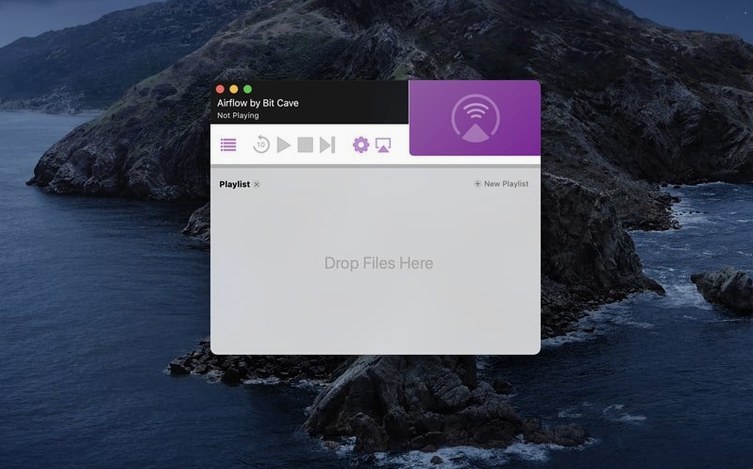
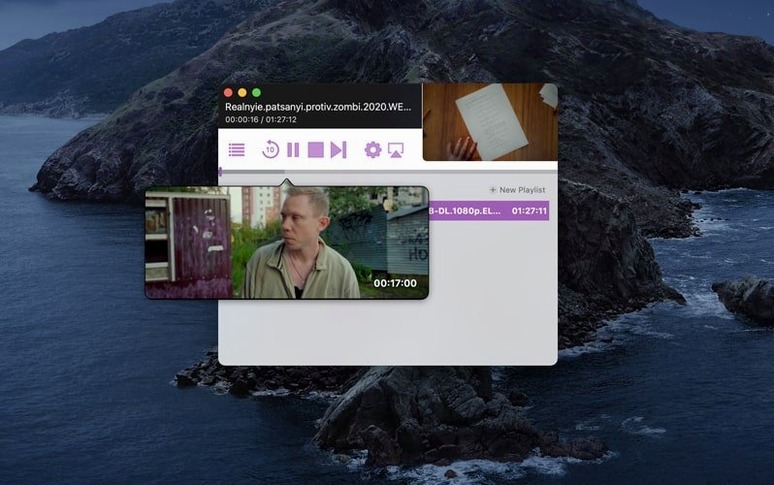
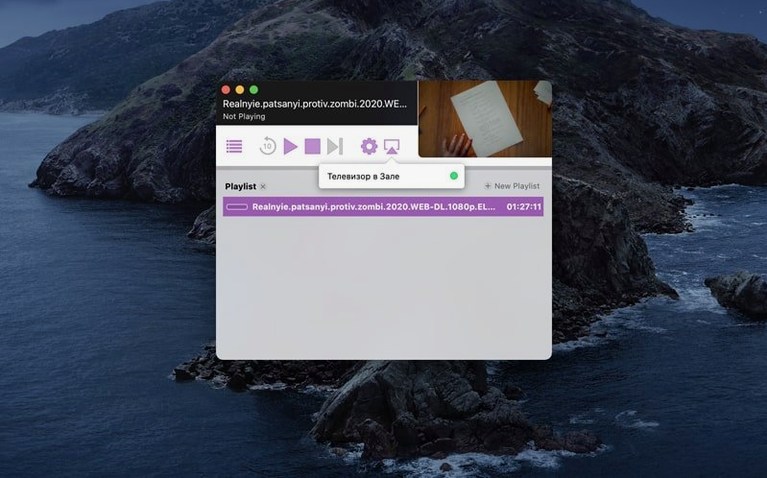
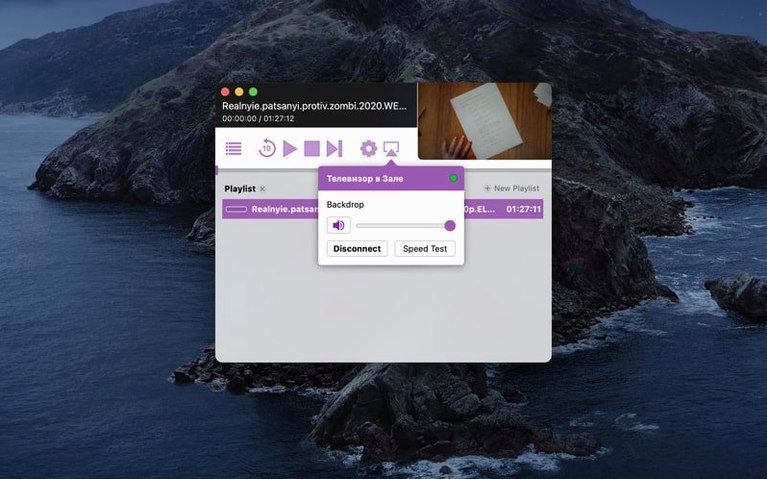
Scroll the row, it snaps to each screenshot. Click one to see it wider.
Airflow is a video streaming utility for Mac that sends video to Chromecast devices.
Requires macOS 10.12 and Intel Mac
Airflow requires macOS 10.12 or later and a 64-bit Intel Mac. If you have an Apple Silicon machine, this build won't run natively.
What do you get?
The interface is simple to use. You pick a video, choose your Chromecast, and it plays. The app handles the streaming without much fiddling.
Common snags and quick fixes
Most people who hit a problem with Airflow are dealing with one of a few things. Here is what I see reported and how to sort it out.
- App won't open after install. You dragged it into Applications but OS X still blocked it. Run it once by right-clicking and picking Open. If that fails, go back to the Gatekeeper step: double-check you pressed Enter in Terminal after mounting the disk image. That bypass only sticks if you do it before the first launch.
- No Chromecast found. Airflow and the Chromecast need to be on the same network. Check your Mac is not on a guest Wi-Fi or a different subnet. Restart the Chromecast and the app. If you run a firewall or VPN, try turning it off briefly to see if that is the block.
- Plays for a few seconds then stops. This is usually a format issue. Airflow streams what it can, but heavily compressed files or odd containers can cause dropouts. Try a standard MP4 with H.264 video and AAC audio. That is the safest bet for any Chromecast.
- App crashes on drag and drop. Make sure the file is local, not on a network drive or an external drive that is sleeping. Copy it to the desktop first.
Intel-only, tiny install, no background services
Airflow 3.3.10 is built for 64-bit Intel Macs only. It needs macOS 10.12 or later. The install is small and the app itself has a minimal footprint. No background services, no daemons. When you quit Airflow, it is gone.
The interface is in English. No other language options shipped with this build. The app is self-contained: one window, no plug-ins, no extra codecs to download.
Send a video from Finder to your TV
Say you have a video file on your Mac and you want it on the living room TV. You grab the laptop, open a Finder window and locate the clip. Then you double-click Airflow from Applications.
The app window opens showing an empty drop area. You drag the video file onto it. The file appears in the list. You click the Chromecast selector and pick the device that shows up on your network. One more click and the video starts playing on the TV. The Mac screen shows playback controls, but the TV has full screen video.
You can drop another file into the queue while the first one is still running. When the current video finishes, the next one starts automatically. If you want to stop mid-way, you click stop in the app and the Chromecast goes back to its screensaver. You close Airflow and put the laptop away.
That is the whole loop. Add, select, play. No transcoding, no playlist management, no fuss. It does one thing and the interface gets out of your way.
For anyone grabbing the airflow 3.3.10 release from the usual track, the install steps are unchanged: mount the image, run the Gatekeeper bypass, drop the app into Applications, and open it.
For Intel Macs on macOS 10.12+, Airflow is a straightforward way to get video onto your TV.
- macOS 10.12 or later
- 64-bit Intel Mac
Questions I get about this line
Airflow requires macOS 10.12 or later.
The build is for 64-bit Intel Macs, so it won't run natively on Apple Silicon.
It streams video to Chromecast devices.
The install order
- Mount the disk image.
- Run Open Gatekeeper friendly and press Enter in Terminal to bypass Gatekeeper.
- Drag the app into the Applications folder.
- Open the app.