Free download (12 MB) Previous versions
- Version
- 1.39.4
- Developer
- AppHouseKitchen
- Languages
- Russian, English, German, Arabic, Greek, Spanish, Italian, Chinese (Traditional), Chinese (Simplified), Korean, Dutch, Polish, Portuguese, Turkish, French, Japanese
- License type
- Included
| macOS range | macOS 12 or later |
|---|---|
| Chip | Apple Silicon, Intel 64-bit |
| Download | 12 MB |
| Previous versions | 8 on file |
Screenshots
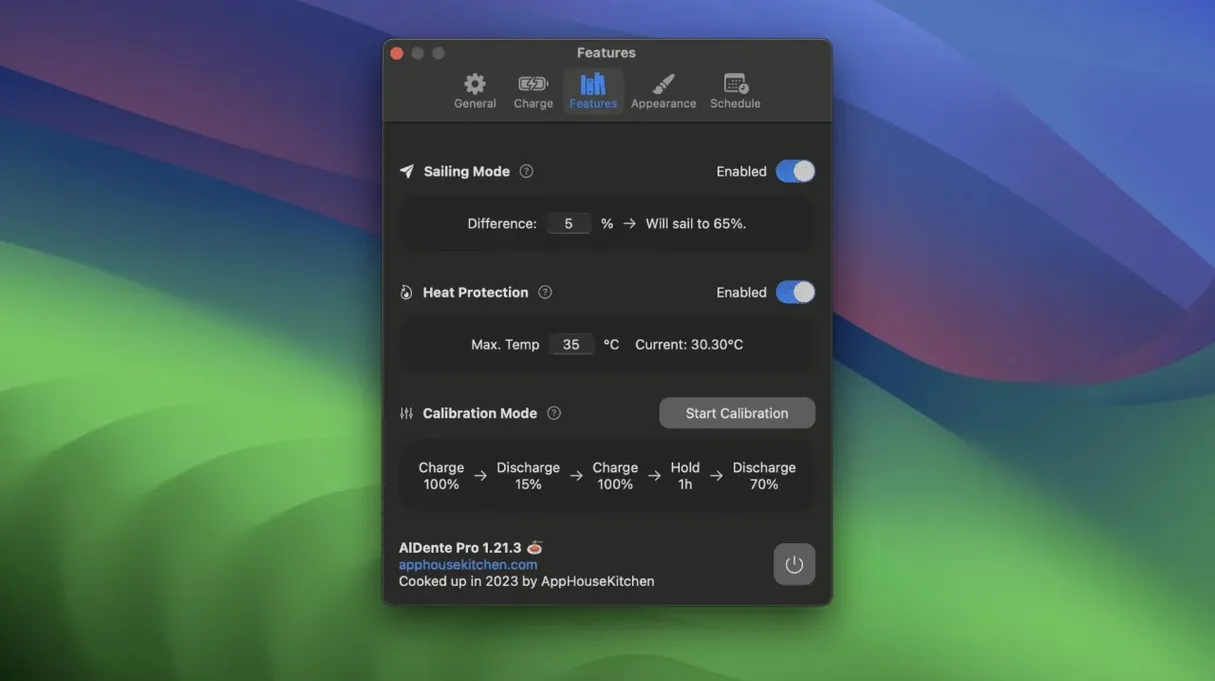
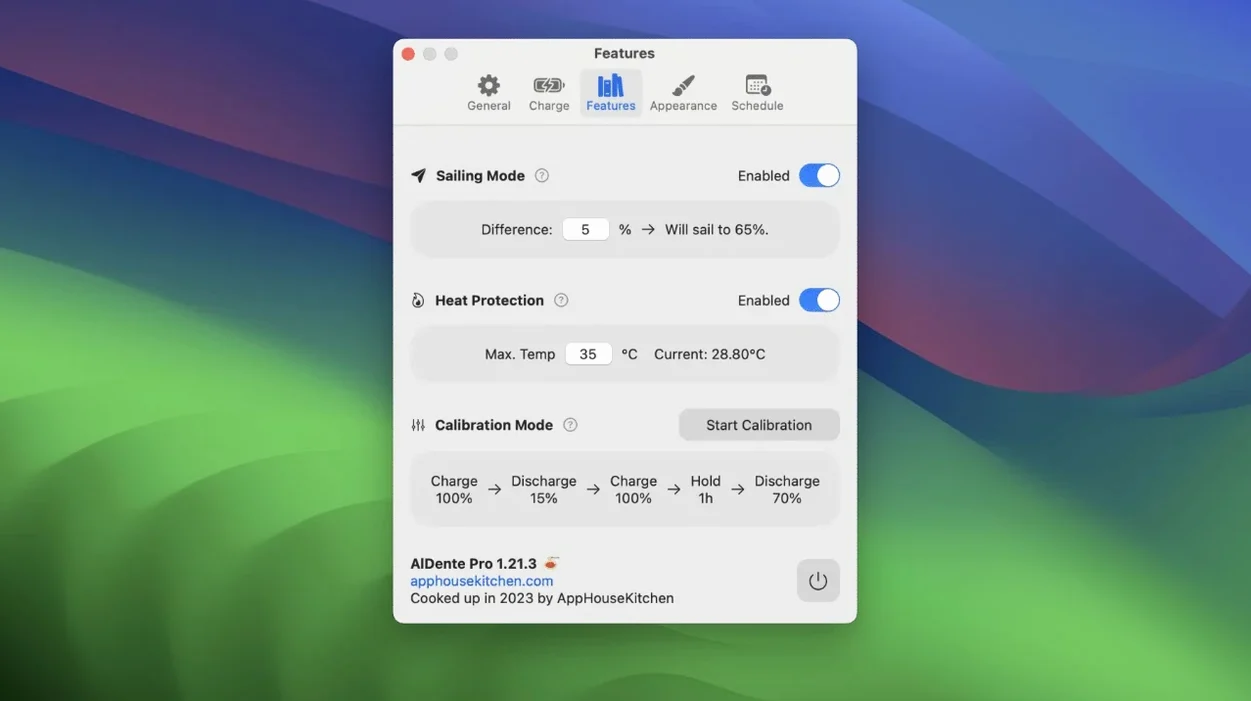
Scroll the row, it snaps to each screenshot. Click one to see it wider.
- Wide hardware support: Works with most Apple silicon and Intel MacBooks.
- Language options: Interface available in English, French, Spanish, German, Italian, Portuguese, Korean, Chinese, and more.
- Current maintenance: The latest build fixes visual glitches in the Popover that appeared with recent macOS betas.
Set 80% charge limit first
Get the basics right early. Open AlDente from Launchpad and check the system tray — the app runs as a background process once it is active. Set your initial charge limit in the popover menu. 80 percent is a common starting point for daily use. If you dock your MacBook most of the time, consider 70 percent. For days you need full range away from power, bump it to 100 percent manually before you unplug. The app remembers your last setting per session.
It shows the current charge state and the limit you set. Hover over it to confirm the percentage. If the icon does not appear, check that AlDente started properly after login — add it to your startup apps in System Settings if you want it on automatically.
Run Calibration Mode once within the first week. The process takes a few hours: the MacBook drains completely, then charges back to full. Best to start it overnight or when you do not need the machine.
Avoid dropping to 50% too quickly
Setting the charge limit too low too fast. If you drop to 50 percent right after installing, the MacBook may not have enough charge to get through an unplanned meeting or commute. Start at 80 percent. Lower it gradually as you learn your usage pattern.
Forgetting to override the limit before travel. AlDente holds the limit you set. If you leave home with 60 percent because you had it capped for stationary use, you might run short. Get in the habit of checking the limit before you unplug.
Ignoring Heat Protection. Some users turn it off thinking it slows charging. Leaving it enabled adds a layer of safety with no noticeable effect on daily work.
Assuming Sailing Mode replaces a limit. Sailing Mode is a fine-tuning tool, not a primary limiter. Beginners often enable it without setting an upper bound first. Set your main charge limit, then turn on Sailing Mode if you want the drift behavior.
Restart AlDente if the menu bar icon vanishes
AlDente icon disappears from the menu bar. The app may have stopped or crashed. Open Launchpad and launch AlDente again. If it happens often, add it to your startup items — that way it restarts automatically after a reboot.
Charge limit does not stick. Some MacBook firmware resets the limit after a full shutdown or a kernel update. Open AlDente and re-apply your limit. This is normal behavior on certain hardware revisions. The app cannot override the firmware indefinitely for every model.
If you plug it in mid-cycle, Calibration Mode resets. Let it run without interruption. If it still does not complete after several tries, close other power-management apps that might interfere.
Popover looks odd after a macOS update. The latest AlDente build (1.39.4) addresses visual glitches that appeared in early macOS 27.2 betas. If you see graphical issues, update to the current version. The fix covers the popover appearance specifically.
Switch interface language in app settings
Language switching. AlDente ships with a broad language set — English, French, German, Spanish, Italian, Portuguese, Korean, Chinese (simplified and traditional), Japanese, Dutch, Polish, Turkish, Arabic, Greek, and Russian. Change the interface language in the app settings. Useful if you share the MacBook with someone who prefers another locale.
Popover info panel. The popover shows more than just the charge limit.
Sailing Mode range. You can tweak the low and high drift points within Sailing Mode. This is separate from the main charge limit. Fine-tune it to match your daily amp draw — tighter range for desk work, wider for variable loads.
No manual intervention needed. The status in the popover shows "heat protection active" while it waits.
Search terms like al dente mac download or aldente pro crack will occasionally show up in logs. The only version you need is 1.39.4 — it works on both ARM and Intel MacBooks with macOS 12 or newer.
- Fixed visual glitches in the Popover that occurred in the first betas of macOS 27.2.
- macOS 12 Monterey or later
- Architecture: Apple Silicon or Intel
Questions I get about this line
It works with most Apple silicon and Intel MacBooks, so both newer and older models can use it.
The install order
- Open the downloaded disk image.
- Drag the app into the Applications folder alias.
- After copying finishes, open the app from Launchpad.