Free download (3.1 GB) Previous versions
- Version
- 5.8.2
- Developer
- IK Multimedia
- Languages
- English
- License type
- K'ed by MORiA
| macOS range | macOS 10.15 or later |
|---|---|
| Chip | Apple Silicon, Intel 64-bit |
| Download | 3.1 GB |
| Previous versions | 1 on file |
Screenshots
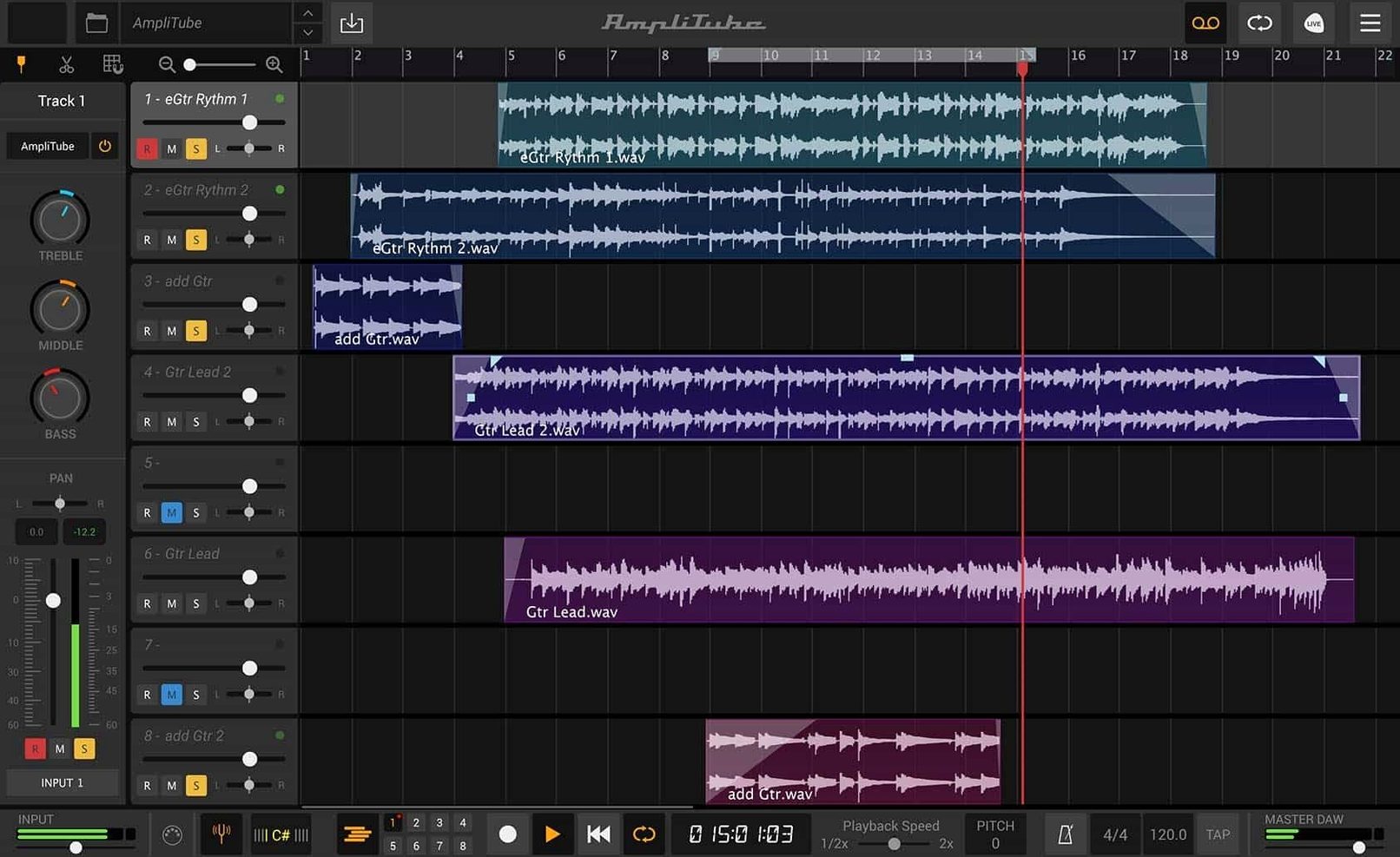
Scroll the row, it snaps to each screenshot. Click one to see it wider.
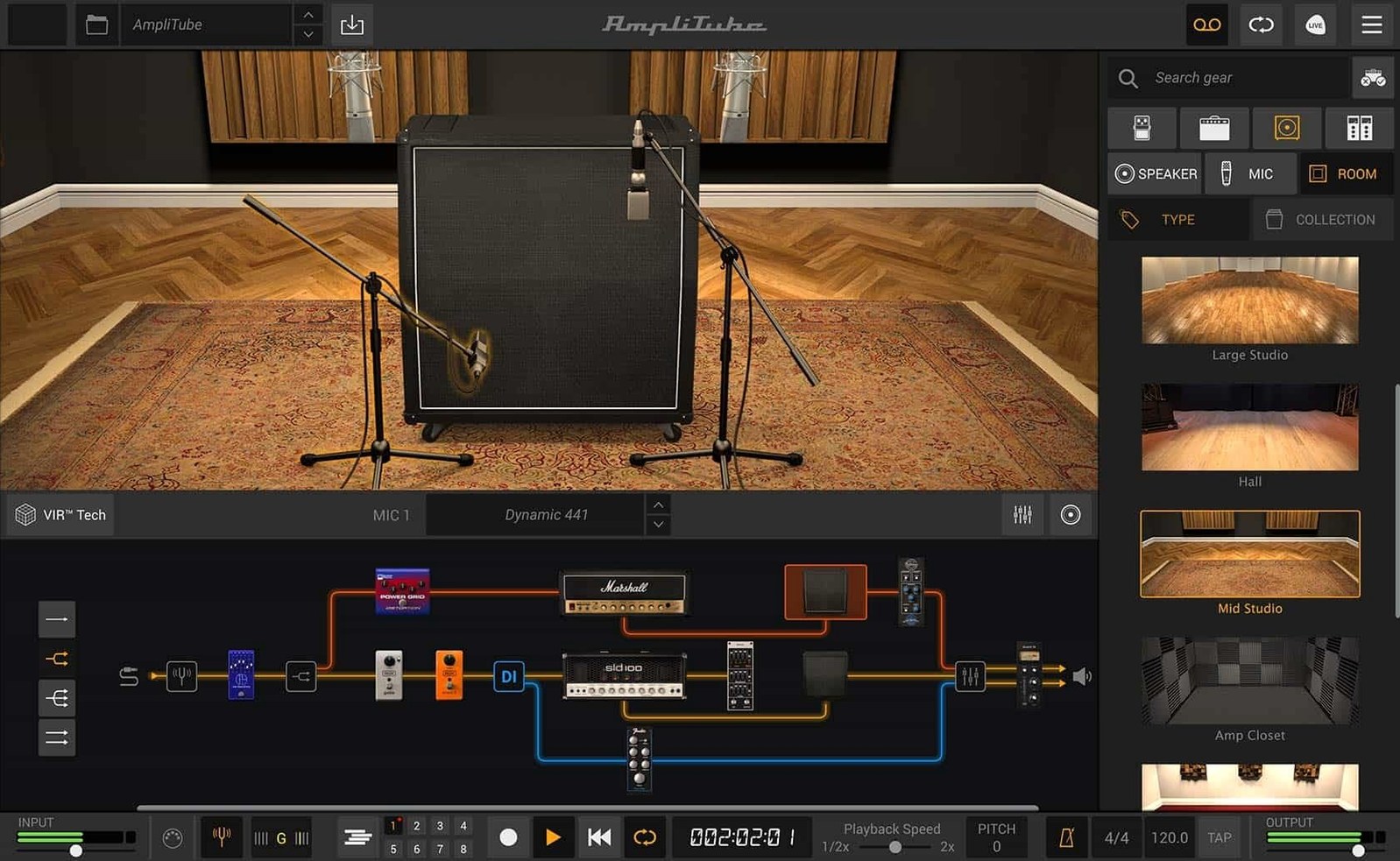
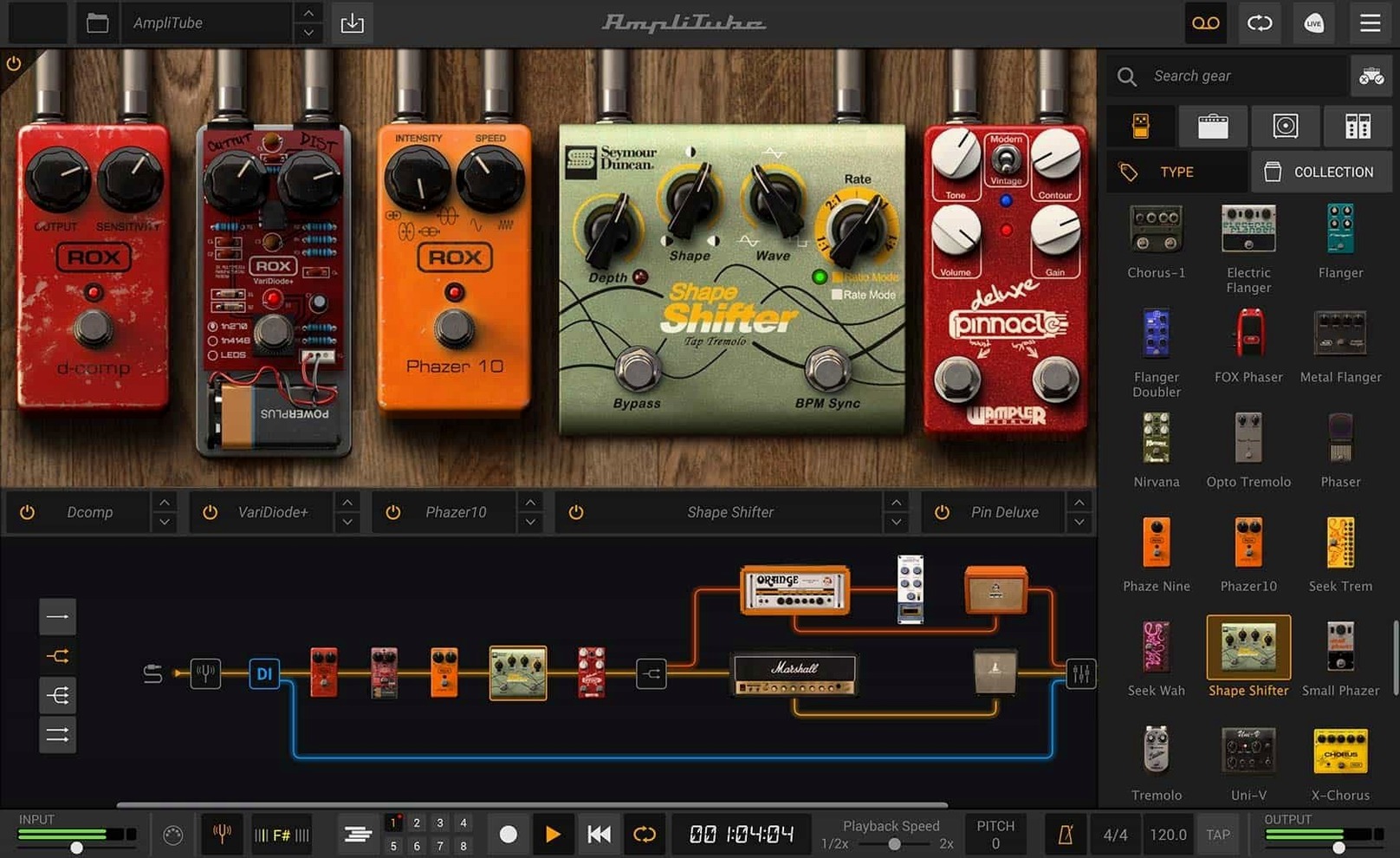
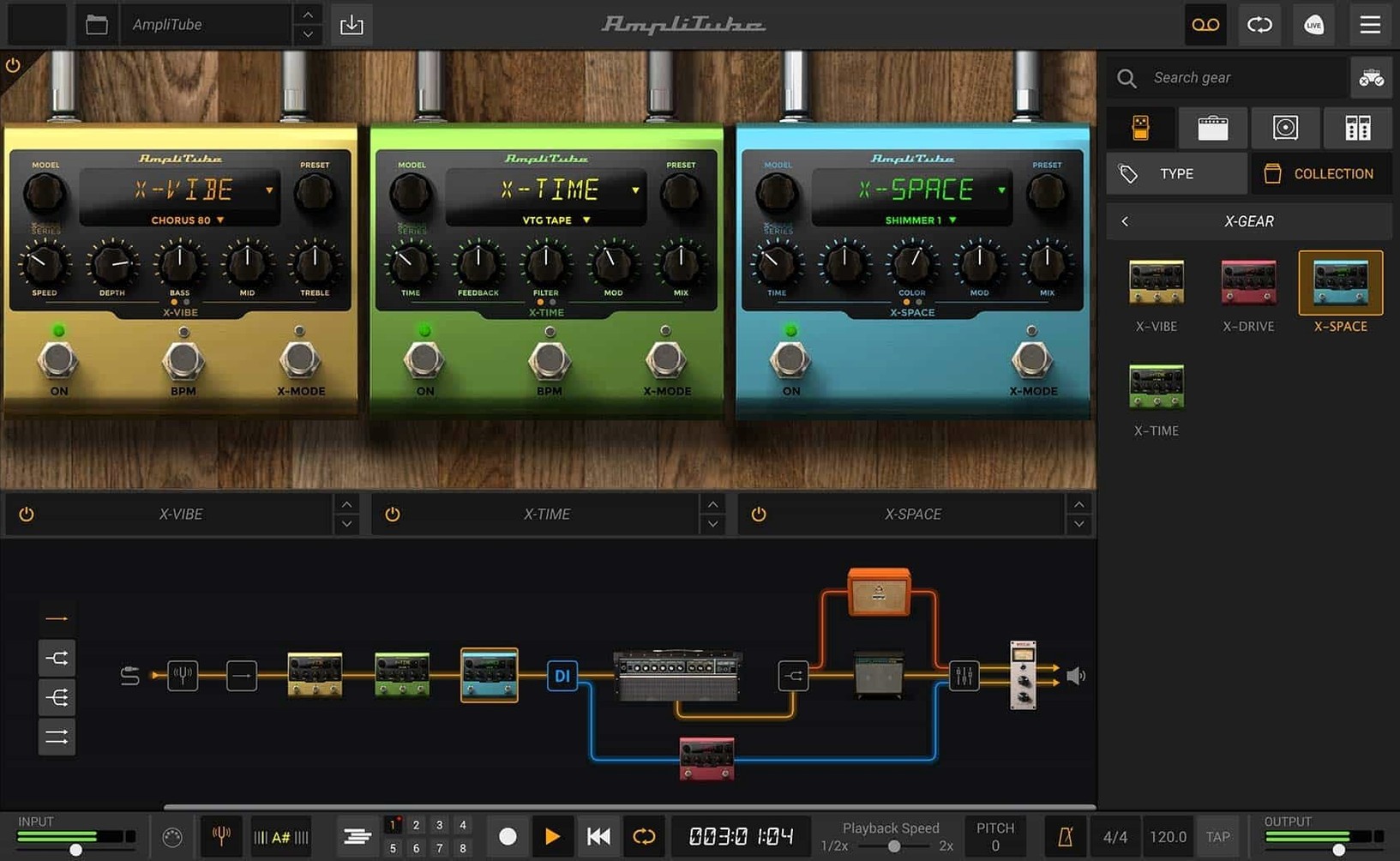
The drag-and-drop signal chain is the first thing you notice. Routing is now visual, and you can mix in a direct DI signal alongside the modeled amps — a practical touch for re-amping later.
Dial In Cabinet Tones
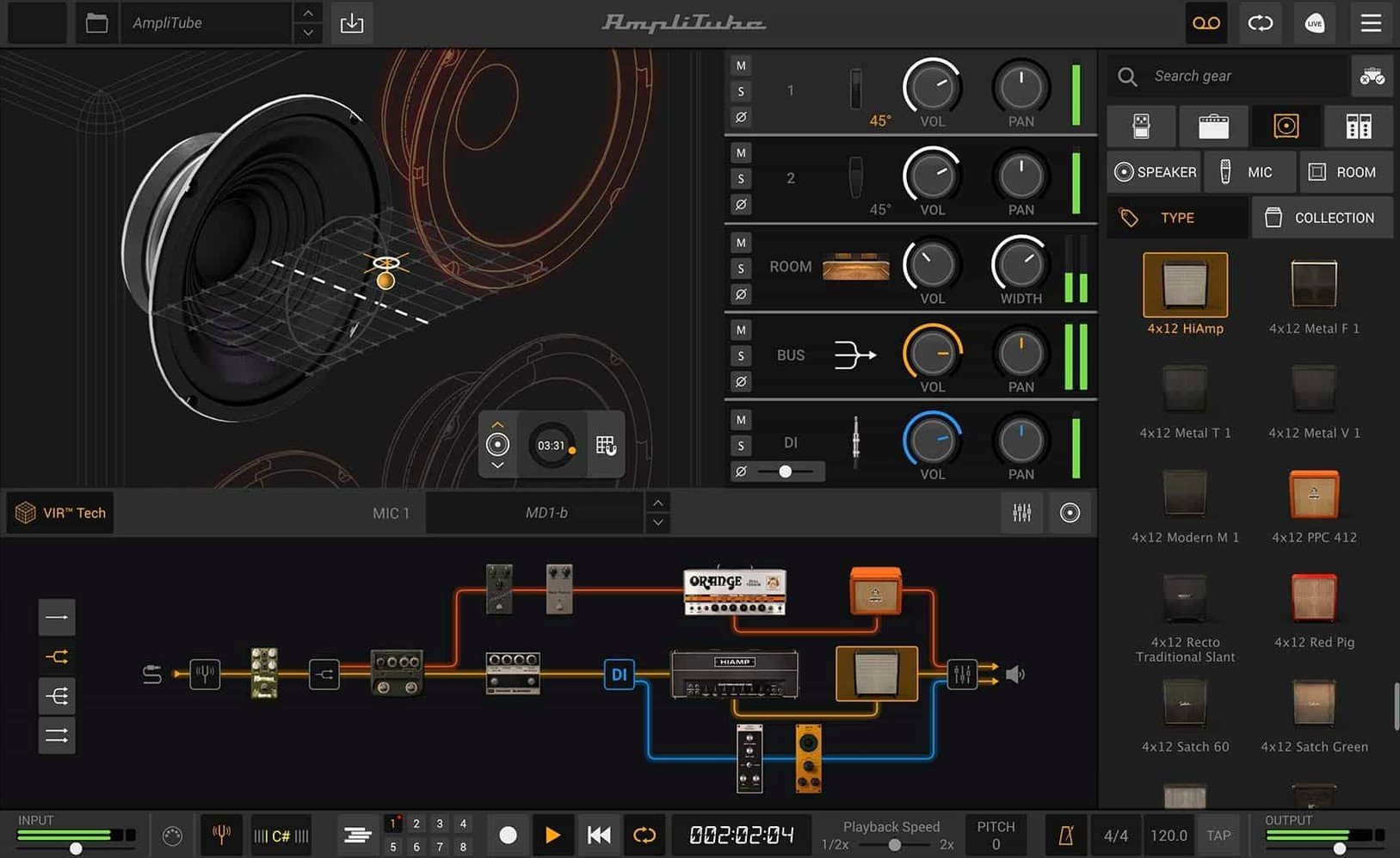
The cabinet section uses VIR technology. More than 100 redesigned cabinets respond to mic placement and room position, so you can shape the low end without reaching for an EQ.
Run Heavy Rigs
The mixer has been rebuilt with built-in effects, and the engine handles up to 57 simultaneous models. That is enough for multi-amp setups with parallel chains.
Match Your DAW
AmpliTube works as a standalone app or a plug-in in AAX, VST, and AU formats. The MAX edition expands the library to over 400 gear models across 11 collections, but the core 5.8.2 build already includes more than 130 new models and 5 amp models.
Compare with Other Mac Guitar Apps
AmpliTube 5.8.2 sits in a crowded field. If you are looking at similar software, three names come up most often.
- Guitar Rig 6 by Native Instruments. Its amp and cab modeling is solid, and the Rammstein-branded additions are a draw for metal players. The routing is less flexible than AmpliTube's new drag-and-drop signal chain, and the mixer does not include built-in effects — you patch them in separately. It also lacks VIR cabinet technology.
- Amplitube 5 CS is free and a good starting point. 42 gear models give you a taste. But the paid MAX edition adds the full 400+ models and artist collections. If you outgrow CS, the upgrade path to MAX is straightforward.
- TH-U by Overloud. It relies on IR loading for cabinets, similar to AmpliTube's custom IR support. The amp models are detailed, but the interface is denser. AmpliTube's parallel routing and DI mix make it easier to build complex rigs without a manual.
Each app has strengths. AmpliTube wins on routing flexibility and cabinet depth.
Match Audio Device and Sample Rate
After installation, open the Preferences panel and adjust these items.
- Audio device. Set it to your interface or system audio. The default may be the built-in output, which adds latency for guitar monitoring.
- Sample rate. Match it to your DAW's project rate, usually 44.1 kHz or 48 kHz. Mismatched rates cause clicks or silence.
- Buffer size. 256 or 512 samples works for recording. Go lower if your interface and Mac can handle it without dropouts.
- MIDI control. If you use a foot controller, assign CC numbers here. AmpliTube maps them to model parameters.
- VST/AU folder. Point it to the same folder your DAW scans. AmpliTube installs its plug-in files there by default, but it helps to confirm.
Play Through the Five Amp Models
Take a structured approach. You will learn faster than jumping into presets.
- Day one: Play through the 5 amp models included in 5.8.2. Keep the cab and effects off. Learn how each amp responds to your guitar volume and picking dynamics.
- Day two: Add one cabinet. Move the virtual mic around and listen to the low-end change. The VIR cabinet section makes this tactile.
- Day three: Build a two-amp parallel chain using the drag-and-drop routing. Mix the DI signal in. Record a short clip and re-amp it later with a different cab.
- Day four: Load a custom IR file from a third-party pack. Compare it to the built-in cabinets. Note which sounds suit your style.
This slow ramp avoids overwhelm from the 57-model limit.
Fit with Other Apps and macOS Features
AmpliTube integrates with your existing toolkit.
- Logic Pro, Ableton Live, or Cubase. The AU and VST plug-in versions open inside your DAW. Set up a track with AmpliTube as an insert, record the DI, then tweak the amp settings after the take. The mixed DI signal makes this painless.
- macOS audio routing. Use the standalone app with the system audio device for quick practice. For more complex setups, aggregate audio devices in macOS allow you to run AmpliTube and a USB interface simultaneously.
- QuickTime or Safari. If you watch YouTube lessons, keep AmpliTube in standalone mode as a second audio device. Loop the video and play along with zero latency.
For guitarists who also use amp sims in a live rig, AmpliTube 5 torrent downloads on Mac are how many players start exploring the MAX edition before committing to the full collection. The 5.8.2 build is stable enough for daily recording work, and the routing flexibility makes it a strong centerpiece for any Mac-based guitar setup.
- New signal chain with drag-and-drop routing and mixed DI signal
- New cabinet section with VIR technology
- Redesigned mixer with built-in effects
- macOS 10.15 or later
- Intel or Apple Silicon
- 64-bit application
The install order
- Mount the downloaded disk image.
- Run the standard installation process.