Free download (421 MB) Previous versions
- Version
- 2026.2.4
- Developer
- TechSmith Corporation
- Languages
- English, German, Spanish, Chinese (Simplified), Portuguese, French, Japanese
- License type
- K'ed by TNT team
| macOS range | macOS 13 or later |
|---|---|
| Chip | Apple Silicon, Intel 64-bit |
| Download | 421 MB |
| Previous versions | 5 on file |
Screenshots
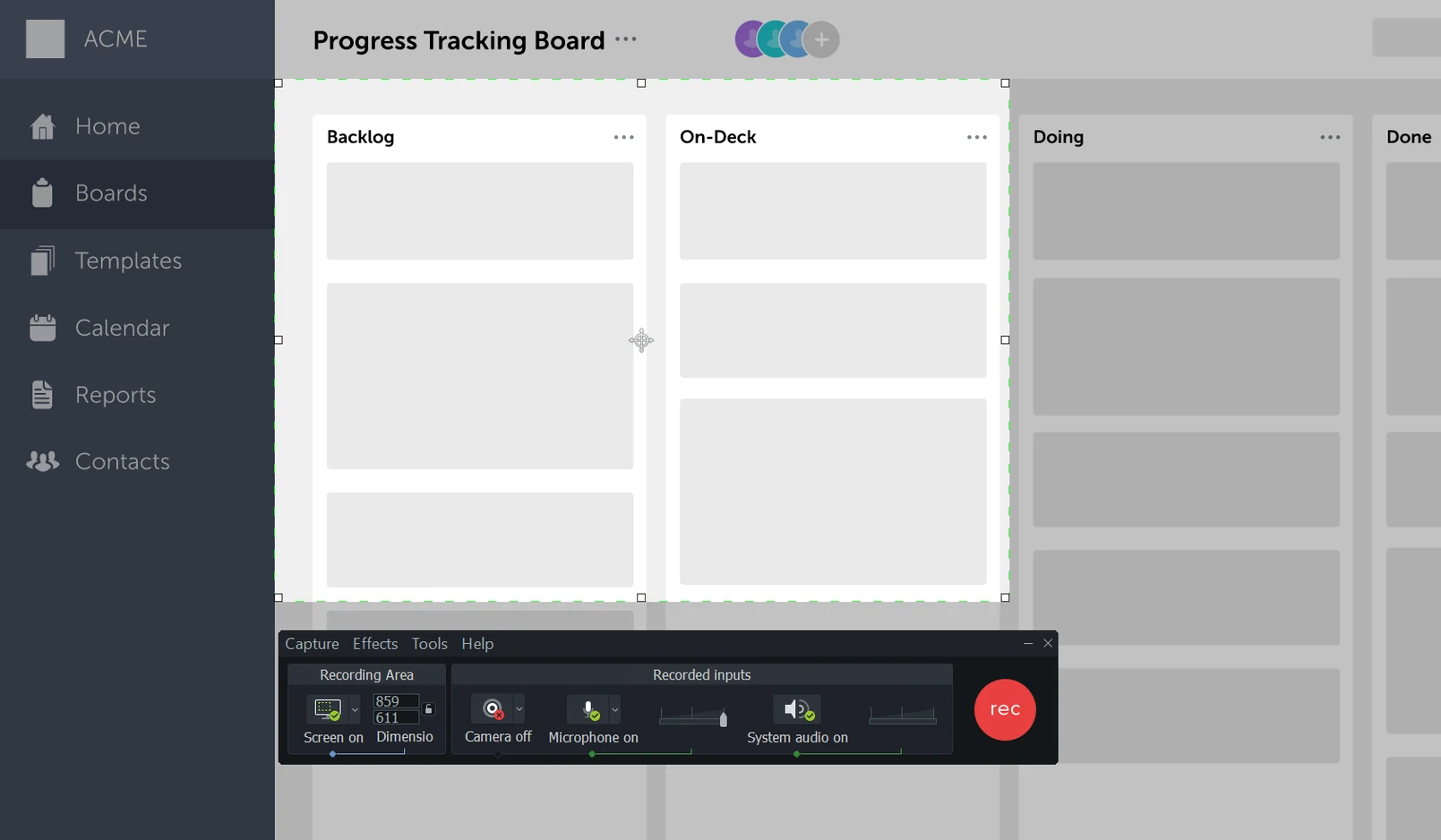
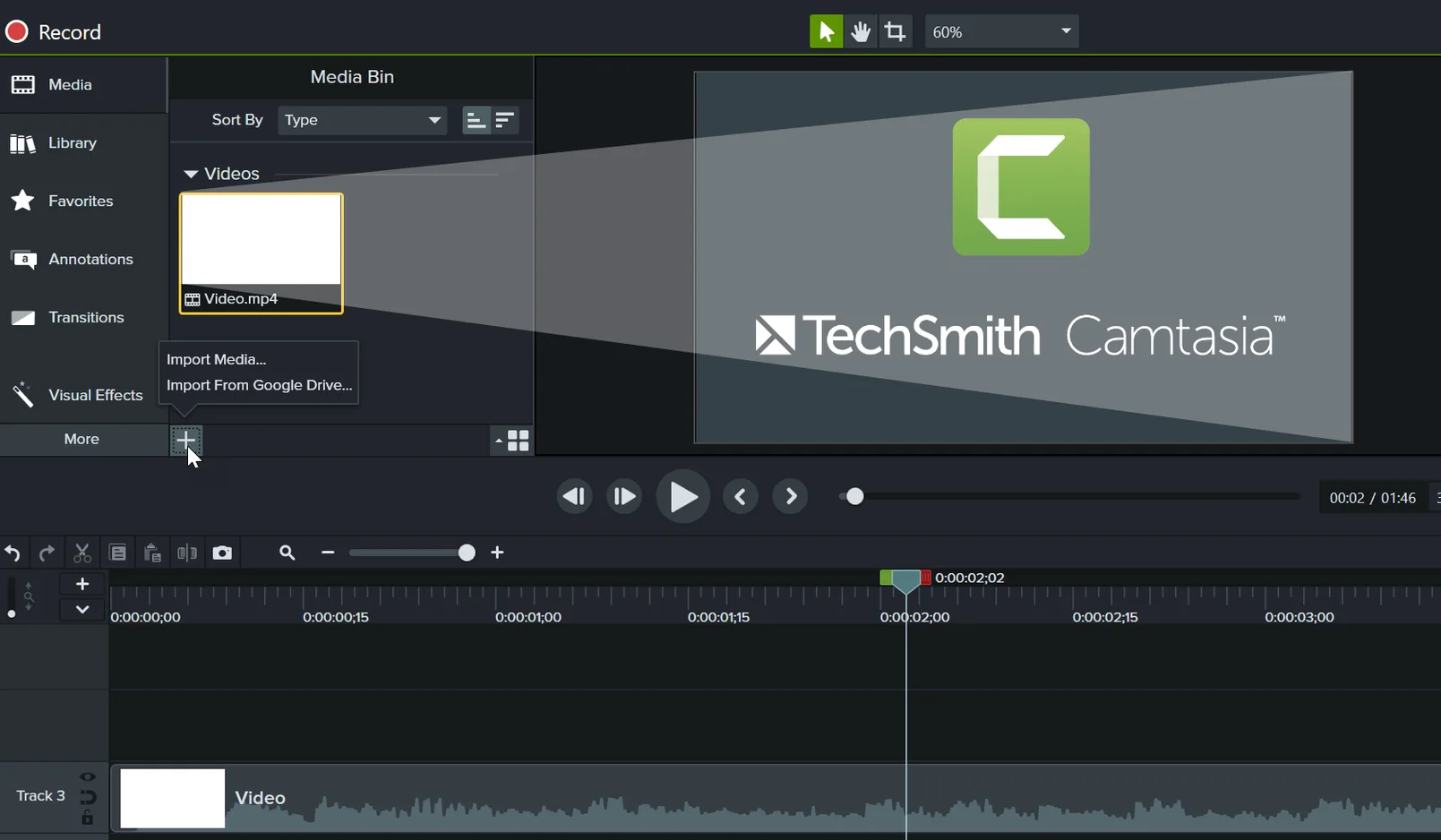
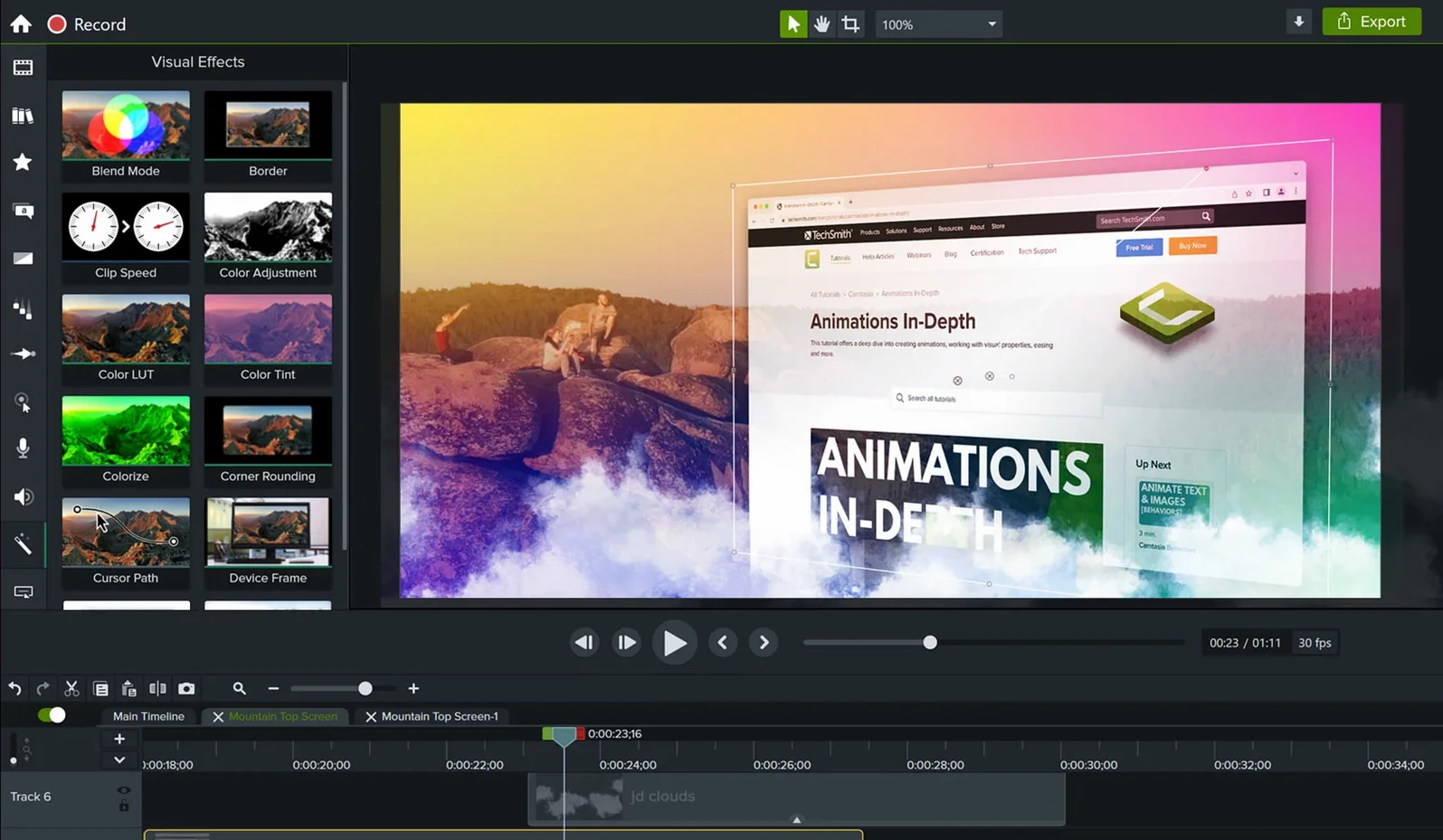
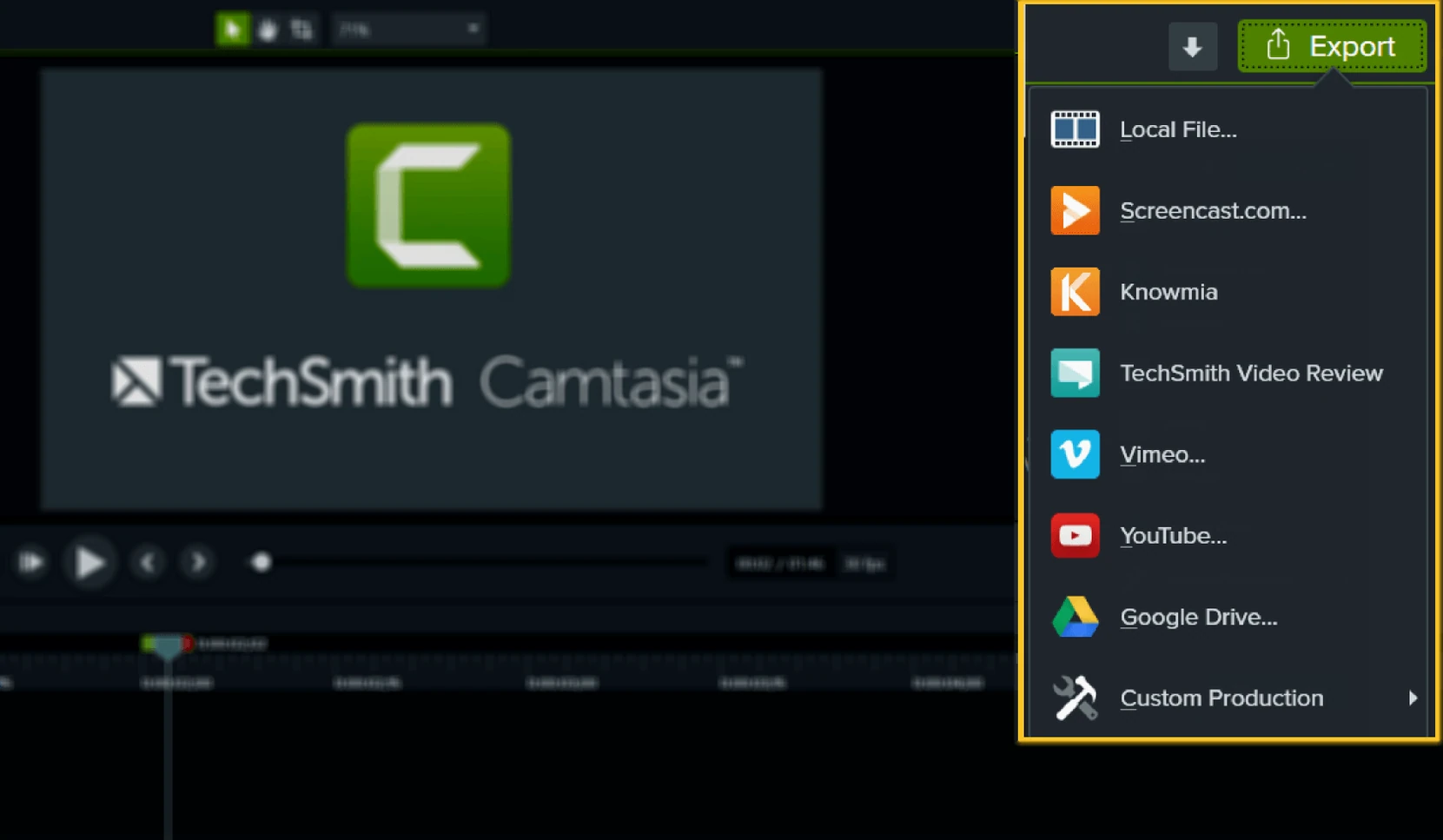
Scroll the row, it snaps to each screenshot. Click one to see it wider.
Video templates let you skip the blank timeline. Drop your screen recording or imported PowerPoint into one, and the titles, transitions, and callouts are already in place. Camtasia handles the rest: record, cut, add captions, and share.
Record the screen
Capture a window, a region, or the full display. System audio and microphone can record together or separately. No extra tools needed.
Edit the footage
Trim clips, split scenes, and layer annotations. The timeline is straightforward — cursor, playhead, track headers. Import existing video files if you recorded with another app.
Export and share
Send the finished video to YouTube, Vimeo, or save as MP4. The app handles Apple Silicon and Intel Macs, and the interface is available in English, French, Japanese, Portuguese, and more.
Gatekeeper blocks launch until you run the Terminal fix
Gatekeeper can block the app from launching. The install steps walk you past it: mount the disk image, run Open Gatekeeper friendly, then press Enter in the Terminal window when it asks. Drag the app into Applications. It is ready to use. If you skip the Terminal step, macOS may flag the app as unverified.
Export hangs or crashes sometimes. The 2026.2.3 build fixed a crash that could happen on startup or export, so update if you are on an older build. If the problem persists, check that your project media files are not stored on a network drive — move everything local and try again.
Audio drops out of sync.
Missing fonts in titles. Camtasia uses system fonts. If you open a project on a different Mac, any missing font gets replaced — the title may reflow or look wrong. Install the same font family on both machines or use a standard system font.
Recording full screen instead of a region bloats file sizes
Recording the whole screen instead of a region. Full-screen captures produce large files and can slow down editing. Set a fixed region around the target window before you hit record. Smaller area, smaller file, easier timeline.
Forgetting to separate system audio from microphone. Both can record at once, but if you merge them into one track, you cannot later adjust levels independently. Record them on separate tracks so you can raise the voiceover or lower the system sound without re-recording.
Over-annotating. A beginner often adds callouts, arrows, and zoom effects to every clip. The result is busy and hard to follow. Use one annotation per key point and let the rest of the frame speak.
Exporting straight to YouTube without a local copy. Always save an MP4 locally first. If the upload fails or the platform re-encodes the video, you still have the master file to upload elsewhere.
Import PowerPoint slides directly into the timeline
The app supports importing PowerPoint presentations. That means you can bring slides directly into the timeline as still images or animated slides. No need to export each slide as a PNG first.
Ready-made video templates cover common layouts. Rather than build a tutorial intro from scratch, pick one, drop in your footage, and adjust the placeholder text. The titles and transitions are already set.
Drag-and-drop effects work on the timeline without opening a separate panel. Grab a callout from the library and drop it onto a clip. The effect snaps to the playhead position, which saves time hunting through menus.
Share options include direct upload to YouTube and Vimeo. You can also save a project file for later edits. That is useful if you need to re-export a corrected version months later without rebuilding the whole timeline.
The interface language can be switched among English, German, French, Spanish, Simplified Chinese, Japanese, and Portuguese. That is helpful if you collaborate with someone who works in a different locale.
- Fixed a crash that could happen on startup or export.
- Includes miscellaneous bug fixes and improvements.
- macOS 13 or later
- Apple Silicon or Intel processor
Questions I get about this line
Yes, the current version runs natively on Apple Silicon and Intel Macs. macOS 13 or later is required.
Yes. You can bring PowerPoint presentations directly into a project and edit them on the timeline.
The install order
- Mount the disk image and run Open Gatekeeper friendly.
- Press Enter to bypass Gatekeeper in the Terminal window.
- Drag the app into the Applications folder.
- The app is ready to use.