Free download (61 MB) Previous versions
- Version
- 6.726
- Developer
- Andreas Hegenber
- Languages
- English
- License type
- Included
| macOS range | macOS 10.15 or later |
|---|---|
| Chip | Apple Silicon, Intel 64-bit |
| Download | 61 MB |
| Previous versions | 22 on file |
Screenshots
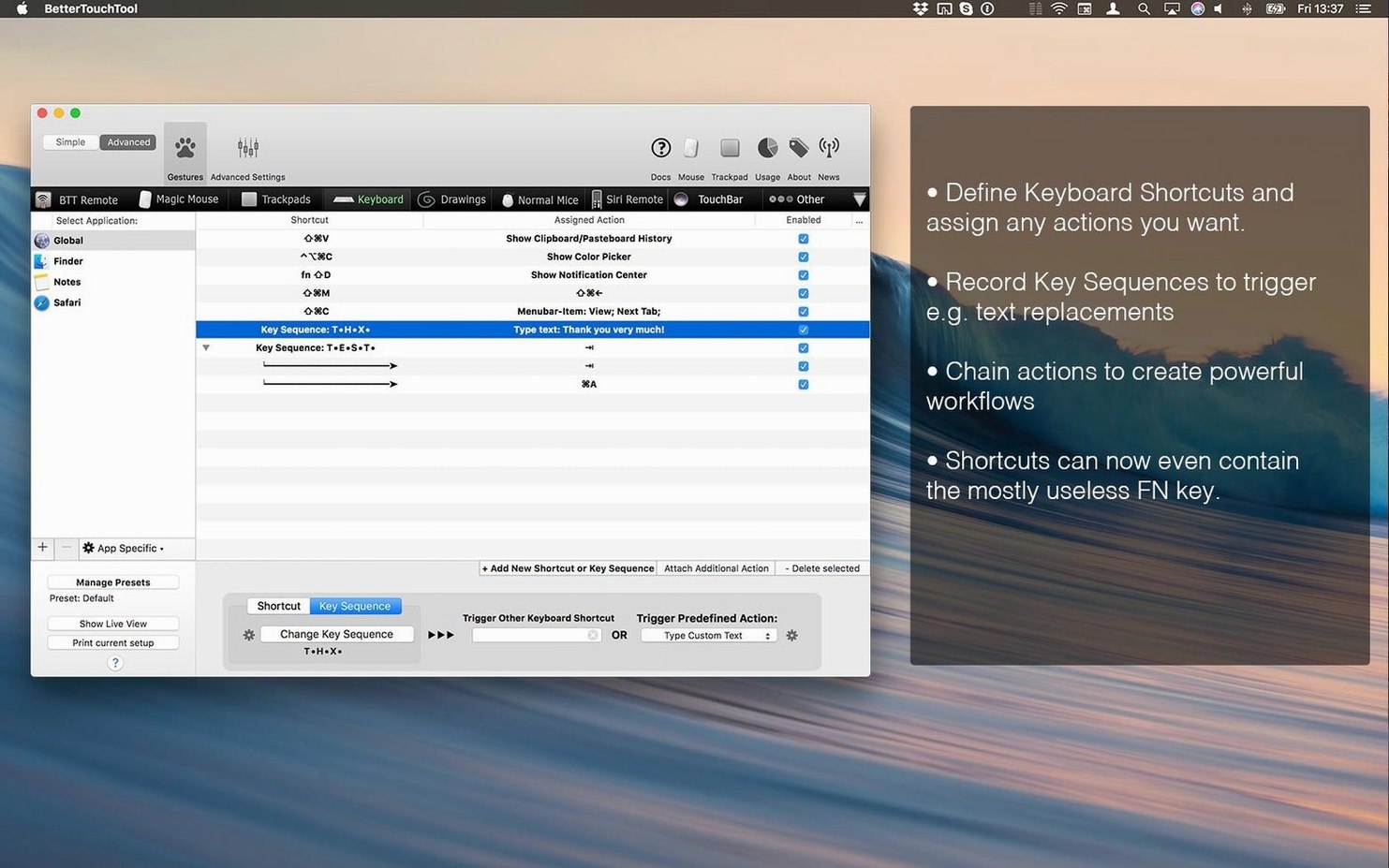
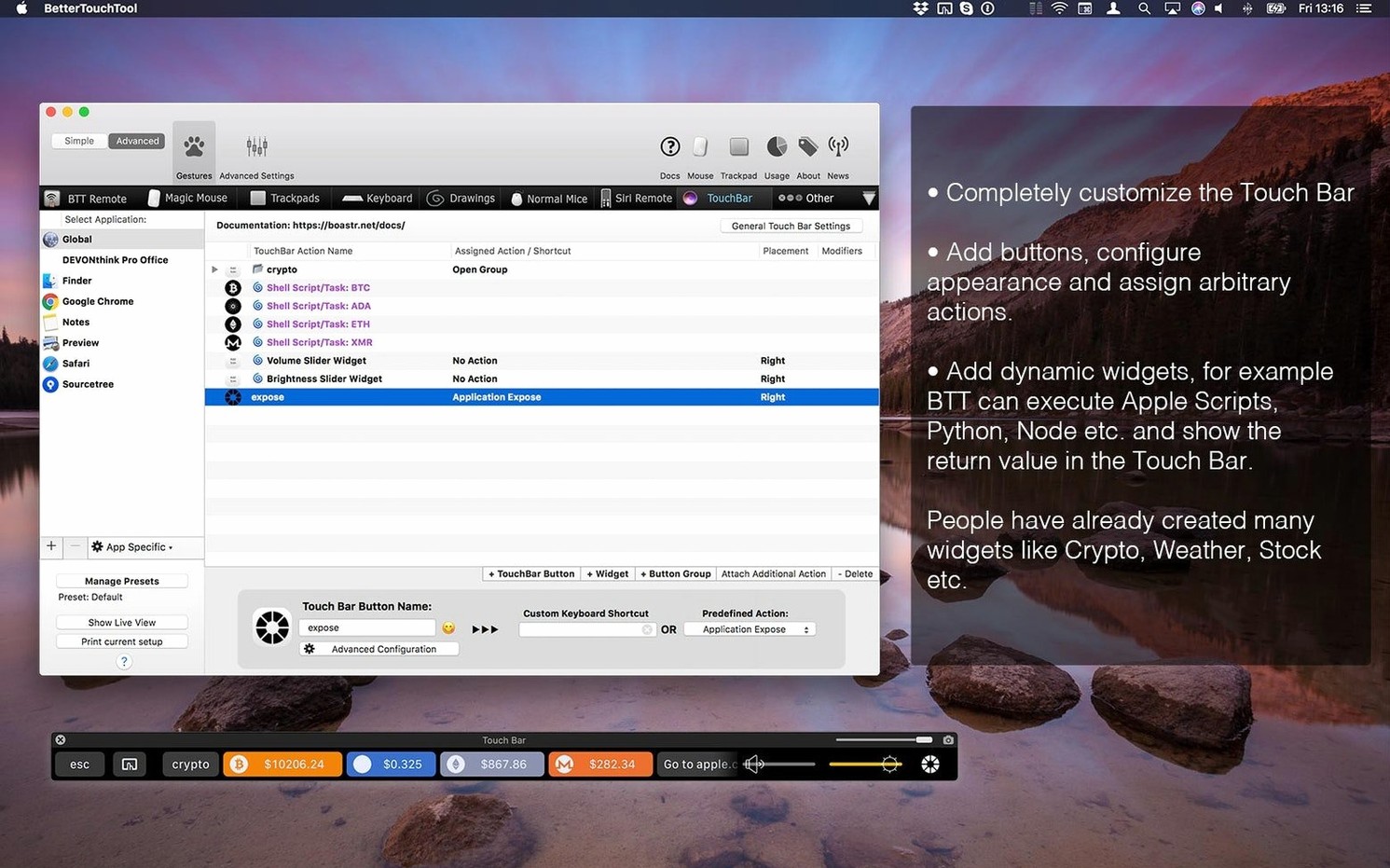
Scroll the row, it snaps to each screenshot. Click one to see it wider.
You’ve just set up a new MacBook and the Touch Bar feels underused. You want a gesture that opens your terminal, a shortcut that snaps windows, and a remote that controls Keynote. BetterTouchTool is the utility that ties all that together.
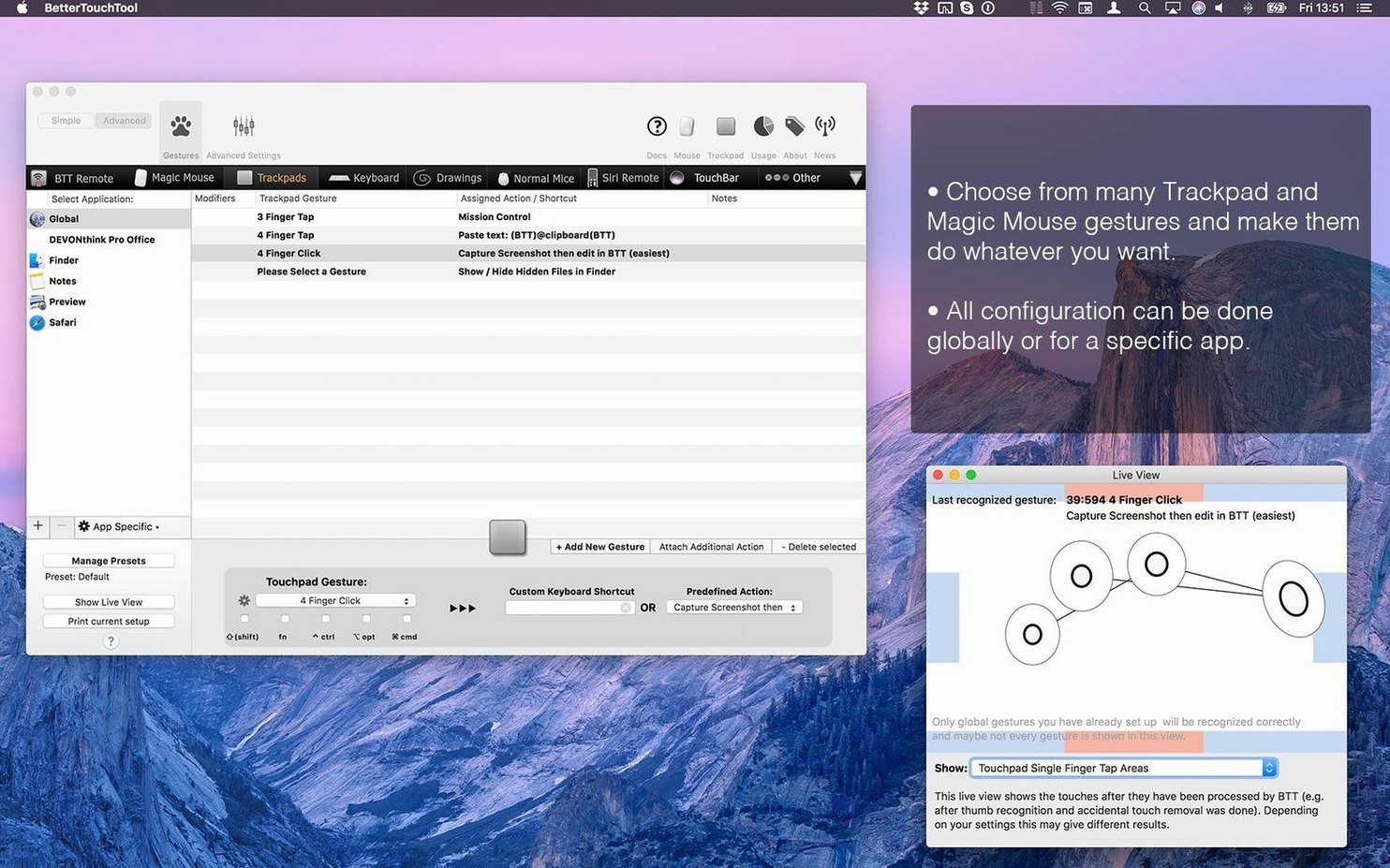
- Customize keyboard shortcuts, trackpad and mouse gestures, Touch Bar elements, and actions for Siri Remote or Apple Remote.
- Create your own gestures, movements, and drawings to trigger actions.
- Apply different shortcut rules per app, so the same gesture behaves differently in Safari and Photoshop.
- Build widgets using AppleScript, custom URL schemes, or HTTP requests.
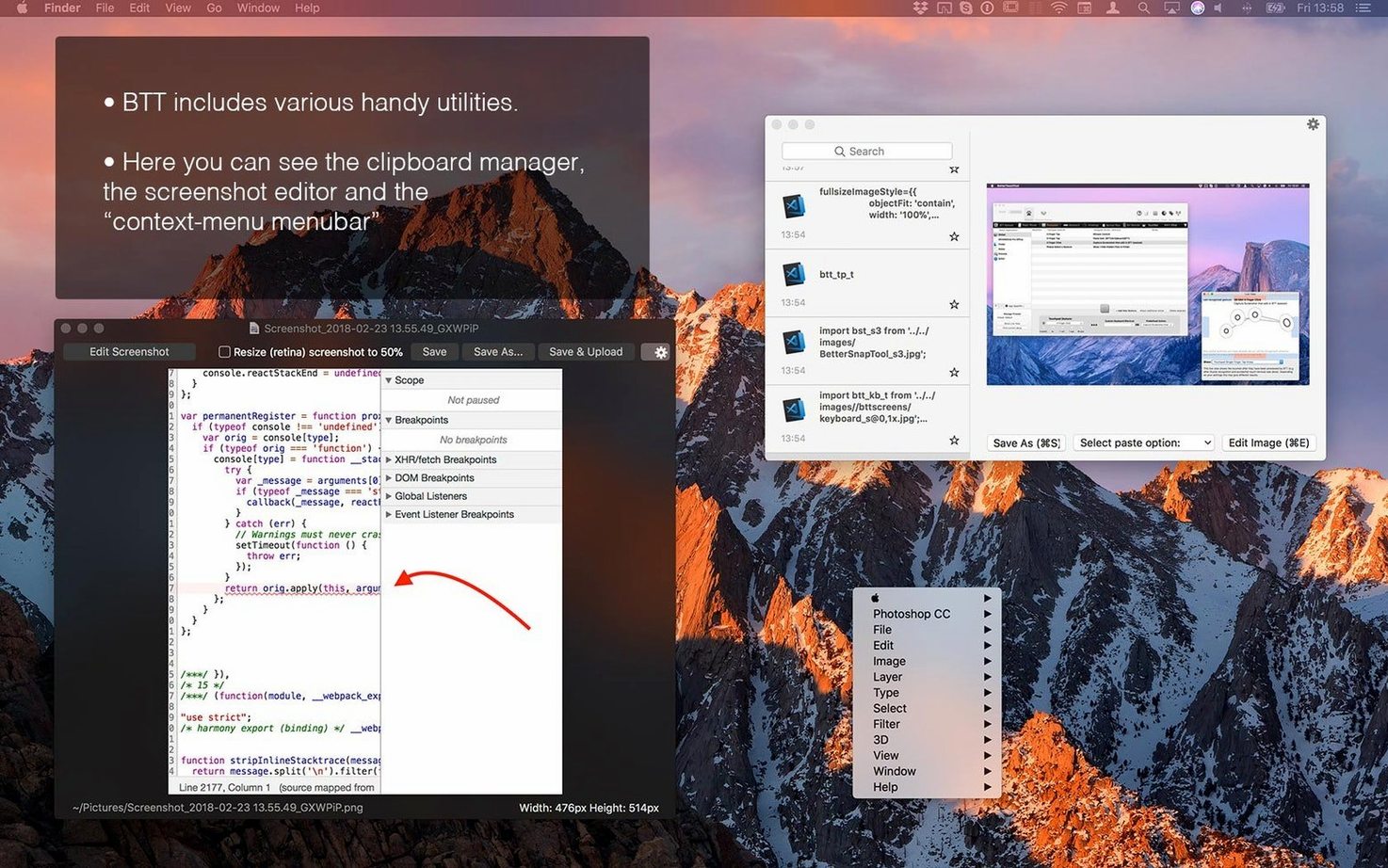
- Includes a screenshot tool with on-the-fly image editing.
BetterTouchTool runs on macOS 10.15 or later, on both Apple Silicon and Intel Macs. It’s the kind of tool you install once and forget it’s there until you try to use a stock Mac again.
Per-App Rules for IT Staff
IT staff who manage multiple workstations for others will appreciate the per-app rule system. You set a three-finger tap to open iTerm in one app and to run a SQL query in another. The same gesture does different things depending on the active window.
Presenters who use Keynote or PowerPoint benefit from the remote support. Map the Siri Remote or Apple Remote to advance slides, toggle the laser pointer, or start a timer. No extra hardware needed.
Anyone who copies and pastes text dozens of times a day will use the built-in clipboard manager. It stores multiple copied items so you can flip back to an earlier snippet without re-selecting it from the source.
Touch Bar users on MacBooks with the physical bar (pre-2021 models) get the most visible change. You can place a custom widget there — something that shows the current weather, a calendar event, or a server status — built with AppleScript or a simple HTTP request.
On-the-Fly Screenshot Editing
- The screenshot tool includes on-the-fly editing. Capture a region, draw an arrow or add a text label, then copy or save it. No need to open a separate image editor.
- Custom gestures are not limited to taps and swipes. You can define a drawing — trace a letter on the trackpad to launch an app — and assign it a distinct action.
- The clipboard manager is always available. Open it from a keyboard shortcut, see the last several items you copied, and pick the one you need. No separate clipboard app required.
- Touch Bar widgets update live if you point them at a URL or a local script. A widget that displays the current time or a to-do count refreshes on its own.
Real-World Scenario: Conference Room Machine
A small dental clinic has one MacBook that travels between exam rooms for patient education and presentations. The machine needs to work differently for each person using it.
The office manager sets a trackpad gesture to open the practice management software. The dentist sets the same gesture (in the same app) to launch 3D imaging software instead. The receptionist maps a keyboard shortcut to paste a frequently-used insurance code. Each rule lives in BetterTouchTool and applies only when the matching app is in front.
The same MacBook connects to a projector for monthly staff meetings. The Siri Remote is mapped to control Keynote slides so the presenter can walk around the room. No extra clicker, no USB receiver.
Because the rules are per app, the machine stays useful to everyone without anyone retraining their muscle memory.
Requires macOS 10.15 or Later
BetterTouchTool 6.726 requires macOS 10.15 or later. It runs on Apple Silicon and Intel 64-bit Macs. The install and activation instructions are included in the package. The interface is in English.
If you search for better touch tool mac free or bettertouchtool torrent, this version is the one that works on the latest MacBooks. If you come across bettertouchtool crack or better touch tool mac crack references, the standard release is all you need to customize your input devices without extra hassle.
- Version 6.726 is the latest release.
- macOS 10.15 or later
- Apple Silicon or Intel
The install order
- Open the downloaded package and drag BetterTouchTool to your Applications folder.
- Launch the app and follow the on-screen activation steps included in the package.