Free download (27 MB) Previous versions
- Version
- 6.1.2
- Developer
- Noodlesoft LLC
- Languages
- English
- License type
- Included
| macOS range | macOS 13.5 or later |
|---|---|
| Chip | Apple Silicon, Intel 64-bit |
| Download | 27 MB |
| Previous versions | 4 on file |
Screenshots
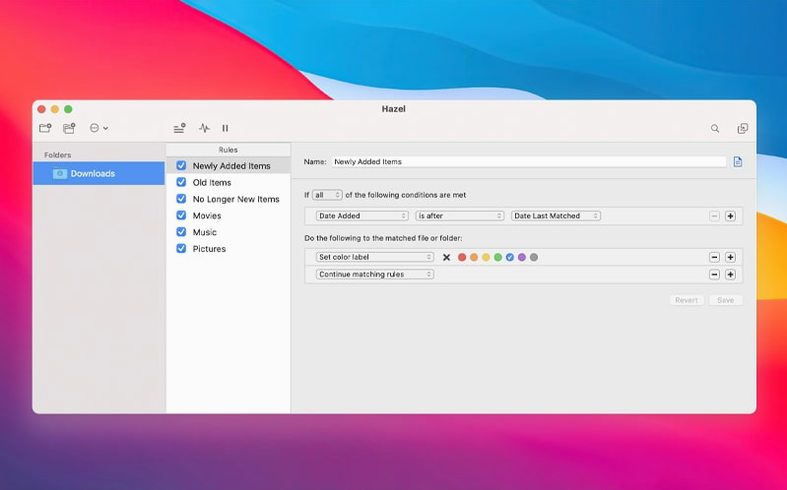
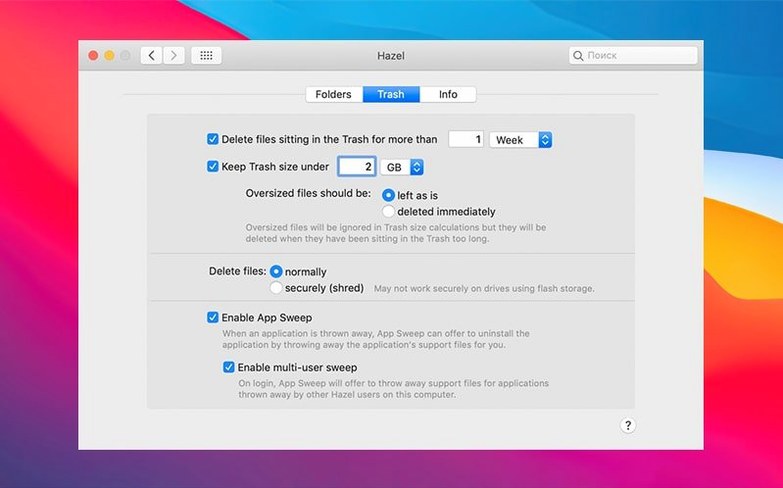
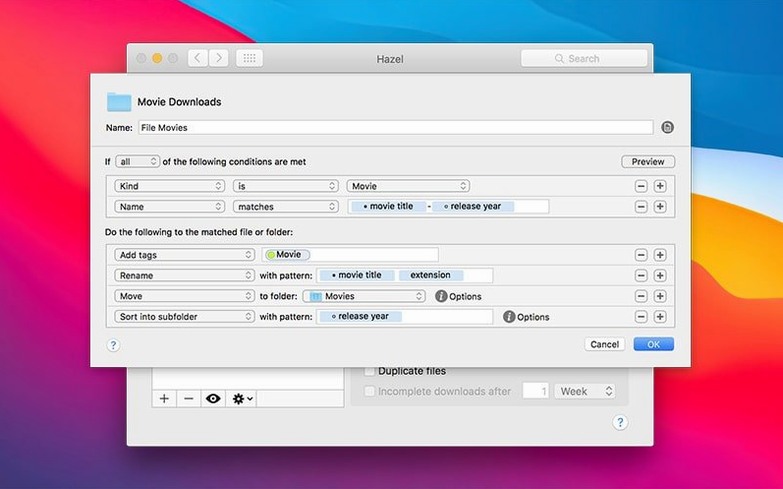
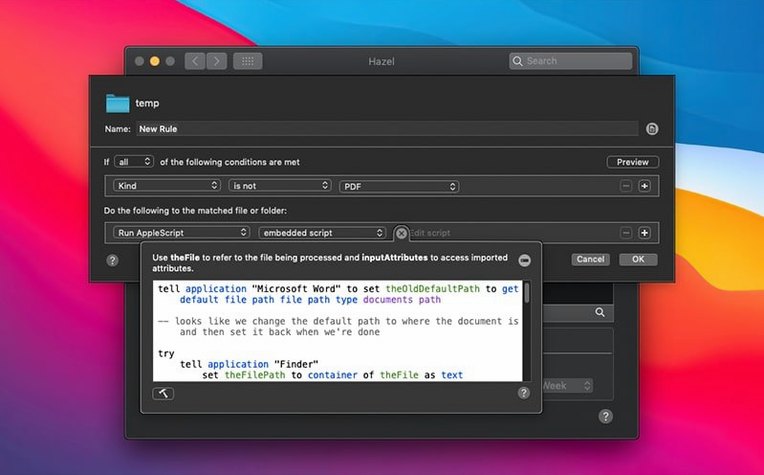
Click a screenshot to see it wider.
Hazel runs on any Mac with macOS 13 (Ventura) or later, on both Intel and Apple Silicon. That covers most machines still getting updates, so it fits alongside the other utilities you already keep around.
Rules That Match Your Workflow
Hazel organizes files by location. You set rules for a folder—say, Downloads or Desktop—and Hazel applies them automatically. It can sort files into themed folders, clean the desktop at a scheduled time, and even work inside subfolders. If you have files that haven't been touched in a while, Hazel can suggest deleting them. It also imports songs into iTunes and photos into iPhoto, which makes it a practical alternative to Automator when you want something simpler.
Handles File Chores Beyond Full Workflows
Most Mac users already have a few automation helpers. Hazel doesn't replace them so much as handle the repetitive file chores that don't need a full workflow. Version 6.1.2 adds features to the remote server file browser that match regular file dialogs, plus a handful of fixes. It's the kind of app that runs quietly in the background, so the rest of your tools keep doing their thing.
Trash Management and Other Demo-Video Misses
Hazel has a few features that won't show up in a demo video but save time once you know they're there.
- Trash management: Hazel can handle files that end up in Trash, not just files still sitting in a folder. You can set rules for what happens to trashed items, so old downloads don't pile up waiting for manual emptying.
- Comments and keywords: Hazel can add comments and keywords to files as it processes them. This is useful if you tag files for search or share them with a team that uses Finder labels.
- Backup with filename notes: Hazel can create backups of documents and add a note directly in the filename. No separate backup app needed for simple versioning.
- iTunes and iPhoto import: Hazel can import songs into iTunes and photos into iPhoto. If you still use those apps, Hazel saves the drag-and-drop step.
These are not headline features, but they fill gaps that other file organizers usually ignore.
Runs as a Preference Pane, Watches Folders Continuously
Does Hazel run all the time? Yes, it runs as a preference pane. You set it up, and it watches the folders you choose. It doesn't need to be launched each time you move a file.
Will it mess with files I'm actively using? Hazel acts on conditions you define. If you set a rule to move PDFs older than a week, it won't touch files you opened this morning. The suggestion to delete old files is just a suggestion until you approve it.
Can I use it with external drives or network folders? Hazel works with local folders like Desktop and Downloads. Version 6.1.2 also updated the remote server file browser so it supports the same features as regular file dialogs, including the ssh/scp port field that was too small before. If you move files to a server, that part just got easier.
Is this the same as Hazel 5? Version 6.1.2 is the current build. It requires macOS 13 or later. If you are on an older macOS version, you would need Hazel 5, but that is not covered here.
Real-World Scenario: A Clinic's Shared Downloads Folder
Consider a small dental office where the front-desk Mac collects patient forms, insurance PDFs, and lab orders in the Downloads folder. Everyone dumps files there, and nobody sorts them. With Hazel, you set rules by location: PDFs with "insurance" in the name go into a subfolder under Documents; lab orders get moved to a shared folder on the network. Hazel can add a date note to each filename so older orders are easy to spot. The front-desk staff doesn't need to learn anything new. Hazel just runs. That is the point.
- Requires macOS 13 (Ventura) or later.
- Fixed tag colors not showing on Tahoe.
- Fixed issues with editing custom table attributes.
- Fixed the ssh/scp port field being too small in the server connection window.
- Updated the remote server file browser upload view.
- macOS 13 (Ventura) or later
- Intel or Apple Silicon
Questions I get about this line
Yes, Hazel can organize files inside subfolders, not just the top level of a folder.
Hazel 6.1.2 requires macOS 13 (Ventura) or later.
The install order
- Mount the downloaded disk image.
- Drag the app to the Applications folder alias.
- Launch the app from Launchpad after copying finishes.