- Version
- 4.6.0
- Developer
- Macroplant
- Languages
- English
- License type
- K'ed by TNT team
| macOS range | OS X 10.10 or later |
|---|---|
| Chip | Intel 64-bit |
| Download | 30 MB |
Screenshots
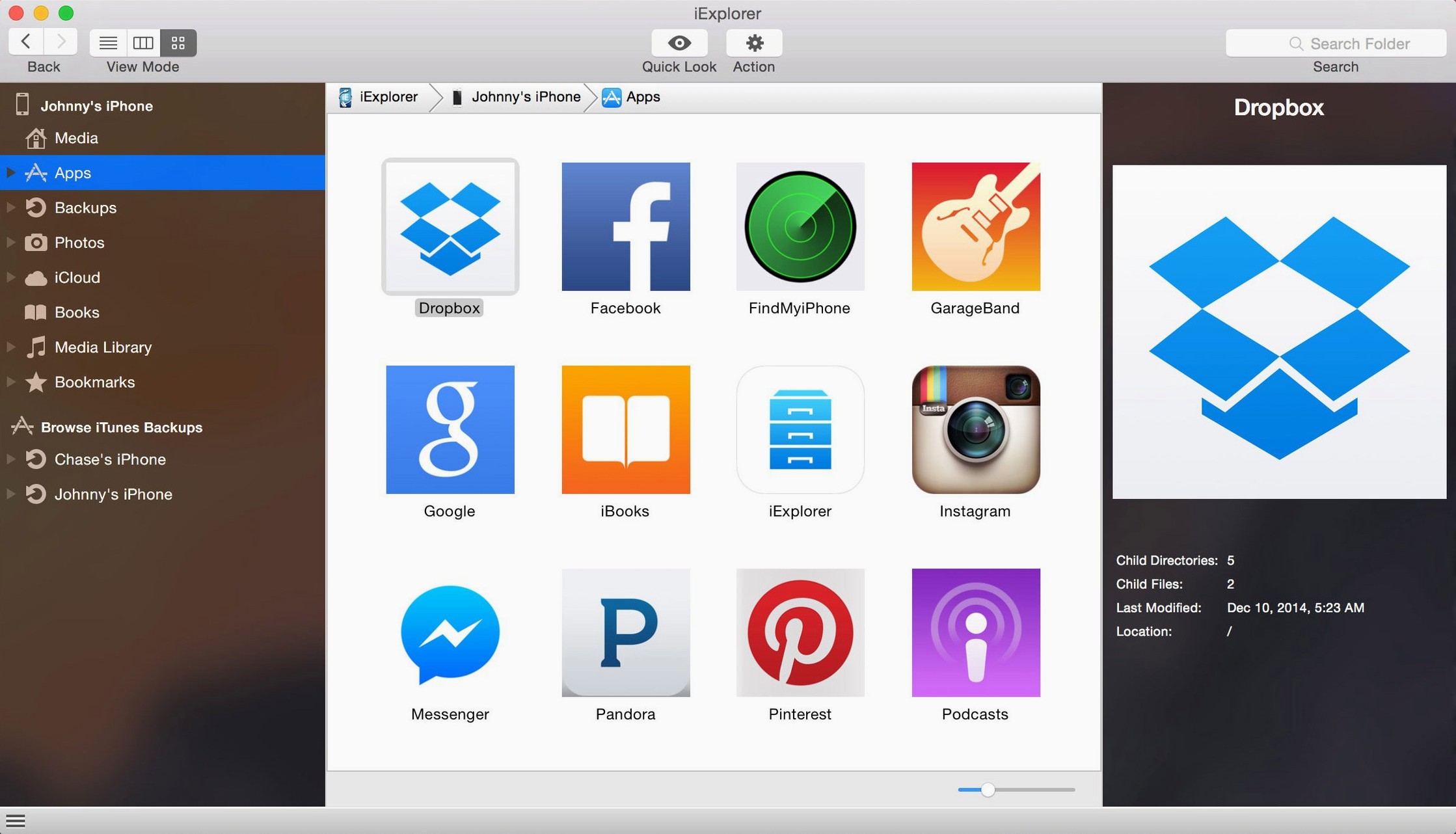
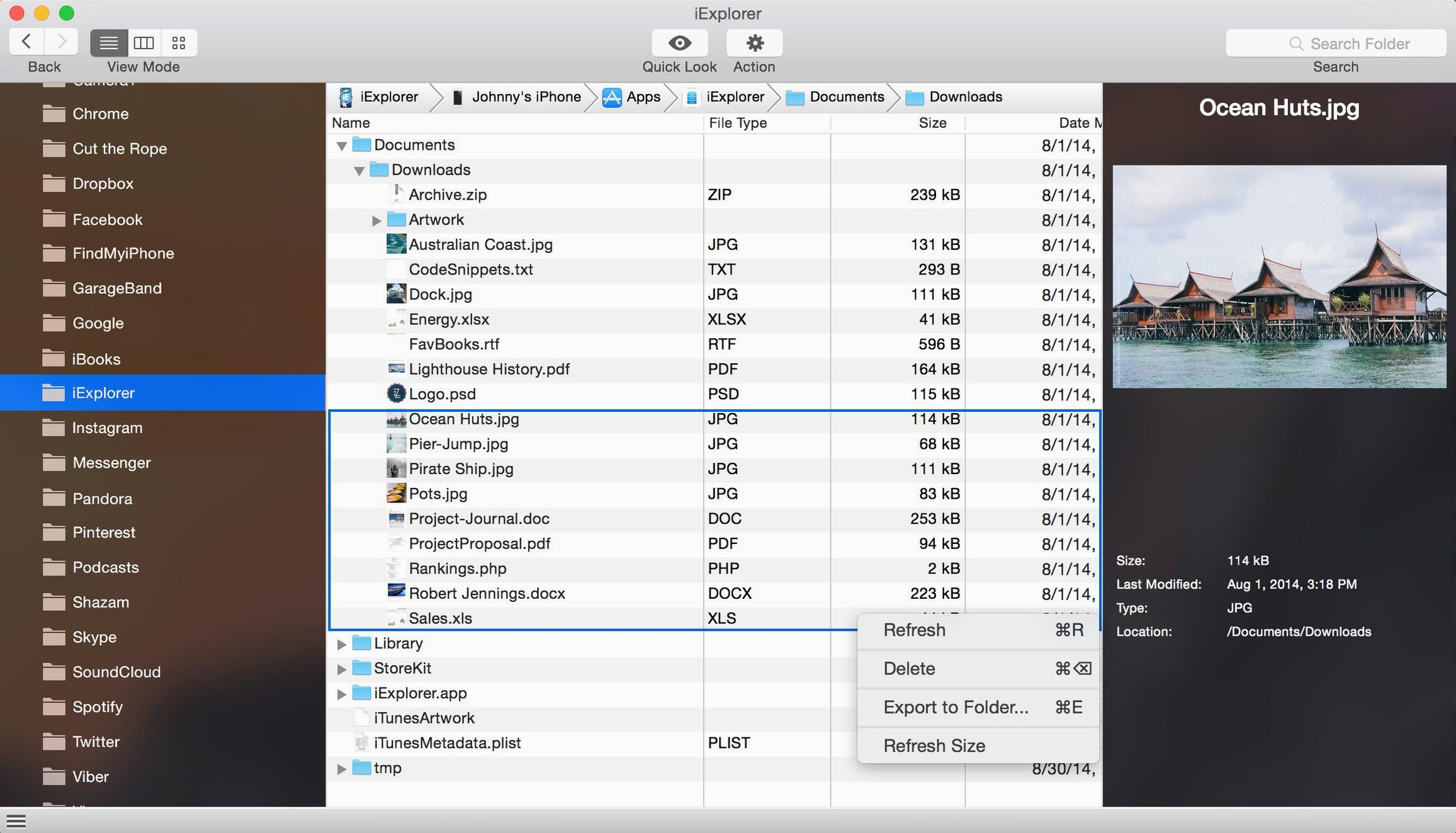
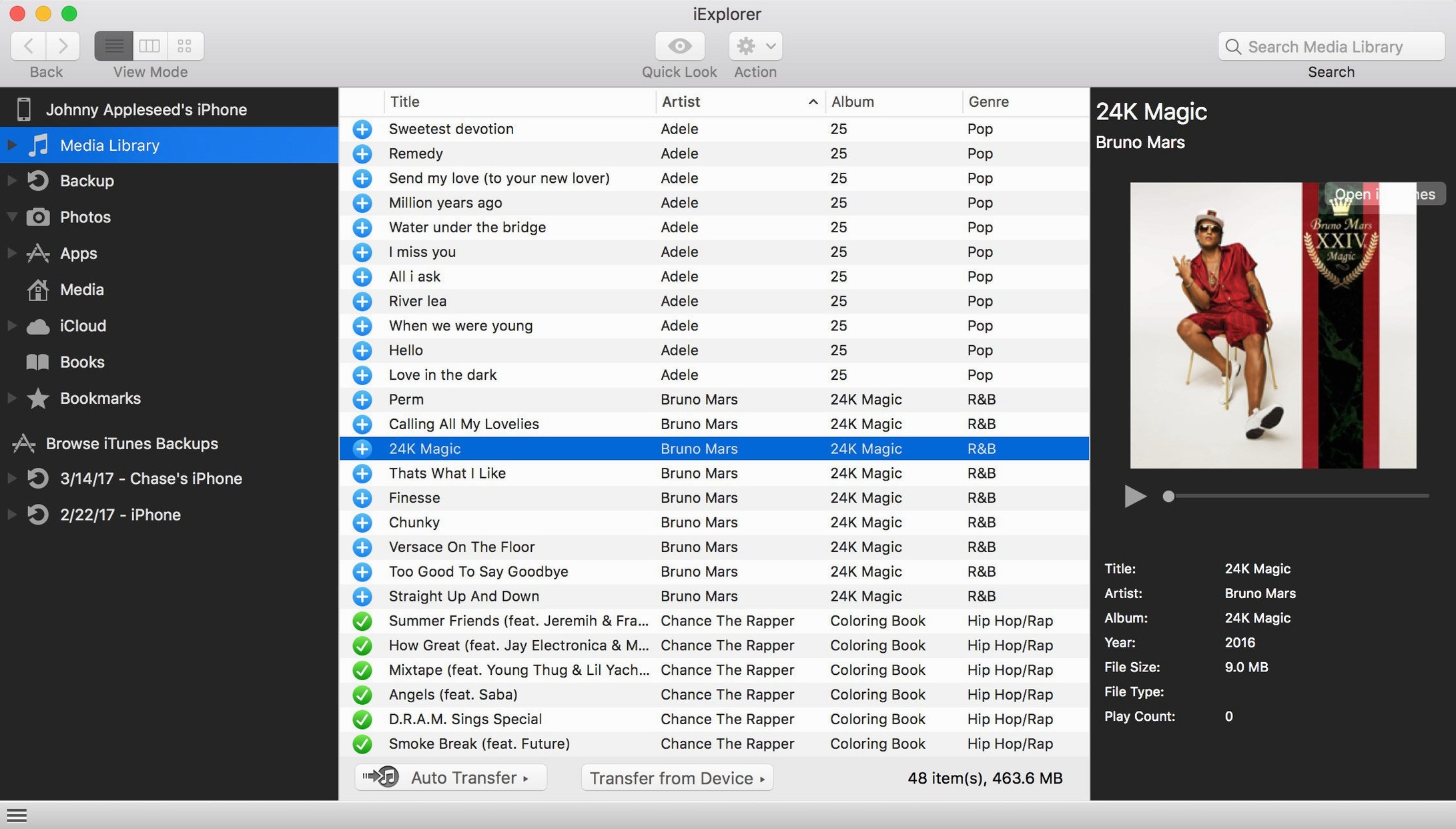
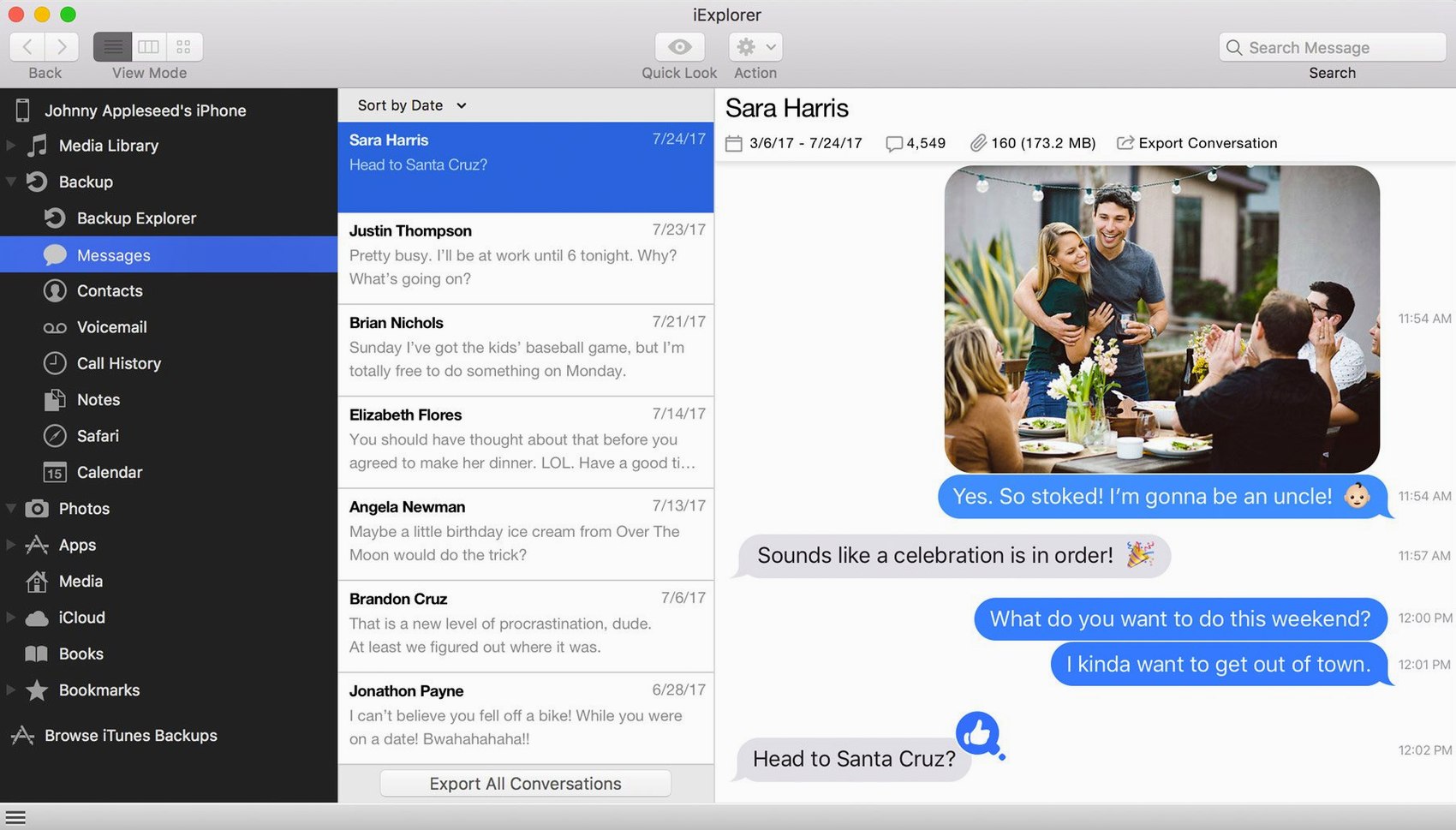
Scroll the row, it snaps to each screenshot. Click one to see it wider.
Pulling files off an iPhone or iPad usually means fighting Finder or iTunes. iExplorer gives you a desktop view of the device, so you can grab what you need without a jailbreak.
Only Runs on Intel 64‑Bit Macs
Version 4.6.0 runs on macOS 10.10 or later, but only on Intel 64-bit Macs. It also needs iTunes installed. If your Mac is Apple Silicon, this build won't run natively.
Browse Device Files
Connect any iPhone, iPad, or iPod and you can navigate its file system and backups. Export contacts, messages, notes, and call history straight to your Mac.
Tap 'Trust This Computer' First
New users often plug in their device and expect everything to show up immediately. If the device isn't trusted on the Mac side first, iExplorer won't see it. Tap "Trust This Computer" on the iPhone or iPad before launching the app.
Another common mistake is skipping the iCloud setup. You can access iCloud storage inside the app, but you still need to sign into your Apple ID in the app's settings. Without that step, the iCloud browser stays empty.
People also forget that iTunes must be installed and up to date. The app relies on Apple's drivers to communicate with the device. Stale or missing iTunes means the device never appears.
Finally, beginners try to drag files into system folders they shouldn't touch. Stick to app data, photos, and music folders. System folders can cause sync errors later.
Opens as an Intel Utility on macOS 10.10+
iExplorer 4.6.0 is a 64-bit Intel app. On an Intel Mac running macOS 10.10 or later, it opens like any other utility. The interface is in English. The device mounts as a disk once connection is established.
You will need iTunes installed and a Lightning or 30-pin cable. Bluetooth won't work. The app does not require a jailbreak, so your device stays as-is.
Expect to see a file browser with separate sections for media, backups, and app data. The iCloud browser works if your Apple ID is signed in. Nothing runs in the background — launch it when you need to move files, quit when you're done.
Recovering a Lost X‑Ray from an iPhone
Monday morning. A dentist calls — he lost a patient's X-ray from the iPhone he uses for on‑site photos. He needs it on his Mac before the next appointment.
I plug the iPhone into the MacBook Air via USB. The phone asks to trust this computer. I tap Trust, enter the passcode. iExplorer is already open.
The device appears in the left sidebar. I click the Photos section. Thumbnails load. I find the X-ray image, select it, and drag it to the desktop. The file transfers in a few seconds.
While I'm there, I check the Messages folder. The dentist had a text with notes about the patient's case. I export that message to a text file. Then I close iExplorer.
The whole session takes under five minutes. No iTunes sync, no emailing files to myself, no cloud uploads. Just plug, browse, drag, done.
The app also reaches into iCloud, so you can pull files without plugging in the device. It can back up the whole device as well.
- iOS 16 compatibility improvement.
- macOS 10.10 or later
- Intel 64-bit architecture
- iTunes
Questions I get about this line
No. It works with connected iPhone, iPad, or iPod devices without jailbreak.
Yes, iExplorer requires iTunes to be installed on your Mac.
The install order
- Mount the disk image and launch Open Gatekeeper friendly.
- Press Enter in Terminal to bypass Gatekeeper.
- Drag the app to the Applications folder.
- Launch the app when installation is complete.