Free download (242 MB) Previous versions
- Version
- 3.6.5
- Developer
- DigiDNA SARL
- Languages
- Russian, English, German, Arabic, Spanish, Italian, Chinese (Simplified), Korean, Portuguese, French, Japanese
- License type
- K'ed by QiuChenly Crack Team
| macOS range | OS X 10.11 or later |
|---|---|
| Chip | Apple Silicon, Intel 64-bit |
| Download | 242 MB |
| Previous versions | 11 on file |
Screenshots
Scroll the row, it snaps to each screenshot. Click one to see it wider.
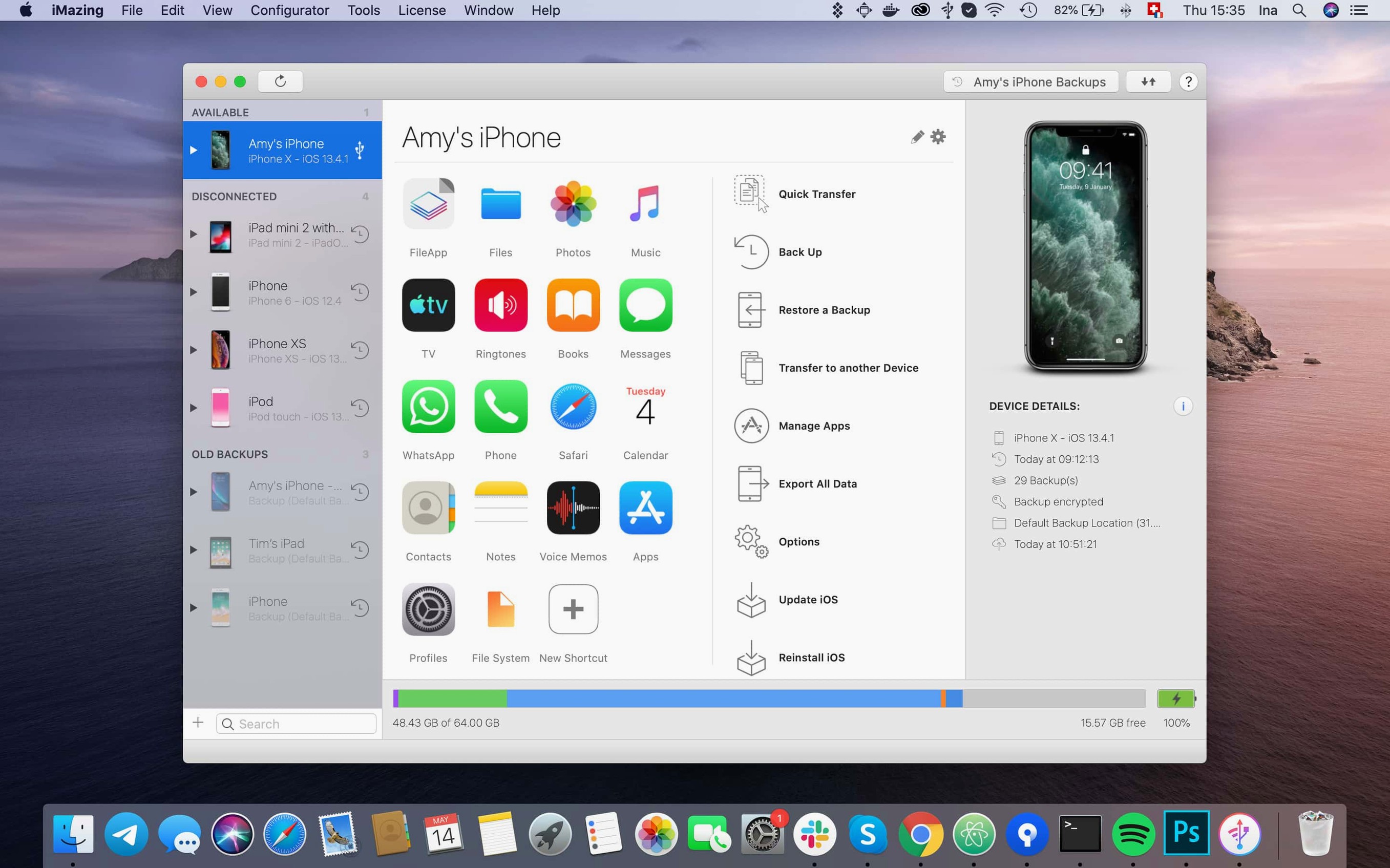
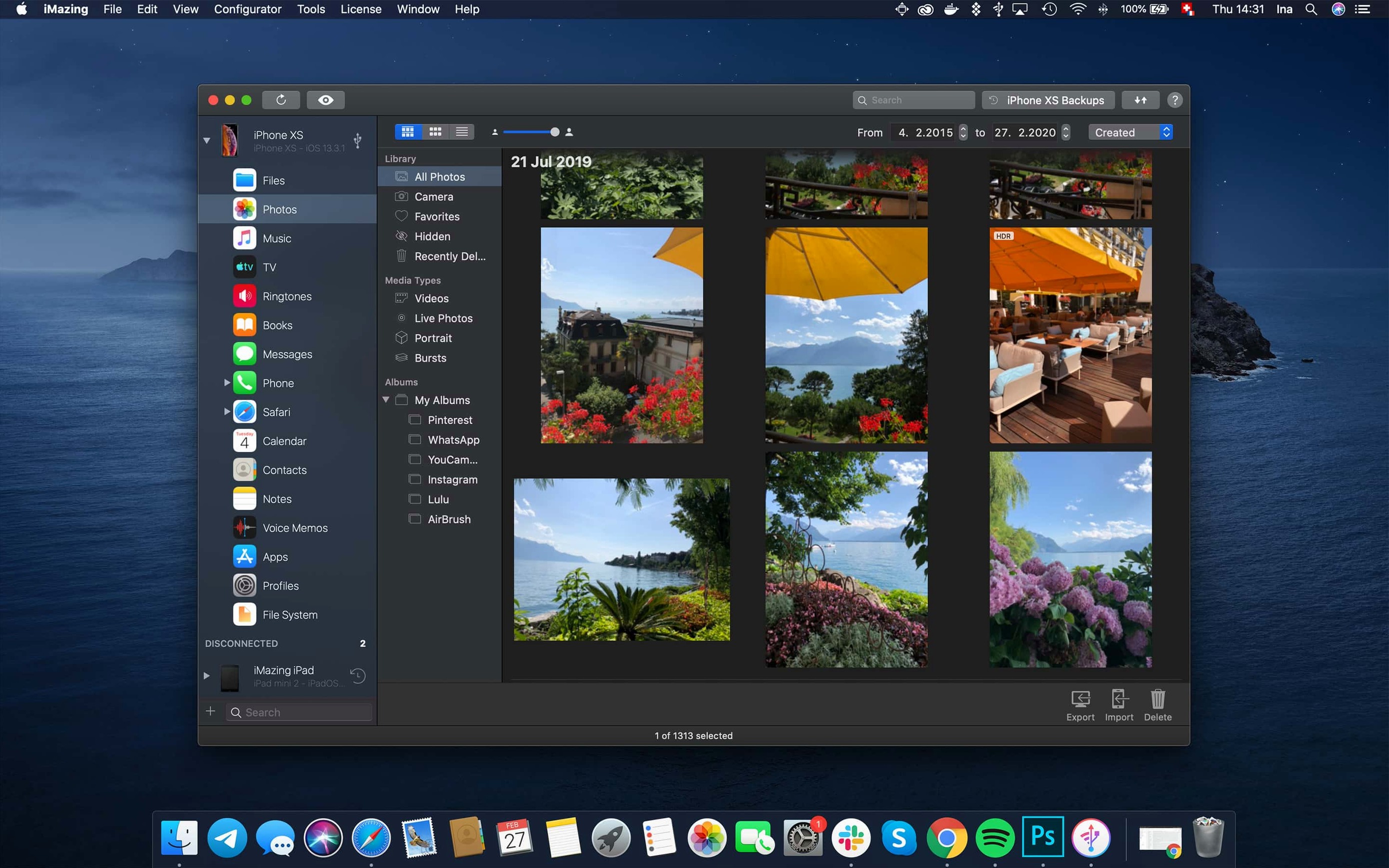
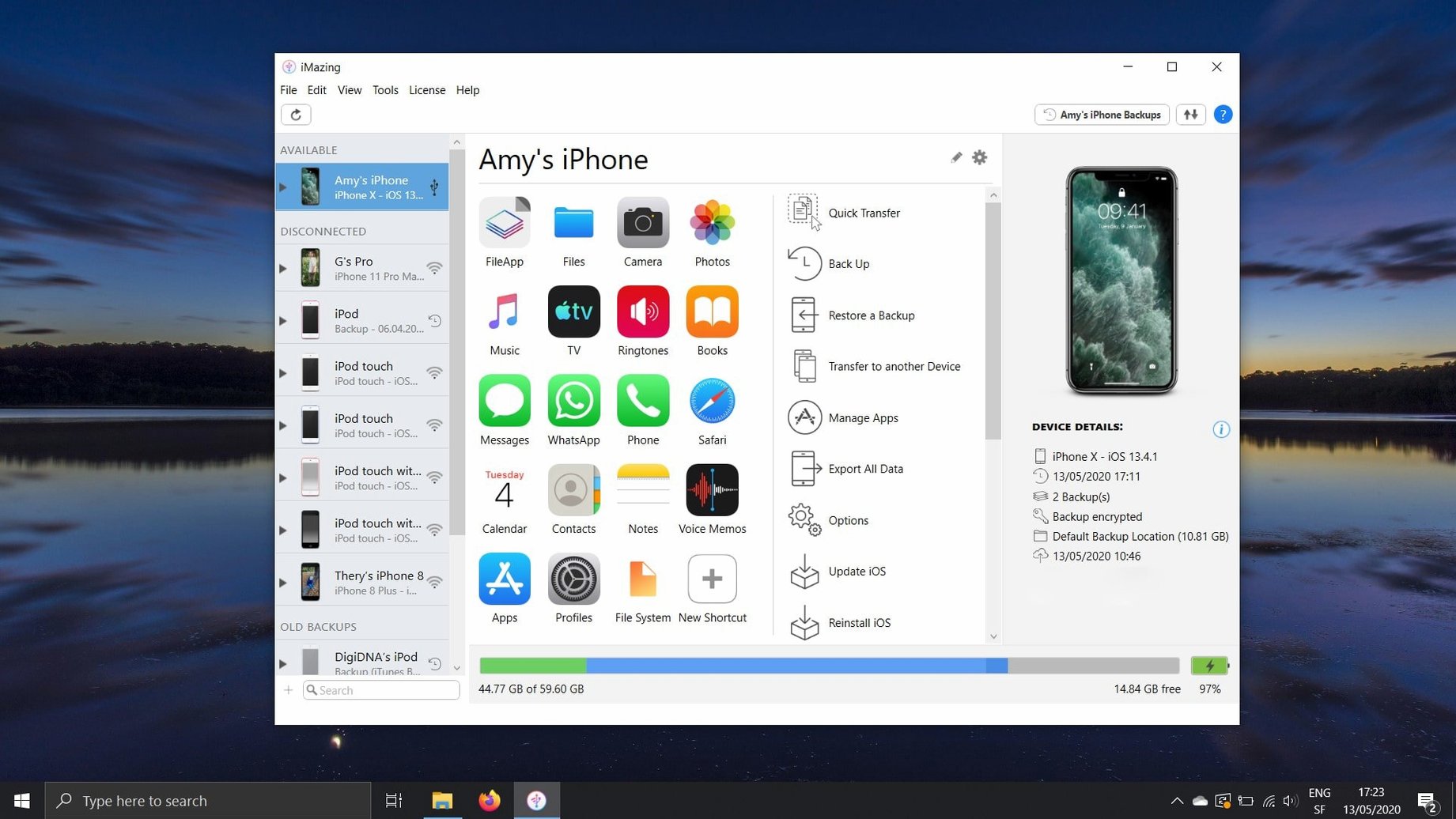
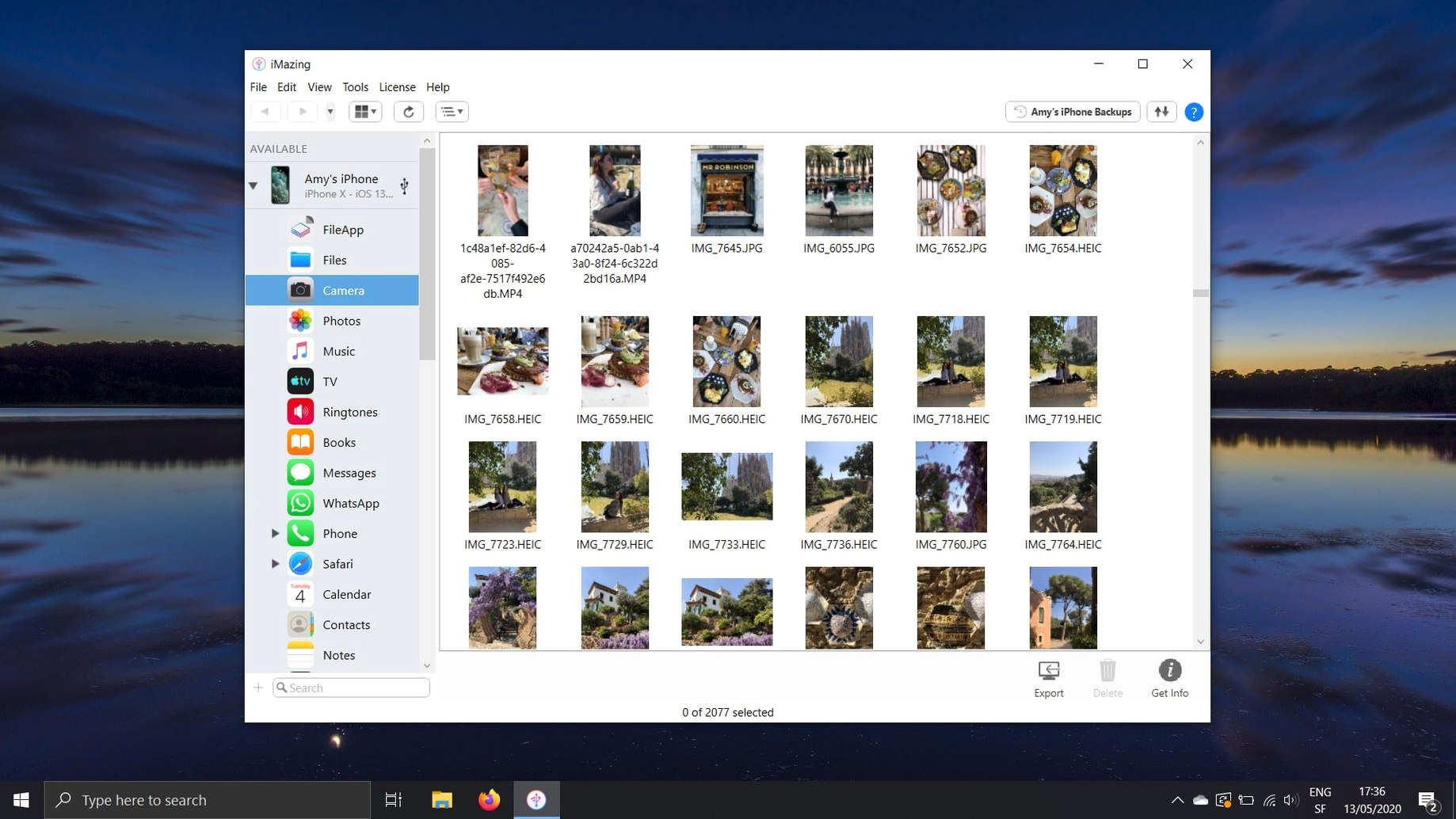
If you already use Apple Configurator or Finder for basic iOS device management, iMazing fills the gaps. It reads the file system and backup data directly, so you can pull files, messages, and voice memos that iTunes never touched. For an IT person juggling a few dental clinic iPhones, that means less fiddling with proprietary sync tools and more time doing actual work.
Transfer music, messages, and files between devices
- Transfer music, messages, and files between devices.
- Copy contacts and voice memos to a Mac or PC.
- Manage iOS apps, including exporting .ipa files.
- Use an iPhone, iPad, or iPod as a flash drive.
- Import ePub and PDF books via Apple Books.
- Create full backups of your iOS devices.
Deeper tools for experienced users
The unified logs view now exports complete log archives, which helps when you're troubleshooting a device remotely. And with support for iPhone 18 Pro and Apple Watch Ultra 4, iMazing stays current with new hardware. Scanned documents from iOS 26 also display correctly beyond the first page, a small fix that matters when you're reviewing patient consent forms.
Runs alongside iTunes and Finder without conflicts
People often ask whether iMazing conflicts with iTunes or Finder. It does not. iMazing runs alongside both without interfering. You can keep using Apple Configurator for syncing music and Finder for drag-and-drop file management, then open iMazing when you need to pull call logs or save voicemails. The apps share the same USB connection, but they do not fight over it.
Another frequent question is whether iMazing works with encrypted backups. It does. You can modify and restore files from encrypted iPhone and iPad backups, which is useful when you need to extract a single document without restoring an entire device. The process is the same as with unencrypted backups.
Wireless backups are another point of confusion. iMazing supports automatic wireless backups from iPhone and iPad to a Mac or PC. You set it once, and it runs on its own schedule. No cables, no remembering to plug in.
How iMazing fits with macOS and other apps
iMazing works directly with Apple Books for importing ePub and PDF files. You drag a book into iMazing, and it appears in the Apple Books app on your iOS device. The reverse also works: export books from your phone to a Mac through iMazing.
The app also integrates with the macOS file system in a straightforward way. When you mount an iPhone as a flash drive, it shows up in Finder like any other external drive. You can copy files in both directions without launching a separate sync tool.
For clinic IT work, iMazing pairs well with backup utilities. You create a full device backup in iMazing, then store the backup file alongside Time Machine or cloud backups. Restoring is a single menu action, and you can pick individual files from the backup without flattening the whole device.
How iMazing compares with similar Mac apps
iMazing vs. Apple Configurator (iTunes). Apple Configurator handles music, podcasts, and basic device updates. iMazing does all of that plus exports text messages, call logs, and voicemails. If you need to pull a patient's call history or save a voicemail from a clinic line, iMazing is the tool. Apple Configurator cannot do those tasks.
iMazing vs. Commander One with iOS plugin. Commander One is a file manager that can access iOS devices through a plugin. It works for file transfers and basic browsing. iMazing goes further: it manages app installations, creates encrypted backups, and handles contacts and calendars. Commander One is better if you only need file access; iMazing is better if you need the full set of device management tools.
iMazing vs. AnyTrans. AnyTrans is a similar tool that transfers content between iOS devices and computers. iMazing's advantage is its support for encrypted backup files and its direct integration with Apple Books. Both apps cover the same ground for music, messages, and contacts, but iMazing is more likely to keep pace with newer Apple hardware.
Now recognizes iPhone 18 Pro and Apple Watch Series 12
The latest update focuses on hardware support and usability. Apple Watch Ultra 4, Apple Watch Series 12, iPhone Duo, iPhone 18 Pro Max, and iPhone 18 Pro are currently acknowledged. If you manage clinic devices that include these models, they will connect without extra configuration.
Unified logs can now be exported directly from the log view. This saves time when you need to send a support file or keep a record of device behavior. Before 3.6.5, you had to navigate through menus to find the log archive.
A link to iMazing Chatbot was added in the main window toolbar. It is a quick way to get help without opening a browser. For clinic staff who are not IT people, that chatbot link reduces the number of questions they need to ask you.
Scanned documents from iOS 26 now display correctly beyond the first page. That was a bug fix, and it matters if you use your phone to scan patient forms and then view them on a Mac.
Backups of .imazingapp files now contain shared app group containers when exported. This means app groups you set up on one device carry over when you restore. It is a small improvement, but it keeps your app layout intact after a restore.
App downloads failing with error code 429 were fixed. That error happened when too many requests were made in a short time. The fix means app downloads from iMazing are more reliable, especially when you are installing software on multiple clinic devices in a row.
- Support for iPhone 18 Pro, iPhone 18 Pro Max, iPhone Duo, Apple Watch Series 12, and Apple Watch Ultra 4.
- Export complete log archives from the unified logs view.
- Link to iMazing Chatbot added to the main window toolbar.
- macOS 10.11 or later
- Intel or Apple Silicon
The install order
- Open the downloaded disk image.
- Drag the app into the Applications folder shortcut.
- After copying finishes, launch the app from Launchpad.