Free download (100 MB) Previous versions
- Version
- 2.5.1.0
- Developer
- Raycast
- Languages
- English
- License type
- Not required
| macOS range | macOS 12 or later |
|---|---|
| Chip | Apple Silicon, Intel 64-bit |
| Download | 100 MB |
| Previous versions | 2 on file |
Screenshots
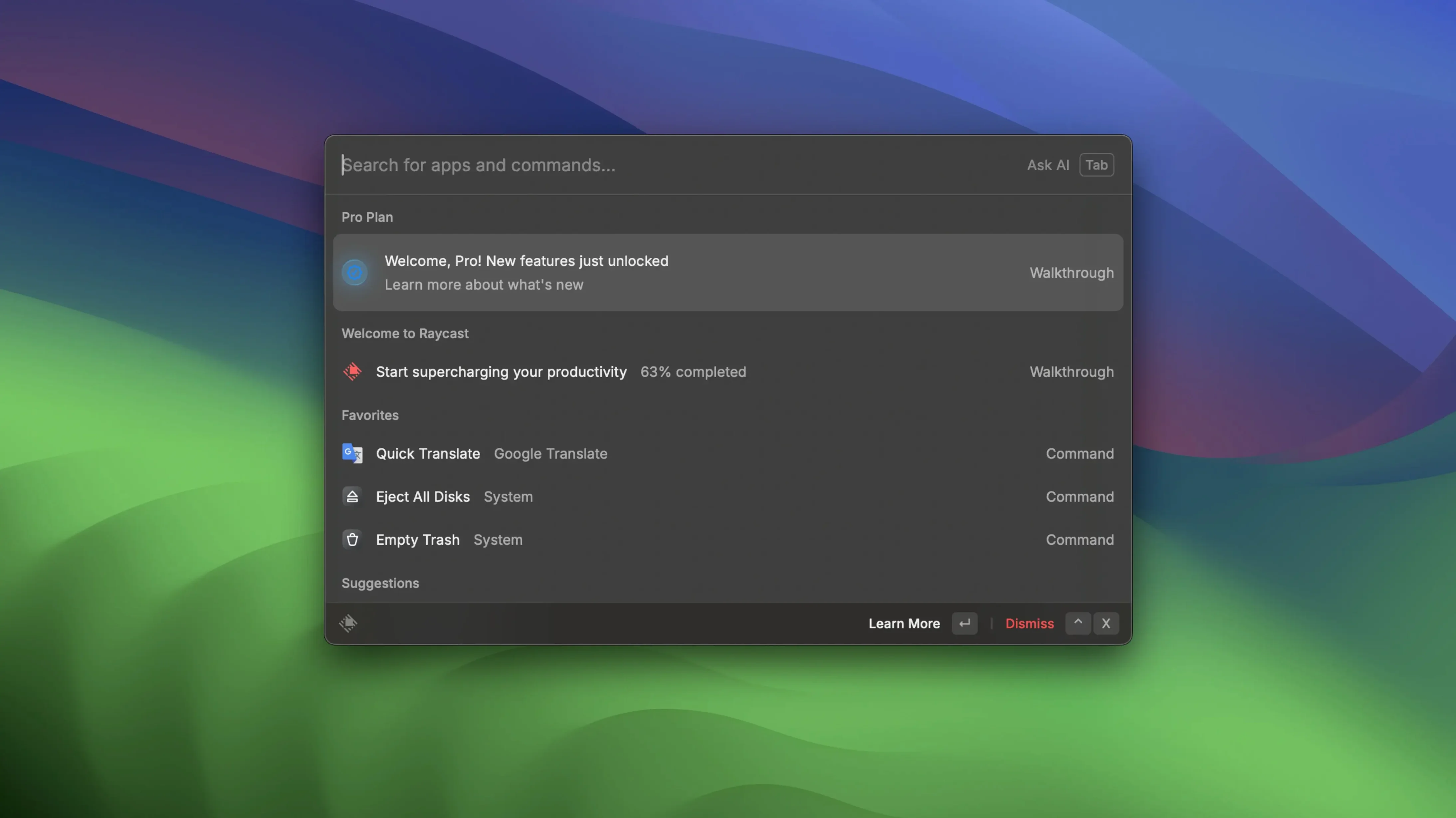
Raycast opens with Option+Space and turns macOS into a command-driven workspace. Version 2.4.1.0 of this extensible launcher packs more than search. Each feature is built for a specific job, and that focus shows.
- Local file search – Find files on your Mac without opening Finder. Type a name, press Enter, and the file is right there.
- Google Drive and Docs commands – Run custom commands to create, open, or search Google Drive files and Google Docs directly from the palette.
- Zoom meeting controls – After connecting Zoom, schedule, start, and view upcoming meetings without leaving your keyboard.
- Quick links – Assign a keyword to any web page. Type the keyword, hit Enter, and the browser opens that page.
- Floating notes – Keep a small note window on top of your screen. Useful for temporary text you need while working.
- Built-in shortcuts – Fast access to common Mac tasks like system settings, clipboard history, and app switching.
Raycast sits alongside a few other launchers on macOS, and each has its own approach. Alfred is probably the closest match. It also does file search, web searches, and custom workflows. Where Raycast pulls ahead is the built-in extension system. Alfred relies on third-party workflows you download separately. Raycast ships with connectors for Zoom, Google Drive, and Docs ready to go. LaunchBar is another option. It is fast and lightweight. But it is less extensible than both Alfred and Raycast. LaunchBar covers the basics like file lookup and calculator without the deeper integration Raycast offers for specific apps.
For anyone who wants to write their own tools, Raycast supports custom script commands. You can add community-created scripts too. Alfred has similar capability with its workflows, but setting them up is less straightforward. If you just want the launcher to do more out of the box, Raycast is the better fit.
Option+Space shortcut conflicts and fixes
Even a well-built tool can trip you up. Here are the usual issues people hit with Raycast and the fixes that work.
- Option+Space stops working – Another app probably grabbed the shortcut. Go to Raycast's preferences, check the hotkey section, and reassign it. If that does not help, quit Raycast from the menu bar and relaunch it. That clears most conflicts.
- Google Drive or Docs commands do not appear – The extension needs to be enabled. Open Raycast, type "Extensions," find the Google one, and toggle it on. Then connect your Google account in the extension settings.
- Zoom meeting controls are missing – The Zoom integration requires Zoom to be installed and connected. Open Zoom first, then go back to Raycast and try the meeting commands again. If they still do not show, restart both apps.
- Quick links open in the wrong browser – Check the quick link settings. You can set a default app or browser for each link. Edit the link and pick the browser you want.
- Floating notes disappear after restart – Notes are temporary by default. If you need to keep one, copy it to Apple Notes or save it as a text file before you quit.
Raycast Pro crack downloads sometimes have issues because the online features are disabled. That means Zoom, Google Drive, and any extension that needs network access won't work. If you are running a raycast pro crack, expect only the offline commands to function.
Raycast is fast, ergonomic, and reliable. When the palette is your main way of working, these features cut out the clutter and keep you moving.
- macOS 12 or later
- Intel or Apple Silicon
- English interface
- Activation not required
- Online functions do not work
The install order
- Mount the downloaded disk image.
- Drag the app to the Applications folder alias.
- After copying finishes, launch the app from Launchpad.